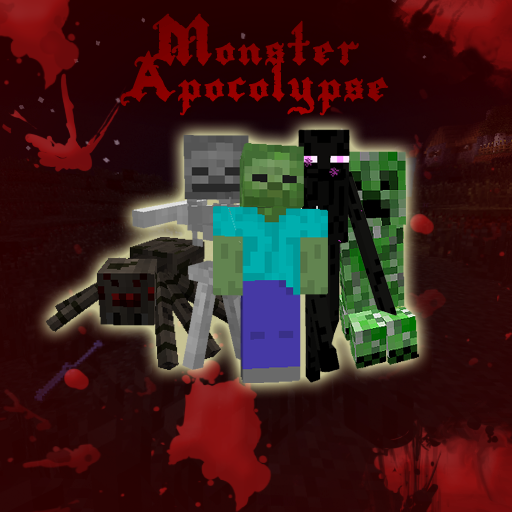
Monster Apocalypse
Monster Apocalypse Version 19.6
Version 19.6 is only supported on Minecraft 1.11.0+. Please visit the Spigot page for support.
Support for new versions of Monster Apocalypse have been moved to Spigot, find more info and downloads here. https://www.spigotmc.org/resources/monster-apocalypse.12122/


Welcome to the ultimate monster hell. I have brought together everything anyone everyone could ever want to do with monsters into one completely hellbent plugin. Use at your own risk.
Warning - Zombie digging is destructive, if you turn it on and configure it, please backup your worlds.
Plugin has been thoroughly tested as working properly, if you have trouble please report it so I can make it work for a wider range of setups!
PLEASE USE CRAFTBUKKIT 1.11 (R1) for version 19.6. Only Spigot supports this build. No other builds will work with this version.
Monster apocalypse is copyright by the individual aliased on this site as blainicus, all rights reserved. You are free to use it commercially, as long as you do not sell the plugin itself unmodified, and do not claim ownership. Source code is included for self-modification. I am not liable for monetary or other damages caused by using or modding this plugin.
Donate
Monster Apocalypse was created by one man, working full time continually for several months during early development. Please donate if you would like to see more features or new plugin releases, or just feel like my time is worth your gratitude.
https://www.paypal.com/cgi-bin/webscr?cmd=_s-xclick&hosted_button_id=LAUYQ89CXXAXS
Features
- Complete control of all monster power- health, damage, item drops, burning in sunlight, explosion radius, immunity to specific damage types, even spawn rates!
- INSTANT setup options!
- Consume the world in darkness - Always night mode, and bonus spawns!
- Action RPG Mode - Make combat more exciting!
- Incredible new abilities - Mobs can explode on death, spawn allies, kill torches, attack from miles away at high velocity, bombard bases with exploding arrows, and even claw and scratch their way into your home!
- Zombies can dig through anything based on YOUR settings, and no server lag! Fear the Apocalypse as they pound away at your walls!
- Monsters can be set to nerdpole and airbridge, like players on the hunt!
- Skeletons can be set to turn into quake pro snipers, shooting accurately from FAR in the distance!
- Nightmare Mode for the ultimate increasing challenge!
- FULL World-Guard region support, works even when worldguard regions isn't!
- Total natural spawn rewrite, available to change your world drastically and retain that vanilla feel.
- Multi-world support - Will only run on worlds YOU select!
- Mega-aggro system - Mobs can smell you from miles away and attack!
- Spawn Points - Set up virtual spawners with custom timers!
- True damage - Allow mobs to pierce that pesky diamond armor!
- Wolf and PigZombie aggressiveness control.
- Control which blocks mobs spawn on.
- Permissions nodes to make certain players immune to monster aggro and damage.
Video
Warning, videos below contain mild mature language.
http://www.youtube.com/watch?v=rHwaBpXT8vo
http://www.youtube.com/watch?v=SwRKtiQ3aLM
http://www.youtube.com/watch?v=iwLW0YtUXZc
http://www.youtube.com/watch?v=y3JjjCYv4sk
http://www.youtube.com/watch?v=estgRv4ZnLY
http://www.youtube.com/watch?v=1P5NNDAU3AA
Download Version 19.6!
Version 19.6 is out!
It will appear here once it's approved:
http://dev.bukkit.org/server-mods/monster-apocalypse/files/
If you need it earlier than this (it can take up to 5 days), send me a private message.
Thanks for the support! If you like what I've done with this version, feel free to donate. https://www.paypal.com/cgi-bin/webscr?cmd=_s-xclick&hosted_button_id=LAUYQ89CXXAXS
Version 19.6 notes:
- Updated to Minecraft/Spigot 1.11.0
- Version dependent on Spigot 1.11.0.
- Please view the supported release page here: https://www.spigotmc.org/resources/monster-apocalypse.12122/
Config
http://dev.bukkit.org/server-mods/monster-apocalypse/pages/config/
(Is partially updated)
You will need to reference craftbukkit enums for drops and block attacking to work, failure to use valid enums could potentially break your plugin. You can find them here:
https://hub.spigotmc.org/javadocs/bukkit/org/bukkit/Material.html
You may want to play with Spawn Points, you can find the info here:
http://dev.bukkit.org/server-mods/monster-apocalypse/pages/spawn-points/
If you wish to develop your own plugin with my health API, check this page:
http://dev.bukkit.org/server-mods/monster-apocalypse/pages/health-api/
For Nightmare Mode, check here:
http://dev.bukkit.org/server-mods/monster-apocalypse/pages/nightmare-mode/
Need multiple configs?
- Note: This is outdated and may not work.
How to set up multiple installations, for different custom difficulties on multiple worlds:
- Copy the MA jar and rename it.
- Rename the plugin inside plugin.yml of the second copy (within the jar), and remove the commands section.
- Disable registering the /MA command in the second copy's config.
- Double check that you have no world names overlapping between the two configs, and that your bonus and naturalistic spawns are restricted to the right worlds.
You now have two separate installations.
Related/Similar Plugins
Fear the Darkness: Adds an element of terror to dark areas of minecraft!
http://dev.bukkit.org/server-mods/fear-darkness/
Simple Starvation: For when you really want to emphasize long term survival!
Comments


-

_ForgeUser6699954 Owner
-
View User Profile
-
Send Message
Posted Apr 7, 2012Is it possible in anyway to use this in conjunction with Heroes?
-
View User Profile
-
Send Message
Posted Apr 7, 2012@blainicus
Okay, i added multiverse-core, but i dont have a plugin.yml anywhere, and i still cant have the plugin on multiple worlds
-
View User Profile
-
Send Message
Posted Apr 7, 2012@blainicus
So I can just change "bonus naturalistic spawns" max Y in the beginning of the config file and not worry about the individual spawn heights in Natural?
Thanks a heap!
Additionally: We have yet to run into the "fake" skeletons that you can hurt once but otherwise cannot interact with. I think the 1.2.5 and your update had fixed this weird bug. Will let you know if we run into them again.
-
View User Profile
-
Send Message
Posted Apr 7, 2012@Masonnasty
You need to add your multi-world plugin as a dependancy to your plugin.yml.
-
View User Profile
-
Send Message
Posted Apr 7, 2012soooo.... i try to add this plugin to more that just 1 world by typing
- Nastycraft
- Nastycraft_nether
- Nastycraft_the_end
- Maxiworld
- Planetoids
but when i have more that 1 world listed int he config the plugin doesnt work, only with 1 world, is it possible to add it to multiple worlds?
-
View User Profile
-
Send Message
Posted Apr 7, 2012@Eternisrequiem
The chance within the naturalistic spawns section is solely to adjust distribution of naturalistic bonus spawns, whereas the chance in the Natural section will cancel vanilla natural spawns if they do not pass the chance check.
You can use only naturalistic spawns and disable vanilla hostiles without a problem.
For your height cap question, the answer is yes. It affects all spawns including custom ones.
-
View User Profile
-
Send Message
Posted Apr 6, 2012@blainicus
Erm, what you said was not very clear.
There are two separate areas that ask if you can spawn Naturalistic Bonus Spawns and two different areas that ask the "Chance".
The first one, earlier is:
Naturalistic Bonus Spawns: Creeper: spawn: true chance: 16.0
The one later on, past the adv mob properties is:
Natural: Creeper: spawn: true spawncount: 1 spawnchance: 16.0 spawnymin: 1 spawnymax: 128 replacement: Creeper
So, what is what? Does this mean that I can disable Natural bonus mobs in general, and use the "Natural:" things to edit the mob spawns or if they spawn at all, the "vanilla" monster spawns? (IE: At the very top I have "Enable natural passive spawns?: false", and the "Natural:" section would edit this class of mobs?)
Of course, I can only use Naturalistic Bonus Mobs to set mobs to spawn at light level of 0-5, so I want to keep that false regardless...
I currently have creepers at 16.0, and Ender/Skele/Spider/Zombie at 21.0 in both Naturalistic Bonus Spawns section as well as in the Natural: section since I was a bit confused.
Also, do I need to change the "max y" values everywhere to 256 so they spawn in places above the old world height?
-
View User Profile
-
Send Message
Posted Apr 6, 2012@tgyk1337
Custom mobs require spout (if you want to change anything other than HP). That said, this is not an RPG mod, so that sort of functionality is not planned. However, if you use spawn points, you could set different types of mobs for different areas through virtual spawners.
@blizzard158
I haven't been able to figure out what's wrong with the drop node, I suspect it's something Bukkit-side. Individual drops seem to still work.
@Eternisrequiem
Naturalistic spawn true/false simply flags whether it can spawn. The 'chance' values, if set up properly, allow you adjust the distribution of monster types to change the proportions of which each spawn. When not set properly, the types will spawn uniformly.
The larger section for monster properties is unrelated to naturalistic spawn rates, however they will conform to the other section. I generally disadvise changing advanced properties unless you're trying to accomplish a goal.
For example, you could have Creepers, Skeletons, and Zombies enabled, with chances of 5.0, 20.0, and 75.5 respectively. This would give you 1/20 creepers, 3/4 zombies, and 1/5 skeletons as proportions.
Unfortunately this is the only way to allow proportional changes, however confusing it may be.
The new event system flag no longer does anything in new versions, it's simply there to prevent bugs from happening due to importing old configs. The old event system was removed for 1.2.4, and so was my switch to use it.
-
View User Profile
-
Send Message
Posted Apr 6, 2012Hey buddy, remember me? Great job on the update, I said I'd donate again if all goes well :P
With your new spawning chance/etc I'm confused. Your config sorta needs to get cleaned up because it's a bit of a mess now IMO.
I wanted to do 2 things: Make monsters spawn from light 0-5 and make creepers spawn LESS than other mobs. Before, you told me to set naturalistic spawns to true for just my main world, but the new spawn boolean stuff is confusing. So the lines:
Naturalistic Bonus Spawns: Creeper: spawn: true chance: 16.0
No longer matter, correct? This just sets if a creeper can spawn at all?
To change the chance, down below the mob editing do I change the %?
IE:
Natural: Creeper: spawn: true spawncount: 1 spawnchance: 16.0 spawnymin: 1 spawnymax: 128 replacement: Creeper
I noticed each of these are set to spawn: true, and that just means its possible to spawn in the world at all, correct? Versus the first copy-paste which was will this mob spawn in naturalistic spawns?
Should I increase y to 256 since that's the new height? Should I do that way up top in the "naturalistic mobs" place, or down below where I posted?
What is: "Use new event system?: true"? I'm assuming turning to false would break it?
Thanks buddy! Next paycheck you be getting the second half I promised when everything is set up! :D
-
View User Profile
-
Send Message
Posted Apr 6, 2012Okay so i'm trying to set it up to where only Zombies, Chickens, and Pigs spawn. I'm certain the spawning is working and i also have custom hp and damage working. But then i try to set custom drops and that is where it gives me the error:
[INFO] Monster Apocalypse: Error adding drop to drop list of Zombie, check your drops for errors
I tryed to add zombie's dropping 2 string with a 5% chance, and here is my config with that setting: https://dl-web.dropbox.com/get/config.yml?w=01915047 So is " - STRING:2:5" a wrong format or....what? So what am i doing wrong? Also, if you could give me some sort of example on how to set up multiple drops, it would be greatly appreciated.
UPDATE: So i just killed a zombie and it dropped string but i got the error in the log so does that not mean anything or? Another update, i tried setting up multiple drops right after this with all the drop percents adding up to around 100.7 percent and then it didnt work and everytime i went to kill a zombie, i got a list of errors that spammed the console.
-
View User Profile
-
Send Message
Posted Apr 6, 2012Alrght, so I'm trying to keep this under wraps, however I need a hand in a specific aspect of what I'm doing:
Is it possible to have multiple areas of zombies, with different spawn specifications?
like "Starter zone" -- regular zombies, nothing fancy
right outside the "Starter zone" -- have stronger zombies, and more of them.
maybe some giants? (I think it's from "Spawner plugin" or something)
And a super zombie (100hp 5 hearts a pop) as a mini boss --
note: no worries about the other mobs, if I can get this information, as a Rosetta stone so to speak, I'll be able to build from there :)
-
View User Profile
-
Send Message
Posted Apr 6, 2012@sorrow123444
It hasn't been approved yet, for some reason. It will show once it is.
-
View User Profile
-
Send Message
Posted Apr 6, 2012Hi blainicus, thanks for the update! please put your update in your recent files section too b/c i almost thought it wasnt updated since I just come to your page real fast to check. Thank you so much for this awesome support! :D
-
View User Profile
-
Send Message
Posted Apr 5, 2012Version 7.1 is out now!
Download: http://dev.bukkit.org/server-mods/monster-apocalypse/files/25-monster-apocalypse-v7-1/
-
View User Profile
-
Send Message
Posted Apr 5, 2012@Piginabag
Use a new line with the same format as the main one for your world.
such as: Worlds:
-World
-World_Nether
I don't remember the number of spaces, but you will need to match that.
@deleted_13516
Thanks for the thorough testing, I will definitely fix this up for the next version.
-
View User Profile
-
Send Message
Posted Apr 5, 2012@blainicus
After doing some considerably more controlled testing I definitely think that there are some issue with the bonus chances (unless I am doing something wrong, of course). Here are my observations with screenshots, followed by the test setup.
By default, all bonus mobs are set to false, with a chance of 100.0. If you leave these all at default, and just change two or more mob types to true, and change the true mob's chances to add to 100.5, you will always get a near even distribution.
Screenshot (zombies true, 99.5, pigzombies true, 1.0, all others set to false, 100.0)
If you go through and change all of the false mobs chances to 0.0, and have two or more mob types set to true, with chances that add up to 100.5, you will always get 100% of the mob type with the first name when sorted alphabetically, and no other mobs.
Screenshot (endermen true, 5%, pigzombie true, 5%, spider true, 90.5%, all others set to false, 0.0)
Test setup (same for all tests):
MA Config (the relevant bits are below. the bonus chances are in my observations. defaults for everything else):
Edit: Here is a link to the full config to illustrate the second observation, if you want to see it: config.yml
-
View User Profile
-
Send Message
Posted Apr 5, 2012Thanks for the response Blainicus. It should look like this, yes?
Worlds: - world, world_nether
I've tried with and without the space between worlds, with no avail.
-
View User Profile
-
Send Message
Posted Apr 5, 2012@blainicus
In all cases of testing I've had my chance values add up to 100.0. I will test some more and see how it behaves at 100.5 ...
-
View User Profile
-
Send Message
Posted Apr 4, 2012@deleted_13516
Your total chance will need to be between 100.0 and 101.0, preferably aiming for 100.5. This is to account for rounding errors. It will spawn uniformly if this is not set.
-
View User Profile
-
Send Message
Posted Apr 4, 2012I'm unable to get multiple drops to work with v7.0. Has anyone else experienced this issue?
This is fine:
Zombie:
drops:
- APPLE:1:1.0
Overwrite?: true
or this:
Zombie:
drops:
- ARROW:1:15.0
Overwrite?: true
but together
Zombie:
drops:
- APPLE:1:1.0
- ARROW:1:15.0
Overwrite?: true
generates this error on the console:
19:22:55 [INFO] [Monster Apocalypse] Enabling Monster Apocalypse v<0.0.1>
19:22:55 [INFO] Monster Apocalypse: Error adding drop to drop list of Zombie, check your drops for errors.
19:22:55 [INFO] Monster Apocalypse: Error adding drop to drop list of Zombie, check your drops for errors.
19:22:55 [INFO] Monster Apocalypse enabled.