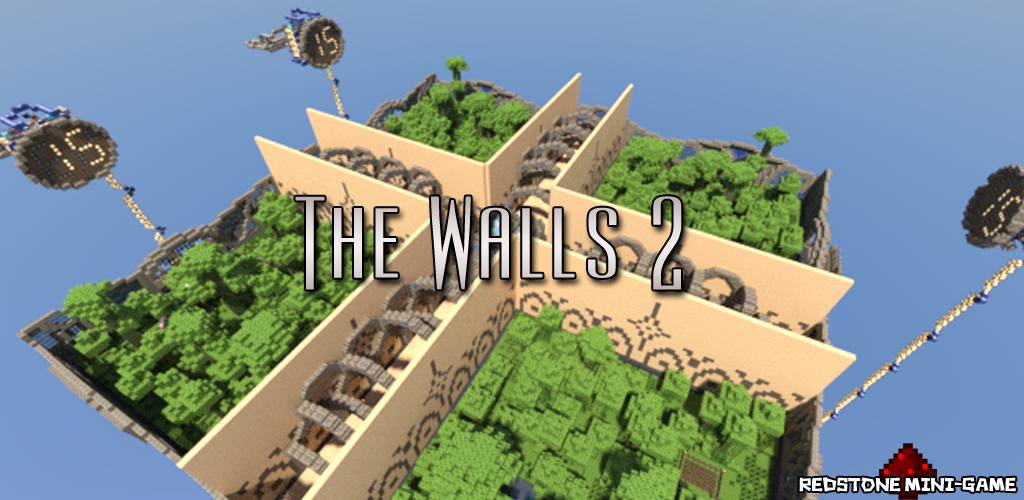
TheWalls2
TheWalls2
Simple, player-directed plugin allowing for Walls games to be created and managed easily.
Brought here by an update notification and can't find a newer version?
Go to this Dropbox page to look for the newest version (Warning: Not approved by BukkitDev staff)
Features
- Virtual mode (disables redstone, optional time notifications, configurable time until walls drop)
- Automatic update notification (since v1.3)
- Join a queue for the next game, teleporting you to the waiting area
- Leave the queue, teleporting you back to where you were before
- Separate inventories
- Optionally join team 1–4 (will be auto sorted into a team otherwise)
- Command to start the game, activate the redstone, and teleport players to their starting positions
- Block rule-breaking (such as breaking the walls, or doing anything before the game starts)
- All dead players will respawn at their previous locations
- 1 team can win the game
- The winner will receive a configurable prize (default: 1 diamond) and be teleported back to their previous location (Supports Vault for economy)
- The world will be automatically reset to its normal state when someone wins the game or an admin uses the command '/thewalls restoreworld'
- Automatically attempt to start games 10 minutes after the server starts and every 15 minutes
Step-by-Step Guide
Commands
- /thewalls - Display TheWalls2 help
- /thewalls join - Joins the game queue
- /thewalls leave - Leaves the game queue
- /thewalls team <1–4> - Joins a team
- /thewalls start - Starts a game
- /thewalls stop - Stops a game
- /thewalls restoreworld - Restores the world
Bold - Requires OP or permission node
Aliases
/thewalls - /tw, /twalls
Permissions
Configuration
To-Do
- Concurrent games
- Team chat
- TagAPI integration
- Compasses point towards enemy players
- Localization
- Suggestions please (Post in the comments or on GitHub)
Bug Reports
Please post these on GitHub or, if that's not possible, in the comments below. Please provide (at minimum) the following information:
- What the most likely cause of the issue was (such as what you were doing at the time)
- Any errors displayed in the console (Please use pastie.org for these!)
- The version numbers of the plugin and of Craftbukkit (Don't say 'latest'!)
- Any additional information you can provide, such as potentially conflicting plugins
Need Help?
- Make sure you have read the Step-by-Step Guide
- Post a ticket on GitHub
- Post a comment on this page
- E-mail me (hoot893@gmail.com)
Servers using TheWalls2 (follow the link for information on getting your server listed)

Comments

-

_ForgeUser7502376 Owner
-
View User Profile
-
Send Message
Posted Dec 11, 2012@Hoot215
So it's not possible to add items to chests or add a new world file (a copy but I have added items into the enderchest)?
-
View User Profile
-
Send Message
Posted Dec 11, 2012@Thunder_waffe
It depends on what you mean by that. To an extent, the map can be modified and still work perfectly fine. However, if you are referring to dynamically changing things like the contents of chests each time the game starts, that's currently not possible (at least without another plugin). However, it may be added in a future version.
-
View User Profile
-
Send Message
Posted Dec 11, 2012Sorry about the other question, I didn't fully see it before. I still have one more, though. Is it possible to change around the restore world? So instead of it restoring back to how it's meant to it can change so there are extra items in it?
-
View User Profile
-
Send Message
Posted Dec 11, 2012@SuniBoy25
(Sorry, for some reason I wasn't notified of this comment)
The addons folder is for experimental add-ons for this plugin. Support was added for add-ons in the latest version, and will be expanded upon in future versions. For now though, you don't need to concern yourself with it.
@Thunder_waffe
The whole point of the plugin is to be automatic. By default, almost none of the redstone will actually be used. However, if you choose to do so, you can toggle the "game.virtual" boolean in the config file to opt to use redstone instead. Either way, everything is taken care of automatically.
-
View User Profile
-
Send Message
Posted Dec 11, 2012EDIT: So sorry about this. At first I clicked the button and now I've started it again and I couldn't bother waiting the 35 minutes.
-
View User Profile
-
Send Message
Posted Dec 9, 2012I seen a addon folder. Whats that for?
-
View User Profile
-
Send Message
Posted Nov 25, 2012@cows_451
The link to The Walls 2 map is listed in the Step-by-Step Guide page. You can download it here.
-
View User Profile
-
Send Message
Posted Nov 25, 2012@Hoot215
Hello, i do /thewalls join and it works but how do i download the map it takes me to a new world but the map is not there if you could help me that would be great Thanks
-
View User Profile
-
Send Message
Posted Nov 22, 2012@DaPandaStare
Yes, it should be.
-
View User Profile
-
Send Message
Posted Nov 22, 2012Is TheWalls2 v1.7.1 compatable with 1.4.5 bukkit? :)
-
View User Profile
-
Send Message
Posted Nov 20, 2012ok thanks ill probally be asking you alot more questions when that happens about how to set it up for the walls map 1 lol. thanks for all your help :)
-
View User Profile
-
Send Message
Posted Nov 20, 2012@Blakestir13
Should be within the next few days. I've been working on this on and off for a little while now, and it should be ready soon.
-
View User Profile
-
Send Message
Posted Nov 20, 2012ok when will that be?
-
View User Profile
-
Send Message
Posted Nov 20, 2012@Blakestir13
Because they are two completely different maps, not currently. However, the next release will add support for custom team spawn points, so then it should be possible.
-
View User Profile
-
Send Message
Posted Nov 20, 2012i basically think they are ugly but i guess it doesent really matter. Also i dont know if you already said this but is it possible to run this plugin with the first walls map because i had the walls plugin but it doesent work.
-
View User Profile
-
Send Message
Posted Nov 20, 2012@Blakestir13
To an extent. There are areas in which redstone torches are placed to trigger the redstone. Make sure you don't delete those areas. But honestly, why do you want or need to remove the redstone? Whatever isn't needed by the plugin isn't used at all.
-
View User Profile
-
Send Message
Posted Nov 20, 2012ok so i can remove the redstone just not below the the walls arena
-
View User Profile
-
Send Message
Posted Nov 20, 2012@Blakestir13
There's absolutely no need to remove those because they aren't triggered by default. However, you should be able to remove the clocks themselves. Just don't remove any of the redstone underneath the arena because that's required for the walls to fall.
-
View User Profile
-
Send Message
Posted Nov 20, 2012I want to remove the clocks or timers or what ever the hell they are but if i do then the walls wont drop. I even tried to revove just the clocks and conect the start button to the middle point where the redstone connects but that doesent work eathier so i dont know if ther is another way or what.
-
View User Profile
-
Send Message
Posted Nov 20, 2012@Blakestir13
Yes, I forgot about that part. That bit of redstone needs to stay. But why would you want or need to remove that anyway?