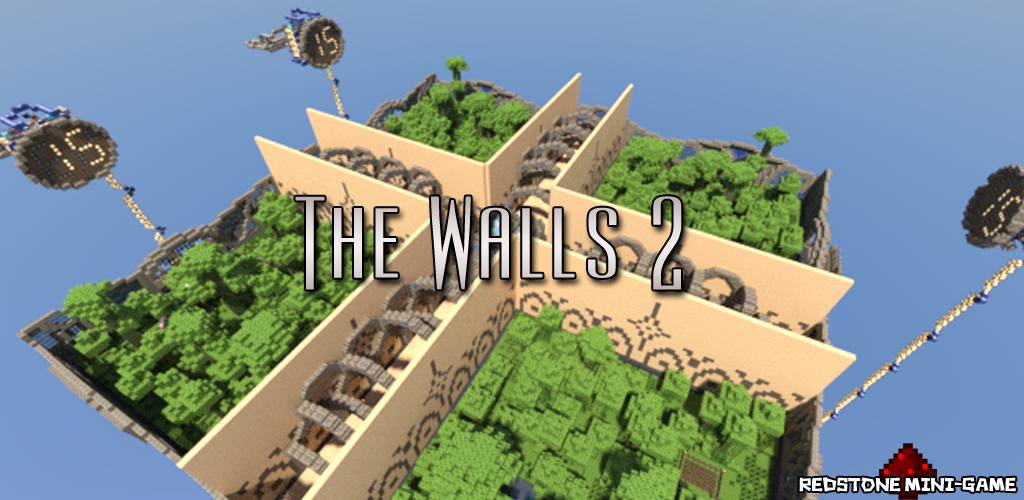
TheWalls2
TheWalls2
Simple, player-directed plugin allowing for Walls games to be created and managed easily.
Brought here by an update notification and can't find a newer version?
Go to this Dropbox page to look for the newest version (Warning: Not approved by BukkitDev staff)
Features
- Virtual mode (disables redstone, optional time notifications, configurable time until walls drop)
- Automatic update notification (since v1.3)
- Join a queue for the next game, teleporting you to the waiting area
- Leave the queue, teleporting you back to where you were before
- Separate inventories
- Optionally join team 1–4 (will be auto sorted into a team otherwise)
- Command to start the game, activate the redstone, and teleport players to their starting positions
- Block rule-breaking (such as breaking the walls, or doing anything before the game starts)
- All dead players will respawn at their previous locations
- 1 team can win the game
- The winner will receive a configurable prize (default: 1 diamond) and be teleported back to their previous location (Supports Vault for economy)
- The world will be automatically reset to its normal state when someone wins the game or an admin uses the command '/thewalls restoreworld'
- Automatically attempt to start games 10 minutes after the server starts and every 15 minutes
Step-by-Step Guide
Commands
- /thewalls - Display TheWalls2 help
- /thewalls join - Joins the game queue
- /thewalls leave - Leaves the game queue
- /thewalls team <1–4> - Joins a team
- /thewalls start - Starts a game
- /thewalls stop - Stops a game
- /thewalls restoreworld - Restores the world
Bold - Requires OP or permission node
Aliases
/thewalls - /tw, /twalls
Permissions
Configuration
To-Do
- Concurrent games
- Team chat
- TagAPI integration
- Compasses point towards enemy players
- Localization
- Suggestions please (Post in the comments or on GitHub)
Bug Reports
Please post these on GitHub or, if that's not possible, in the comments below. Please provide (at minimum) the following information:
- What the most likely cause of the issue was (such as what you were doing at the time)
- Any errors displayed in the console (Please use pastie.org for these!)
- The version numbers of the plugin and of Craftbukkit (Don't say 'latest'!)
- Any additional information you can provide, such as potentially conflicting plugins
Need Help?
- Make sure you have read the Step-by-Step Guide
- Post a ticket on GitHub
- Post a comment on this page
- E-mail me (hoot893@gmail.com)
Servers using TheWalls2 (follow the link for information on getting your server listed)

Comments

-

_ForgeUser7502376 Owner
-
View User Profile
-
Send Message
Posted Dec 22, 2012@AndyMcB1
Currently, no. It was designed only for The Walls 2. However, this will be changing with the next update. The next update is going to be much bigger than I originally imagined. I've decided that I'm just going to go ahead and merge the custom biome code into this version. If I manage to find the time, I may be able to release it in the next few days.
-
View User Profile
-
Send Message
Posted Dec 21, 2012@Hoot215
Will this plugin work with the Walls 1?
-
View User Profile
-
Send Message
Posted Dec 21, 2012@AndyMcB1
Sure, and yes, they should respawn where they were before.
-
View User Profile
-
Send Message
Posted Dec 21, 2012@Hoot215
I mean, I have a server and I want this to be a mini game, will it work like that? And once the player dies do they respawn back where they were?
-
View User Profile
-
Send Message
Posted Dec 21, 2012@AndyMcB1
I'm not quite sure I understand what you mean by that. The plugin is intended to be used in a server. It's a server plugin. If you are asking about whether or not it can function on a server with more than just The Walls to offer, then the answer is yes. I actually designed it with that in mind.
-
View User Profile
-
Send Message
Posted Dec 21, 2012Possible to use this IN another server as like an add on??
-
View User Profile
-
Send Message
Posted Dec 19, 2012@RasCas
I haven't tested it myself but it should work just fine.
-
View User Profile
-
Send Message
Posted Dec 19, 2012Is this Plugin ready for 1.4.5R1.0 ?
-
View User Profile
-
Send Message
Posted Dec 19, 2012Oh I found on the config file where to enable which worlds to enable... Can't wait to go home and try it :D
-
View User Profile
-
Send Message
Posted Dec 19, 2012@hoot Yeah we do. That might be the problem, we have autosave world. Is there a way to disable it for certain worlds? I could check but I'm not At home right now...
-
View User Profile
-
Send Message
Posted Dec 18, 2012@Hoot215
Sure, but i have no complaints after setting fallback world . I'll keep you informed.
-
View User Profile
-
Send Message
Posted Dec 18, 2012@HexicDragon
The latest dev build from Dropbox isn't completely stable. I recommend you stick to the versions released on this page for now. Also, in response to the regeneration issue, are you running any plugins or scripts that auto save worlds periodically?
-
View User Profile
-
Send Message
Posted Dec 18, 2012tthis plugin has been really glitchy for us...
every single time you break something, it spams "a random player is near by" which gets extreamly annoying, and the world dosent regenerate. so when you try to join again it still has the same houses and the walls are down, even though its a new game. it might be either the version im useing (its the newest one from drop box) or the config.
my config file is http://pastebin.com/r7T3SXdt
-
View User Profile
-
Send Message
Posted Dec 18, 2012@RasCas
Ah, that makes more sense. But that's weird, because I've been using WorldInventories on my server and it seems to be fully compatible. Do you think you could inform me of the details on what happens so I can try to fix it?
-
View User Profile
-
Send Message
Posted Dec 18, 2012@Hoot215
It's Worldinventories, i mixed that up with multiverseinventories. ;-)
-
View User Profile
-
Send Message
Posted Dec 18, 2012@RasCas
It's possible, but it's more likely a conflict with MultiWorldInventories. I'll have to look into that at some point.
-
View User Profile
-
Send Message
Posted Dec 18, 2012@Hoot215
It's set to default, going to alter this and see what happens.
Many of my users are complaining about empty inventories after playing the walls. May it be because of the same reason? I am using multiworldinventories.
-
View User Profile
-
Send Message
Posted Dec 17, 2012@RasCas
What is your fallback world set to in the config file? Make sure that it's set to an existing world.
-
View User Profile
-
Send Message
Posted Dec 17, 2012I always get an exception in the logs, running 1.45R02
2012-12-17 09:02:48 [INFO] jetre[/78.35.209.73:51024] logged in with entity id 1257 at ([thewalls2] -784.8493874266588, 77.14684066008017, -161.8125927299833) 2012-12-17 09:02:48 [WARNING] [TheWalls2] Task #5290 for TheWalls2 v1.7.1 generated an exception java.lang.NullPointerException at me.Hoot215.TheWalls2.TheWalls2PlayerListener$2.run(TheWalls2PlayerListener.java:352) at org.bukkit.craftbukkit.scheduler.CraftTask.run(CraftTask.java:53) at org.bukkit.craftbukkit.scheduler.CraftScheduler.mainThreadHeartbeat(CraftScheduler.java:345) at net.minecraft.server.MinecraftServer.r(MinecraftServer.java:529) at net.minecraft.server.DedicatedServer.r(DedicatedServer.java:222) at net.minecraft.server.MinecraftServer.q(MinecraftServer.java:493) at net.minecraft.server.MinecraftServer.run(MinecraftServer.java:426) at net.minecraft.server.ThreadServerApplication.run(SourceFile:856)
-
View User Profile
-
Send Message
Posted Dec 11, 2012@Thunder_waffe
It is possible to add items to chests, as that falls under the category of static modifications. However, those items would always be the items in that particular chest, the same every game (unless changed manually later).
Also, I should point out if you're not already aware that ender chests are player specific, so unless you use your ender chest inventory for all players who would be playing the game, their ender chest inventory would remain the same as before.