
Ships
Ships
|
|
|
|
|
|
|
Source Code - Github |
JavaDocs |
Sponge version |
Discord channel |
Translate Core |
|---|




Looking for Dev builds?
Dev builds give off new features and bug fixes before they are officially released, however these features and bug fixes may not have been tested as much as a release on here
Old page:
I am testing this new page out. I am aware of some parts that are missing such as ship types, but please say if there is anything that you wish to see. I plan on making a FAQ's that includes common questions such as how to change ship requirements.
If you want to see the old page, it is here
Video tutorial
Ships 6 changes
Ships has gone through many changes, Ships 6 is the latest rewrite of the plugin. The latest rewrite fixes multiple bugs found in the root of previous versions of Ships.
Features
Moving ships
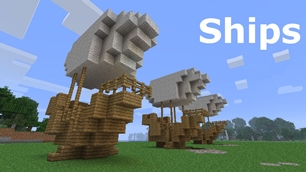
As the name of the plugin suggests, you can create your own ship and move it with just a single click.
Works with all blocks
There is a fully-fledged list where you can configure every block to react differently for the ships, including being able to add a block type to interact with Ships, detect it as a collide, and even not react at all.
Teleport to ships
There have been many requests to be able to teleport to ships for not only this plugin but others like it. This feature has been added to Ships, however, if it is something you do not wish, then you can disable to command by not adding the command.
Falling Ships
Ships will fall/sink if requirements are not met, this could be done through your own interaction such as running out of fuel, or by something else such as a TNT explosion.
Ship types
| Airship | Link |
| Ship | Link |
| Marsship | Link |
| Submarine | Link |
| Plane | Link |
| Hybridship | Coming soon |
Move the ship:
In Ships, movement is done by signs. You can see all signs here
Collide types:
| Name | ID | Description |
|---|---|---|
| Detect collide | DETECT_COLLIDE | If Ships detects this block in the way of a ship moving then the ship will not move with the error of this block being in the way |
| Material | MATERIAL | Material means that you can build a ship out of this block and the Ships block detection system will detect it as part of your ship |
| Ignore | IGNORE | If Ships detects this block in the way of a ship moving then the block will break and the ship will take its place |
Permissions
| Permission node | Description |
|---|---|
|
ships.cmd.info |
Allows the player to use the command '/ships info' |
|
ships.cmd.blockinfo |
Allows the player to use the command '/ships blockinfo' |
|
ships.cmd.shiptype.create |
Allows the player to use the command '/ships shiptype create' |
|
ships.cmd.config.set |
Allows the player to use the command '/ships config set' |
|
ships.cmd.config.view |
Allows the player to use the command '/ships config view' |
|
ships.cmd.blocklist.set |
Allows the player to use the command '/ships blocklist set' |
|
ships.cmd.blocklist.view |
Allows the player to use the command '/ships blocklist view' |
|
ships.cmd.ship.track |
Allows the player to use the command '/ships ship track' |
|
ships.cmd.ship.eot |
Allows the player to use the command '/ships ship eot' |
|
ships.cmd.ship.crew |
Allows the player to use the command '/ships ship crew' |
| ships.move.own.ships.airship | Allows a player to move own airship |
| ships.move.own.ships.watership | Allows a player to move own ship |
| ships.move.own.ships.marsship | Allows a player to move own marsship |
| ships.move.other.ships.airship | Allows a player to move anyones airship |
| ships.make.ships.airship | Allows a player to make a airship |
| ships.remove.other |
Allows a player to destroy anyones ships sign |
Developers:
Looking for a development wiki? maven/gradle dependencies? or something else relating to ships or translate core? Take a look at the getting started wiki
Comments


-

mosemister Owner
-

_ForgeUser7695435 Former Author
-
View User Profile
-
Send Message
Posted Jun 13, 2015Ships 5
Ships 5 is going back into public alpha mode for further testing. Ships 5 original full release was and still is a embrassement and it will not happen again.
For those on Ships 5, I will work on a Ships 4 that has the ability to read the ships 5 files so you can continue using this plugin without bugs that stop you from using the plugin completey. If you wish to continue your support, ships 5 will continue to be uploaded but will have a pre release label over it (alpha or beta).
Sorry for all inconvenience that has occurred.
-
View User Profile
-
Send Message
Posted Jun 13, 2015Thanx for all the help and info, anyone know of any public servers running this plug-in?
-
View User Profile
-
Send Message
Posted Jun 13, 2015@sergisala
Ah. I know what you have done. The sign you are clicking is on a angle right? This will be fixed in the next version, to fix this issue whilst you wait, use all mounted signs
-
View User Profile
-
Send Message
Posted Jun 13, 2015When I click the "Move" sign of my ship it doesn't do anything in the game and gives me this error on the console:
http:prntscr.com/7glrd0
I am using the latest version of this plugin on my spigot 1.8 server.
-
View User Profile
-
Send Message
Posted Jun 13, 2015@charlza
The Submarine bug you are referring to has occurred in all Ships versions, you did not see it in Ships 4+ because there was a limit that stopped it from happening, sadly the limit code does not work in Ships 5, but there is new code that is coming soon that should work.
your best bet is to let me see the server and the ships that can not detect there own licence sign. From there i'll have a better understanding on why this bug is occurring.
-
View User Profile
-
Send Message
Posted Jun 13, 2015@volatile11111
Please remember that Ships 5+ has been completely reprogrammed, It was hevely tested by myself and released to the public as a public preAlpha, Alpha and Beta. Only two people responded with bugs in the feed back for Ships 5 preReleases. I do not have every single server environment nor can I. The bugs that were reported were fixed before the release of Ships and those bugs have not occurred since release. I say this because, when you say
what you really mean is the Ships 5 update.
Sorry to be rude, but I tested Ships 5 before I released it as a full release for 2 weeks, testing everything I could. It should not have this many issues.
If you believe Ships 4 is less buggy then by all means, stick to Ships 4, Ships 4 works absolutely fine with 1.8, however the downgrade process from Ships 5 to 4 can be difficult.
The Ship issue saying found Air in way, should have been patched. This is abnormal, but this may work, I have not tested this but in theory it should work. If you go into your Materials.yml, find Air, then set its dataValue_-1 to 2. What this will do is set Air as a RAM material that Ships 5 should do automatically anyway. I am unsure on why that error is occurring so sorry.
this is a newly reported issue, Its caused because the free standing signs are not saved in the special blocks, this will be fixed in the next update, sorry about that
I have resonantly pin pointed why this is occurring for some clients, patched next update.
So sorry but i have nothing but a update and apologies for you.
-
View User Profile
-
Send Message
Posted Jun 13, 2015ok i have now updated to version 5.0.0.3 and it was still saying the same problem and then i went and corrected the water level and now when i try to move it doesn't do or say anything and i went and did the test and now it it only showing half of myship with bedrock and i did it on another ship and it showed all bed rock but yet it still will not move or say any kind of message. i liked this plugin back in 1.7.10 it was great never had any issue like this and then its in 1.8 it is very buggy even with some of the basic stuff like i tried to have my signs standing instead of hagging on a block and when i move the would break come back with nothing on them and i am still having the issue to where it says my marsship must be in air when i try to move but yet it is in the air
-
View User Profile
-
Send Message
Posted Jun 13, 2015I just updated to 5.0.0.3. I'm running Spigot 1.8.7, as of last night.
I haven't had a lot time to really test, but when I try to use any of the controls, I see in game messages that Ships sign can not be found. I've tried creating a number of airships and they all return this message. I've even deleted the ships config folder a couple of different times.
Submarine...it does go above the water level, then floods when it goes back down. My water lever has not changed. I'm also falling out of the sub.
-
View User Profile
-
Send Message
Posted Jun 13, 2015@Flyace01
Ah ok. That's fine, if you have done the 5.0.0.3 update then the update should save all the data from now on.
There is another bug but sadly I can not do anything about it, if the defaultwaterlevel in the config is higher then the default water level in your world then the tracking tool has an issue finding blocks. I'm not saying this is the issue, but there is a way to test for it. If you go to your ships sign and look at it. Then type the command '/ships sign track [seconds]' then it will display what blocks it's tracking, if you see the tracking tool just going away from your ship off into the distance then the default water level is wrong
Sorry for the inconvenience and if you have updated, that bug will stop.
-
View User Profile
-
Send Message
Posted Jun 12, 2015Hey Mose, i did the reinstall, it now says stone is in my way but im in the middle of the ocean :) But here is what it says when i open up my Vessel Data folder,
ShipsData: Player: Name: ffb0f05e-0023-4931-90e6-70c540b8bd7d Type: Submarine Protected: false Config: Block: Percent: 65 Max: 4500 Min: 1 Speed: Engine: 4..... and thats it nothing else.... it appears its not uploading the rest of the files for all the ships.. Thnx!
-
View User Profile
-
Send Message
Posted Jun 12, 2015@volatile11111
Hey, sorry about this bug, for some reason it did not come up in the PreAlphas, Alphas and Beta for Ships 5. In Ships 5.0.0.3 it fixes this issue for Ships and Submarine.
@Flyace01
hey, I dont think i made myself clear
you did tell me about the console bootup messages. So thank you, I have a better understanding on the issue, but its still not clear. All I need to know is if there are files in the Ships database (I have recently learnt that some vessel types save in the wrong format, so you will need to convert them to .yml files - I would update to 5.0.0.3 to stop that issue from happening).
If you go to the folder 'VesselData' you may have seen when finding the config.yml. In there, there should be a load a files, these files are the data files for each and every vessel. All the files should be formatted like the following '<name of vessel>.yml' (if they are missing the yml, update your ships and add the .yml). can you tell me if you can see your vessels data?
-
View User Profile
-
Send Message
Posted Jun 11, 2015Lol well i may b making a lil progress.... reinstalled one more time... now my "wheel" sign says found netherrack in the way.. but only one neth on board.... typed /Ships fixes facing, told me all was correct ... but getting same message.
-
View User Profile
-
Send Message
Posted Jun 11, 2015Thanx for reply Mose, in the materials.yml file the wooden planks were already set to value of 1. and no messege at reload of server about vessels, I uninstalled and then reinstalled plug in, but to no avail, still have the "Ships sign cannot be found" error and when i create another ship, or different style of ship, it tells me ship name already taken.... thnx for the help, i know you work hard on this plug-in, and hope to get it working as it is an awesome one :)
-
View User Profile
-
Send Message
Posted Jun 11, 2015i have made a ship in water and every time i try to move it. it says found air in way please fix or give me a way to fix it. and then i built a marsship "in the air' but yet i try to move it and it says it needs to be in the air
-
View User Profile
-
Send Message
Posted Jun 11, 2015@Flyace01
Hey, Thanks for posting your bug, for me to understand whats going wrong im going to need a bit more information.
First of, is there a file in '<root>/plugins/Ships/VesselData/' that is named the same as your ship?
next up, if the answer to the question before is yes, then when your server boots up/reloads, do you get the message '[Ships] vessel loaded <vessel name>' or do you get another message, or non at all?
last but not lest, if you type the command '/ships developer loadedVessels' (if you run the bukkit standard console, you do not use the /). does your vessel appear?
edit:
when in game, you can look directly at the ships licence sign then type the command '/ships sign track [seconds (defaults to 1 second)]' and that will show you what the plugin sees as your Ship. If it does not select the blocks you want it to select, you may want to go into the materials.yml file and fine the blocks you want then set them to 1 (1 being the value for Ships detection)
-
View User Profile
-
Send Message
Posted Jun 11, 2015Got the firespread to stop :}... signs still giving me a "ship sign cannot be found" error... so far not sure why? Also when i create another ship with different name, it tells me ship name already taken... Thanx!
-
View User Profile
-
Send Message
Posted Jun 11, 2015Love the Idea of these ships..However i appear to b having same prob with Ship burning i set fireprotect2 to true, unfortunately ship still burns Plz help!? and i do love the Plug -in. Also signs appear to be made correctly but im getting a error messege that ships sign cannot be found.
-
View User Profile
-
Send Message
Posted Jun 6, 2015@moonpowie
wow that is a bad experience. Although I do not understand why this has happened I can assure you that, you are the first to encounter/report the issue.
If you are using Ships 5 then the ladders will not rotate, this is because some code was bound to be forgotten to be added and well .... Ladders were, they will be readded soon enough.
if you are/had upgraded to Ships 5 from ships 4 or lower then the config.yml file is located in a different place, you maybe tiring to change the wrong configuration file, this will be made simple in the next ships update.
I do not understand why creating a ship actually creates a submarine, no code within any ships trys to auto complete nor anything, you need to type it completely right.
Sorry about the inconvenient you are having. I can assure you Ships 4.1.0.1 and newer were tested on Spigot 1.8. And I can also assure you the next update of Ships will fix the ladder issue and remove any outdated files.
-
View User Profile
-
Send Message
Posted Jun 6, 2015From what I have experienced with this plugin working on spigot 1.8 and above is bad. The problems I have had are Adjusting speed in config does not work, when you put in the ship type (ship) on the sign it makes it a submarine, and when rotating your ship the ladders do not rotate with the ship. I have tried to fix the config and have tried downloading the plugin multiple times, but these problems were never fixed.
-
View User Profile
-
Send Message
Posted Jun 5, 2015@Nextshot
correct