
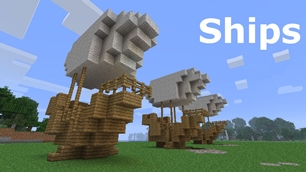
Ships
Ships
|
|
|
|
|
|
|
Source Code - Github |
JavaDocs |
Sponge version |
Discord channel |
Translate Core |
|---|




Looking for Dev builds?
Dev builds give off new features and bug fixes before they are officially released, however these features and bug fixes may not have been tested as much as a release on here
Old page:
I am testing this new page out. I am aware of some parts that are missing such as ship types, but please say if there is anything that you wish to see. I plan on making a FAQ's that includes common questions such as how to change ship requirements.
If you want to see the old page, it is here
Video tutorial
Ships 6 changes
Ships has gone through many changes, Ships 6 is the latest rewrite of the plugin. The latest rewrite fixes multiple bugs found in the root of previous versions of Ships.
Features
Moving ships
As the name of the plugin suggests, you can create your own ship and move it with just a single click.
Works with all blocks
There is a fully-fledged list where you can configure every block to react differently for the ships, including being able to add a block type to interact with Ships, detect it as a collide, and even not react at all.
Teleport to ships
There have been many requests to be able to teleport to ships for not only this plugin but others like it. This feature has been added to Ships, however, if it is something you do not wish, then you can disable to command by not adding the command.
Falling Ships
Ships will fall/sink if requirements are not met, this could be done through your own interaction such as running out of fuel, or by something else such as a TNT explosion.
Ship types
| Airship | Link |
| Ship | Link |
| Marsship | Link |
| Submarine | Link |
| Plane | Link |
| Hybridship | Coming soon |
Move the ship:
In Ships, movement is done by signs. You can see all signs here
Collide types:
| Name | ID | Description |
|---|---|---|
| Detect collide | DETECT_COLLIDE | If Ships detects this block in the way of a ship moving then the ship will not move with the error of this block being in the way |
| Material | MATERIAL | Material means that you can build a ship out of this block and the Ships block detection system will detect it as part of your ship |
| Ignore | IGNORE | If Ships detects this block in the way of a ship moving then the block will break and the ship will take its place |
Permissions
| Permission node | Description |
|---|---|
|
ships.cmd.info |
Allows the player to use the command '/ships info' |
|
ships.cmd.blockinfo |
Allows the player to use the command '/ships blockinfo' |
|
ships.cmd.shiptype.create |
Allows the player to use the command '/ships shiptype create' |
|
ships.cmd.config.set |
Allows the player to use the command '/ships config set' |
|
ships.cmd.config.view |
Allows the player to use the command '/ships config view' |
|
ships.cmd.blocklist.set |
Allows the player to use the command '/ships blocklist set' |
|
ships.cmd.blocklist.view |
Allows the player to use the command '/ships blocklist view' |
|
ships.cmd.ship.track |
Allows the player to use the command '/ships ship track' |
|
ships.cmd.ship.eot |
Allows the player to use the command '/ships ship eot' |
|
ships.cmd.ship.crew |
Allows the player to use the command '/ships ship crew' |
| ships.move.own.ships.airship | Allows a player to move own airship |
| ships.move.own.ships.watership | Allows a player to move own ship |
| ships.move.own.ships.marsship | Allows a player to move own marsship |
| ships.move.other.ships.airship | Allows a player to move anyones airship |
| ships.make.ships.airship | Allows a player to make a airship |
| ships.remove.other |
Allows a player to destroy anyones ships sign |
Developers:
Looking for a development wiki? maven/gradle dependencies? or something else relating to ships or translate core? Take a look at the getting started wiki
Comments


-

mosemister Owner
-

_ForgeUser7695435 Former Author
-
View User Profile
-
Send Message
Posted Jun 5, 2015The burner is the Netherrack with fire ?
-
View User Profile
-
Send Message
Posted Jun 5, 2015@alex453
What version of ships are you using? Based on what you have told me, it sounds like your using a outdated version
-
View User Profile
-
Send Message
Posted Jun 5, 2015It says in the materials list that you can move spawners so i thought this would be cool to have a 'floating mob grinder' in a sense so when i enabled it to true (and i made sure that usematerialslist in the config is true aswell) i restarted the server and when i tried it didnt move and is still classed as an obstacle :(( I really wanted it to work and i have triple checked all my options that would affect the spawner. It is also under the working materials and isn't under the buggy or problem tabs so i thought it would work do you have any ideas?
-
View User Profile
-
Send Message
Posted Jun 4, 2015@Nextshot
If your structure is burning, they try activating fire protect in the configuration file. This will only protect your ships and will not protect anything else.
There is no way of testing to see where the obstacle is infront of you but, if you look at the ships sign and use the command '/ships sign track [real seconds]' it will mark out what it thinks the ships structure is. This will force it to show you if any blocks you think are part of the structure are not part of the structure, if that makes sense
-
View User Profile
-
Send Message
Posted Jun 4, 2015Ok, all is burning, what now ? And there is a obstacle, but where is the obstacle .-.
-
View User Profile
-
Send Message
Posted May 31, 2015Love the fact Ships 5 sponge edition is almost done, considering I started it at the start of this .... Last week.
The main reason why is because the API and structure of the API stayed just about the same, there has been a few changes to meet the need of sponge but yeah, you should be seeing Ships 5 sponge edit soon.
Oh, before I forget. Sponge API is not complete and this has affect early versions of Ships. I can not say everything that you will not have access to, but I will say that you will have less options in the files (.conf)
-
View User Profile
-
Send Message
Posted May 30, 2015Ships update
(05/30/2015)
final ships update notice for Ships 5.0.0.0
Ships 5 has finally been released as a full version (if your reading this and you do not see the file, it means the file has not been approved by Bukkit yet, just be patient). If you have the before testing version, you may not see much of a difference, there is a console message on the before testing that was removed but if you plan on just using Ships without any addons then there is not much point on updating. If you do plan on using addons to Ships then there is point on updating because there will be less chance of error messages, this is due to the changes that have happened behind the Ships plugin.
Whats next?
obviously, Ships 5 will be updated to fix bugs and add new features directly into the plugin. However, that's not all. I am working on some addons to Ships 5 such as the WorldGuardCustomFlags addon as well as some other addons that may/may not be useful for you in the future.
Not only that I am working on a few Sponge plugins, such as Ships 5 for Sponge but also a few MiniGame plugins. And lastly, my own server.
-
View User Profile
-
Send Message
Posted May 29, 2015@keough99
The closes optimized code for this plugin is to use Ships 5, you can download the before testing version that I have tested a lot of. Its Ships just been rewritten to speed up all the code. If you are talking about Ships 5 then all i can really suggest is to disable Autopilot, increase EOT repeat to 200, disable ForceUsernameOnLicenceSign, disable KeepInventoryOpen and protected vessels.
There is work on a Sponge version for this plugin, Sponge is a replacement for Bukkit that works in a way that Bukkit plugins that slowed down your server would not take as much of a effect. Other then that, I'm sorry.
reason why you are getting lag
First of, the ShipsBlockMapping technique needs to be repeated a number of times until all blocks are detected. Ships 3-4 had over 100 lines of code for the ShipsBlockMapping and the new optimised code of Ships 5 now only takes 14 lines. This makes it unlikely to be the main issue (of your using Ships 5) but it still adds up
next up, ShipsMovingEvent, this does not really take up any resources but does contribute. It checks for blocks that may stop it moving to the new location for every block that is the Ship
lastly, the thing that probably is the main issue, but this is down to the minecraft server code, ShipsProduce. This is where it removes all blocks of a ship and replaces them in a new location, Ships 1-4 did this bit a tiny (and i mean tiny, something like 0.000001 second) faster, however, a lot more bugs were produced doing it this way.
Unfortunately, the main reason why you are getting lag is down to Bukkit and the Minecraft server code. I have heard of some developers going down into the Minecraft server code skipping out the Bukkit side of things, this did speed it up by a tiny bit but it causes errors when updating from one Minecraft server version to another.
-
View User Profile
-
Send Message
Posted May 29, 2015Hey is there a optimization code in this plugin that makes not very much lag when you fly a very large ship if so is there some kind if source that you can find it at
-
View User Profile
-
Send Message
Posted May 19, 2015update
(05/19/2015)
Its that time where I tell you about this weeks Beta and what to expect in the next one. I am doing this update note a bit early because why not?
Currently Ships 5 is up on MoseCraftbukkitPlugins and Bukkit as a Beta download for those testers out there, however it is out of date because I work on Ships 5 every tiny bit of free time I get, so you can experience it asap.I will do a Ships 5 update every week from now on until its full release.
Ships Update
So Beta 2.1 came out on early Sunday, This came with a few config upgrades including ways to change the messages of all default VesselTypes and if you want ... just disable the player messages completely. I turned a few new Ships 5 features to toggle-able due to bugs. I added the feature to force the players name on the 4th line of licence signs.
I added a fan favorite feature from the plugin Vessels called ProtectedVessels. This feature has been greatly improved to give more options to protect Vessels. This includes protection from explosions and mobs, and of course, brings back the features that you saw in Vessels, that being protection from griefers and unauthorized players checking out your inventory .... and this time its a toggle-able feature for each and every vessel, so you can disable it when you want others working on your ship.
And of course you expect bug fixes in a update, ill tell you now, this update is not short of them. fixing the EOT, non-Ships signs and AutoPilot now works.
Ships Beta 3 (Ships 5 before testing) will be coming out on Sunday and it brings support to two more plugins, these plugins are GriefPrevention and ChairsReloaded. Im also working on the GUI command Interface (GUI commands will probably not be done for full release), so you will be able to launch Ships commands by clicking Icons. After that im going to be testing and testing for the full release of Ships 5. So ETA for full release of Ships 5 is 31st of this month.
Full Release before testing update
If you want to grab a copy of Ships 5 full release, you now can. The version of Ships 5 that was released on the 20th is Ships 5 with all its features. Only thing you need to be warned about this version of Ships is, it is untested to a small degree (all Betas, Alphas, PreAlphas have been tested before it). If you find a issue with any ships then please report the bug so it can be fixed ASAP but the push for the full release of Ships 5 (Tested and repaired) is more important.
-
View User Profile
-
Send Message
Posted May 17, 2015@Cra2ytig3r
Hey sorry, I guess I never got round to it. Ill try to put it in Ships 5 beta 3 for you
-
View User Profile
-
Send Message
Posted May 16, 2015Hey Mose! I see you still banging away at this little plugin. I'm glad to see you still working on it! I know I asked before & maybe I missed an update that had it added. Did you by any chance get around to making this compatible with GriefPrevention plugin? It sucks when your ship gets stuck in someones else claim. :(
-
View User Profile
-
Send Message
Posted May 16, 2015@HerobrineNinja
Thanks for all the info, most people just state the issue they are having and expect me to know the version of ships they are using and bukkit/spigot. I'll try to get that version of spigot failing that I'll try to get the latest. I should have a answer for you shortly. Can I ask for the vesseltype you are trying to enter and the vesselname, it will limit down the issue.
edit:
just tried it on the latest craftbukkit (I dont use Spigot for my own personal reasons - git-Bukkit-0a645a2 - Could not find your version of spigot) and I can create Ships signs without any issues. It could be the way you are trying to create the ships licence sign. make sure your using the following method to create your signs
<<code yml>>[Ships] #This tells bukkit/spigot to call Ships for the licence sign <vesseltype> #make sure the vessel type is compatible with your version of Ships <vesselName> #this is the name of the file all data for this ship is saved under-
View User Profile
-
Send Message
Posted May 15, 2015I have a question - In 5 Beta 1, I can't make a ship sign. I have tried many different ways, but I can't get it to recognize it. I am using git-Spigot-870264a-0a645a2 and my Ships version is 5.0.0.0. Thanks for your time! HerobrineNinja
-
View User Profile
-
Send Message
Posted May 13, 2015update
(05/13/2015)
Its that time where I tell you about this weeks Alpha and what to expect in the next one. I am doing this update note a bit early to attempt to correct the last 2 weeks.
Currently Ships 5 is up on MoseCraftbukkitPlugins as a first generation prerelease for those testers out there, however it is out of date because I work on Ships 5 every tiny bit of free time I get, so you can experience it asap.I will do a Ships 5 update every week from now on until its full release.
Website update
A while ago I said I was working on a website design change and on Monday it got the update. It is once again mobile supported and I would say its
Ships 5 Update
Beta 1
So Beta 1 was released on Sunday (GBT), It had a lot tested again, brought a lot of bug fixes to the table and a few new features. Including 2 new ... old vesselTypes (Marsship and Plane). It added a few admin security features like telling you when the material list gets changed and what part of it was changed.
It added a few more permissions that you would probably already know from Ships 4. AutoPilot is now toggle-able, as well as EOT now having a configurable repeat timer.
Beta 2
Beta 2 adds a few more bug fixes, these include; destoying the EOT sign stops the vessel from auto-moving, AutoPilot that almost works completely, right clicking a non Ships sign will no longer give you a error saying 'No vessel detected' and a way to disable the keep inventory open (it is causing a bug where the inventory contents may duplicate.
Not only the bug fixes, but we have a few new features, one of them forces the owner name on the 4th line of the licence sign. Another new feature is something from Vessels (but improved on) and that is protected vessels. AKA you can protect your vessel from griefers, fire and people who want to move the vessel without permission.
For all you developers out there, I have got a few new things for you to play around with, first of, we have 4 new MovementMethods, you can now get MovementMethod,+X, -X, +Z and -Z. Not only that you can convert BlockFaces to these MovementMethods and you can convert to the older MovementMethods as well.
-
View User Profile
-
Send Message
Posted May 12, 2015@nullschritt
1) I did not think of if the EOT sign is destroyed when its on. I will be easy to disable EOT movement when the EOT sign is destroyed.
1.5) this is referring to the licence sign issue. If the part 1 does not fix the issue you are having then contact me again
2) not sure why that occurs because it uses the same detection as all the other blocks, but I will look into it
3) thats because Ships 4.1+ has not shown the owner's name. I wanted Ships 5 to be compatible with Ships 4 in game objects (like signs, ships, etc) and wanted to read/convert old Ships 4 files. Sadly Ships 4 and 4.1 do not share the same licence sign. Because Ships 4.1 has been out for a long time I assumed most people did the upgrade, If you want I could write a bit of code that reads the older Ships 4-4.0.2 licence signs and then converts them into Ships 4.1+ signs. I could also add a config option to put the owners name on the 4th line.
I will also say this, Like with Ships 4 you will be able to right click a licence sign and get the info about the ship including the owner name. That has not been implemented, but it is on my list of features to add before full release.
To answer your question, Im currently kicking myself because I forgot to change the default number of the defaultwaterlevel to 63, the reason why it was 23 to begin with, is 23 is my luck number and i had forgot the minecraft default water level, I changed it in testing on my personal config. the default number for it will be changed in the next beta (ETA: this coming Sunday/Saturday (depending on timezone)).
Thanks for taking part in the Ships 5 public beta/Alpha/PreAlpha. Your response will have affect on the finished version of Ships 5.
-
View User Profile
-
Send Message
Posted May 12, 2015I love the update, everything works so well. But there is just a few small problems.
1)If someone deletes an EOT sign, the ship keeps moving. If they then try to place a new license plate on the ship it will spam their chat with "the ship is too small", or if they click one of the control signs it will spam "ship sign not detected". I think this has something to do with 1.8.3 because I had to disable a feature on another plugin to stop it from spamming the user over and over about not being able to delete a sign. (perhaps you could add the option to disable error messages as a quick fix)
2)The altitude sign doesn't seem to want to detect the [ships] sign unless it's right beside it.
3)The license plate isn't showing the owner's name.
Also I have 1 question.
Why did you change the default water level to 23?
-
View User Profile
-
Send Message
Posted May 5, 2015Ships Update (05/05/2015)
Its that time where I tell you about this weeks Alpha and what to expect in the next one. I am doing this update note a bit early to attempt to correct the last 2 weeks.
Currently Ships 5 is up on MoseCraftbukkitPlugins as a first generation prerelease for those testers out there, however it is out of date because I work on Ships 5 every tiny bit of free time I get, so you can experience it asap.I will do a Ships 5 update every week from now on until its full release.
Ships 5 update
In last weeks release, I did a a tiny bit of bug fixing, fixing fuel and the '/ships track [seconds]' command. This week I felt like everyone wanted a new feature for Ships 5, a bug fix and a feature from Ships 4. So thats exactly what I did. At this point in time I only knew 2 bugs in Ships 5. One being the autopilot tool and the other being that Ships don't remove after destroying the sign, considering I have been working on fixing the autopilot tool for too long now, i picked the easier, more necessary option, So you can now remove Ships from the database by destroying the Ships licence sign.
The feature that has been ported over from Ships 4 is a feature I personally don't use but I know a lot of people do use. This feature has been in Ships for as long as I can remember. Its the [E.O.T] sign. Nothing special about it in Ships 5, just the standard [E.O.T] sign you know and love.
The new feature is a bit odd, I can not work out why it acts oddly but it does, most part it works. You know when your on a friends ships, they are driving it (rapidly clicking the move sign) and you keep trying to do something in your inventory like put everything from your inventory into a chest, rearrange your players inventory, contently add more fuel into the vessel whilst it moving, well this new feature keeps your inventory open even if the ship moves.
Next Update
Im running out of features to fix/put into Ships 5 (it means a earlier release ... for the Bukkit version) however, I do have the Config file to update, as well as adding in the other vessel types and I need to fix AutoPilot, oh and permissions and rotation fixes.
I will be working on updating the config file and adding in permissions in the next update. If I have enough time, I will be adding in a few new vessel types. The next update WILL be a beta. In this beta, everything from A-Z that has currently been programmed into Ships 5 will be retested, seeing if any collections occur.
Going back to github
For all the developers out there, you can download the source code from google drive like before, or if you can download/look at the code right from github. The link will be on MoseCraftbukkitPlugins Ships source code
other
I am struggling with the Sponge API (mainly because its not complete) but I am getting used to it, just don't be expecting a Sponge port right after the bukkit release.
And I know I have said this too many times but thanks everyone for believing in me (despite the fact I didn't believe in myself), thank you everyone for putting up with my buggy code, grammatically incorrect messages, features that never made it to ships, etc. Without all of that, Ships 4 and 5 would not have been made
-
View User Profile
-
Send Message
Posted May 3, 2015@yourmumsgone
Shame i can not do a quote of a quote.. but I guess that would be usless
If you really want a persific name, then you can go into the Ships file structure '<root>/plugins/Ships' then go into the Ships database by clicking the folder 'VesselData' and deleting the name you want. This will stop the original vessel from working correctly (may still work).
-
View User Profile
-
Send Message
Posted May 3, 2015How do i make it work then?