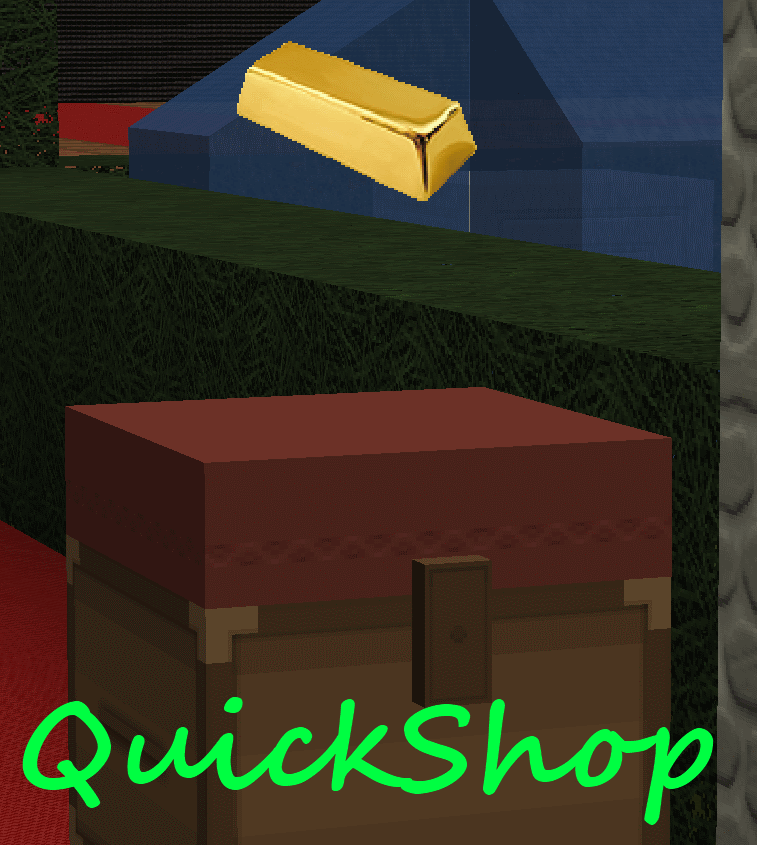
QuickShop
QuickShop
The Predecessors
Showcase was abandoned. Chestshop needed a display, with signs whose order you could never remember. SCS has too many commands. I'm yet to find someone who uses essentials shops.
Don't get me wrong though, they're all awesome plugins each in a few ways.
QuickShop
So, I set out to write this. QuickShop. QuickShop is a shop plugin, that allows players to sell items from a chest with no commands. It allows players to purchase any number of items easily. In fact, this plugin doesn't even have any commands that a player would ever need!
Features
- Easy to use
- Togglable Display Item on top of chest
- NBT Data, Enchants, Tool Damage, Potion and Mob Egg support
- Unlimited chest support
- Blacklist support & bypass permissions
- Shops that buy items and sell items at the same time are possible (Using double chests)
- Herochat support
- Checks a player can open a chest before letting them create a shop!
No longer accepting feature requests
For those people that hate reading, here's an awesome video from UltiByte:
A more up to date and informative video can be found here
Installation Guide:
http://www.youtube.com/watch?v=eJsv7fqaXNk
How to Create a Shop
- Place a chest on the ground
- Hit the chest with the item you want to trade
- Type in price for the item (As prompted) in chat
- Fill the chest with the items you wish to sell
Advanced
- Face the chest
- Type either /qs sell or /qs buy to make the shop buy/sell instead (Optional: use /shop instead of /qs)
- Stock the shop accordingly, if necessary.
How to Buy/Sell to a Shop
- Find a shop
- Hit / Left click the shop
- Enter the amount you wish to trade in chat
Menu Example:

See it in action:
http://maxgamer.org or
play.maxgamer.org:25571 and /warp market!
Commands
- /qs unlimited - Makes the shop you're looking at become unlimited.
- /qs setowner <player> - Changes shop owner to <player>.
- /qs buy - Changes your shop you're looking at to one that buys items
- /qs sell - Changes your shop you're looking at to one that sells items
- /qs price <price> - Change the price of your shop that you're looking at
- /qs clean - Removes any existing shop that has 0 stock.
- /qs find <item> - Use to find the nearest shop that begins with <item> - E.g. '/qs find dia' will find the nearest diamond shop.
- /shop - Alias (Optional) of /qs
Player Nodes
- quickshop.use - Required to use ANY quickshop
- quickshop.create.sell - Required to make a QuickShop (At all)
- quickshop.create.buy - Required to use /qs buy (Change the shop type from Sell -> Buy)
- quickshop.create.double - Required to make doublechest shops.
- quickshop.create.changeprice - Required to use /qs price (Ability to change the price of a shop without destroying it. This may allow for some scammers to quickly change the price while someone is buying.
- quickshop.bypass.ItemID - Required to sell blacklisted items (E.g. bedrock)
- quickshop.find - Required to use /qs find <item>
Admin Nodes
- quickshop.unlimited - Required to use /quickshop unlimited
- quickshop.setowner - Allows use of /qs setowner
- quickshop.other.destroy - Allow breaking other peoples QuickShops if they're locked by this plugin
- quickshop.other.open - Allow opening (And stealing/Stocking) other players QuickShops
- quickshop.other.price - Allow changing price of other people's shops
- quickshop.refill - Ability to refill chests using a command (=Unlimited items)
- quickshop.empty - Ability to empty chests of all items
- quickshop.clean - Permission to purge any shops that have 0 stock.
Source: Source on Github
Checkout the config over here.
Have Towny?
Try out this plugin http://dev.bukkit.org/server-mods/quickshop-towny-interop/ to stop players creating shops outside of Towny shop plots!
Calculating Economy Prices
Vagrant326 has created an Excel spreadsheet that allows you to calculate prices for a market, if you're looking to set one up! It takes a few minutes to setup the basic material prices, and once done, will tell you the appropriate value for almost any material! http://www.planetminecraft.com/blog/how-to-create-stable-prices-system-on-your-server/
Hi, I'm an 19 year old University student studying Software Engineering. I spend my time writing code that I receive practically no reward for other than people asking questions I've answered a hundred times before. I know server Admin's and Owners aren't the richest of people - But if you're feeling particularly generous, I always appreciate any amount for the time and patience I put into coding Bukkit plugins.
Comments


%2526business%253ddirk.jamieson%2540gmail.com%2526bn%253dPP-DonationsBF%253abtn_donateCC_LG.gif%253aNonHosted%2526cancel_return%253dhttp%253a%252f%252fdev.bukkit.org%252fserver-mods%252fquickshop%252f%2526lc%253dUS%2526item_name%253dQuickShop%2b(from%2bBukkit.org)%2526cmd%253d_donations%2526rm%253d1%2526no_shipping%253d1%2526currency_code%253dUSD)
-

netherfoam Owner
-
View User Profile
-
Send Message
Posted Jan 30, 2013@Redx94
Delete server.log, restart your server, and send me the contents of your server.log file.. use a website like http://privatepaste.com/ or http://pastebin.com/.
-
View User Profile
-
Send Message
Posted Jan 30, 2013@netherfoam
Checked and i added it still not working
-
View User Profile
-
Send Message
Posted Jan 30, 2013Thx for helping :D
-
View User Profile
-
Send Message
Posted Jan 30, 2013@Redx94
Do you have quickshop.create.sell permission?
Is QuickShop spitting errors in server.log?
-
View User Profile
-
Send Message
Posted Jan 30, 2013Why cant i make a shop? I went into config and put true next to Sneak to access and create shops... but the plugin still wont work...
-
View User Profile
-
Send Message
Posted Jan 29, 2013@marco1095
Possibly will add a count to signs.. eg.
[QuickShop]
Selling 500
Arrow
For $1 Each
@LeChuuck
I don't support towny, and will not support worldguard. You can easily do that yourself using the API... I throw ShopPreCreateEvent which you can listen for.
@Hakezu
Open QuickShop.jar with WinRar etc, then open plugin.yml and set:
Permissions
Quickshop.create.sell
description: asdf
default: true <- This part
You'd have to do this every time you update QS though.
@_Wanderer
I will not be adding support for this. If you want it, write the code yourself. Something like this: http://privatepaste.com/1e96426151 inside a scheduler.
-
View User Profile
-
Send Message
Posted Jan 29, 2013What I would LOVE LOVE LOVE as a feature is the ability to have shops automatically refill a configurable amount of items every configurable amount of time.
-
View User Profile
-
Send Message
Posted Jan 28, 2013I noticed that the new patch(3.6) doesn't allow us to create shops by default anymore, is there a way to be able to do this, or select who can or can't create shops without Permissions? Please let me know, thank you.
-
View User Profile
-
Send Message
Posted Jan 28, 2013Could you add same support as Towny for WorldGuard?
-
View User Profile
-
Send Message
Posted Jan 27, 2013This is a wonderful plugin!
Is there a way to visually and instantly see if a shop is out of stock without needing to click on the shop or open the chest? Like something that catches both the owner's eye and the customer's eye the instant they look at the item floating on top? I'm not sure if you'd be able to implement it, but something along the lines of a floating exclamation mark or empty outline of the original object I think would work.
Thanks for the hard work!
-
View User Profile
-
Send Message
Posted Jan 27, 2013Hey netherfoam! congratulations for you plugin! it is perfect, simple and intuitive, plus nice looking, i read in comments that orebfuscator is causing that floating objects moves to an incorrect place, (using clearlag fix temporally this) hope you can correct this soon! I would like that when shops are out of stock, the sign change to "out of stock" and the object stop appering on the chest. I could provide you mi "messages.yml" file that is in spanish so you could post it here, just tell me where should i upload it. Thanks for your awesome plugin and sorry for my poor english.
-
View User Profile
-
Send Message
Posted Jan 26, 2013@netherfoam
Thank you! Keep up the great work, this plugin is perfect.
-
View User Profile
-
Send Message
Posted Jan 26, 2013Could you help me a bit in installing this, I am not able to create the shop by hitting or by command.
Please add me on skype dj46563
-
View User Profile
-
Send Message
Posted Jan 25, 2013@Default
You could do this using the API if you wanted, but i wont be adding a feature like that, sorry.
@Exagerate
Yeah, the config option shops.lock enables/disables breaking/opening other players shops. So if you disable it, then players may open the chests and break them unless another plugin such as worldguard stops them doing so.
-
View User Profile
-
Send Message
Posted Jan 25, 2013I do need people to be able to destroy each others shops, as worldguard regions change when my regions expire for players, which is unmanagable on a large scale as I have to destroy them myself. Chestshop finally implemented a feature allowing users to destroy others if they had build perms, does Quickshop have similar, or is that the default?
Kind regards,
-
View User Profile
-
Send Message
Posted Jan 25, 2013is there a way to make the shops where when the player tries to sell their stuff it sells for a lower price than the normal price?
-
View User Profile
-
Send Message
Posted Jan 25, 2013Very nice to see a superior plugin to Chestshop, which we had to disable due to duping. This alternate is more attractive and more secure, we thank you- and will consider donating very soon, today is the first day of using it :-).
-
View User Profile
-
Send Message
Posted Jan 24, 2013@netherfoam
I don't have Orebfuscator. It's not a major problem, I just created the shop again.
-
View User Profile
-
Send Message
Posted Jan 24, 2013@harlequin135
Orebfuscator still misplaces items unfortunately. I run a cleanup every 30 seconds or so (I think? I forget the interval for sure) which moves items back to where they should be, or modifies their time-to-live, which evidently informs the client that they've got the item in the wrong location :/
As for your sign: I'm not sure?
-
View User Profile
-
Send Message
Posted Jan 24, 2013Loving the plugin, works great. I like how the items float. Few things, not sure if it;s my server of the plugin but a sign has disappeared on one of the chests and a floating item fell off. Also, I went up the stairs too fast and all the items jumped. Both shops still work fine and I fix it by creating them again. Just wondered if this was a bug or just something that happens?