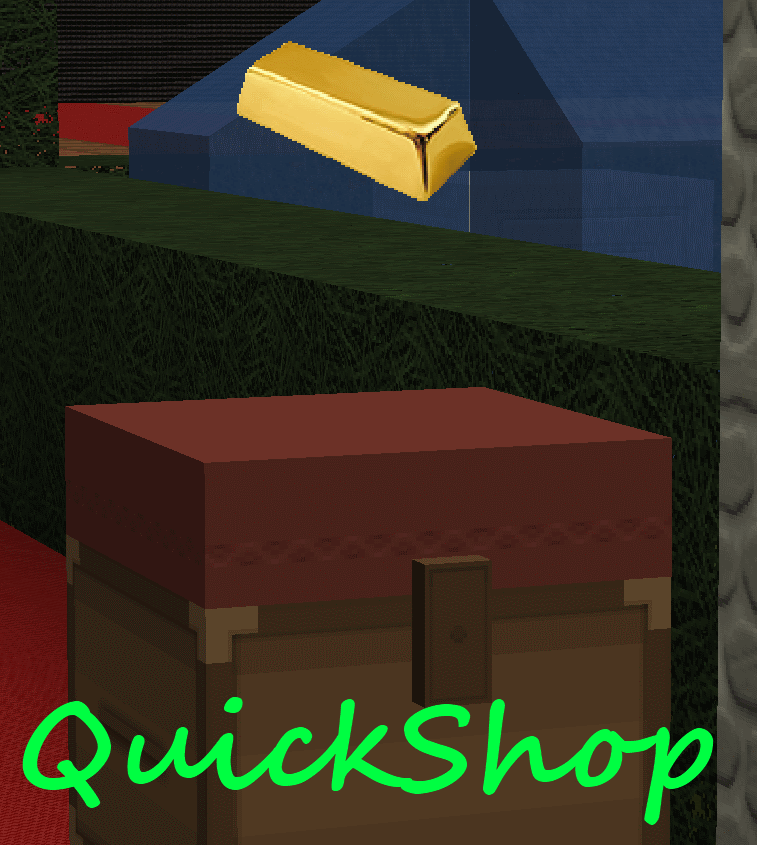
QuickShop
QuickShop
The Predecessors
Showcase was abandoned. Chestshop needed a display, with signs whose order you could never remember. SCS has too many commands. I'm yet to find someone who uses essentials shops.
Don't get me wrong though, they're all awesome plugins each in a few ways.
QuickShop
So, I set out to write this. QuickShop. QuickShop is a shop plugin, that allows players to sell items from a chest with no commands. It allows players to purchase any number of items easily. In fact, this plugin doesn't even have any commands that a player would ever need!
Features
- Easy to use
- Togglable Display Item on top of chest
- NBT Data, Enchants, Tool Damage, Potion and Mob Egg support
- Unlimited chest support
- Blacklist support & bypass permissions
- Shops that buy items and sell items at the same time are possible (Using double chests)
- Herochat support
- Checks a player can open a chest before letting them create a shop!
No longer accepting feature requests
For those people that hate reading, here's an awesome video from UltiByte:
A more up to date and informative video can be found here
Installation Guide:
http://www.youtube.com/watch?v=eJsv7fqaXNk
How to Create a Shop
- Place a chest on the ground
- Hit the chest with the item you want to trade
- Type in price for the item (As prompted) in chat
- Fill the chest with the items you wish to sell
Advanced
- Face the chest
- Type either /qs sell or /qs buy to make the shop buy/sell instead (Optional: use /shop instead of /qs)
- Stock the shop accordingly, if necessary.
How to Buy/Sell to a Shop
- Find a shop
- Hit / Left click the shop
- Enter the amount you wish to trade in chat
Menu Example:

See it in action:
http://maxgamer.org or
play.maxgamer.org:25571 and /warp market!
Commands
- /qs unlimited - Makes the shop you're looking at become unlimited.
- /qs setowner <player> - Changes shop owner to <player>.
- /qs buy - Changes your shop you're looking at to one that buys items
- /qs sell - Changes your shop you're looking at to one that sells items
- /qs price <price> - Change the price of your shop that you're looking at
- /qs clean - Removes any existing shop that has 0 stock.
- /qs find <item> - Use to find the nearest shop that begins with <item> - E.g. '/qs find dia' will find the nearest diamond shop.
- /shop - Alias (Optional) of /qs
Player Nodes
- quickshop.use - Required to use ANY quickshop
- quickshop.create.sell - Required to make a QuickShop (At all)
- quickshop.create.buy - Required to use /qs buy (Change the shop type from Sell -> Buy)
- quickshop.create.double - Required to make doublechest shops.
- quickshop.create.changeprice - Required to use /qs price (Ability to change the price of a shop without destroying it. This may allow for some scammers to quickly change the price while someone is buying.
- quickshop.bypass.ItemID - Required to sell blacklisted items (E.g. bedrock)
- quickshop.find - Required to use /qs find <item>
Admin Nodes
- quickshop.unlimited - Required to use /quickshop unlimited
- quickshop.setowner - Allows use of /qs setowner
- quickshop.other.destroy - Allow breaking other peoples QuickShops if they're locked by this plugin
- quickshop.other.open - Allow opening (And stealing/Stocking) other players QuickShops
- quickshop.other.price - Allow changing price of other people's shops
- quickshop.refill - Ability to refill chests using a command (=Unlimited items)
- quickshop.empty - Ability to empty chests of all items
- quickshop.clean - Permission to purge any shops that have 0 stock.
Source: Source on Github
Checkout the config over here.
Have Towny?
Try out this plugin http://dev.bukkit.org/server-mods/quickshop-towny-interop/ to stop players creating shops outside of Towny shop plots!
Calculating Economy Prices
Vagrant326 has created an Excel spreadsheet that allows you to calculate prices for a market, if you're looking to set one up! It takes a few minutes to setup the basic material prices, and once done, will tell you the appropriate value for almost any material! http://www.planetminecraft.com/blog/how-to-create-stable-prices-system-on-your-server/
Hi, I'm an 19 year old University student studying Software Engineering. I spend my time writing code that I receive practically no reward for other than people asking questions I've answered a hundred times before. I know server Admin's and Owners aren't the richest of people - But if you're feeling particularly generous, I always appreciate any amount for the time and patience I put into coding Bukkit plugins.
Comments


%2526business%253ddirk.jamieson%2540gmail.com%2526bn%253dPP-DonationsBF%253abtn_donateCC_LG.gif%253aNonHosted%2526cancel_return%253dhttp%253a%252f%252fdev.bukkit.org%252fserver-mods%252fquickshop%252f%2526lc%253dUS%2526item_name%253dQuickShop%2b(from%2bBukkit.org)%2526cmd%253d_donations%2526rm%253d1%2526no_shipping%253d1%2526currency_code%253dUSD)
-

netherfoam Owner
-
View User Profile
-
Send Message
Posted Feb 4, 2013@netherfoam
Hey
Here is a report: http://privatepaste.com/1528ad9a97 It says it is incompatible with this version of bukkit, note that the server runs forgemod with BukkitForge as a coremod for Minecraft 1.4.7/1.4.6 (indirectly supports a part of bukkit). Since running the server pure on Craftbukkit makes Tekkit Lite (supports only forge) crash, thus making it run on CB is not an option.
The build of forgemod the server is running is also 1.4.7.
-
View User Profile
-
Send Message
Posted Feb 3, 2013Thx Netherfoam I finally got it working... sorry for all the trouble... But This Is AN AWESOME Plugin...
Thx for help...
:D :D :D
-
View User Profile
-
Send Message
Posted Feb 3, 2013@Redx94
Yes, yes you do have to be in survival. Creative destroys the chest immediately, and adventure mode doesn't throw a PlayerInteractEvent for me with some items. (TLDR: Survival, only survival, and never anything but survival atm)
@WsupPanda
Yeah, chests can't be placed next to each other even with plugins, because they just become invisible and buggy (Try do it with worldedit, you'll see what I mean)
@zodanemir
You'll need to provide me a stacktrace, you may need 3.6.4+ if you're using cb1.4.7+ (What build are you running of forge?)
-
View User Profile
-
Send Message
Posted Feb 3, 2013Hi there,
Does this work with Tekkit Lite 0.5.7. running on ForgeMod? I am able to setup the shops and link it to essentialseco, unfortunatly i cannot edit anything, nor buy or sell from the created shop. Using qs find tells me it cannot find any shop even when looking at it.
Thanks in advance!
-
View User Profile
-
Send Message
Posted Feb 3, 2013<<reply 1240084>>
If it makes it easier at all, the only blocks you should be able to create shops on should be all the slabs, building blocks, and upside down stairs. Those are what I like making shops upon best.
Sneaking! That option is even better. The less commands is always the best, because some of the new players have trouble with all the commands.
I'll make sure to keep checking on this plugin to see if it ever adds the multiple block option. I really don't want to use chests, unless its possible to allow them to stack in single blocks next to each other.. If we can use any blocks it'd probably make this the best shop plugin out there :3 I'd be willing to donate if changes can be made :D Keep up the good work though :)
-
View User Profile
-
Send Message
Posted Feb 3, 2013Do you have to be in survival to make shops?
-
View User Profile
-
Send Message
Posted Feb 3, 2013@razorrazor
I'm not sure what you mean. I will likely never make one chest do buying and selling, however you can make a double chest, with the LHS selling and the RHS buying (Or visa versa) quite easily.
-
View User Profile
-
Send Message
Posted Feb 3, 2013Well the plugin is just great with all those animations,but i would use it in my server if I was able to create a shop for buying and selling, like it is in those "sign shops",because creating two shops 1 for selling and 2 for buying(for example the same item) is a pain in the @$$.Anyway I hope there is a way to develop-fix this :) Keep up the good work!!
-
View User Profile
-
Send Message
Posted Feb 3, 2013@WsupPanda
First part: I'm working on other types slowly... Wouldn't hold your breath though :)
Second part: I suggest you just configure it to do sneak-only: true in the config. This requires players be sneaking to create a shop :)
-
View User Profile
-
Send Message
Posted Feb 2, 2013Hello,
The idea of this plugin is great! However, I use scs instead because using chests as shops is an inconvenience. It can make shops not look as good, and also, you can't stack chests beside each other. Being unable to stack them beside each other deducts the amount of unique items you can actually sell in a shop. My favorite part about this plugin is being able to just click and make shops, without having to type a command. If it'd be possible to change it to where you can make shops on any block, and the inventory of the shop being like scs, I would definitely use this plugin. An idea of mine would be maybe a command like ./qs toggle: which would toggle the making of shops. So for example if you were to hit a block with something you DON'T want to sell, it wouldn't sell the item unless you have toggled the creating feature. I hope that you can take my idea into consideration, I really look forward to using this plugin if changes are made.
Thanks!
-
View User Profile
-
Send Message
Posted Feb 2, 2013@Luzitano
Edit your config to disable the display-items.. see here http://privatepaste.com/f8b5660f9d
-
View User Profile
-
Send Message
Posted Feb 2, 2013@netherfoam
I have an huge area were player can open they shop .. but with so many floating items that zone is Huge ammount of lag :x is anyways to desactivate the floating items?
If u want ill pm you my server and how u can check the market :)
-
View User Profile
-
Send Message
Posted Feb 1, 2013nvm i fixed it by going to gm0
-
View User Profile
-
Send Message
Posted Feb 1, 2013@elkye91
Sounds like another plugin is using coal as some kind of tool, and foolishly cancelling the event. By tool, I mean like WorldGuard's wand tool or something similar.
-
View User Profile
-
Send Message
Posted Feb 1, 2013ok so i have quickshop and it works for most thing but i want to set up a coal shop and when i hit the chest with coal it does nothing how can i fix it (btw the shop is in a region but no flags are set that should stop this it will let me set up an axe shop in the same area) so what can i do
-
View User Profile
-
Send Message
Posted Jan 31, 2013@Redx94
No, the server.log file, I need to see a startup log to help you. So send me the server.log file next to craftbukkit.jar
-
View User Profile
-
Send Message
Posted Jan 31, 2013@netherfoam
I just updated my Bukkit the one that just came out a few days ago... 1.4.7... Still Not Completely working for some reason... Looked at the messages txt file in the folder is this of any importance? Should I delete Plugin and reinstall... I Did reinstall plugin still not working :(
-
View User Profile
-
Send Message
Posted Jan 31, 2013@usrnam
Possibly fixed it in 3.6.4, I've made some other changes though so signs may behave strangely (I haven't thoroughly tested it).
@Exagerate
I believe I actually accidentally fixed this a few days ago.
3.6.4 can be found here https://dl.dropbox.com/u/72835893/Plugins/QuickShop.jar
-
View User Profile
-
Send Message
Posted Jan 31, 2013Hello
We've found a bug with low importance with QuickShop when it encounters a Lockette chest, it mistakenly thinks it's another shop (as far as we can tell) and breaks the lockette, thus making the contents stealable. However I appreciate most servers will have it so that players cannot destroy others chests, but we require it necessary for them to be able to destroy them when someone elses rent expires on a WorldGuard region, something that is completely automated on our server. So, this is only an issue on our servers when someone is building one within their own Faction (without /f owner) and someone in the Faction wants to break their shop, or when it's placed in the Wilderness without WorldGuard.
How they can do it:
This plugin is a great addition to the community, and much better than our historic use of ChestShop.
Kind regards,
-
View User Profile
-
Send Message
Posted Jan 31, 2013Hi netherfoam,
First thanks for your great plugin. I've got this error with mysql query: pastebin log
My 'wait_timeout' in MySQL has default value (28800s). I've some long periods without any palyers but other plugins like McMMO reconnect well. I'm running Bukkit-1.4.7-R0.1.