InfinitePlots
Description
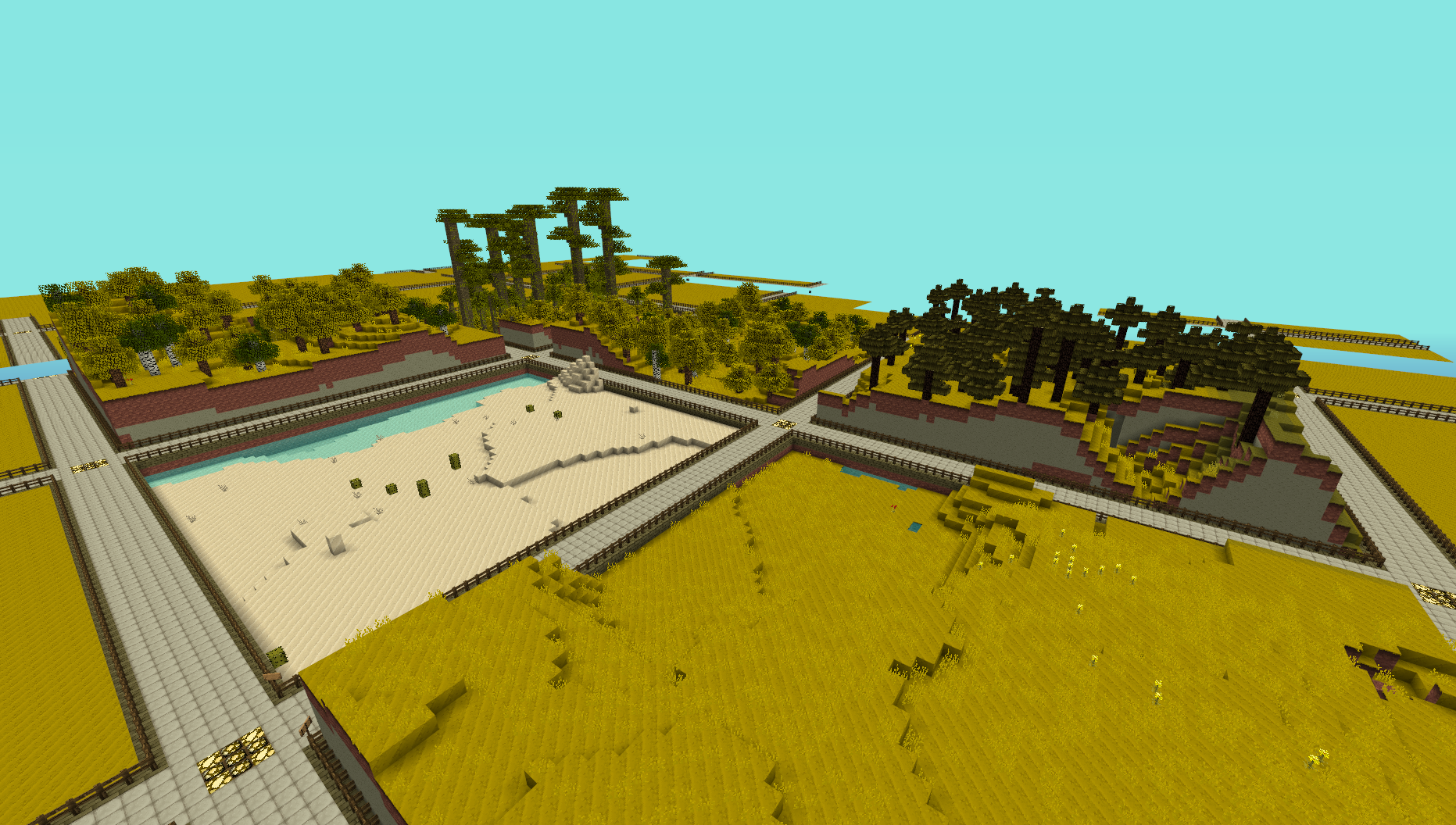
This plugin provides a simple generator for server admins to use to create an infinite world of building plots (of a configurable size), the idea is for it to be used to create a world to be used for building competitions. I made this to use on my server and am releasing it just in case anyone else is looking for the same thing.
NOTE: This does not create any worlds, you will need to use a plugin like MultiVerse or edit your world.yml file to create one using this plugins name as the generator. An example of the command used to create a world using MultiVerse would be
/mv create competition_world normal -g InfinitePlots
Bug Reports / Suggestions
If you find a bug, encounter a problem or have a suggestion, please fill out a ticket via the Tickets link above. I do not have the time to read through the comments section, any comment that fits the previous three categories will be ignored.
Plot Size
The plot-size option in the config file controls the size of the plots that are generated, it will only take effect in new areas so you may need to delete the worlds folder and have it regenerate.
You can also set the size of the plots for a given world using the generator ID parameter, for a size of 64 (the default) you can do
/mv create competition_world normal -g InfinitePlots:64
for 128 you would do
/mv create competition_world normal -g InfinitePlots:128
If the ID parameter is not specified the value from the config file will be used.
For details of the other config options see the config page.
Contributing
Contributions to the project are very much welcome, if you have a feature that you want implemented and know a nice way to do it then consider forking the repo and submitting a pull request. These will be accepted as long as the following simple guidelines are followed.
- Do not edit the structure of the pom.xml file, feel free to add a dependency if you need it but the formatting and structure should not be changed.
- If you are exposing a new API method, add a JavaDoc comment to it, but don't over-comment internal code.
- Follow the existing code style, don't antagonise over every space though !
All dependencies that are used are now available from a public Maven repo, so you don't have to worry about building several other projects just to add a simple change any more.
Source Code
Dev Builds
Changes Since Last Release
Information on the development version can be found on the new version of this page http://dev.bukkit.org/server-mods/infiniteplots/pages/main-dev/
Download
Development builds of this project can be acquired at the provided continuous integration server. These builds have not been approved by the BukkitDev staff. Use them at your own risk.
http://bukkit.jacekk.co.uk:8000/job/InfinitePlots/
Download Stats
Comments

-

_ForgeUser6967060 Owner
-
_ForgeUser4473012 Contributor
-
View User Profile
-
Send Message
Posted Apr 13, 2013this plugin don't run the console whrite:Unknown command. Type "help" for help.
-
View User Profile
-
Send Message
Posted Apr 13, 2013Thanks for the signs, but now they aren't removed when we unclaim the plot x)
http://pauwlo.free.fr/data/box/imgs/screens/scrninfplots.png
Due to the red wool block modification, not the one below.
EDIT : Hey, i got an idea for the plugin ! Why don't you make the plugin change the block lower-wall/upper-wall when we claim the plot ? Example : Plot not claimed : Wool green, plot claimed : wool blue :) (And the player can change the block after)
-
View User Profile
-
Send Message
Posted Apr 12, 2013@Pauwlo
Well technically, its not because we are not supporting Quartz blocks... its just well for some reason the built-in Bukkit methods are not a fan of the Quartz Block. Looking into it though.
I just pushed the fix for the floating sign issue though, so atleast thats fixed :P
-
View User Profile
-
Send Message
Posted Apr 11, 2013Problem found ! It's because he's not supporting the Quartz Block (155) for the path !
Oh, and can you fix the floatings signs "Plot Owner" when the "upper-wall" is "0" ? Thx :D
-
View User Profile
-
Send Message
Posted Apr 11, 2013@wide_load
Same error with Beta 0.1, but when I reset my config it works, I will check what's setting is wrong..
-
View User Profile
-
Send Message
Posted Apr 11, 2013@Pauwlo
Can you try the beta of CB ? That is the only version that is supported by the version of InfinitePlots you are using.
-
View User Profile
-
Send Message
Posted Apr 11, 2013@wide_load
I have the Spapshot 0.9 - b61 of InfinitePlots, Bukkit #2744 (1.5.1 R0.2 Development Build), and my config is : http://pastebin.com/jpHbv0XM
Mutltiverse is up to date, and InfPlots works fine in 0.8.1.
-
View User Profile
-
Send Message
Posted Apr 11, 2013@Pauwlo
CraftBukkit version, InfinitePlots build number and config please :) I'm not able to reproduce this on my test server.
-
View User Profile
-
Send Message
Posted Apr 11, 2013@wide_load
Huh ? When I say "Same error", it's the same error as http:pastebin.com/U0Pat75Y with b61, not the 4am's redstone problem ^^
-
View User Profile
-
Send Message
Posted Apr 11, 2013@4am
@Pauwlo
There is a flag for that, make sure you are in a claimed plot and have it set to true.
-
View User Profile
-
Send Message
Posted Apr 10, 2013Same error with only : Essentials, InfinitePlots (.. x) ), LagMeter, Multiverse-Core, WhiteMessage.
-
View User Profile
-
Send Message
Posted Apr 10, 2013@wide_load
Same error :/ I will try later if it's caused by an other plugin.
-
View User Profile
-
Send Message
Posted Apr 10, 2013EDIT: @wide_load I've fixed my issue, but you might want to document the fact that the /iplot and /plot commands exist somewhere. Anywhere, really...
Any ideas why redstone wouldn't work in my InfinitePlots world? Time isn't locked by any plugins, and redstone works everywhere else on my server. I've checked other plugins aren't blocking anything (they don't seem to be). I can build all redstone just fine, it just doesn't do anything. Ideas?
-
View User Profile
-
Send Message
Posted Apr 10, 2013@Pauwlo
I don't seem to be able to reproduce that on my test server, can you try the latest upload (b61) ? Also that config option was added in a recent dev build that was not uploaded here yet so not documented, it's not been explained on the config page.
-
View User Profile
-
Send Message
Posted Apr 10, 2013I have : grid-size: 32 grid-height: 32
And i don't know why but i have "generator-only: false" (default), and this line isn't in the configuration tutorial..
-
View User Profile
-
Send Message
Posted Apr 10, 2013@Pauwlo
What did you set the grid size and height to ?
-
View User Profile
-
Send Message
Posted Apr 10, 2013Hi, On a 1.5.1 Bukkit, InfinitePlots causes an issue when creating the world.. :/
"java.lang.ArrayIndexOutOfBoundsException: -1"
Full log : http:pastebin.com/U0Pat75Y
What does it means ? Thx.
-
View User Profile
-
Send Message
Posted Apr 6, 2013@SynthRack
Yep, that's exactly it. Perhaps I could have been more descriptive in my first comment..
-
View User Profile
-
Send Message
Posted Apr 4, 2013@gostove:
Actually, you can. Use /region command __global__ (thats 2 underscores, global, 2 more underscores) to change things across the entire map. Then, each individual player region can be set with a higher priority to override the global rules.
-
View User Profile
-
Send Message
Posted Apr 4, 2013@gostove01
That is meant to be done automatically, perhaps you are using an old version of the plugin before the claim system was added ?