InfinitePlots
Description
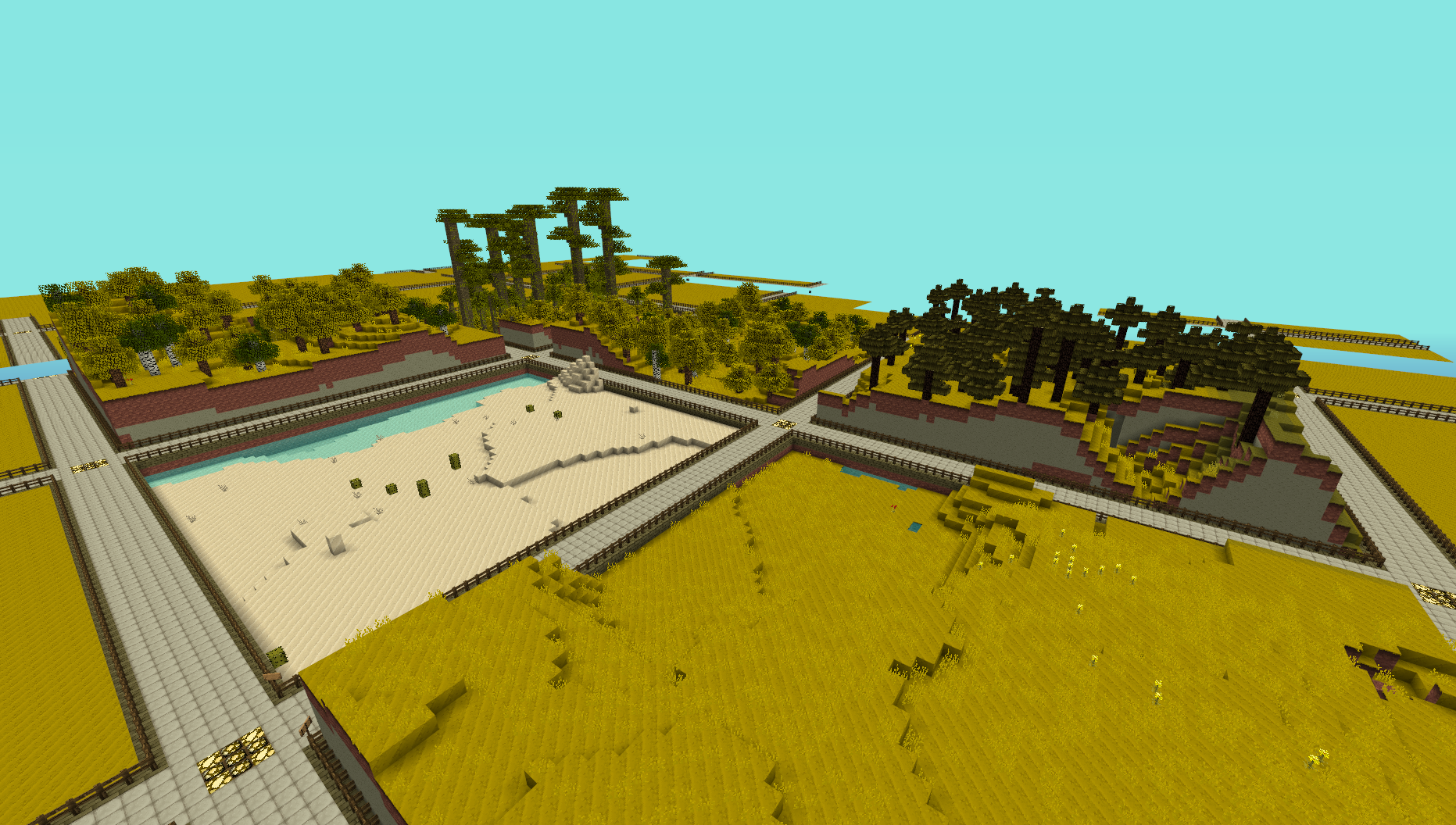
This plugin provides a simple generator for server admins to use to create an infinite world of building plots (of a configurable size), the idea is for it to be used to create a world to be used for building competitions. I made this to use on my server and am releasing it just in case anyone else is looking for the same thing.
NOTE: This does not create any worlds, you will need to use a plugin like MultiVerse or edit your world.yml file to create one using this plugins name as the generator. An example of the command used to create a world using MultiVerse would be
/mv create competition_world normal -g InfinitePlots
Bug Reports / Suggestions
If you find a bug, encounter a problem or have a suggestion, please fill out a ticket via the Tickets link above. I do not have the time to read through the comments section, any comment that fits the previous three categories will be ignored.
Plot Size
The plot-size option in the config file controls the size of the plots that are generated, it will only take effect in new areas so you may need to delete the worlds folder and have it regenerate.
You can also set the size of the plots for a given world using the generator ID parameter, for a size of 64 (the default) you can do
/mv create competition_world normal -g InfinitePlots:64
for 128 you would do
/mv create competition_world normal -g InfinitePlots:128
If the ID parameter is not specified the value from the config file will be used.
For details of the other config options see the config page.
Contributing
Contributions to the project are very much welcome, if you have a feature that you want implemented and know a nice way to do it then consider forking the repo and submitting a pull request. These will be accepted as long as the following simple guidelines are followed.
- Do not edit the structure of the pom.xml file, feel free to add a dependency if you need it but the formatting and structure should not be changed.
- If you are exposing a new API method, add a JavaDoc comment to it, but don't over-comment internal code.
- Follow the existing code style, don't antagonise over every space though !
All dependencies that are used are now available from a public Maven repo, so you don't have to worry about building several other projects just to add a simple change any more.
Source Code
Dev Builds
Changes Since Last Release
Information on the development version can be found on the new version of this page http://dev.bukkit.org/server-mods/infiniteplots/pages/main-dev/
Download
Development builds of this project can be acquired at the provided continuous integration server. These builds have not been approved by the BukkitDev staff. Use them at your own risk.
http://bukkit.jacekk.co.uk:8000/job/InfinitePlots/
Download Stats
Comments

-

_ForgeUser6967060 Owner
-
_ForgeUser4473012 Contributor
-
View User Profile
-
Send Message
Posted Apr 4, 2013@CaptainJohnnyBlu
cant world guard a infinte land no way to do that
-
View User Profile
-
Send Message
Posted Apr 4, 2013@gostove01
worldguard.
-
View User Profile
-
Send Message
Posted Apr 4, 2013hay got a question i got multiverse and i got infinite plots.now my question is im having a problem with the people on myserver using tnt destroying stuff path ways fences ect. Is there a way to stop that something i have to config? plz get back to me
-
View User Profile
-
Send Message
Posted Mar 31, 2013@wide_load
Ah, awesome, thanks.
So I'm guessing there is currently no way to disable the "disable tnt, redstone, and other events outside plots" functionality? Would it be possible to add it, maybe as a permission? As I'm using Plotty 2 for plots (while InfinitePlots is my world generator) nobody is able to use redstone, which severely limits functionality. (The reason I use Plotty 2 at all instead of InfiniteClaims' plot functionality is because I want every plot to be a WorldGuard region I have control over). Edit: Well, in any case I've bypassed this issue by using WorldBorder to generate the world in a large chunk and just deleted the plugin when it finished. Thanks a heap for making an easy-to-use world generator. :)
-
View User Profile
-
Send Message
Posted Mar 28, 2013Hey guys I plan on starting the implementation of Economy into InfinitePlots. I wasn't to happy with my implementation for InfiniteClaims, and would like more feedback into how Economy plays into InfinitePlots.
If you have any idea's/suggestions, feel free to visit this link and comment/add to the discussion there.
-
View User Profile
-
Send Message
Posted Mar 28, 2013@WizardCM
Try letting the config file regenerate, the formate changed a few versions ago.
-
View User Profile
-
Send Message
Posted Mar 28, 2013@wide_load
Well, just updated to latest dev, still getting plots in the wrong size. :(
-
View User Profile
-
Send Message
Posted Mar 28, 2013@WizardCM
Wrong version for your server version.
-
View User Profile
-
Send Message
Posted Mar 27, 2013@wide_load
Here's an error I get at startup http://wizrd.tk/ayfujr
-
View User Profile
-
Send Message
Posted Mar 26, 2013@SketchyCrow
Since the new version is only alpha at the moment changes are sometimes made to the config that would break backward compatibility, it's up to you to keep a look out for these changes.
For the redstone thing, check the plots flags. Disabling the plugin will allow anyone to build in any plot so that is not really a good fix.
-
View User Profile
-
Send Message
Posted Mar 20, 2013I'm having the same problem as WizardCM. I'm running build #53 of InfinitePlots and build #2693 of CraftBukkit. Lava, water, and redstone don't work on plots owned by me. The only way to get it working again is to disable InfinitePlots with my plugin manager. New areas of the map are not generating the same as the rest of the map. The config file hasn't been changed and I double-checked the values. It's using the same blocks but it's 45 blocks lower than the rest of the map. And the plot sizes are smaller too.
While typing this I decided to rename the InfinitePlots config file to see if generating a new one would help. This is my original config and this is the new config. After moving my original block values to the new config, new chunks were generating at the correct height. The lower wall blocks and the path are now in the surface of the map, the new plots don't line up, and the redstone/water/lava issue still persists. Disabling InfinitePlots with the plugin manager still fixes the redstone/lava/water problem.
-
View User Profile
-
Send Message
Posted Mar 18, 2013@follet2004
I was running #53 at time of writing and still getting the issue.
-
View User Profile
-
Send Message
Posted Mar 17, 2013@WizardCM
Is update for 1.5 look in the Dev Builds.
-
View User Profile
-
Send Message
Posted Mar 15, 2013@wide_load
The larger plots are the earlier generated correctly-sized 107 plots. The smaller plots are BRAND NEW chunks (as of right before I posted that pucture) that are MUCH MUCH smaller than they should be. I have not changed any parts of the InfinitePlots config since I generated those first chunks, so I don't know why new ones are generating way too small.
And in Multiverse there is a setting that could affect it (though it shouldn't because the setting is correct): Generator: InfinitePlots:107
And in response to "just protect it," I repeat, I'm using Plotty 2 for protections, and InfinitePlots is causing it to break because of the "feature."
Edit: So I just generated a fresh world, and the plots are also small, even when setting InfinitePlots:107. I'm going to guess that it's Multiverse causing the issue, at least for now. Otherwise, here's the error: http://txt.wizrd.tk/16-03_21-38-27.txt
Edit 2: md_5 said that it's because InfinitePlots isn't updated for 1.5. I guess I'll just keep an eye out for a dev build then.
-
View User Profile
-
Send Message
Posted Mar 15, 2013Awesome plugin, gonna be using on my creative server :)! thanks
-
View User Profile
-
Send Message
Posted Mar 15, 2013@WizardCM
I don't see the issue, just claim the plot :/
You will need to regenerate old chunks when changing the plot size. Also there is no setting in Multiverse that would affect that.
-
View User Profile
-
Send Message
Posted Mar 15, 2013@wide_load
Ah, it's because the plot is unclaimed. Any way around that?
Also, I've run into a bug... http://scr.wizrd.tk/15-03_20-07-41.jpg (both Multiverse and InfinitePlots configs and are set to 107, as they should be.
-
View User Profile
-
Send Message
Posted Mar 14, 2013@WizardCM
Try it in a claimed plot and check the plot flags.
-
View User Profile
-
Send Message
Posted Mar 13, 2013@wide_load
I'm using Plotty 2 for protections (so there are no InfinitePlots protected regions), but when I disabled InfinitePlots I was able to place water again.
-
View User Profile
-
Send Message
Posted Mar 13, 2013@WizardCM
Check the plot flags and also make sure it's not a protection plugin blocking stuff.