Accessories
Accessories
What can it do?
This plugin contains many useful commands for OPs to play with Minecraft world. You can click on some of these commands to visit advanced help.
- /entity <[count*]entity_name[:metadata][;name[,age]][/parent]> [X Y Z] - spawns an entity with many attributes.
- /enchant [player] <enchantment> [level|max|min|0] - enchants an item.
- /tileentity or /tentity <name[:meta]> - creates a tile entity.
Example: /tentity mobspawner:irongolem - creates an iron golem spawner.
- /explosion <size> [creates fire] [disable drops] [X Y Z] - boom!
- /potion <effect> [tier] [extended] [splash] [count] - gives you a potion.
- /fireball [on/off] [damage] - toggles the fireball mode - click somewhere.
- /vanish [player] [on/off] [show on list] - hides a player.
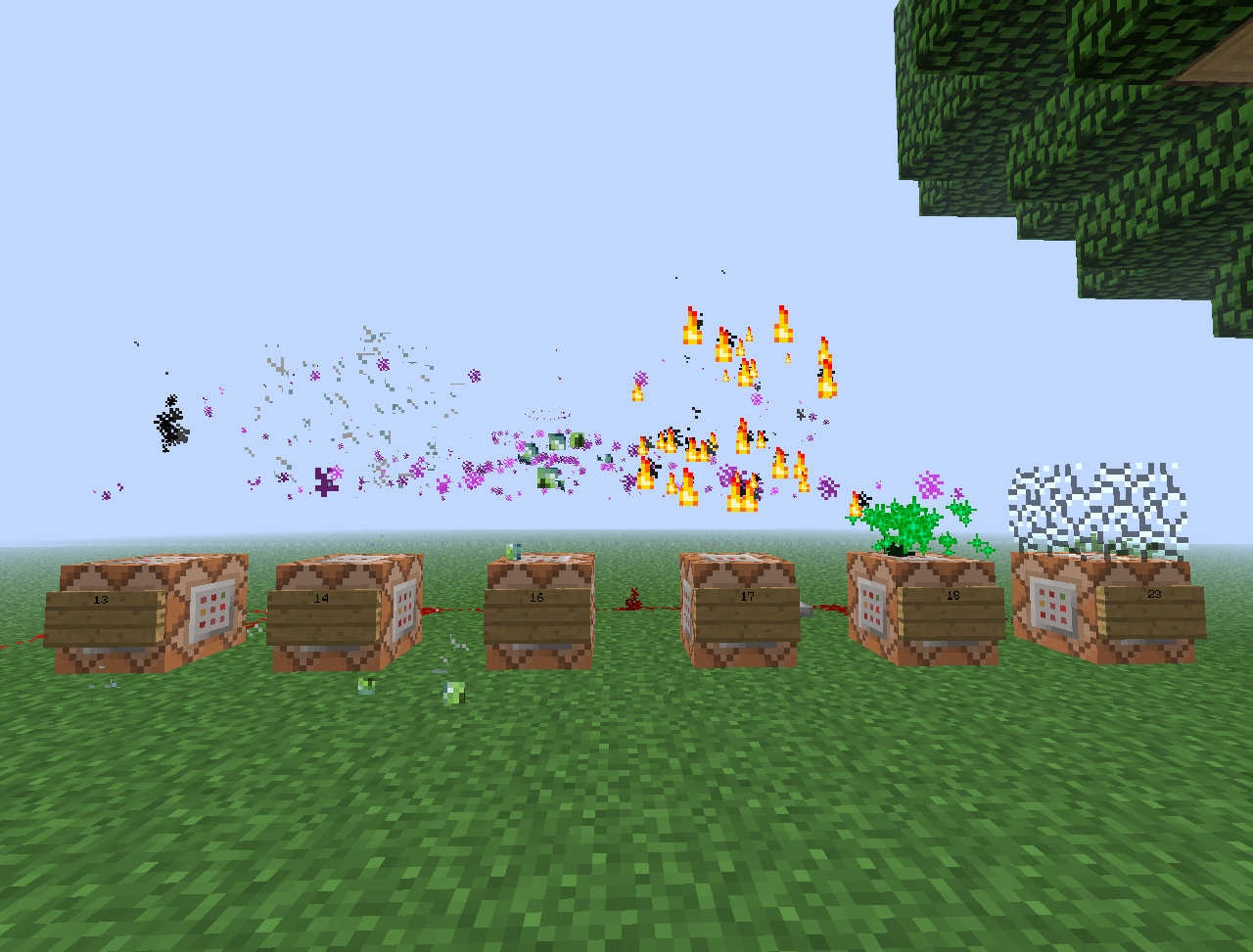
- /seffect <type> [data] [X Y Z] - creates a special effect.
- /hat [player] <block id:damage> - a block hat!
- /wolf <player> [baby] - give a gift - tamed wolf!
- /cat <player> [type] [baby] - give a gift - tamed cat!
- /name <name> - names item holding in the hand.
- /lore <text> - appends a line to item's lore text.
- /skull <player name> - gives you the skull of given player.
- /dye <[0x]color> - dyes the holding item to the specified color in string, decimal or hexadecimal in 0xRRGGBB format.
- /put <block[:damage]> [X Y Z] - sets a block on the location.
- /pop [show effect] [X Y Z] - pops and drops a block on the location.
- /sound <sound> [volume] [pitch] [X Y Z] - plays a sound on the location.
- /painting <type> - creates a fixed-type painting item.
- /removeentity <id> - removes an entity by ID.
- /particle <name> [amount] [radius] [offsetX offsetY offsetZ] [X Y Z | player | world X Y Z] - creates particle effect.
- /animation [player] <animation> - plays an animation.
- /addpotion <effect> [amplifier] [duration] [overwrite current] - adds a custom potion effect to a potion.
Location parameters
This parameter is denoted by [X Y Z] in the description. If it is ommited, the command will use the location of the player or location of the command block. By default, coordinates are absolute. If you use values in the format of "~number", they will be relative to the current position.
Download (1.7.9)
Versions
- 1.9.1-RBB
- Updated for Rainbow BukkitBridge. Command toggling was disabled.
- 1.9.1-R5
- 1.7.9 update.
- 1.9.1-R4
- 1.7.2 update.
- 1.9.1-R3
- 1.6.4 update.
- 1.9.1-R2
- Fixed player parameter in /particle.
- 1.9.1
- Additional location parameters in /particle.
- 1.9
- Horse parameters.
- Drop items parameter in /explosion.
- 1.8-R2
- 1.6.2 update.
- 1.8
- config.yml to remove commands. Load plugin once, then open config.yml and change true to false after the desired command to disable it.
- 1.7
- New commands: addpotion.
- Changed position counting.
- /potion accepts effect name.
- 1.6
- New commands: particle, animation.
- Changed position counting.
- New special effects.
- Pop has effect parameter.
- 1.5
- New commands: removeentity.
- Updated /entity format.
- Special effect #2005 is visible on air blocks.
- 1.4
- New commands: lore, painting.
- Removed peffect.
- Enchant works on enchanted books.
- 1.3
- New commands: name, skull, dye, put, pop, sound.
- Location parameters for: entity, tileentity, explosion, seffect.
- Command block compatible commands: entity, peffect, tileentity, explosion, vanish, seffect, hat, wolf, cat, put, pop, sound.
- 1.1
- Added {player} parameter for /vanish.
- 1.0
- Initial public release.
Examples
Comments


-

IllidanS4 Owner
-
View User Profile
-
Send Message
Posted Jul 7, 2013love this plugin! but it doesent work in 1.6. please update. thank you!
-
View User Profile
-
Send Message
Posted Jun 29, 2013Sounds list?
-
View User Profile
-
Send Message
Posted Jun 28, 2013I need the permissions, I have problems for deathcommands-respawncommands.
-
View User Profile
-
Send Message
Posted Jun 26, 2013If you find some proper way without reflection to disable the plugin's command, tell me.
-
View User Profile
-
Send Message
Posted Jun 24, 2013Permissions ?
I have conflict with VanishNoPacket
i can't off the Vanish from VanishNoPacket plugin, can u fix it pls?
Tnx :) Great Plugin! love it <3
-
View User Profile
-
Send Message
Posted Jun 22, 2013@remern
Done, see /particle page.
-
View User Profile
-
Send Message
Posted Jun 21, 2013Could you make a detailed video on how to use the /particle command? Having some trouble with it.
-
View User Profile
-
Send Message
Posted Jun 21, 2013@GrandRealms
Is it printing any error?
-
View User Profile
-
Send Message
Posted Jun 20, 2013@IllidanS4
It wont work for me at all the plugin wont load does it conflict with worldedit,voxelsniper,essentials,multiverse
-
View User Profile
-
Send Message
Posted Jun 19, 2013@coolben147
Now updated for 1.5.2.
-
View User Profile
-
Send Message
Posted Apr 14, 2013how do you install this? is this for 1.5.1?
sounds like a awesome mod!
-
View User Profile
-
Send Message
Posted Jan 29, 2013Finaly, some ORIGANAL commands :P Hope it works for 1.4.7 R1.0...
-
View User Profile
-
Send Message
Posted Jun 16, 2012Add a config to disable certain commands. I have vanishnopacket and blockhat for /hat and /vanish.
-
View User Profile
-
Send Message
Posted May 7, 2012Can you give us more examples on how to use the /entity and /tentity ? Or a list of parameters
-
View User Profile
-
Send Message
Posted May 7, 2012@Anglican1
Added!
-
View User Profile
-
Send Message
Posted May 7, 2012Cool plugin dude, especially.... /wolf and.... /enchant! thanks for an epic plugin. trying now!
Also, an idea....what about /vanish [player] to makeanother player vanish?