Accessories
Accessories
What can it do?
This plugin contains many useful commands for OPs to play with Minecraft world. You can click on some of these commands to visit advanced help.
- /entity <[count*]entity_name[:metadata][;name[,age]][/parent]> [X Y Z] - spawns an entity with many attributes.
- /enchant [player] <enchantment> [level|max|min|0] - enchants an item.
- /tileentity or /tentity <name[:meta]> - creates a tile entity.
Example: /tentity mobspawner:irongolem - creates an iron golem spawner.
- /explosion <size> [creates fire] [disable drops] [X Y Z] - boom!
- /potion <effect> [tier] [extended] [splash] [count] - gives you a potion.
- /fireball [on/off] [damage] - toggles the fireball mode - click somewhere.
- /vanish [player] [on/off] [show on list] - hides a player.
- /seffect <type> [data] [X Y Z] - creates a special effect.
- /hat [player] <block id:damage> - a block hat!
- /wolf <player> [baby] - give a gift - tamed wolf!
- /cat <player> [type] [baby] - give a gift - tamed cat!
- /name <name> - names item holding in the hand.
- /lore <text> - appends a line to item's lore text.
- /skull <player name> - gives you the skull of given player.
- /dye <[0x]color> - dyes the holding item to the specified color in string, decimal or hexadecimal in 0xRRGGBB format.
- /put <block[:damage]> [X Y Z] - sets a block on the location.
- /pop [show effect] [X Y Z] - pops and drops a block on the location.
- /sound <sound> [volume] [pitch] [X Y Z] - plays a sound on the location.
- /painting <type> - creates a fixed-type painting item.
- /removeentity <id> - removes an entity by ID.
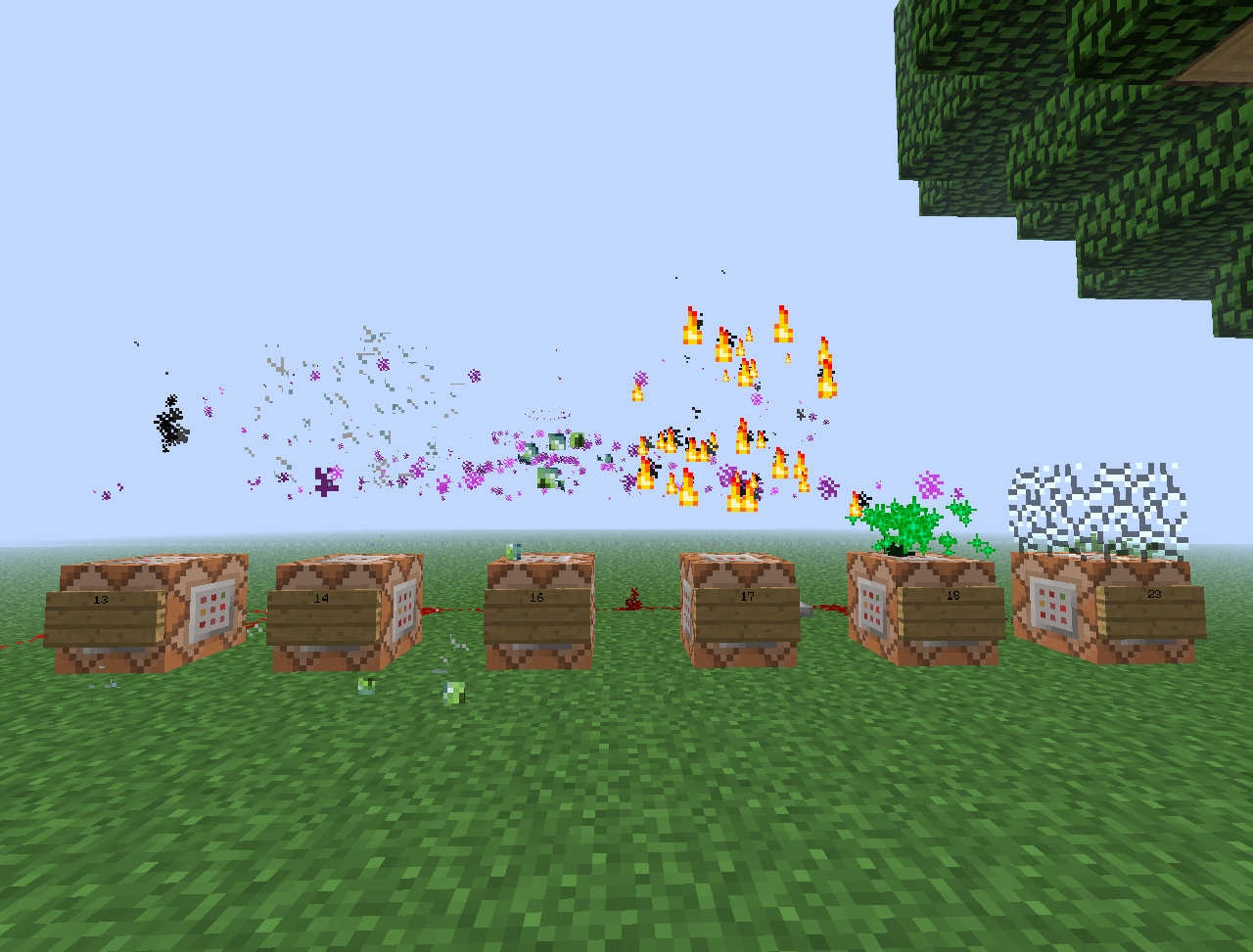
- /particle <name> [amount] [radius] [offsetX offsetY offsetZ] [X Y Z | player | world X Y Z] - creates particle effect.
- /animation [player] <animation> - plays an animation.
- /addpotion <effect> [amplifier] [duration] [overwrite current] - adds a custom potion effect to a potion.
Location parameters
This parameter is denoted by [X Y Z] in the description. If it is ommited, the command will use the location of the player or location of the command block. By default, coordinates are absolute. If you use values in the format of "~number", they will be relative to the current position.
Download (1.7.9)
Versions
- 1.9.1-RBB
- Updated for Rainbow BukkitBridge. Command toggling was disabled.
- 1.9.1-R5
- 1.7.9 update.
- 1.9.1-R4
- 1.7.2 update.
- 1.9.1-R3
- 1.6.4 update.
- 1.9.1-R2
- Fixed player parameter in /particle.
- 1.9.1
- Additional location parameters in /particle.
- 1.9
- Horse parameters.
- Drop items parameter in /explosion.
- 1.8-R2
- 1.6.2 update.
- 1.8
- config.yml to remove commands. Load plugin once, then open config.yml and change true to false after the desired command to disable it.
- 1.7
- New commands: addpotion.
- Changed position counting.
- /potion accepts effect name.
- 1.6
- New commands: particle, animation.
- Changed position counting.
- New special effects.
- Pop has effect parameter.
- 1.5
- New commands: removeentity.
- Updated /entity format.
- Special effect #2005 is visible on air blocks.
- 1.4
- New commands: lore, painting.
- Removed peffect.
- Enchant works on enchanted books.
- 1.3
- New commands: name, skull, dye, put, pop, sound.
- Location parameters for: entity, tileentity, explosion, seffect.
- Command block compatible commands: entity, peffect, tileentity, explosion, vanish, seffect, hat, wolf, cat, put, pop, sound.
- 1.1
- Added {player} parameter for /vanish.
- 1.0
- Initial public release.
Examples
Comments


-

IllidanS4 Owner
-
View User Profile
-
Send Message
Posted Sep 22, 2013Animation broken? or am i using it wrong?
-
View User Profile
-
Send Message
Posted Sep 22, 2013Is it possible for you to update this? It broke in the latest Dev build of bukkit
-
View User Profile
-
Send Message
Posted Sep 17, 2013How would i put a chest down with stuff in it?
-
View User Profile
-
Send Message
Posted Sep 8, 2013Please make permissions (only Op's can write commands) and a world option !
-
View User Profile
-
Send Message
Posted Sep 7, 2013@IllidanS4
all is working fine thank you
-
View User Profile
-
Send Message
Posted Sep 7, 2013@marcosds13
Sorry, there was an error in the player parameter. To use it for a specific world, write it as /particle <name> <amount> <radius> <offsetX> <offsetY> <offsetZ> <world> <X> <Y> <Z>.
-
View User Profile
-
Send Message
Posted Sep 7, 2013@IllidanS4
Thank you. You are the man! xD
EDIT= Can you explain how the command work? i can't use
-
View User Profile
-
Send Message
Posted Sep 6, 2013@marcosds13 @chrisp50
Done, see download! ;-)
-
View User Profile
-
Send Message
Posted Aug 30, 2013@IllidanS4
Can you add parameter <player> and <world> to command "/particle <name> [amount] [radius] [offsetX offsetY offsetZ] [X Y Z] " ?
Its because i am using the Skript Plugin and i am trying to do scripts with nice effects but without the parameter <world> i cant do it because is going to the principal world only (Using the command in Console). without the <player> i can still do but is more easy if you have the parameter.
If you do so, thanks.
-
View User Profile
-
Send Message
Posted Aug 12, 2013@chrisp50
Lots of special effects use Craftbukkit API, including particles, so, you have to update. I am not aware of Bukkit API solution.
-
View User Profile
-
Send Message
Posted Aug 5, 2013IllidanS4 could you make that the /particle command can be executed via the console ?
-
View User Profile
-
Send Message
Posted Aug 4, 2013Is this plugin made using the bukkit api or do i have to update everytime to use those particle effects ?
-
View User Profile
-
Send Message
Posted Aug 3, 2013Are there any perms?
-
View User Profile
-
Send Message
Posted Jul 17, 2013@Bf3Chilled
Thanks!
-
View User Profile
-
Send Message
Posted Jul 16, 2013@Netox005
here mr. Netox http://dev.bukkit.org/bukkit-plugins/accessories/files/9-accessories-v1-8-r2/
-
View User Profile
-
Send Message
Posted Jul 16, 2013@IllidanS4
Download Link? Thanks for Update this Plugin. I realy love them!
-
View User Profile
-
Send Message
Posted Jul 16, 2013Updated to 1.6.2. Post any problems.
-
View User Profile
-
Send Message
Posted Jul 13, 2013@Netox005
Done.
-
View User Profile
-
Send Message
Posted Jul 13, 2013Please Update to 1.6.2 CraftBukkit build
-
View User Profile
-
Send Message
Posted Jul 12, 2013UPDATE TO 1.6 please