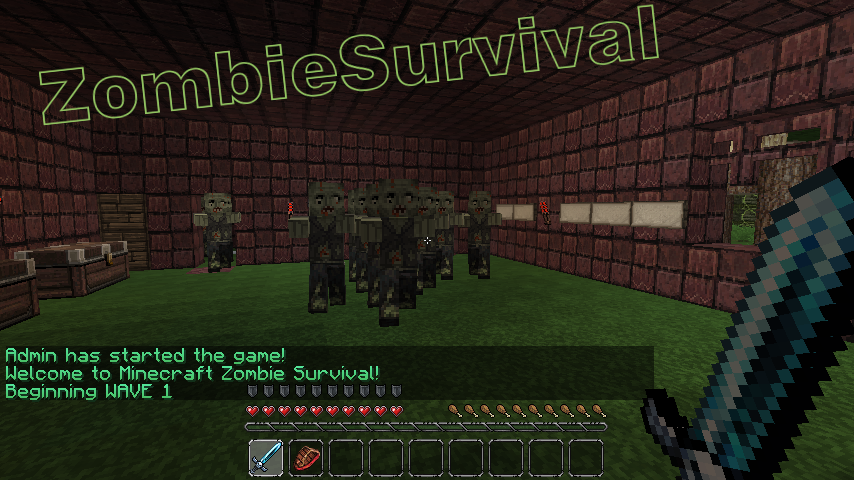
ZombieSurvival

Survive endless waves of zombie attacks!
Based on the COD gamemode Nazi-Zombies
Official Website: www.bjornke.com
Donate
Information:
Now you can play Call Of Duty® style Nazi Zombies in Minecraft! Includes all of the familiar features of the gamemode and more! These zombies can sniff you out from over a mile away and run faster (or slower) then you with our custom AI! Barricades, doors, mystery boxes, wolf waves, and more! Play with your friends or by yourself, it's easy to setup and easy to use!
Features:
- Multiple Games Per World (as many different games as you like in a single world file)
- Multi-World Support (Can have games in any world/nether)
- Custom Zombie AI (Zombies have infinite find/aggro radius, limited only by how many chunks loaded)
- Runner Zombies (Faster than normal)
- Zombie Spawns (set by using operator, spawns are enabled when wave number is reached)
- Zombie Difficulty Multiplier ( defined in config, controls how much health zombies get per wave)
- Zombie Damage Multiplier (defined in config, controls how much damage zombies deal per wave)
- Revive (A sign will appear where a dead comrade has fallen! Break the sign to revive him! You have 30 seconds)
- Random Skelly Waves (can be configured or disabled in config. Default 1/5 chance)
- Perks (Godmode, Instant Kill, and Fire. All last for 60 seconds)
- Random BITE Effect (Random potions applied to player on zombie attack, chance defined in config)
- Stat/Join Signs (Signs that can display player count / zombie count and if RIGHT clicked, allow player to join via sign click)
- Purchase Door Signs (can buy doors with points/economy t open)
- Death Waiting Lobbies (players go here once dead if spectating is turned off)
- Custom Limits (min/max players, max zombies at one time, max waves, allowed break/place of specific blocks during game)
- Inventory Save (Inventory is saved and replaced after a game)
- Automatically Start Game (When enough players have joined the game with /join command, start-player-count definable in config)
- Doors (set by operator, doors open once wave number is reached)
- Door to Spawn Link (Link spawns to doors so they activate when the door is purchased regardless of wave)
- Signs (can either give you item for expense of point, or heal you)
- Point System (10 points for every zombie killed)
- Economy Support (uses vault to link to most economy systems)
- Death Tax (% of bank, defined in config)
- Money per Kill (added to player account after kill, defined in config)
- Game Over or /leave Account Zeroing (defined in config)
- Spectate System (dead players can spectate the game)
- Friendly Fire Deductions (Players who strike or fire upon other players are deducted points)
- Friendly Fire Alerts (Sound is played on client side when player strikes or fire upon other players)
- Player Death Alerts (Sound is played at death location of player, white wool block flashes) Note this feature experimental
- Internal Anti-grief (if automated server, use this feature to prevent blocks from being broken)
- Items on Join (When a player joins a game, they receive items defined in the config)
- Optional Automation Feature (Defined in config, includes cooldown time between new game starts, in seconds)
- Included /vote feature (gets 2 random maps of all maps and puts them up for vote)
- Custom Zombie Drops (defined in config, includes chance for drop)
- 10th round Fire (Netherrack set on fire every 10th round, use /zsa-fire <name>)
- Version Checking (Displays in console and alerts ops that are in-game if out of date, also include /zs-version command)
- Special Action Blocks (Must be added to game with command /zsa-special)
- Yellow Wool: Double Player Velocity
- Blue Wool: Super Jump
- Light Blue Wool: Super+ Jump (Higher jump than Blue Wool)
- Orange Wool: Light's player on fire for 10 seconds
- Black Wool: Kills player
- Light Gray Wool: Sets player invisible
- Gray Wool: Invisible players back to visible
- Green Wool: Slows player slightly
Useful Pages For Admins
Video Tutorials
- Terms and Backend Configuration: http://youtu.be/U8RmAO9wqzc
- Spawn Point and Sign Config: http://youtu.be/4W0r5iJ5rGo
- Classes: http://youtu.be/JtzjfNmAVHE
Credit: stadvert
Permissions:
You do not need to define permissions for this plugin to work.
- zs.start
- zs.end
- zs.create
- zs.edit
- zs.remove
- zs.reload
- zs.version
- zs.tp
- zs.stats
- zs.help
- zs.join
- zs.leave
- zs.whisper
- zs.signs
Metrics
This plugin utilises Hidendra's plugin metrics system, which means that the following information is collected and sent to mcstats.org: A unique identifier, the server's version of Java, whether the server is in offline or online mode, the plugin's version, the server's version, the OS version/name and architecture, the core count for the CPU, the number of players online, the Metrics version,
Opting out of this service can be done by editing plugins/Plugin Metrics/config.yml and changing opt-out to true.
Read before posting comments
Completely new and rewritten version will come out as soon as possible, I am already working on it.
Donations:
If this plugin helps you please feel free to donate and keep this project updated. I am coding this plugin in my free time.

Click here to donate.
Comments

-

_ForgeUser7052630 Owner
-
Forge_User_74967307 Author
-
View User Profile
-
Send Message
Posted Dec 4, 2012I have tried to make a sign to sell things. It says ZombieSurvival sign created but when i start the match is says Reconfigured sign? Also, how do I make a open door sign?
-
View User Profile
-
Send Message
Posted Dec 3, 2012is the source available for download somewhere? I want to make a plugin that adds more features to this one.
-
View User Profile
-
Send Message
Posted Dec 3, 2012Do u know when a less buggier version will be out?
-
View User Profile
-
Send Message
Posted Dec 2, 2012Any one know how to make a repairing barricades sign?
-
View User Profile
-
Send Message
Posted Dec 1, 2012use-close-zombie-spawns: false and yet zombies still spawn right next to people? A lot of these features in the plugin do not work even though those options are set correctly...
-
View User Profile
-
Send Message
Posted Dec 1, 2012slt roberto52 tu vient de la haute marne ? car si oui tu habite ou car moi aussi jhabite en haute-marne
-
View User Profile
-
Send Message
Posted Nov 30, 2012I'm sorry to disappoint, but my actual computer crashed yesterday. it's out of its warranty. it's completely trashed. So for now, i'm stuck using my old laptop. The lag is incredibly high. i have fames 20-30 without recording, and when I do my frames drop to 2-7 It's horrible and I can't record a tutorial :/
-
View User Profile
-
Send Message
Posted Nov 30, 2012pls update for minecraft 1.4.4
-
View User Profile
-
Send Message
Posted Nov 30, 2012ok 2 problems 1) your bug ticket "HERE" link is not active 2) could you add the feature that stops all spawn points on the map, and then allows zombie spawn points you can set yourself
i wanted to remake some of the zombies map of call of duty blackops 1 and waw (i know black ops 1 has them as well) but they are spawning all over the map, and never in the correct place
-
View User Profile
-
Send Message
Posted Nov 30, 2012Please unban me from your server all i did was stair at your skin
-
View User Profile
-
Send Message
Posted Nov 28, 2012I will be making a tutorial very soon, Hopefully uploaded by the end of the week. I'll be making one on the newest update. I don't want to downgrade an update, because I JUST fixed up my server to accomodate the new update. I relized what makes some of these bugs happen
-The inventory Multipying when joining a map: is due to the fact that, the player /leave and when they joined another map, their old ZS inventory is still there, and spawns a new one for the map they just joined
-When games stay at round 1, and zombies spawn all together: Type in zs-reload. This will reload the plugin, and correct any errors.
-No maps: Most likely the map's configugations such as spawns, doors, etc are still in the games YML. Under "maps:" Type in the maps EXACT name as it was before, this will allow the name to actually show when you type in /join therefore allowing you to play the game
- If a door won't shut: I havn't found a way to fix this, I made another door to replace the buggy one, Now they WONT open. If someone finds a fix to this please share :)
Also, I've manged to get all signs to work with the new update. They're so buggy, If you need help just PM me :D
-
View User Profile
-
Send Message
Posted Nov 28, 2012hello i want a tutorial dor this plugin because i love this this plugin but i don't know use this plugin
-
View User Profile
-
Send Message
Posted Nov 28, 2012hello, there is a bug when purchased on its signs gives us money instead of removing
-
View User Profile
-
Send Message
Posted Nov 27, 2012@roberto52
I used to use that update as well, way to many bugs for my liking. I managed to get to some 15 digit number of points just BUYING items off walls. I recommend using 2.4. It works with the latest release of bukkit and runs amazing. 2.5 had a bug for us where you couldn't get more then 20 points. 2.4 may be missing some great features but it is the most bug free.
-
View User Profile
-
Send Message
Posted Nov 27, 2012Hey guys, I was wondering if anyone could help me out with this list of bugs...
- Players spawn with more (Of the same set of items) when they join a map such as 1 stone sword becomes 6 stone swords, and 1 bow becomes 6 bows
-The maps are suddenly not found by the server, and i must write the names of the available maps int he games YML file
-Game stays in round 1 and a bunch of zombies spawn at a time
-Doors won't open when their round comes along
I need help guys, Badly. It's like once i find a fix to something, some other bug comes along. and lately theres soo many bugs. Also, the server says there is a new update. I can't find it. I am in the November 6th Update.
-
View User Profile
-
Send Message
Posted Nov 27, 2012@roberto52
Weird, that works for me.
-
View User Profile
-
Send Message
Posted Nov 24, 2012@waza_man
I've done that, and it doesn't work. which is why i tried using the map name
-
View User Profile
-
Send Message
Posted Nov 24, 2012@roberto52
Don't put the map name, do it like this
First line: zombie box Second Line: 100
-
View User Profile
-
Send Message
Posted Nov 24, 2012Bug? Or am I doing something wrong?
Hi there :D I was wondering if anyone has been having trouble with the zombie box. It's only worked ONCE (in the second map out of all my 4 maps) I thought it was fine so i left it, next time I played the map, It would not work :/ So so far, i've had to put up Box items on the walls at a high price in order for players to actually have a chance to use them.
What i type in my signs is
zombie box
Tower (Its the map's name)
100
That, only worked ONCE. the other ways i've tried have not worked at all:
zombie box
Tower
zombie box
100
Tower
What is the correct format for the zombie fox?
-
View User Profile
-
Send Message
Posted Nov 23, 2012Anyone else had a problem where right clicking on a sign will double their points?