SimpleAlias
Description
SimpleAlias is a little plugin that makes you able to create aliases which execute commands or send messages. These actions can be ordered, based on certain conditions and highly customised. It also allows you to disable commands from other plugins, so you can for example enforce the usage of an alias. Every alias has its own config file where you can customise the settings!
Features
- Creation of an infinite amount of aliases
- Aliases have several actions which are highly customisable
- Aliases have many settings for checks like cost, permission, cooldown, delay etc.
- Aliases act like normal commands so they support tab completion and /? <alias> works
- The usage of aliases can be logged
- Supports dynamic variables like <sender_name>, <world_name>, <group_name>, <faction_name> etc.
- Respects command blockage from every plugin
- Aliases can be fully edited via ingame commands
- Commands can be blocked with a message
All listed features above are referring to version 1.6.1+ of SimpleAlias!
Upcoming Features
- Customisable tab completion for alias arguments
- More action conditions
Wiki
Click here to get to the wiki page where everything of SimpleAlias is explained. There are also installation tutorials and examples for setting up aliases!
Contribute
If you find a bug, encounter an error or have new ideas or suggestions for this plugin feel free to create a ticket so we can react to things faster than posting it in the comments! However you can post feedback in the comments, but please use the ticket system for the things I mentioned.
Source
The source can be found right here!
Metrics
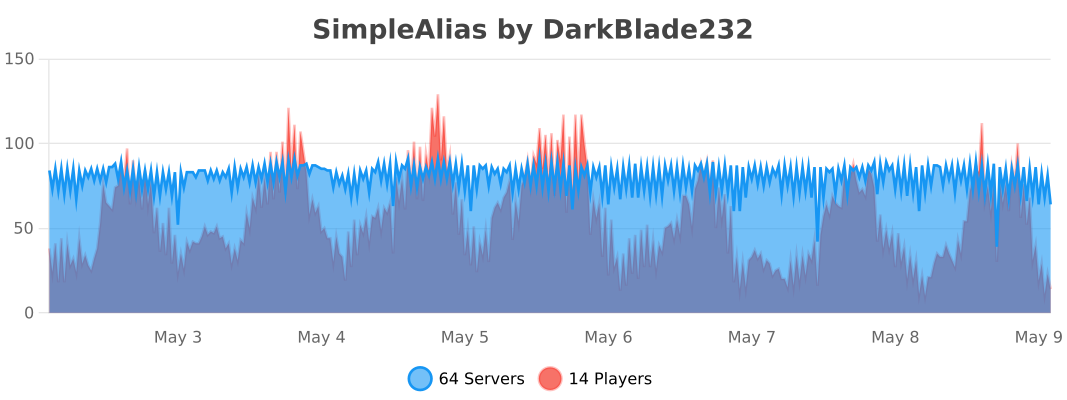
This plugin uses Metrics by BtoBastian to collect various data from servers.
If you don't want Metrics to collect your data you can disable it easily by setting enabled to false in the config file at plugins/bStats/
Videos
Videos wanted for version 1.6.1 or newer.
%2526business%253dlang.vohenstrauss1%2540freenet.de%2526bn%253dPP-DonationsBF%253abtn_donateCC_LG.gif%253aNonHosted%2526cancel_return%253dhttp%253a%252f%252fdev.bukkit.org%252fbukkit-plugins%252fxsimplealias%252f%2526lc%253dUS%2526item_name%253dSimpleAlias%2b(from%2bBukkit.org)%2526cmd%253d_donations%2526rm%253d1%2526no_shipping%253d1%2526currency_code%253dUSD)
Comments


-

DarkBlade232 Owner
-

_ForgeUser10146483 Contributor
-
_ForgeUser12580406 Artist
-
Forge_User_14262910 Ticket Manager
-
View User Profile
-
Send Message
Posted Apr 20, 2013@DarkBladee12
Indeed i think that's what he means
-
View User Profile
-
Send Message
Posted Apr 13, 2013I really like this plugin .. however I have 1 request .. don't know if you can do this .. I use commandrank and I have it set up so that instead of typing "/cra rankup bad name" I can type "/banish name" .. however when I type /banish and start typing the player name and hit the TAB key it will not auto fill in the user name.. is there any way you can make this work?
-
View User Profile
-
Send Message
Posted Apr 3, 2013i have a question though, which might also be a request. How would i go about adding delay to an alias. I have tried it with the booscooldowns plugin, but it doesn't work.
i am try to run the following commands: /elite which will run the console command: 'eco give %player% XAMOUNT' who has the permission simplealias.command.elite and simplealias.console
i have a few other commands similar to this, but they also need a delay.
also, with the /teamspeak or /ts message via console. when i set up the alias ingame, it isn't saved onto the config. and when i create the alias in the config, the plugin stop working in game. i believe this is because of the argument: %player%
the alias is: /teamspeak and the command to execute via console is: 'msg %player% our teamspeak ip is: XTEAMSPEAKIP
any helped would be greatly appreciated. thank you.
-
View User Profile
-
Send Message
Posted Mar 23, 2013This is too good to be true
-
View User Profile
-
Send Message
Posted Mar 20, 2013Works great! Nice job!
-
View User Profile
-
Send Message
Posted Mar 20, 2013Can u add more than one command p.e. if you want to save all and stop the server also save the citizens profiles
commands:
save-all citizens save stop
is it maybe possible to ue 3 commands instead of 1 alias?
-
View User Profile
-
Send Message
Posted Mar 19, 2013@abmenzel
Yeah, I'll add that!
-
View User Profile
-
Send Message
Posted Mar 18, 2013Could you make it so we can blacklist worlds for specific aliases? Like so the "alias" cannot be used in specific worlds.
-
View User Profile
-
Send Message
Posted Mar 16, 2013@stefmuki
Try this: "/aladd msg ts" then "/argadd ts %player% TS-IP: 127.0.0.0" then "/alset ts -c true". Now the console will send a message to the player when he executes "/ts" ;)
-
View User Profile
-
Send Message
Posted Mar 14, 2013Hello, /ala msg %name% ts /arg ts [Ts-ServerIP]
> Player x use /ts> Player x get a new message with the Ts IP! (or the Gameserver Ip, whatever) That command is missing, pls add it in the next version. ;D Of course, it's a nice plugin ;)-
View User Profile
-
Send Message
Posted Feb 26, 2013@shadvalentine
Do you mean that you have an alias like "/xyz" and if you type "/xyz 123" it'll fill in arguments like this: "/COMMAND abc 123 def" ?
-
View User Profile
-
Send Message
Posted Feb 22, 2013Is there a way to set an alias so that say i want to run the command /cra rankup <user> bad .. I will set /cra alias to /banish with the arg of rankup .. is there a way to set bad as an arg as well? so all I have to type is /banish <user>
in otherwords is it posable to add an arg to both front and end of the command?
-
View User Profile
-
Send Message
Posted Feb 12, 2013@SkyRanger
No, currently you can only make an alias for one command, multiple commands will maybe come soon!
-
View User Profile
-
Send Message
Posted Feb 11, 2013Ok, thx.
Is it possible, to make an alias for two commands ?
i want to execute two commands with just one command. with predefined args for each.
-
View User Profile
-
Send Message
Posted Feb 10, 2013@SkyRanger
If you disable "UseArgs" it'll execute just "/weather" when you type "/w" and not "/weather sun".
-
View User Profile
-
Send Message
Posted Feb 10, 2013Thx, it works.
But i have another question:
UseArgs | If this is "true", it will only use the arguments when you just type the alias (Alias: "/w" alias of "/weather", Arguments: "sun", "/w" is now executed as "/weather sun")
What happens, if i set this to disable ?
i want to ignore all inserted args after the alias and i want to use the predefined args. would this b possible, if i set this to false ?
-
View User Profile
-
Send Message
Posted Feb 10, 2013@SkyRanger
Oh yeah, you have to give your players also SimpleAlias.console ;)
-
View User Profile
-
Send Message
Posted Feb 10, 2013I get an Error, if i try to make it as u suggested:
You are not allowed to use Console Commands
-
View User Profile
-
Send Message
Posted Feb 9, 2013@SkyRanger
There are already dynamic arguments like "%player%" which will be replaced with the player's name who is executing the command. You have to let "/paddme" executed by console and enable permissions, so you can give your VIPs or whatever the permission "SimpleAlias.command.paddme" and they can do "/paddme" by themselves ;)
-
View User Profile
-
Send Message
Posted Feb 9, 2013Is it possible to use variable arguments like the Playername of this Player, which is executing the alias ?
I would have to add an alias for adding a player to a specific permissionsgroup.
So when he types /paddme he will automaticly added to an other Permissionsgroup.