SimpleAlias
Description
SimpleAlias is a little plugin that makes you able to create aliases which execute commands or send messages. These actions can be ordered, based on certain conditions and highly customised. It also allows you to disable commands from other plugins, so you can for example enforce the usage of an alias. Every alias has its own config file where you can customise the settings!
Features
- Creation of an infinite amount of aliases
- Aliases have several actions which are highly customisable
- Aliases have many settings for checks like cost, permission, cooldown, delay etc.
- Aliases act like normal commands so they support tab completion and /? <alias> works
- The usage of aliases can be logged
- Supports dynamic variables like <sender_name>, <world_name>, <group_name>, <faction_name> etc.
- Respects command blockage from every plugin
- Aliases can be fully edited via ingame commands
- Commands can be blocked with a message
All listed features above are referring to version 1.6.1+ of SimpleAlias!
Upcoming Features
- Customisable tab completion for alias arguments
- More action conditions
Wiki
Click here to get to the wiki page where everything of SimpleAlias is explained. There are also installation tutorials and examples for setting up aliases!
Contribute
If you find a bug, encounter an error or have new ideas or suggestions for this plugin feel free to create a ticket so we can react to things faster than posting it in the comments! However you can post feedback in the comments, but please use the ticket system for the things I mentioned.
Source
The source can be found right here!
Metrics
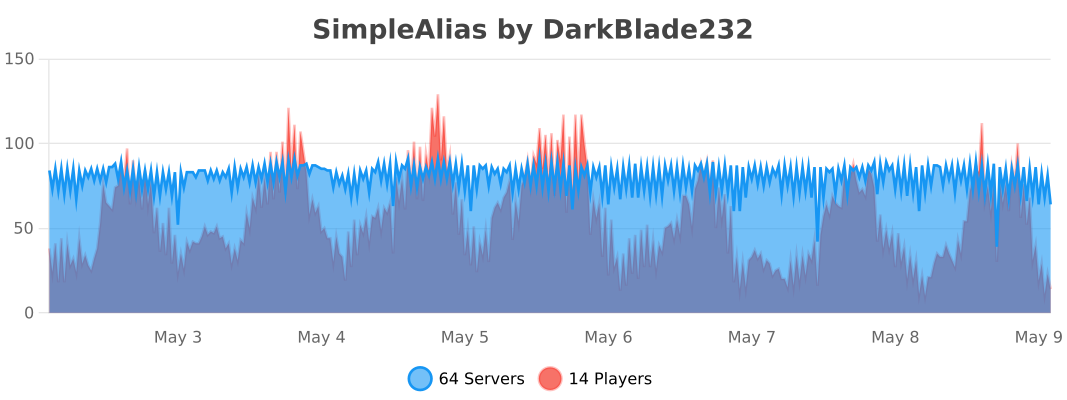
This plugin uses Metrics by BtoBastian to collect various data from servers.
If you don't want Metrics to collect your data you can disable it easily by setting enabled to false in the config file at plugins/bStats/
Videos
Videos wanted for version 1.6.1 or newer.
%2526business%253dlang.vohenstrauss1%2540freenet.de%2526bn%253dPP-DonationsBF%253abtn_donateCC_LG.gif%253aNonHosted%2526cancel_return%253dhttp%253a%252f%252fdev.bukkit.org%252fbukkit-plugins%252fxsimplealias%252f%2526lc%253dUS%2526item_name%253dSimpleAlias%2b(from%2bBukkit.org)%2526cmd%253d_donations%2526rm%253d1%2526no_shipping%253d1%2526currency_code%253dUSD)
Comments


-

DarkBlade232 Owner
-

_ForgeUser10146483 Contributor
-
_ForgeUser12580406 Artist
-
Forge_User_14262910 Ticket Manager
-
View User Profile
-
Send Message
Posted Nov 30, 2013Hello. I can't seem to find any documentation on what used to be %args% and %player%. How would I perform these functions?
-
View User Profile
-
Send Message
Posted Nov 30, 2013Hi,
is there a way to run a command as op?
Running as console i get an error with pex reload. I don't wanna be op or admin the whole time!
-
View User Profile
-
Send Message
Posted Nov 20, 2013Edit: Nvm :p I messed sometihng up i just saw spaces don't work :)
-
View User Profile
-
Send Message
Posted Nov 18, 2013@DarkBladee12
This would be awesome, and it would the one and only alias plugin, that support it!
-
View User Profile
-
Send Message
Posted Nov 18, 2013@Nickbbeezy
Ah, thanks for reporting this! It's obviously a bug, they aren't inteded to be case sensitive ;) It'll be fixed with the next update!
-
View User Profile
-
Send Message
Posted Nov 18, 2013@ThoLav
Ah, well nope this isn't possible atm, since it only supports single word aliases :/ I'll see if I can change this in the future, so these can also be made.
-
View User Profile
-
Send Message
Posted Nov 17, 2013Are commands intended to be case sensitive? If so, how would I disable that? Making aliases to bypass case sensitivity seems like unnecessary work :P
-
View User Profile
-
Send Message
Posted Nov 17, 2013Hi,
that's too bad.
I have this commands:
/delticket #
/checkticket #
/taketicket #
/tickets
I want this aliases
/ticket del #
/ticket check #
/ticket take #
/ticket list
Is there a way to implement that? That would be awesome.
-
View User Profile
-
Send Message
Posted Nov 17, 2013@ThoLav
This should work if I understood it correctly, if it's vice-versa it isn't possible: "/sa single delticket ticket del <args>", "/sa single taketicket ticket take <args>", "/sa single closeticket ticket close <args>"
-
View User Profile
-
Send Message
Posted Nov 17, 2013Hi,
is this possible? And if, how? I hope you understand what I mean?!
-
View User Profile
-
Send Message
Posted Nov 15, 2013@Towja
Don't worry I'll add seperation for the setting command for "lines" and "cmds" so you can do "/sa setting NAME cmds add COMMAND" if it's to big for one line ;)
-
View User Profile
-
Send Message
Posted Nov 15, 2013@DarkBladee12
Thankyou VERY much.
EDIT: Is there a way I could do this in multiple commands, because it is too big to just paste in like that.
EDIT: I solved it, if I just write the rest of it into the alias YML it works fine. Thankyou! :D
-
View User Profile
-
Send Message
Posted Nov 15, 2013@Towja
Use the following commands: "/sa multiple mailadmin mail ADMIN1 <args>#mail ADMIN2 <args>#mail ADMIN3 <args>#mail ADMIN4 <args>#mail ADMIN5 <args>" and "/sa setting mailadmin msg MESSAGE"
-
View User Profile
-
Send Message
Posted Nov 15, 2013Hi, Is there a way to do this using this plugin:
I have 5 admins on a server, Myself and 4 others, I want to make a command /mailadmin to send Essentials Mail to all of us in one command, but I want to be able to put custom text (Mail) after the command, so If I wrote /mailadmin Hello! It would send all 5 admins Essentials Mail saying Hello!
-
View User Profile
-
Send Message
Posted Nov 12, 2013@DarkBladee12
Well... Doesn't work very well for me (in-game).
-
View User Profile
-
Send Message
Posted Nov 12, 2013@matt035343
You could simply change them via the alias config or with the "/sa setting <name> <setting> <args>" command, the setting name for the lines is called "lines"^^
-
View User Profile
-
Send Message
Posted Nov 11, 2013Hi! How do you add multiple text lines with your new update?
And could you add editing feature? It's a bit annoying, that I have delete the whole alias with multiple lines, and got a mistake only on one of the lines.
-
View User Profile
-
Send Message
Posted Nov 6, 2013@Nickbbeezy
New version has been uploaded, the issue you've posted should be fixed with that version ;) Just wait until the staff approves the file, shouldn't take too long since they're working very hard since a few months!
The project page doesn't match with the new version, but will be updated soon!
-
View User Profile
-
Send Message
Posted Nov 6, 2013Hey, could you take a look at this ticket? http://dev.bukkit.org/bukkit-plugins/pvparena/tickets/695-pvparena-not-blocking-alias-commands/
Was having an issue with another plugin and he asked me to let you know about it.
-
View User Profile
-
Send Message
Posted Nov 1, 2013@Lautrerbomber18
Did you type "/sa create w | warp <args>"? Because it should work then if you type "/w <name>".
New version is almost ready for release! ;)