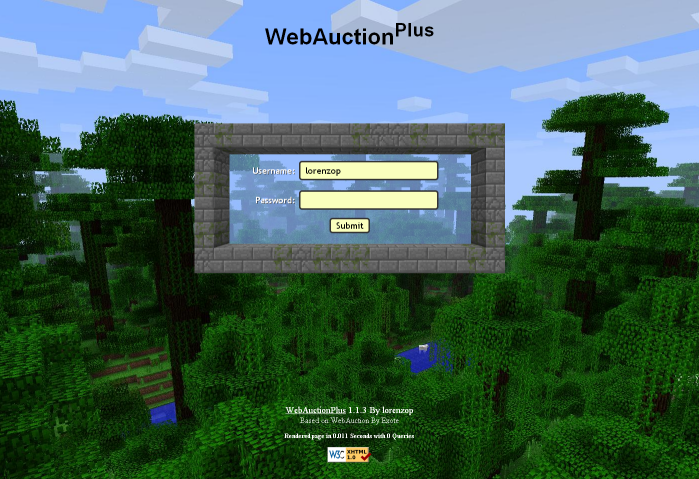
WebAuctionPlus
WebAuctionPlus - eBay for Minecraft!
A minecraft/bukkit shop plugin for your website! This is a rewrite of the original WebAuction with many new features and improvements. I've made to many improvements to the code to list on one page. Many of my plans require big changes and a lot of new code. As with any new code, bugs are to be expected, so please bare with me and report any bugs you come across.
Note: It is strongly recommended you backup your database before using or updating this plugin. Some of the bug fixes and performance improvements I'm making require big changes to the database. The WebAuctionPlus plugin will convert and update the database automatically the first time it's run.
New virtual inventory MailBox has been added with the update of Minecraft 1.3 and WebAuctionPlus 1.1. When a player right clicks on a MailBox sign, it opens up their virtual mailbox inventory and locks their website account to prevent item dups. When they close their mailbox, it updates their inventory and unlocks their website account. NOTE: This feature is new and running single threaded. If you experience lag related to this, I can see what I can do to make it multi-threaded.
Requires: Vault - http://dev.bukkit.org/server-mods/vault/
Requires: Web server with PHP and MySQL
Optional: SignLink - http://dev.bukkit.org/server-mods/signlink/
A few improvements by lorenzop
- new ajax listing code (fast!)
- new virtual inventory mailbox
- all new web interface
- all new item deposit/withdraw code
- database connections are handled better
- connection pool limits can be set in config
- task update times are now configured in seconds
- tasks can be disabled by setting the update frequency to -1
- new announcement system
- added "/wa reload" and "/wa save" commands
- accounts can be created or passwords changed from the console
- multi-language support
To do
- server shops (unlimited stock improved)
- better support for vault economies
- custom description for items being sold
- wish list / auto sales
- track all wa signs to prevent unauthorized signs
Youtube Videos
Languages
If you'd like this plugin translated to another language, feel free to download the en.yml file from the link above, translate it to your own language, and send it to me.
Signs
WebAuctionPlus signs can be created by placing a sign with [WebAuction], [WebAuction+], or [wa] on the first line. Case doesn't matter, the plugin will fix it for you.
Note: you cannot use the deposit mailbox sign while in creative mode. this shouldn't ever be needed in the normal operation of the plugin, so as a general protection, it's always denied.
Note: withdraw mailbox signs can now have a quantity of stacks on the last line, or leave it blank for all mail.

SignLink
- %waTitle - items name
- %waPrice - price each
- %waSeller - sellers name
- %waType - Buy Now or Auction
Source Code
Development Builds
Development Builds can be found at the link below. Development builds aren't approved by the bukkit team and they might be buggy.
Commands
- /wa password <apassword> - Changes your Web Auction Plus account password, or creates an account if you don't have one. This command can also be used from console in the format: wa password <playername> <apassword> and short-hand aliases "pass" or "pw" can be used in place of "password". For example, /wa pw mypassword123
- /wa mailbox - Opens the WebAuction mailbox.
- /wa deposit <amount> - Deposit money into your Auction account.
- /wa withdraw <amount> - Withdraw money from your Auction account.
- /wa reload - This feature is currently broken and disabled. It will be working again soon.
- /wa update - Forces recent signs to update. Also updates SignLink signs.
- /wa version - Displays the current running version of Web Auction Plus.
Permission nodes
note: these may change at some point
- wa.use.mailbox (use mailbox sign)
- wa.use.deposit.money (use money deposit sign)
- wa.use.withdraw.money (use money withdraw sign)
- wa.use.command.mailbox (use the mailbox command)
- wa.use.command.deposit (use the deposit command)
- wa.use.command.withdraw (use the withdraw command)
- wa.announcer.receive (can see auto announcements)
- wa.password.create (can create a new account)
- wa.password.change (can change their password for an existing account)
- wa.canbuy (can buy from web auction)
- wa.cansell (can sell with web auction)
- wa.create.sign.mailbox (create mailbox sign)
- wa.create.sign.deposit (create money deposit sign)
- wa.create.sign.withdraw (create money withdraw sign)
- wa.create.sign.shout (create a new auction shout sign)
- wa.create.sign.recent (create a recent auction sign)
- wa.webadmin (user account is admin on the website)
- wa.remove (remove WA signs)
- wa.reload (reloads the WebAuctionPlus config)
How to Install
Join us and chat some time on our irc channel. #webauctionplus on esper.net webchat.esper.net
Plugin Usage

As I've said in comments, I don't agree with the mojang buyout. as much as I've enjoyed working on this plugin and want to see it continue, I'm no longer doing all the work. MarioG1 has stepped up to work on the plugin. I may still help somewhat if he wants, but I'm passing the torch to him as the lead. good luck, hope you write some good code and features.
Comments


-

lorenzo_p Owner
-

_ForgeUser7781625 Maintainer
-

TheNytangel Artist
-
View User Profile
-
Send Message
Posted Sep 27, 2012@wumpyc
usually, the problem with the player icons is, your server needs gd2 installed. it's a library for php to handle image manipulation. the new mcskins.php file renders the icons internally instead of having minotar.net do it. I have a few improvements planned for this. an option to make gd2 optional and fall back on minotar, and a way to more easily view possible errors instead of just a blank image.
I'm working on a few other improvements too, and hopefully finish up a few more features. someone gave me some suggestions to further tighten up password security. at the moment, I'm writing some new code to try out a new method of handling passwords.
-
View User Profile
-
Send Message
Posted Sep 27, 2012@wumpyc
Go to you webauctionplus folder in the wampserver and go to inc and open mcskins.php
replace whatever is inside with this:
http://pastebin.com/RCGBJD8B
-
View User Profile
-
Send Message
Posted Sep 26, 2012how come player picture doesn't work? :O http://auction.brutalcraft.org/
-
View User Profile
-
Send Message
Posted Sep 26, 2012@jwpwns
Install http://www.wampserver.com/, then out online, then go to %whereyouinstalledit%/www and put the files of the web there. go to localhost/webauctionplus and it should show up. P.s. you need to port forward it to port 80 but if that doesn't work, go to the apache config and change the port to 8080 and port-forward that port. Hope it worked.
-
View User Profile
-
Send Message
Posted Sep 26, 2012yea i no how to install the plugin the only part i didn't no how to do is the web part ill figure it out tho i guess.
-
View User Profile
-
Send Message
Posted Sep 26, 2012@jwpwns
I started one, but haven't finished it yet. it's not to difficult to install, so most people don't need a guide. just copy the jar file to the plugins folder and start the bukkit server. the plugin will create the config.yml file where you configure the mysql connection for the plugin. then restart the plugin or use /wa reload to load the new config settings. this is all the same as most other plugins. the website portion is installed similar to other php websites. just upload the php files and edit config.php with the same mysql connection info to connect to the same database as the plugin itself.
when you upgrade to the latest version, just copy the new jar file to your plugins folder, and upload the new php files to your website. config.php rarely changes, so you wont have to upload that one file or reconfigure the mysql settings.
-
View User Profile
-
Send Message
Posted Sep 25, 2012any sorta installation guide for this?
-
View User Profile
-
Send Message
Posted Sep 24, 2012@legal90
do you have a copy of the sql errors you got? if I know the line number of the problem, I can probably fix it. I remember there were some small issues in early versions with truncated timestamps, but it wasn't anything real bad, and everything still worked right. it's possible that's all the error was.
I recommend updating right to 1.1.7, no matter what version you were previously using. if everything works as it should, it will automatically handle the updates, even if you were previously using the original web auction 0.6.4
-
View User Profile
-
Send Message
Posted Sep 23, 2012Hi! Tell me please - can i successfully upgrade my basic WebAuction database to WebAuctionPlus v1.1.7, or I have to upgrade step-by-step from previous beta-versions of WA+ ?
P.S.I remember that wen i thied to upgrade to 1.1.5, I had an sql-errors with changed datetime types of fields in some tables. You have changed the types of values, but the existed values had not converted and it falls in sql-error
-
View User Profile
-
Send Message
Posted Sep 23, 2012@dickwick
I have a few possible ideas to fix that. I'll get to work on it sometime soon. it's planned for the next update.
-
View User Profile
-
Send Message
Posted Sep 23, 2012@baemboo
Yep, not being able to sell like 1300x WOOL is really annoying :(
-
View User Profile
-
Send Message
Posted Sep 20, 2012@baemboo
I added the new stairs as a sub-item to the original stairs, but they actually have their own item id's. thanks for reporting this, I've fixed it. you can download the updated file here until an update is ready. http://code.google.com/p/webauctionplus/source/browse/trunk/www/WebInterface/inc/ItemPacks/default/item.defines.php
bukkit hasn't added official api support for books yet. I'm not sure how long it'll be until books are supported by bukkit. I'd like to add them to web auction plus using the official api, but may have to use one of the 3rd party api's temporarily.
when books are added, I've been thinking about a few things. could possibly add some kind of book publishing feature. a player could write a book and sell multiple copies of it. also, much could be done using a virtual book page to display information, like lists of auctions. buying from a page like this, I haven't had many good ideas for yet. it'd be a pain to type a command to buy something using an auction id number, but something like that would be needed to identify it. any ideas for buying in game?
-
View User Profile
-
Send Message
Posted Sep 20, 2012dont know if it has already been said: - books loose their text after selling - special wooden stairs are shown as unknown item
-
View User Profile
-
Send Message
Posted Sep 19, 2012@baemboo
I have an idea to fix this problem. it'll be in the next update to give it a try. I haven't written the code for it yet.
the update gets the skin image directly from minecraft.net and renders the image locally, instead of relying on minotar.net. it should be more reliable this way, but you'll have to make sure gd2 is installed on your web server. it's a plugin for php to work with images and is required to make this work. in the next update, maybe I can make this an optional feature, and fall back on minotar.net if gd2 isn't found.
@DjBuRnOuTQc
thanks. expiration time hasn't been implemented yet, but it is on my todo list for the next update.
-
View User Profile
-
Send Message
Posted Sep 19, 2012would be nice if you could sell and buy more then 64 items, for example 512 stone with one auction
edit: suddenly skins dont show up anymore do you have an idea what could cause the problem
-
View User Profile
-
Send Message
Posted Sep 18, 2012You're doing an awesome work so far lorenzo! Does an expiring option for auctions is implemented yet in the newer version?
-
View User Profile
-
Send Message
Posted Sep 17, 2012@legal90
I've been focusing on existing features and trying to get everything stable, for the most part. transactions are being logged to the database now, there's just no page to display them yet. I'm on esper #webauctionplus channel. I'll reply when I'm around.
@comniemeer
just upload the files for the plugin and website the same way you have in the past and it should work. there haven't been any changes to the database between 1.1.6 and 1.1.7. the item names support multi-language, and I have german ready to add in, but it hasn't been included in this last update yet. the website itself, translations can start as soon as I get the code for it finished, and put together a list of messages for those language files.
-
View User Profile
-
Send Message
Posted Sep 17, 2012How do I update correctly from 1.1.6-alpha to 1.1.7-beta without losing any auctions? And could you please complete this page?
Thanks so much for your great work!
Edit: You told something about german is alredy finished or so... Will it work already on the website?
-
View User Profile
-
Send Message
Posted Sep 17, 2012@lorenzo_p
As I see, the log of transactions, history page, graph page and other important features are still unreleased. Do you need for some help on web-side development? How about to call some people who can help with developing WA+ to meet the IRC conferention? I think, you can give them (us) some cases/issuses to solve and then you can check the code when the work will be done and do commit
P.s. I'm sure - there are people some of us who like PHP, know the git/svn base skills and want to join to develop. P.s.p.s. I know the PHP on a basic level - i've understand the basic syntax and functions. Two month ago I've started to learn Object Oriented PHP
-
View User Profile
-
Send Message
Posted Sep 17, 2012@legal90
those language files haven't been finished yet, and it's not finished in the rest of the php. I should have this finished soon, then you can use en.php as a template for ru.php, but you'll have to wait until I can get to it. in the WA_Settings table of the database, there's a line called Language, just set that value to ru, and it will set it for the in-game plugin, the item names, and the website (in the future).