vWarp
Description
This plugin gives you simple and safe warps system. You can decide which group of players can create own warp, how many for each group and on which world. You can manage created warps if you have enough permissions. For players it allows to use these warps with one simple command. All teleport request are safe and plugin care about teleported player. You will not be teleported if destination is not safe. Of course you can choose which nearby blocks are safe and which not. My custom translation system allows to create own translations (in lang.yml file).
Important using information
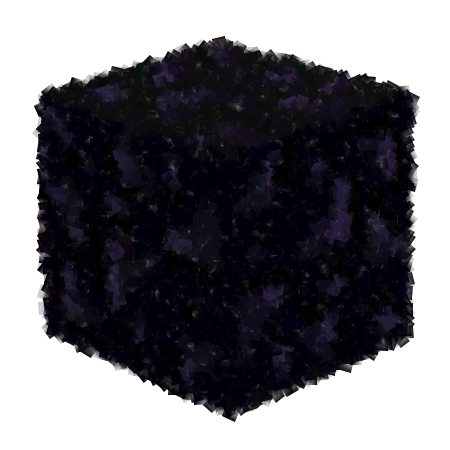
When you create your vwarp be sure it is on obsidian block (I choose this type of block because it is really solid). Each vwarp is created exactly on the center of block surface which you stay, you decide only about direction where you look (don't look at your feets :D) Under the obsidian block must be 2 solid blocks from safe list (look blocks.yml) and above must be 2 blocks of air (only air don't try using signs or anything else). In radius of 2 blocks cannot be any block from dangerous list (like lava). If nearby region is not safe you would not be teleported.
Permissions
- vwarp.vwarp
- vwarp.setvwarp
- vwarp.delvwarp
- vwarp.asetvwarp
- vwarp.adelvwarp
- vwarp.vwarps
- vwarp.vreload
- vwarp.vrepair
- vwarp.vlist
- vwarp.vbackuprestore
- vwarp.vupdate
Commands
- /vwarp [nick] [nr] - this command teleport you to selected warp. Number is optional, default is 0
- /setvwarp [nr] - this command create your warp in place where you are. It wouldn't be create if you are on restricted world or you try create too many warps. Default value of number is 0. If you have selected warp and use this command again it will be overrided.
- /delvwarp [nr] - this command delete selected warp.
- /vwarps [page] - this command shows you available warps. First page contains information about command, so real list of warps starts on page 1.
- /asetvwarp [nick] [nr] - this is command for administrator and it works like /setvwarp but you must specify player name. Default value of number is 0.
- /adelvwarp [nick] [nr] - this is command for administrator and it works like /delvwarp but you must specify player name. Default value of number is 0.
- /vreload - this command reload plugin (save all data, close plugin, start and load all data again).
- /vrepair - this command allows you to change files on disk and load it again without stopping server. Using this command causes create backup of current database of warps.
- /vlist - This command shows all database backups on disk.
- /vbackuprestore [name] - this is command for administrator with the highest permissions, it is used to restore selected backup from disk.
- /vupdate - this is command for administrator with the highest permissions and it is used to updating plugin. Update system uses Updater.
Requires
- PermissionsEx
Installation
- Download this plugin
- Put it in plugins folder
- Start server, then plugin will create all needed files
- Change files if you want. All files are described inside and contains example
- When you configure plugin just restart it using /vreload You can change config.yml and lang.yml in any time, if you want use yours settings just reload plugin using /vreload (or restart server)
- If update is available you will be notified in console, and when you join to game. Notified will be all players with permission vwarp.vupdate and they can use /vupdate command to update plugin. New version will be loaded on next restart.
FAQ
Q: Sometimes plugin print "null" on chat/console.
A: This is because plugin cannot load some messages from lang.yml file. Probably they are not defined. Remove current lang.yml and restart server. Plugin will create new one which will contain all needed messages.
License Information
I decided to use All Right Reserved license, because I can :) but here are some changes which I want you to know. Don't ask me about permission to use this plugin, it is for you, just download it, install and use, and be happy. You can edit code and use this edited version only for you (I cannot help you with your edited versions, but you can change it if you wish). I don't allow you to redistribute your custom edited code of this plugin and don't allow to publish changed version anywhere. All link to this plugin must be direct link to my repository on GitHub with original source code. If you have any question just ask me.
P.S. English is not my native language, so if you found any mistakes in text, just tell me ;)

-

Forge_User_49792439 Owner
Comments