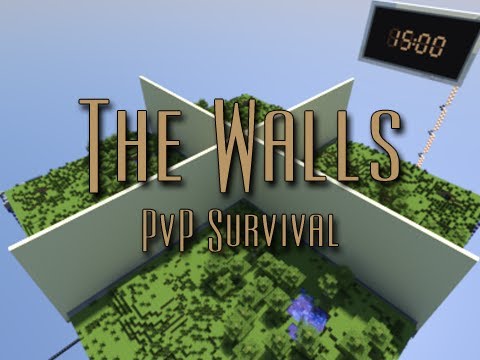
TheWalls
Being updated to 1.8
Sign up here to get notifications on file updates
TheWalls is the best way to make your server run The Walls.
7/23/13: A new version for 1.6.2 has been released, and will be avalible for download soon. Bug fixes later this week -Madster
TheWalls is an easy way to make your server it's own automatic TheWalls server!
- Configure different times, team sizes, min people to start game, and max people per game.
- Have multiple The Walls maps running.
- Automatic reset of maps when a game is over.
- Keep records of kills, deaths, wins, and a leaderboard.
- A deathmatch after a certain amount of time because you don't like waiting hours to find campers.
- Configurable amount of time for the game and before deathmatch starts.
- Allow for people to spectate players, (spectators are invisible).
- People are not allowed to kill their teammates (permissions configurable.)
- A little while after wall falls, people can't sneak, so less camping and hiding (permissions configurable.)
- Permissions for things such as being allowed to kill teammates, and to sneak after no-sneak time.
| Setup Information |
|---|
Click here to look at the text version of the instructions.
Simple download the file below and move the extracted files into your main server folder.
WARNING, SOME FILES MIGHT OVERRIDE YOUR FILES!
| How it Works |
|---|
When there are atleast 4 people (on different teams) in the waiting que, a countdown to the next game will start.
When the next game starts, if people teamed up, they will be on the same team, if people didn't team, they will be by themselves, or with random people.
People will have 15 (configurable) minutes to collect resources on their side, after 15 minutes, the sand wall will be removed and people must try to survive.
Ten minutes (can change in config) after the wall has fallen, everyone will be teleported to the deathmatch area where they will fight.
| Commands and Permissions |
|---|
Commands:
All server commands should be executed as shown WITHOUT [ ] or < >.
< > = Required
[ ] = Optional
- /tw help - Get general information about the plugin and commands.
- /map - Get info about and a link to the original map.
- /lobby - List all lobbies and the amount of time they have remaining.
- /join - Join the waiting que for getting into a game.
- /quit - Leave your game and/or the waiting que to get into a game.
- /spec <name> - Teleport to people to watch them play.
- /wait - Teleport back to the waiting area (spectators only).
- /setwait - Set the waiting location where you are.
- /setback - Set the backup location where you are.
- /add - Add a new world.
- /alldm - Force all games into deathmatch (I use this before reloading/shutting down the server).
- /record [name] - With name, gets player's record, without name gets your record.
- /top - Look at the leaderboard (top wins, kills, and deaths).
- /team [msg] - With message, send message to team, without message, switch to team chat.
- /g [msg] - With message, send global message, without message, switch to global chat.
- /invite <name> - Invite player to be on your team.
- /accept - Accept invite to a team.
- /quitteam - Quit team and go solo.
- /removeplayer <name> - Remove player from game.
- /removefromque <name> - Remove player from que and/or game.
Permissions:
- thewalls.join - Ability to use /join.
- thewalls.quit - Ability to use /quit.
- thewalls.gethelp - Ability to use /tw help.
- thewalls.getlobbyinfo - Ability to use /lobby.
- thewalls.getmapinfo - Ability to use /map.
- thewalls.spectate - Ability to use /spec.
- thewalls.tptowait - Ability to use /wait.
- thewalls.setwait - Ability to use /setwait.
- thewalls.setbackup - Ability to use /setback.
- thewalls.addworld- Ability to use /add.
- thewalls.forcedm - Ability to use /alldm.
- thewalls.checkrecords - Ability to use /record.
- thewalls.checktop - Ability to use /top.
- thewalls.chat.global - Ability to use /g.
- thewalls.chat.team - Ability to use /team.
- thewalls.invitetoteam - Ability to use /invite.
- thewalls.jointeam - Ability to use /accept.
- thewalls.quitteam- Ability to use /quitteam.
- thewalls.removeplayer - Ability to use /removeplayer and /removefromque.
- thewalls.creativewaiting - Player gets creative when in waiting area (useful to not have when waiting area has puzzles/mazes).
- thewalls.nosneakbypass - Two min after wall falls, people can't sneak, give this to people and they can still sneak.
- thewalls.noplay.break - Ability for people to break blocks after they have /quit.
- thewalls.noplay.place - Ability for people to break blocks after they have /quit.
- thewalls.noplay.openchest - Ability for people to open chests after they have /quit.
- thewalls.noplay.all - Ability to do everything after they have /qui
- thewalls.teamkill - You cannot teamkill until the wall falls, people with this can teamkill.
- thewalls.joinonlogin - Player automatically runs /join when they login.
- thewalls.joinonrespawn - Player automatically runs /join when they respawn.
| Config Options |
|---|
- Minimum people to start game.
- Maximum people in a game.
- Maximum amount of people per team.
- Time before the wall falls.
- Time before sent to deathmatch.
- Are people removed when they quit.
- Are people removed when they are kicked.
| Documentation |
|---|
Sourcecode on Github | Report a Bug
| Receive Updates |
|---|
You can click HERE to get an email whenever there's an update to this plugin so you don't get stuck using an out of date version.
| ToDo: |
|---|
- More permission support.
- More things in the config.
- /add command create new world instead of having to be in the new world.
Comments

-

Nerdsie Owner
-

_ForgeUser8135200 Maintainer
-
View User Profile
-
Send Message
Posted Aug 6, 2012Why doesn't deleting: thewalls.joinonlogin - Player automatically runs /join when they login. thewalls.joinonrespawn - Player automatically runs /join when they re-spawn. from the permission config stop players from automatically joining teams?
I want it so they have to manually type in /join
Any ideas?
-
View User Profile
-
Send Message
Posted Aug 6, 2012This is a really complicated setup, can you make a video on how to do it WITHOUT the premade files?
-
View User Profile
-
Send Message
Posted Aug 6, 2012@rebel24
Can't
-
View User Profile
-
Send Message
Posted Aug 6, 2012Multiworld? can I have this running along side my survival, creative worlds?
-
View User Profile
-
Send Message
Posted Aug 5, 2012Any chance you can make a permissions switch for this to allow buttons and switches to be flipped while waiting in the end?
-
View User Profile
-
Send Message
Posted Aug 5, 2012@NerdsWBNerds
Players are invisible bug? Players are invisibile to their everyone, HUGE bug. I want to be able to see my teammates. Also, once a team always a team. Players on the same team should not fight eachother after the wall falls, instead they should battle as a team. They cannot hurt other team members, and the remaining team at the end of the game wins. No free for all after the wall falls. Players can't see any other players.
Also, do chests restock after every game? This is crucial.
The server should end all current games when the server shuts down, and all players should be returned to waiting area. All players should be sent to spawn and their status reset to nothing. No players should remain in game or spectating. All should return out of the worlds to the spawn world.
Bug: Prints original deathmatch amount and my custom defined one. http://gyazo.com/557e681b43f4e04106118545ebdec578
-
View User Profile
-
Send Message
Posted Aug 5, 2012Hey, I have everything set up completely but when 2 people join the game, nothing happens. They are both in the waiting queue and the minimum players to start the game in the config is set to 2. Also I would like to talk to you on Skype about something.
My Skype is jordan59961.
-
View User Profile
-
Send Message
Posted Aug 5, 2012@AlfieC
Well. He working very hard then. I'll wait for Version 2.0 or 1.8. And yes,If you wanna see yourself the bug. Please PM me,i'll take you a look. Or just go to my the wall ip (Version 1.0 with can't start game and chest w/o item)
-
View User Profile
-
Send Message
Posted Aug 5, 2012Nerds, can you fix the invisibiloty?
-
View User Profile
-
Send Message
Posted Aug 5, 2012Nerd, The Walls 2 is comming up soon.
Is it possible to just download the map, and place it into the backup? Will it override so it regenerates The Walls 2?
-
View User Profile
-
Send Message
Posted Aug 5, 2012@AlfieC
It's a Multiverse plugin bug, the way that multiverse imports worlds sometimes, it messes up the worlds chests. Redownload the template and replace your current backup with the one in there.
-
View User Profile
-
Send Message
Posted Aug 5, 2012@AlfieC
No. It's a plugins bug. And Can't see teammate is Packet bug(Both)
-
View User Profile
-
Send Message
Posted Aug 5, 2012The plugin really doesnt work for me on 1.3, the chests are empty, when they're not; they are quantity 0 items so they disappear when used; then, there's not a way to pause the queues, then there's the misspelling of queue (its spelt que in like every place on the plugin); and playerss are invisible to their team-mates.
-
View User Profile
-
Send Message
Posted Aug 5, 2012@NerdsWBNerds
The link appears to be broken.
-
View User Profile
-
Send Message
Posted Aug 5, 2012Oh yeah, I'd like to just give you a review on the plugin.
In conception, it is very neat indeed. However, it takes over the server. If that's the goal, I'm misunderstanding, and I don't need this plugin. I did want to ask, is it possible to make the plugin not take over the server?
It would prevent players from doing most actions. Dropping items, and things of the such (even while not in the lobby/queue).
Just a suggestion, but hey, your plugin.
-
View User Profile
-
Send Message
Posted Aug 5, 2012Help?
Please see the log :
Version 1.7 with 1.2.5 R5.0 and 1.3.1 R0.1 :
http://tinypaste.com/21d2d10d
Seem like a teleport bug :\.
-
View User Profile
-
Send Message
Posted Aug 4, 2012The download link for the world doesn't work. Please reupload
-
View User Profile
-
Send Message
Posted Aug 4, 2012@Lildirt
Later I will.
-
View User Profile
-
Send Message
Posted Aug 4, 2012@NerdsWBNerds
But why? I'm going to end up being massively confused if I can't name it something that won't stick out to me.
Er, can you maybe change that and add support for different worldnames? Maybe?
Thanks.
-
View User Profile
-
Send Message
Posted Aug 4, 2012@Lildirt
Worlds must be called world#. Such as world1, world2, etc.