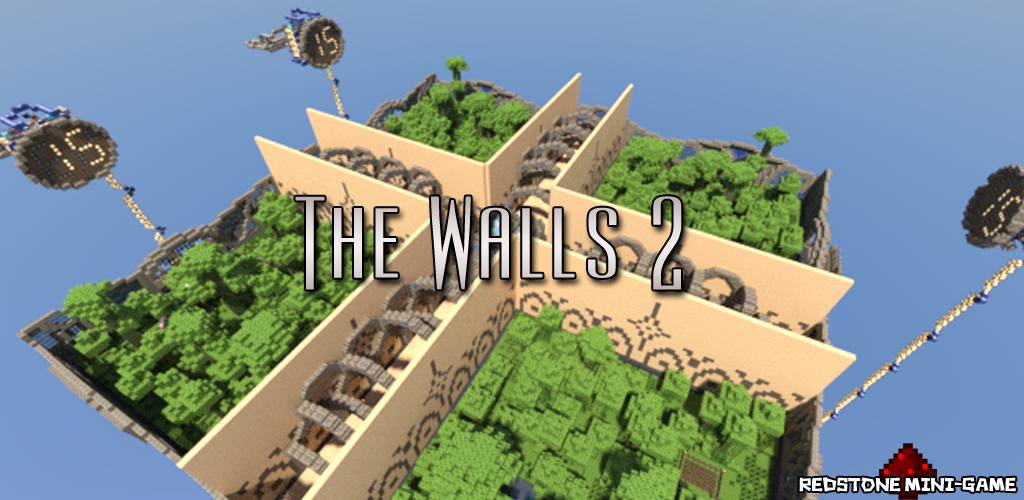
TheWalls2
TheWalls2
Simple, player-directed plugin allowing for Walls games to be created and managed easily.
Brought here by an update notification and can't find a newer version?
Go to this Dropbox page to look for the newest version (Warning: Not approved by BukkitDev staff)
Features
- Virtual mode (disables redstone, optional time notifications, configurable time until walls drop)
- Automatic update notification (since v1.3)
- Join a queue for the next game, teleporting you to the waiting area
- Leave the queue, teleporting you back to where you were before
- Separate inventories
- Optionally join team 1–4 (will be auto sorted into a team otherwise)
- Command to start the game, activate the redstone, and teleport players to their starting positions
- Block rule-breaking (such as breaking the walls, or doing anything before the game starts)
- All dead players will respawn at their previous locations
- 1 team can win the game
- The winner will receive a configurable prize (default: 1 diamond) and be teleported back to their previous location (Supports Vault for economy)
- The world will be automatically reset to its normal state when someone wins the game or an admin uses the command '/thewalls restoreworld'
- Automatically attempt to start games 10 minutes after the server starts and every 15 minutes
Step-by-Step Guide
Commands
- /thewalls - Display TheWalls2 help
- /thewalls join - Joins the game queue
- /thewalls leave - Leaves the game queue
- /thewalls team <1–4> - Joins a team
- /thewalls start - Starts a game
- /thewalls stop - Stops a game
- /thewalls restoreworld - Restores the world
Bold - Requires OP or permission node
Aliases
/thewalls - /tw, /twalls
Permissions
Configuration
To-Do
- Concurrent games
- Team chat
- TagAPI integration
- Compasses point towards enemy players
- Localization
- Suggestions please (Post in the comments or on GitHub)
Bug Reports
Please post these on GitHub or, if that's not possible, in the comments below. Please provide (at minimum) the following information:
- What the most likely cause of the issue was (such as what you were doing at the time)
- Any errors displayed in the console (Please use pastie.org for these!)
- The version numbers of the plugin and of Craftbukkit (Don't say 'latest'!)
- Any additional information you can provide, such as potentially conflicting plugins
Need Help?
- Make sure you have read the Step-by-Step Guide
- Post a ticket on GitHub
- Post a comment on this page
- E-mail me (hoot893@gmail.com)
Servers using TheWalls2 (follow the link for information on getting your server listed)

Comments

-

_ForgeUser7502376 Owner
-
View User Profile
-
Send Message
Posted Oct 4, 2012@Hoot215
Well the servers been running for over 24 hours and thewalls is still working. Im almost certain it was dynmap because I had tried the multiverse option before. Maybe later when I update a few plugins I'll test it 1 by 1
-
View User Profile
-
Send Message
Posted Oct 4, 2012@pure07
So by changing the Multiverse setting and disabling Dynmap for that world it works now? That's great news, but if you wouldn't mind, do you think you could do them one at a time so that I know which one caused the issue?
-
View User Profile
-
Send Message
Posted Oct 4, 2012@Hoot215
I changed the multiverse setting and also found that dynmap was enabled for that map. When ever the map reloaded after it would say dynmap - thewalls2, 3 maps loaded or something similar so I've also disabled dynmap for thewalls and the problem seems to be fixed so far
-
View User Profile
-
Send Message
Posted Oct 3, 2012@Oohoa
Yes, I'll try to have this fixed for the next release.
-
View User Profile
-
Send Message
Posted Oct 3, 2012@Hoot215
Problems are still persistent.
-
View User Profile
-
Send Message
Posted Oct 3, 2012@Hoot215
Thanks for the suggestion ill have a look and get back to you
-
View User Profile
-
Send Message
Posted Oct 3, 2012@pure07
If you can't even unload the world using Multiverse then there must be either a conflicting plugin causing this or an actual bug in Bukkit. Taking a look at your plugin list, nothing immediately stands out to me as the clear cause of this issue. However, I think there may be one other possibility (and I apologize if I already asked you this; I forget if I did or not): Multiverse could be set to have that world's spawn always loaded. I'm not completely sure about this, but I believe that if a world's spawn is always loaded then it can't be unloaded. If you look in your Multiverse worlds config, is 'thewalls2' set to have it's spawn always loaded? If so, try disabling that and then see if that fixes anything. If the world still won't unload, the only thing I might suggest is to manually remove plugins one by one and see which one is causing this issue.
-
View User Profile
-
Send Message
Posted Oct 3, 2012@Hoot215
Still having issues with the world unloading at the end of games, usually when someone disconnects during the game and the other team wins once the walls are already down. broadcasts world unloading then in console World failed to unload
I've tried unloading it manually using multiverse but the same error occurs I've even tried not importing it into multiverse and it still seems to happen.
I most likely have plugins that are conflicting so I'll link them to you
bukkit version 1.3.2 - R1.1
thewalls version 1.7.1
20 min normal map from here - http://www.planetminecraft.com/project/the-walls-2---pvp-survival/
if you would like me to post as a ticket rather than in here let me know
-
View User Profile
-
Send Message
Posted Oct 3, 2012@Oohoa
It seems that, for whatever reason, the world is being saved even though it shouldn't be. As I've said before, I think the only real solution to this would be to go back to the way things were before with the backup system.
-
View User Profile
-
Send Message
Posted Oct 3, 2012@Hoot215
1. v1.7.1 , Bukkit: 1.3.1 R2.0
2. WorldRules, LagMeter, bPermissionsWebGUI, bPermissions, NoCheatPlus, WorldEdit, Vault, TradeControl, WorldGuard, AntiCreeper3, BorderGuard, EndReset, NoEnderChest, iConomy, DisguiseCraft, OpenInv, Market, BookShop, Essentials, AntiPvPLogger, TheWalls2, EntityManager, EssentialsProtect, EssentialsSpawn, SignShop, EssentialsChat, Factions ( I need to uninstall Market & AntiPvPLogger)
3. I have set it to where my host does not auto-save, unless I manually save it.
-
View User Profile
-
Send Message
Posted Oct 3, 2012@Oohoa
I need to know 3 things:
-
View User Profile
-
Send Message
Posted Oct 3, 2012@Hoot215
I am not using any plugins that auto-save the world, and what I am getting from the console is this:
[TheWalls2] World is being unloaded...
[TheWalls2] World is being loaded...
[bPermissions] Loading world: thewalls2
I assume this is the message you get after restoring a world.
-
View User Profile
-
Send Message
Posted Oct 3, 2012@Oohoa
What's the output in the console? Also, are you running any plugins or scripts that forcefully auto-save worlds?
-
View User Profile
-
Send Message
Posted Oct 3, 2012I have a similar problem, only whenever i do /tw restoreworld it says it restored, but I go back and it is that same as it was when the last game ended, no matter what. Any help?
-
View User Profile
-
Send Message
Posted Oct 3, 2012@darkmed
If you use "/tw restoreworld", or restart the server, is the world restored then?
-
View User Profile
-
Send Message
Posted Oct 3, 2012Sorry bad english ( i am french )
We found the bug When 3 teams leave the game (time out) The 4th team wins and tp but the map is not reload
-
View User Profile
-
Send Message
Posted Oct 3, 2012world not restoring : Look 91.121.116.134
-
View User Profile
-
Send Message
Posted Oct 2, 2012@KevinEssence
Some people have been reporting issues with the world not restoring correctly but I can't seem to replicate them on either of my servers. Test it out on a local server first to see if it works for you. If it does, great. If not, could you report back here and list what other plugins (if any) you had installed? And also, yes, it is fully automatic. An admin shouldn't need to be online.
-
View User Profile
-
Send Message
Posted Oct 2, 2012I'm thinking of opening a huge server to this, any major bugs I should be aware of? And this resets, regens, automatically ect. and there is no need for an admin to be on correct? All my servers are automatic and want to make sure before I purchase the server.
-
View User Profile
-
Send Message
Posted Oct 2, 2012@KevinEssence
Oh okay awesome thanks