
TARDIS

Join the TARDIS Community Discord Server - https://discord.gg/sfuPVHh
Downloads
I'm too lazy to upload TARDIS files to Bukkit anymore, as builds are automatically created when the plugin is updated and changes pushed to GitHub.
Version specific downloads can be found here: https://tardis.pages.dev/download
Please make sure you are using the latest Spigot/Paper builds (for the Minecraft version you are running) before installing TARDIS or creating an issue!
What it does
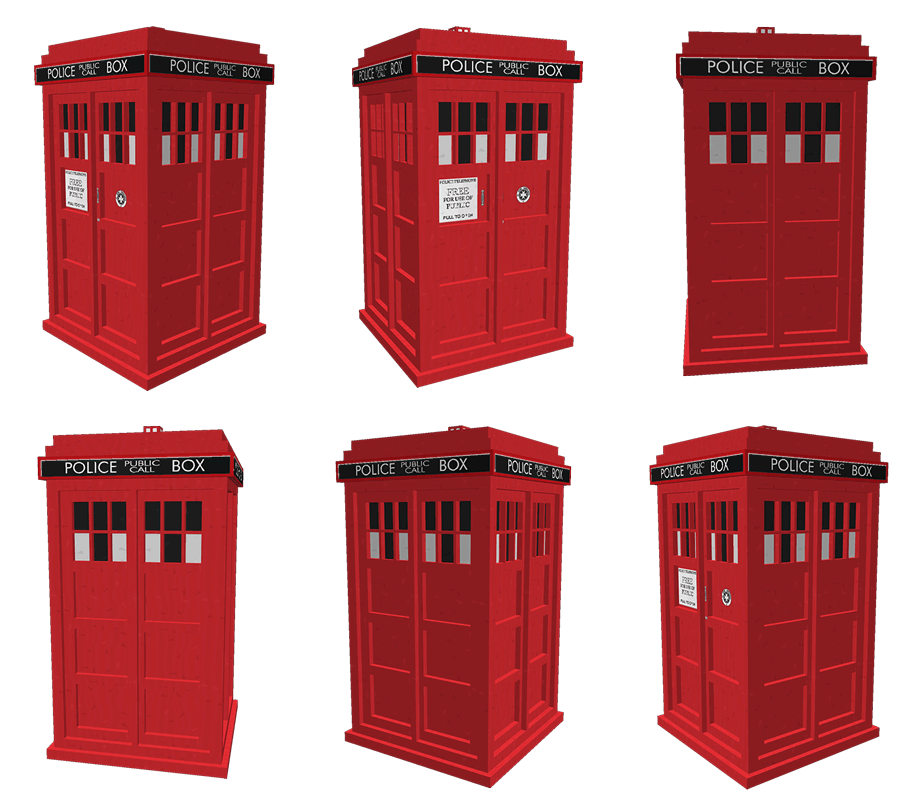
TARDIS is a plugin that gives you the ability to create a Police Box that lets you time travel (teleport) to random locations. It adds a Whovian twist to the typical /sethome and /home commands.
As a player, you can:
- Create a TARDIS that is bigger on the inside.
- Time travel to a random location.
- Time travel back home (where you created the TARDIS initially).
- Save and list interesting time travel locations, so you can return to them easily.
- Take companions with you when you time travel.
- Make your TARDIS blend in with the Chameleon Circuit.
- Use your own schematic to build the TARDIS interior
- Grow new TARDIS rooms
- Use Artron Energy
- Remote control the TARDIS
- Custom TARDIS sounds with companion Resource Pack
- Custom TARDIS textures with companion Resource Pack
Official documentation & FAQs
The documentation is here: https://tardis.pages.dev/
Tutorial videos for version 2+ (also included in the official docs)
Not all of these are up-to-date...
- Installation
- Creating a TARDIS - a bit old now, check the official docs for instructions
- Growing rooms and the Gravity well and changing Walls
- Time travelling
- Recharging Artron Energy - Updated with energy condenser chest!
- Companions
What's new?
Installation
As a minimum, just drop the TARDIS.jar, TARDISChunkGenerator.jar (look under Additional Files on the download page) and any optional plugins listed below into the Bukkit plugins folder and start your server. For more detailed instructions see: https://tardis.pages.dev/installation-v5
Optional installs
These are not needed for TARDIS to function, but enhance the plugin with extra features...
- Install the TARDIS-SoundResourcePack in the Minecraft client to hear custom TARDIS sounds
- Install the TARDIS-Resource-Pack to see aal the fancy textures and models (requires TARDIS v4.2 or higher).
- Install the TARDISChunkGenerator plugin so that you can generate TARDISes in their own self-contained world (included on the TARDIS plugin download page under Additional files).
- Install WorldGuard to automatically protect your TARDIS from griefing, and stop mobs spawning in TARDIS worlds.
- Install TARDISWeepingAngels to add some Whovian mobs to the game.
- Install a Permissions plugin, so that you can restrict or grant players the rights to use TARDIS’ different features. We like PermissionsBukkit.
Other important pages
| Subject | Link |
|---|---|
| Configuration | https://tardis.pages.dev/category/plugin-configuration |
| Commands | https://tardis.pages.dev/category/commands |
| Permissions | https://tardis.pages.dev/permissions-table |
| TARDIS Github repository | https://github.com/eccentricdevotion/TARDIS |
| Official todo list | https://github.com/eccentricdevotion/TARDIS/blob/master/todo.md |
| Bleeding edge builds (Will not always be available) |
Development builds of this project can be acquired at the provided continuous integration server. These builds have not been approved by the BukkitDev staff. Use them at your own risk. Latest TARDIS Build (Jenkins) Bleeding edge changes/commits |
Bugs / Requests
Please post a ticket for TARDIS plugin requests and bugs, thank you :)
WARNING: I am no longer prepared to waste my time looking at incomplete tickets. If your ticket does not follow the guidelines set out below, it will be deleted immediately!
Make sure you have read the FAQs first, as your question may already be answered there. Also make sure you have searched for a previous ticket with the same/similar issue (use the Filters to search closed tickets).
If you are going to create a BUG ticket you need to supply relevant information (as I'm not a mind reader, nor do I have access to your server...) - as a minimum you need:
- Exact CraftBukkit version i.e. NOT 'the latest' - use the
/tardis versioncommand if possible, otherwise copy from server log - Exact TARDIS version i.e. NOT 'the latest' - use the
/tardis versioncommand if possible, otherwise copy from server log - The server log showing the entire error (as a paste or at Pastebin - NOT a screenshot) - this should be the log from when the server starts up right through to when the error occurs
- If no error in the log, then a video of the bug happening or the EXACT steps needed to reproduce the issue.
- Attach your plugins/TARDIS/config.yml file or other configuration file if relevant
- Attach your plugins/TARDIS/TARDIS.db file if relevant
- List of other plugins on server
Stats
Basic statistics are collected for some versions of the TARDIS plugin (v2.5.8 and earlier). You can opt out at any time by setting opt-out: true in plugins/PluginMetrics/config.yml
External web access
Version 2.8 (and higher) of this plugin includes a translation feature (the /tardissay command) that connects to the Lingva translation service.
You can prevent players from using the command by removing / not giving them the permission tardis.translate

Comments


-

eccentric_devotion Owner
-
View User Profile
-
Send Message
Posted Jul 19, 20141. (Réponse de la 3) Cela veut dire que la pièces déjà présente sera supprimer et une autre va être générer par dessus ? Ou c'est le contraire ?
2. (Réponse de la 4) Si je fait la commande suivante : "/tardisprefs minecart on" Le bruit de l'ancien Tardis reviendra mais le problème c'est ceux qui possède le Texcture-Sounds ils entendrons quoi ? Le bruit de l'ancien Tardis ou le bruit de Texcture-Sounds ou bien les deux ?
3. Je vient de penser à un ajout pour le plugins TARDIS ! Qu'ont puise avoir un ordinateur en appuyant sur des options de l'ordinateur.
-
View User Profile
-
Send Message
Posted Jul 19, 2014http://tardis.thatsnotacreeper.com/ is back online. Minecraft server is running very nice now, but you do you have to BYO lag
-
View User Profile
-
Send Message
Posted Jul 18, 2014@X00dis
Nope, I've never seen the need as I just develop them on a test server where it doesn't matter how many times I reload
-
View User Profile
-
Send Message
Posted Jul 18, 2014@markdf
Very cool. I look forward to seeing the new home
-
View User Profile
-
Send Message
Posted Jul 18, 2014Player submitted schematics on http://tardis.thatsnotacreeper.com/ will be offline soon. Creeper is moving to new (and better server), just have to wait for DNS changes to happen.
-
View User Profile
-
Send Message
Posted Jul 18, 2014Question ;
I know that you can reload the configuration in game using /tardisadmin reload. But is there a way to reload the custom chameleon without needing to restart the server for new custom chameleon designs?
-
View User Profile
-
Send Message
Posted Jul 18, 2014@GervaisJohn
http://tardisjenkins.duckdns.org:8080/job/TARDIS/948/changes
-
View User Profile
-
Send Message
Posted Jul 18, 2014Has the server condenser been added?
-
View User Profile
-
Send Message
Posted Jul 18, 2014@xQu3rtzz
3. Oui
4.
/tardisprefs minecart [on|off]-
View User Profile
-
Send Message
Posted Jul 18, 20144. Serait-il possible de remettre l'ancien bruit du Tardis ? (Pas celui du Texcture-Sounds)
-
View User Profile
-
Send Message
Posted Jul 18, 2014Hello eccentricnz ! :)
1. Oui c'est sa mais faire en sorte qu'ont soie pas obliger de tout reconstruire dans le Tardis si cette ajout est ajouter au serveur. 2. Problème régler ! ;) 3. Je vient d'installer un ancien Tardis qui dater de la version 2.9 (Il y à quelques semaines) est je me diser comme le système ARS peut pas détecter les anciennes pièces si je générer une pièce sur une autre est-ce que la pièce qui sera générer remplacera la pièce actuelle ou pas ?
-
View User Profile
-
Send Message
Posted Jul 18, 2014@X00dis
Custom presets I think you mean ;)
-
View User Profile
-
Send Message
Posted Jul 18, 2014@eccentricnz
Two additional questions for custom Schematics
1. Is there a trick to making the door a trapdoor. I keep having the trapdoor pop off when the chameleon design is applied.
2. I made one with a regular door. Is there away to get the door to work like it does on the default police box setting (open close/walk in) or not since its a custom.
-
View User Profile
-
Send Message
Posted Jul 18, 2014@xQu3rtzz
-
View User Profile
-
Send Message
Posted Jul 18, 2014Bonjour eccentri_nz,
1. Oui mais à un moment dans la série quand le docteur passe du 10éme au 11éme le Tardis lui bloque la porte car le Tardis est en train de changer sauf que comme se n'est pas trop possible dans Minecraft te pouvoir faire sa bah rajouter une régénération tu Tardis quand ont à fait plus de 100 voyages pr exmple !
2. Comment ont fait pour que l'apparence du Tardis avc le Patch revient ? Car l'apparence qui est fournis avec le Patch marche mais ce mais pas en place.
Cordialement,
-
View User Profile
-
Send Message
Posted Jul 17, 2014@X00dis
/tardisadmin make_preset [name] [asymmetric]http://eccentricdevotion.github.io/TARDIS/custom-preset.html
-
View User Profile
-
Send Message
Posted Jul 17, 2014I am having trouble creating a custom chameleon design. I want to make one that looks like a grandfather clock like the Masters TARDIS. Do you have a how to to edit the yml for the custom chameleon?
-
View User Profile
-
Send Message
Posted Jul 17, 2014@xQu3rtzz
Non, ce n'est jamais arrivé dans la série télévisée à ma connaissance...
@Spector171
CraftBukkit 1.7.10-R0.1
-
View User Profile
-
Send Message
Posted Jul 17, 2014Spector171 va ici : http://dev.bukkit.org/bukkit-plugins/tardis/files/ toute les versions du Plugins Tardis et leurs version Craftbukkit ! Comme tu la demander !
-
View User Profile
-
Send Message
Posted Jul 17, 2014Bonjour eccentric_nz, Serait-il possible par la suite de rajouter un système de vie au Tardis c'est-à dire que plus ont utilise le Tardis plus il vieilliras et pourras se régénérer comme le Docteur ! Du genre ajouter des effets de flamme (Comme dans le plugins : Project Rassilon: Timelord Regeneration) et que c'est effets entour la boite bleu extérieur et d'autre dans toute la console ! Sa serait possible ?