
TARDIS

Join the TARDIS Community Discord Server - https://discord.gg/sfuPVHh
Downloads
I'm too lazy to upload TARDIS files to Bukkit anymore, as builds are automatically created when the plugin is updated and changes pushed to GitHub.
Version specific downloads can be found here: https://tardis.pages.dev/download
Please make sure you are using the latest Spigot/Paper builds (for the Minecraft version you are running) before installing TARDIS or creating an issue!
What it does
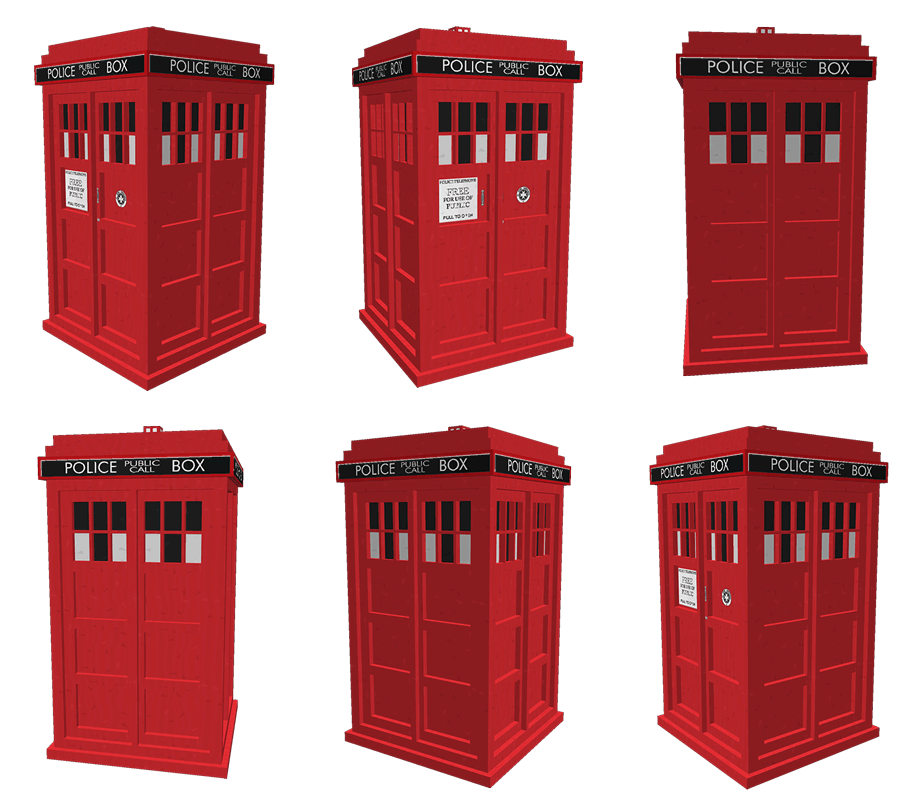
TARDIS is a plugin that gives you the ability to create a Police Box that lets you time travel (teleport) to random locations. It adds a Whovian twist to the typical /sethome and /home commands.
As a player, you can:
- Create a TARDIS that is bigger on the inside.
- Time travel to a random location.
- Time travel back home (where you created the TARDIS initially).
- Save and list interesting time travel locations, so you can return to them easily.
- Take companions with you when you time travel.
- Make your TARDIS blend in with the Chameleon Circuit.
- Use your own schematic to build the TARDIS interior
- Grow new TARDIS rooms
- Use Artron Energy
- Remote control the TARDIS
- Custom TARDIS sounds with companion Resource Pack
- Custom TARDIS textures with companion Resource Pack
Official documentation & FAQs
The documentation is here: https://tardis.pages.dev/
Tutorial videos for version 2+ (also included in the official docs)
Not all of these are up-to-date...
- Installation
- Creating a TARDIS - a bit old now, check the official docs for instructions
- Growing rooms and the Gravity well and changing Walls
- Time travelling
- Recharging Artron Energy - Updated with energy condenser chest!
- Companions
What's new?
Installation
As a minimum, just drop the TARDIS.jar, TARDISChunkGenerator.jar (look under Additional Files on the download page) and any optional plugins listed below into the Bukkit plugins folder and start your server. For more detailed instructions see: https://tardis.pages.dev/installation-v5
Optional installs
These are not needed for TARDIS to function, but enhance the plugin with extra features...
- Install the TARDIS-SoundResourcePack in the Minecraft client to hear custom TARDIS sounds
- Install the TARDIS-Resource-Pack to see aal the fancy textures and models (requires TARDIS v4.2 or higher).
- Install the TARDISChunkGenerator plugin so that you can generate TARDISes in their own self-contained world (included on the TARDIS plugin download page under Additional files).
- Install WorldGuard to automatically protect your TARDIS from griefing, and stop mobs spawning in TARDIS worlds.
- Install TARDISWeepingAngels to add some Whovian mobs to the game.
- Install a Permissions plugin, so that you can restrict or grant players the rights to use TARDIS’ different features. We like PermissionsBukkit.
Other important pages
| Subject | Link |
|---|---|
| Configuration | https://tardis.pages.dev/category/plugin-configuration |
| Commands | https://tardis.pages.dev/category/commands |
| Permissions | https://tardis.pages.dev/permissions-table |
| TARDIS Github repository | https://github.com/eccentricdevotion/TARDIS |
| Official todo list | https://github.com/eccentricdevotion/TARDIS/blob/master/todo.md |
| Bleeding edge builds (Will not always be available) |
Development builds of this project can be acquired at the provided continuous integration server. These builds have not been approved by the BukkitDev staff. Use them at your own risk. Latest TARDIS Build (Jenkins) Bleeding edge changes/commits |
Bugs / Requests
Please post a ticket for TARDIS plugin requests and bugs, thank you :)
WARNING: I am no longer prepared to waste my time looking at incomplete tickets. If your ticket does not follow the guidelines set out below, it will be deleted immediately!
Make sure you have read the FAQs first, as your question may already be answered there. Also make sure you have searched for a previous ticket with the same/similar issue (use the Filters to search closed tickets).
If you are going to create a BUG ticket you need to supply relevant information (as I'm not a mind reader, nor do I have access to your server...) - as a minimum you need:
- Exact CraftBukkit version i.e. NOT 'the latest' - use the
/tardis versioncommand if possible, otherwise copy from server log - Exact TARDIS version i.e. NOT 'the latest' - use the
/tardis versioncommand if possible, otherwise copy from server log - The server log showing the entire error (as a paste or at Pastebin - NOT a screenshot) - this should be the log from when the server starts up right through to when the error occurs
- If no error in the log, then a video of the bug happening or the EXACT steps needed to reproduce the issue.
- Attach your plugins/TARDIS/config.yml file or other configuration file if relevant
- Attach your plugins/TARDIS/TARDIS.db file if relevant
- List of other plugins on server
Stats
Basic statistics are collected for some versions of the TARDIS plugin (v2.5.8 and earlier). You can opt out at any time by setting opt-out: true in plugins/PluginMetrics/config.yml
External web access
Version 2.8 (and higher) of this plugin includes a translation feature (the /tardissay command) that connects to the Lingva translation service.
You can prevent players from using the command by removing / not giving them the permission tardis.translate

Comments


-

eccentric_devotion Owner
-
View User Profile
-
Send Message
Posted Nov 21, 2013@MERCHANToDEATH
they'll need
tardis.enter-
View User Profile
-
Send Message
Posted Nov 21, 2013Could someone tell me if you want a player to be able to be a companion only do you need to give them any permissions, like maybe tardis.enter? Thx for any help you guys can offer.
-
View User Profile
-
Send Message
Posted Nov 20, 2013@Grizzly157
When there is a 1.7.2 Bukkit build, yes :)
-
View User Profile
-
Send Message
Posted Nov 20, 2013Hi, is this plugin going to be updated to 1.7.2?
-
View User Profile
-
Send Message
Posted Nov 20, 2013@Squawkers13
http://eccentricdevotion.github.io/TARDIS/permissions.html
-
View User Profile
-
Send Message
Posted Nov 20, 2013@ccattell
What are the permission nodes?
-
View User Profile
-
Send Message
Posted Nov 20, 2013@Rage7800mc
Then you probably need to update
-
View User Profile
-
Send Message
Posted Nov 20, 2013@eccentricnz
Tries that it says that command was not recognized
-
View User Profile
-
Send Message
Posted Nov 20, 2013@Squawkers13
The PLANK TARDIS seed is a bookshelf, and the TOM TARDIS seed is a Lapis Lazuli block
-
View User Profile
-
Send Message
Posted Nov 20, 2013How do you build the PLANK and TOM TARDISES?
-
View User Profile
-
Send Message
Posted Nov 19, 2013@X00dis
Possibly, it depends how long it takes to do the TIPS and ARS alterations
-
View User Profile
-
Send Message
Posted Nov 19, 2013@eccentricnz
Coolio, is 2.7 also going to have that added room where you can see whats outside the TARDIS?
-
View User Profile
-
Send Message
Posted Nov 19, 2013@eccentricnz
I'd like to show you something i figured out for matching an new door to an old blank on my server
-
View User Profile
-
Send Message
Posted Nov 19, 2013@X00dis
-
View User Profile
-
Send Message
Posted Nov 19, 2013Love the new update!
I only have a couple questions
Where can I find a list of what seed block makes what kind of Tardis
Will all Tardis be able to use ARS soon or only those smaller console rooms.
Can custom schematics be able to use ARS if it is based on one of the already ARS enabled console rooms.
Thanks again for the hard work!
-
View User Profile
-
Send Message
Posted Nov 18, 2013@eccentricnz
Its hard to keep up to-date with so many updates recently :)
-
View User Profile
-
Send Message
Posted Nov 18, 2013@bootthanoo
@markdf
Even better: http://eccentricdevotion.github.io/TARDIS/creating-a-tardis.html
Still working on the video...
-
View User Profile
-
Send Message
Posted Nov 18, 2013@markdf
Thanks.
-
View User Profile
-
Send Message
Posted Nov 18, 2013@bootthanoo
The new method is to create a seed block.
http://eccentricdevotion.github.io/TARDIS/change-log.html
-
View User Profile
-
Send Message
Posted Nov 18, 2013I'm using 2.6-beta-2-b430, how do I make a TARDIS, was the iron-lapis-redtorch method taken out? I remember reading something about a TARDIS block.