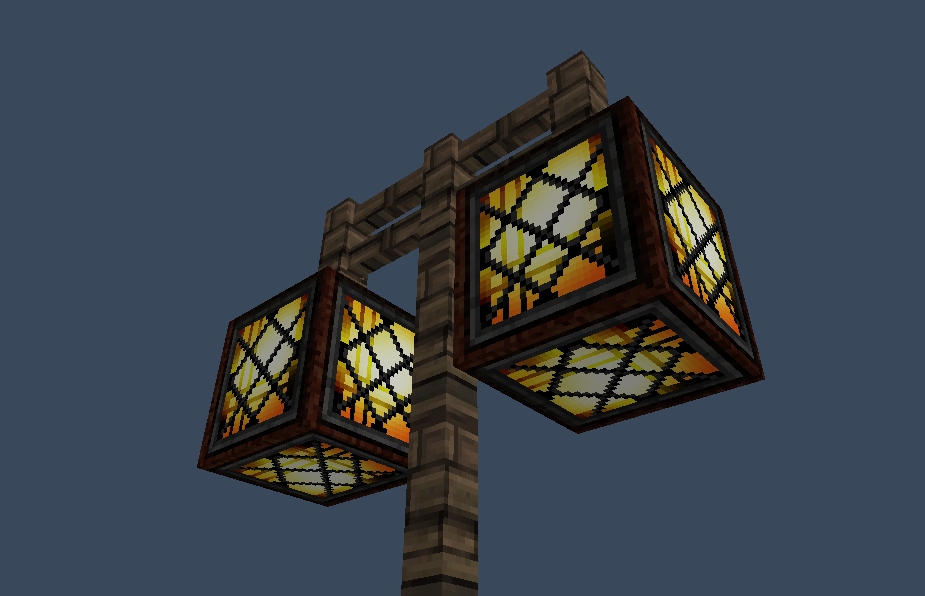
StreetLights
Please update from 1.1.x! The /sl remove command isn't save! It allows you to remove other peopel's streetlights. It's fixed in 1.1.2
General
Always wanted to get working streetlights in your server? Now you can! Pick the lights you want to light up at night and presto! They will light up when it rains or when it's night.
By default the blocks will be Redstonelamp (offstate) at day and Redstonelamp (onstate) at night. The time they will be on is from 13000 till 0. These can all be changed in the config.yml (Version 1.0.2) To add multiple set of items to switch from just add a new line with two materials. (Please note that you shoudln't use duplicate materials)
Installation
Pretty straight forward here: Place the jar file in your plugin directory and you're good to go.
OP's have all permissions by default but if you want players to control the lights as well please give them permissions:
- streetlights.* (Everything EXCEPT: streetlights.admin)
- streetlights.admin (Allows the removal of other's streetlights)
- streetlights.create (Allows to create new streetlights)
- streetlights.remove (Allows to remove new streetlights)
- streetlights.save (Allows user to save the list with lights)
- streetlights.list (Allows user to view coordinate list of lights)
- streetlights.clear (Allows user to clear all the lights)
- streetlights.reload (Allows user to reload the config file)
- streetlights.info (Displays info about the clicked streetlight)
How to use
Create a Redstone lamp and use "/sl create" command. Then rightclick the blocks you want to light up at night (Redstone Lamps by default). When you're finished adding the lamps type "/sl create" again. If you wish to manualy save you can use "/sl save". (The list will automaticly save after every placed or removed streetlight). You "/sl remove" to remove streetlights from the list :)
Bugs
- Natural rain sometime doesn't trigger the lights.
- You cannot use REDSTONE_TORCH_OFF.
Can we see it in action?
I've created this timelaps on my server which shows the streetlights going on and off.
http:www.youtube.com/watch?v=EL7MQ2d-H40&feature=youtu.be
Source Code?
The sourcecode is available from GitHub: https://github.com/Koozza/StreetLight
User Videos
Some of the users made video's of the plugin. Here's some of them:
WoopaGaming (English)
MineraftBukkit (German)
TheBukkitTutorialsHD (German)
MinecraftPommes (German)
victormac737 (Spanish)
Special Thanks
Special thanks go to Craftiii4 for helping me with the REDSTONE_LAMP_ON state :)
Comments


-

_ForgeUser307478 Owner
-
View User Profile
-
Send Message
Posted May 15, 2012Considering all the glitches im seeing im kind of scared to update to 1.0.6 in the fear it will break my old one. But anyways im using 1.0.5 and it is working GREAT for me. All we need now is support for torches redstone torches etc and a command to delete streetlights. Great mod keep up the great work!
-
View User Profile
-
Send Message
Posted May 15, 2012Uploaded 1.0.6 http://dev.bukkit.org/server-mods/streetlights/files/8-street-lights-1-0-6/
Should contain the fix for multiverse worlds (NullPoinerException)
@DasDing73
I changed the update command to two separate commands: /sl on and /sl off (But can't remember is I tested it since I added it for debugging :P)
-
View User Profile
-
Send Message
Posted May 15, 20121.0.5 works well. Here is my to-do list for you:
But this plugin is awesome! Never seen something like this on bukkit.
-
View User Profile
-
Send Message
Posted May 15, 2012@crossiron94
Gonna work on it now :) Had something else to do today ;)
-
View User Profile
-
Send Message
Posted May 15, 2012When do u uplaod the fixed version of this plugin ?
-
View User Profile
-
Send Message
Posted May 15, 2012@Guichaguri
Nop but I'm secretly working on one ;)
-
View User Profile
-
Send Message
Posted May 14, 2012Good Plugin! Do you have other plugins?
-
View User Profile
-
Send Message
Posted May 14, 2012@thijsd
The complete error is :
"java.lang.NullPoinerException
at com.thijsdev.streetlights.streetlights$1.run(streetlights,java:238)
at org.bukkit.craftbukkit.scheduler.CraftWorker.run(CraftWorker.java:34)
at java.lang.Thread.run(Unknown Source)"
-
View User Profile
-
Send Message
Posted May 14, 2012@crossiron94
Can you give me the whole error? (Just below nullpointer) Then i can see what code line it's at :)
-
View User Profile
-
Send Message
Posted May 14, 2012I have big problems with the new version too... Ingame it works and the plugin was loaded successful, but in the cmd there are different java-errors, every 3 sec there is "java.lang.nullpointerexception" :(
Can u fix it ?
-
View User Profile
-
Send Message
Posted May 13, 2012@loy_ap
It's odd but I just restarted my server (stop start) and now it's giving me the same errors! Now i can check what's wrong with it :)
-
View User Profile
-
Send Message
Posted May 13, 2012@thijsd
Well, more of the same. I disabled all but MC Core (2.4) and SL was going to back down to same version of CB but http://dl.bukkit.org is kaputt at the moment. It broke on creation of a forth world and /mv tp.
Seems to screw up no matter what arguments i add to the startup. I've just checked my Java VM and can't find any problems. I'm running Mint 12 (Ubuntu oneiric compatible). Tempted to have you tar your install...
-
View User Profile
-
Send Message
Posted May 13, 2012@loy_ap
That is about the same config as I have here. Running a linux server (Ubuntu 12.04) And just installed MV (Core IV and Portals) without any additional configuration. I imported a 4th world (after world, nether and end) and it appears to be working just fine in all worlds.
-
View User Profile
-
Send Message
Posted May 13, 2012I'm currently setting up a minimum install with MV (Core, IV and Portal) and SL (under Linux) to test if it might be legacy config files and other cruft fouling the plugin (i haven't done a completely fresh install in a while).
-
View User Profile
-
Send Message
Posted May 13, 2012@loy_ap
I'm not really sure what is causing this. Just tried it on my own server with MV (Core, IV and Portals) and seems to work just fine. And the fact that it gives a NullPointerException would make me think it finds no worlds at all. So I don't know how to fix it :(
-
View User Profile
-
Send Message
Posted May 13, 2012Don't fret too much about it I was just wondering as i didn't see any mention of it since your post about essentials and MV, early versions always have their hiccups.
-
View User Profile
-
Send Message
Posted May 13, 2012@loy_ap
Gonna check what I can do about it :)
-
View User Profile
-
Send Message
Posted May 13, 2012I am assuming that 1.0.5 is still not compatible with Multiverse as i am getting the following error when i import a world with a minimal plugin setup:
18:01:14 [SEVERE] java.lang.NullPointerException 18:01:14 [SEVERE] at com.thijsdev.streetlights.streetlights$1.run(streetlights.java:238) 18:01:14 [SEVERE] at org.bukkit.craftbukkit.scheduler.CraftWorker.run(CraftWorker.java:34) 18:01:14 [SEVERE] at java.lang.Thread.run(Thread.java:662)
-
View User Profile
-
Send Message
Posted May 13, 2012Finnally, it works perfect thanks! looks rly great :)
-
View User Profile
-
Send Message
Posted May 13, 2012Works perfectly, nicely done :D this makes my streetlights look 10 ten times cooler.