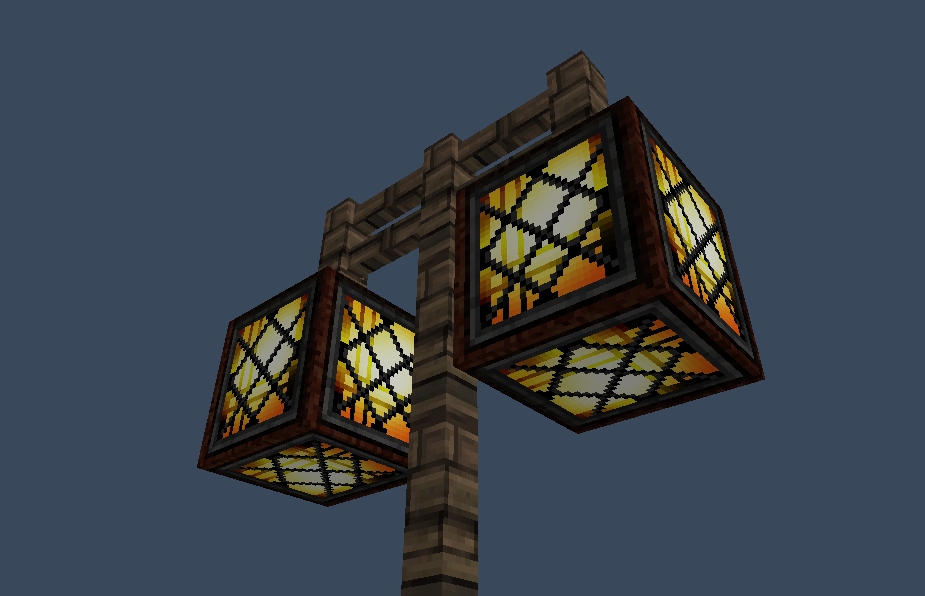
StreetLights
Please update from 1.1.x! The /sl remove command isn't save! It allows you to remove other peopel's streetlights. It's fixed in 1.1.2
General
Always wanted to get working streetlights in your server? Now you can! Pick the lights you want to light up at night and presto! They will light up when it rains or when it's night.
By default the blocks will be Redstonelamp (offstate) at day and Redstonelamp (onstate) at night. The time they will be on is from 13000 till 0. These can all be changed in the config.yml (Version 1.0.2) To add multiple set of items to switch from just add a new line with two materials. (Please note that you shoudln't use duplicate materials)
Installation
Pretty straight forward here: Place the jar file in your plugin directory and you're good to go.
OP's have all permissions by default but if you want players to control the lights as well please give them permissions:
- streetlights.* (Everything EXCEPT: streetlights.admin)
- streetlights.admin (Allows the removal of other's streetlights)
- streetlights.create (Allows to create new streetlights)
- streetlights.remove (Allows to remove new streetlights)
- streetlights.save (Allows user to save the list with lights)
- streetlights.list (Allows user to view coordinate list of lights)
- streetlights.clear (Allows user to clear all the lights)
- streetlights.reload (Allows user to reload the config file)
- streetlights.info (Displays info about the clicked streetlight)
How to use
Create a Redstone lamp and use "/sl create" command. Then rightclick the blocks you want to light up at night (Redstone Lamps by default). When you're finished adding the lamps type "/sl create" again. If you wish to manualy save you can use "/sl save". (The list will automaticly save after every placed or removed streetlight). You "/sl remove" to remove streetlights from the list :)
Bugs
- Natural rain sometime doesn't trigger the lights.
- You cannot use REDSTONE_TORCH_OFF.
Can we see it in action?
I've created this timelaps on my server which shows the streetlights going on and off.
http:www.youtube.com/watch?v=EL7MQ2d-H40&feature=youtu.be
Source Code?
The sourcecode is available from GitHub: https://github.com/Koozza/StreetLight
User Videos
Some of the users made video's of the plugin. Here's some of them:
WoopaGaming (English)
MineraftBukkit (German)
TheBukkitTutorialsHD (German)
MinecraftPommes (German)
victormac737 (Spanish)
Special Thanks
Special thanks go to Craftiii4 for helping me with the REDSTONE_LAMP_ON state :)
Comments


-

_ForgeUser307478 Owner
-
View User Profile
-
Send Message
Posted May 12, 2012Fixed the being unable to click a block in 1.0.3 ;) Again: Please wait for it to approve :P
@russjr08 Thanks! :D
-
View User Profile
-
Send Message
Posted May 12, 2012@russjr08
Oh, you know what, I remember a bug in one of the 1.2.x versions suppose to make it do that :/ I wonder if there is some setting that can make it emulate as powered. You might want to ask on the Plugin Development forums, if there is a behavior like that, they would be the ones who could tell you (I only have one plugin too :P, so trust me, I understand)
Edit: I'm asking them for you :P
-
View User Profile
-
Send Message
Posted May 12, 2012Weird! I just found out that this problem doesn't occur on my test server, but it does on my live server. Gonna see what I can do about it :)
-
View User Profile
-
Send Message
Posted May 12, 2012I'm having the same problem, i install the plugin, and when i try to create a lamp it has no effects, i've tried in creative, survival, with on and off redstone laps and glowstone...
Tanks
-
View User Profile
-
Send Message
Posted May 12, 2012@thijsd
I get the exact same issue. I am using my hand to touch the blocks. Nothing comes up when right clicked. All other stuff come up though.
-
View User Profile
-
Send Message
Posted May 12, 2012Yes!
-
View User Profile
-
Send Message
Posted May 12, 2012@Bvgfreak
Hmm that should work, did you get the "You can now add lights to the list!" message? (When you typed /sl edit start)
-
View User Profile
-
Send Message
Posted May 12, 2012I click on a Redstonelamp and i click with my Diamandswort.
-
View User Profile
-
Send Message
Posted May 12, 2012@Bvgfreak
What block did you click? :) (And did you right-click it with nothing in your hand? :))
-
View User Profile
-
Send Message
Posted May 12, 2012Hmm. When I make /sl edit start and I click on a Light, nothing happens... Can you help me? Sorry for my bad Englisch I am a student from Germany. :)
-
View User Profile
-
Send Message
Posted May 12, 2012@russjr08
I've tried that, but i couldn't get it to work :( When you set the block to REDSTONE_LAMP_ON it changes back since it doesn't have a redstone connection, and i couldn't figure out how to set it on powered :P (Again: First plugin ever made XD)
-
View User Profile
-
Send Message
Posted May 12, 2012I think this is a great plugin :D might I recommend using the on state of the Redstone lamps for consistency though (Block 123 is off and block 124 is on) that would be great if you could do that!! Big fan of this plugin!
-
View User Profile
-
Send Message
Posted May 12, 2012Awesome ! tnx man :D
-
View User Profile
-
Send Message
Posted May 12, 2012For everyone who got NullPointerException's: It's fixed now in 1.0.2. It's currently waiting for approval.
Also added a config file in that version ;)
-
View User Profile
-
Send Message
Posted May 12, 2012Oh okay. Thx!
-
View User Profile
-
Send Message
Posted May 12, 2012@Bvgfreak
He has the same problem as you :) Working on the fix already ;) I accidentally hard coded the name "World", but making it dynamic now :) That why you're getting errors when using another name then "World".
-
View User Profile
-
Send Message
Posted May 12, 2012@Beanmen93
Why it works for you? Can you say me what i have to do?
-
View User Profile
-
Send Message
Posted May 12, 2012@jorisk322
Redtsone lamp (offstate), but since im working on it now I will add a config to it so you can change it your self :)
-
View User Profile
-
Send Message
Posted May 12, 2012What will the glowstone turn into at day?
-
View User Profile
-
Send Message
Posted May 12, 2012@thijsd
Thank you so much!
love the mod haha!:D