SimpleBanManager
Plugin Information:
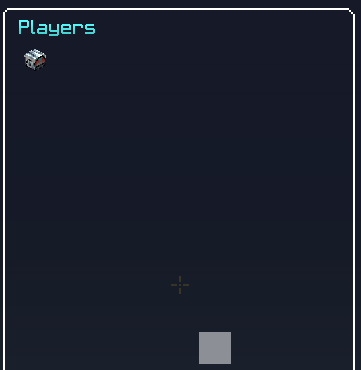
This plugin is a very simple kick ban and ip-ban plugin. You can open the GUI with the command: /sbm Player's with OP or the permission sbm.admin will not be displayed in the GUI. It will load a list of the online players at that moment. You can click on the skull to perform the actions. Kick the player Ban the player Ip-Ban the player Mute the player Warn the player Get the ip location Tp to the player When you have kicked banned or Ip-Banned a player it will broadcast that in the chat.
Planned features
- More then 80 players.
- Reason for an action (kick/ban/ipban).
- Warn players
- Mute players
- GUI with banned players and actions to unban them.
- Auto update GUI
- Unban players
Commands and permissions:
Commands:
Command /sbm permission - sbm.admin Command /sbm unban permission - sbm.admin Command /sbm unbanip permission - sbm.admin Command /sbm unbangui Permission - sbm.admin Command /sbm reload permission - sbm.admin Command /sbm options Permission - sbm.admin
Permissions:
- sbm.admin You can open the GUI to perform actions on players. You can reload the config. You can open the unbangui You can open the optionsgui
- sbm.exclude
The player with this permission will not be shown in the GUI (Usefull for moderators and admins).
- sbm.kick
kick a player from the server with the GUI.
- sbm.ban
ban a player from the server with the GUI.
- sbm.ipban
ip-ban a player from the server with the GUI.
Configuration:
You can enable or disable broadcastmessages from this plugin. You can change the message of the kick, ban or ipban messages.
The plugin will replace %clicker% with the person who kicked the player. %victim% will be replaced with the player that has been kicked.
BroadCastMessages: true
KickMessage: '%clicker% kicked %victim%'
BanMessage: '%clicker% banned %victim%'
Ip-BanMessage: '%clicker% ip-banned %victim%'
Mute-Message: '%clicker% has muted %victim% !'
Kick-Enabled: true
Ban-Enabled: true
Ip-Ban-Enabled: true
You can set this to true or false. You can also change this ingame with the command /sbm options. It will open up a GUI where you can change eveything.
Warning
Warn-Message: '&4 Warned by: %staff% !'
Warn-Time: '40'
Warn message will be the subtitle of the warning message. The full title will contain the warning message for the warned player. Warn time is the time the warning will be shown to the victim.
Gui and Text:


Comments


-

_ForgeUser15950704 Owner
-
View User Profile
-
Send Message
Posted Feb 17, 2017good most up to date Apk file offered in Google. Ensure ppssppgold is normally gold version. It avoids the advertisements nice.