SignShop v5

SignShop allows you to set up physical shops by punching a chest with your items you want to sell, then punching a sign (while holding redstone dust). It's easy to set up, and even easier to customize!
This plugin requires Vault and a vault compatible economy plugin.
Main | SignShopHotel | SignShopGuardian | Features | FAQ | Signs | Config | Permissions|Developer API | Issues / Suggestions
[Buy] Allows players to buy items from a chest.[Sell] Allows players to sell items to a shop.[Trade] Allows players to trade one set of items for another.[iBuy] Admin shop that allows players to buy infinite items.[iSell] Admin shop that allows players to sell infinite items.[iTrade] Admin shop that allows players to trade one set of items for another an infinite number of times.
Important Links:

 View Config

 SignShop Quick Reference (This is also in your /plugins/SignShop folder)
 Fork us on GitHub

Latest Features:
SignShop v3.6.1
- Fixes error loading due to null CMIWorthHandler
- Fixes a NPE when converting empty timing file
- Adds support for EasyConomy and Lands
- Only hook into Ess/CMI worth if worth is enabled in the Signshop config
- Adds a new permission("Signshop.Destroy.Others") which allows a player to destroy other player's shops without having the other admin permissions
- Makes internal colors configurable
- Replaces deprecated methods in SignShopPlayer
- Adds a spawn protection check to inform server owners that the vanilla spawn protection may prohibit non ops from using shops
- Adds shulkerbox to descriptions
- Fixes potion names in descriptions
SignShop v3.5.0
- Adds warped and crimson variants to the config
- Fixes AuthorNagException when canceling async tasks
- Fixes NullPointerException when converting and empty sellers.yml
- Adds Op bypass to BentoBoxHook
- Fixes issue when BentoBBox blocks other worlds (Thanks BONNe)
- Updated Kit help message
- Fixed allow-shop flag being ignored in WorldGuard global region
- Update ResidenceHook for owner bypass
- Switch to locale names for languages and remove web names
- Add Ultimate_Economy to soft dependencies
- Fixes SSQuickReference.pdf being blank
- Switched to OfflinePlayer instead of deprecated playerName for Vault
- Fixes Spigot complaining about loading classes without being a dependency
- Added configurable shop explosion protection
For a full list of features, visit this page.
Extending SignShop with other Plugins
| Plugin | Description |
|---|---|
| Vault | Works with all standard economies (EssentialsEco, iConomy, BOSEconomy, Gringotts, and more) and permission plugins (LuckPerms, Permissions 3, bPermissions, PEX, GroupManager, PermissionsBukkit, zPermission (and defaults to OP permissions, if you don't want to use a permission system)). |
| For sign and chest protection, though SignShop has built in sign protection. | |
| Use the worth.yml for dynamic sign prices by putting [worth] on the bottom line of the sign (must be enabled in SignShop config) | |
| SignShopGuardian | Save your inventory when you die. |
| SignShopHotel | Allow players to rent rooms for a period of time. |
| dynmap | Show shop locations. |
| Multiverse | Supports Multiverse worlds. |
| WildcardCommands | Make SignShop run commands for all players online. |
| Towny | Use Towny banks and only let players make shops in Towny shop plots. (Thanks ryvix!) |
| WorldGuard | Respects build permissions, and you can only let players make shops in regions with the allow-shop flag. |
| ChestShop | Convert from ChestShop format to SignShop format by just punching the sign with redstone. |
Usage
SignShop2 tutorial video
Example SignShop
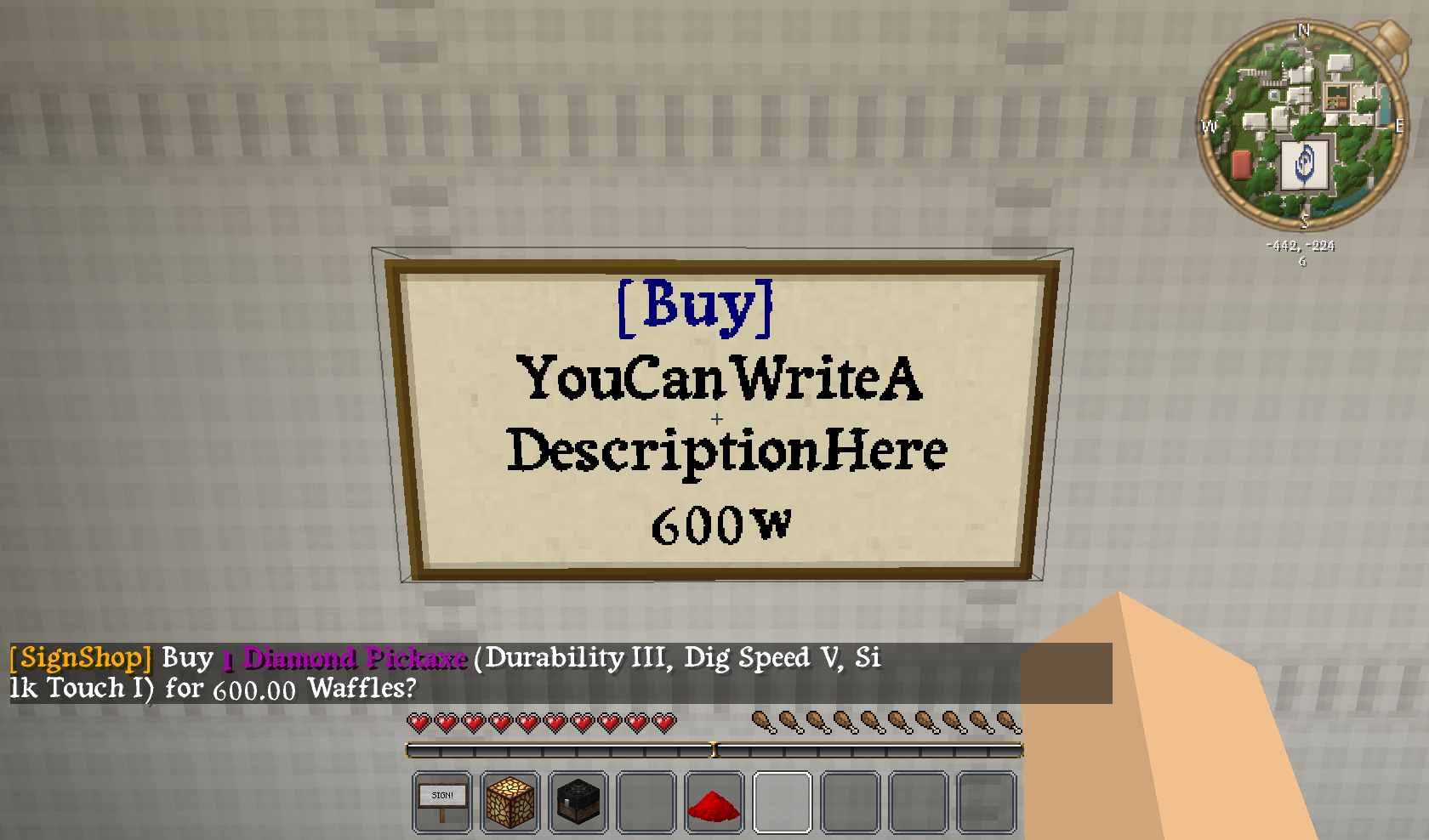
This is an example of how to set up a [Buy] sign with SignShop. The sign above is linked to a chest containing items. In this example, it will sell an enchanted pickaxe for 600 Waffles (Waffles are our server's currency :-) ).
Featured SignShop
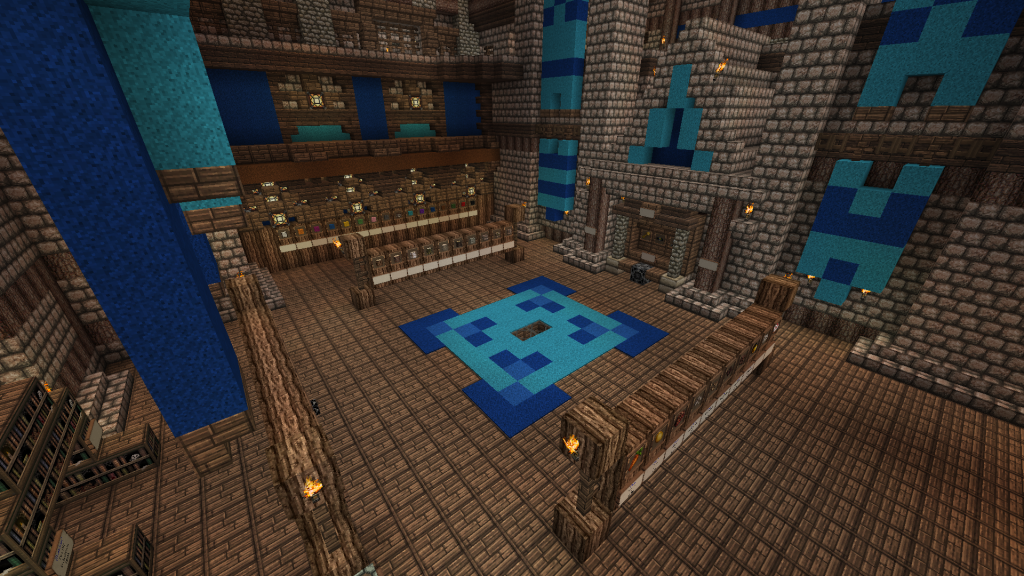
GamerFreak's Epic SignShop
Send me pictures of your server's SignShops in the comments below and the image above could be YOUR shop!
Suggestions and Issues
If you are having a problem with SignShop, please feel free to take a look at our tickets to make sure others have not already reported the issue! If they haven't, please fill out the requested info when making a ticket. Thanks!
Like this plugin? Buy us a beer and/or caffeinated beverage!
Comments


-

Devinesque Owner
-

_ForgeUser6856851 Former Author
-
_ForgeUser6873949 Former Author
-
Forge_User_60091103 Author
-

weaves7 Maintainer
-
View User Profile
-
Send Message
Posted May 17, 2012@fxkopp
It means you don't have an economy plugin installed like iConomy or something else that is supported by Vault. Vault itself has no economy plugin.
-
View User Profile
-
Send Message
Posted May 17, 2012@fxkopp
Please post a ticket and include your full startup log.
@anders935i
headexplode.gif
-
View User Profile
-
Send Message
Posted May 17, 2012I always get this Error on StartUP:
But Vault is installed and it works fine with mChat.
-
View User Profile
-
Send Message
Posted May 17, 2012are it 1.2.5 or 1.8.1
-
View User Profile
-
Send Message
Posted May 16, 2012@Devinish
Oh! Thats a nice idea, I am running a shop selling all items so its hard to restock ALL items but selling them is a great idea! Thanks!
-
View User Profile
-
Send Message
Posted May 15, 2012<<reply 708248="">>
Thanks Ne0n!
Wargamer is working on that major code rewrite to allow a ton of more awesome features to be implemented, including your request :-) I assume you give credit where credit is due :-P
-
View User Profile
-
Send Message
Posted May 15, 2012Just thought I'd stop by and say you guys do an excellent job developing this plugin. So good in fact I occasionally break open the source code to steal bits and pieces ; ).
Keep up the good work!
-
View User Profile
-
Send Message
Posted May 14, 2012<<reply 706176="">>
Do you really think that is easier than just stocking the items? Also, you could always make a sign buying a large amount of items to sell to yourself, and it will restock the chest.
-
View User Profile
-
Send Message
Posted May 14, 2012nice maked ty
-
View User Profile
-
Send Message
Posted May 14, 2012@Devinish
Hm.. How about an item like signshop stock and use a set tool and hit the chest you want to restock?
-
View User Profile
-
Send Message
Posted May 13, 2012<<reply 701964="">>
If you know what "random" items you want to sell, you can set up a slot sign and just put all of the items in the chest. If not, then there is no way to do it at this moment.
<<reply 704527="">>
We are trying to avoid adding commands to SignShop. Stocking shops automatically seems like something that could be exploited to essentially teleport items across large distances.
-
View User Profile
-
Send Message
Posted May 13, 2012A command to restock all items automatically! Would be very helpful!
-
View User Profile
-
Send Message
Posted May 11, 2012<<reply 694017="">>
I appreciate the explanation. Is there a way to set up a shop to sell items at random from a chest until the chest runs out of stuff?
-
View User Profile
-
Send Message
Posted May 9, 2012@wargamer2010
I'm not able to destroy the sign, I have to break the block it's on. This then means that at each restart it removes every invalid sign. Everyone is having trouble breaking their signs now as well.
-
View User Profile
-
Send Message
Posted May 9, 2012@xS1mple
What exactly do you mean by "remove"? Do you mean you're not able to destroy the sign at all? Or does the shop not unregister when you destroy the sign?
-
View User Profile
-
Send Message
Posted May 8, 2012Hey there, I'm loving this plugin, it's working absolutely perfectly apart from 1 thing...
Since version 1.8.0, I have not been able to remove SignShops manually, in both creative mode and survival. I am OP on the server and have all the SignShop permissions. Is anyone else having this issue or am I doing something wrong?
Cheers.
-
View User Profile
-
Send Message
Posted May 8, 2012<<reply 696277="">>
You are welcome, glad you like it :-)
-
View User Profile
-
Send Message
Posted May 8, 2012Best shop based plugin I've used to date. Definitely sticking with this one from now!
Thanks :D
-
View User Profile
-
Send Message
Posted May 7, 2012@kiligir
Here is the same explanation I gave to another member on the [Slot] signs
"Say, for example, you put in 1 gold ingot and 1 block of cobble and 1 block of dirt. If you link the sign, the slot will have a 1 out of 3 chance of awarding those items. If the chest runs out of gold ingots, it will no longer work. After you have initially linked the sign you can stock as many of those items as you like, and it will keep the same ratios. If you also wanted to add diamonds to the chest, you would have to remake it, as there would be a 1 out of 3 chance to get dirt, cobble, or ingots, and a 0% chance to get diamonds."
-
View User Profile
-
Send Message
Posted May 7, 2012@kiligir
Keep in mind that there has to be one of every item in the chest for it to "have stock". Let's say you have a Slot shop with 5 stone and 1 diamond then it will keep on functioning as long as there is 1 stone and 1 diamond or more in there.