SignShop v5

SignShop allows you to set up physical shops by punching a chest with your items you want to sell, then punching a sign (while holding redstone dust). It's easy to set up, and even easier to customize!
This plugin requires Vault and a vault compatible economy plugin.
Main | SignShopHotel | SignShopGuardian | Features | FAQ | Signs | Config | Permissions|Developer API | Issues / Suggestions
[Buy] Allows players to buy items from a chest.[Sell] Allows players to sell items to a shop.[Trade] Allows players to trade one set of items for another.[iBuy] Admin shop that allows players to buy infinite items.[iSell] Admin shop that allows players to sell infinite items.[iTrade] Admin shop that allows players to trade one set of items for another an infinite number of times.
Important Links:

 View Config

 SignShop Quick Reference (This is also in your /plugins/SignShop folder)
 Fork us on GitHub

Latest Features:
SignShop v3.6.1
- Fixes error loading due to null CMIWorthHandler
- Fixes a NPE when converting empty timing file
- Adds support for EasyConomy and Lands
- Only hook into Ess/CMI worth if worth is enabled in the Signshop config
- Adds a new permission("Signshop.Destroy.Others") which allows a player to destroy other player's shops without having the other admin permissions
- Makes internal colors configurable
- Replaces deprecated methods in SignShopPlayer
- Adds a spawn protection check to inform server owners that the vanilla spawn protection may prohibit non ops from using shops
- Adds shulkerbox to descriptions
- Fixes potion names in descriptions
SignShop v3.5.0
- Adds warped and crimson variants to the config
- Fixes AuthorNagException when canceling async tasks
- Fixes NullPointerException when converting and empty sellers.yml
- Adds Op bypass to BentoBoxHook
- Fixes issue when BentoBBox blocks other worlds (Thanks BONNe)
- Updated Kit help message
- Fixed allow-shop flag being ignored in WorldGuard global region
- Update ResidenceHook for owner bypass
- Switch to locale names for languages and remove web names
- Add Ultimate_Economy to soft dependencies
- Fixes SSQuickReference.pdf being blank
- Switched to OfflinePlayer instead of deprecated playerName for Vault
- Fixes Spigot complaining about loading classes without being a dependency
- Added configurable shop explosion protection
For a full list of features, visit this page.
Extending SignShop with other Plugins
| Plugin | Description |
|---|---|
| Vault | Works with all standard economies (EssentialsEco, iConomy, BOSEconomy, Gringotts, and more) and permission plugins (LuckPerms, Permissions 3, bPermissions, PEX, GroupManager, PermissionsBukkit, zPermission (and defaults to OP permissions, if you don't want to use a permission system)). |
| For sign and chest protection, though SignShop has built in sign protection. | |
| Use the worth.yml for dynamic sign prices by putting [worth] on the bottom line of the sign (must be enabled in SignShop config) | |
| SignShopGuardian | Save your inventory when you die. |
| SignShopHotel | Allow players to rent rooms for a period of time. |
| dynmap | Show shop locations. |
| Multiverse | Supports Multiverse worlds. |
| WildcardCommands | Make SignShop run commands for all players online. |
| Towny | Use Towny banks and only let players make shops in Towny shop plots. (Thanks ryvix!) |
| WorldGuard | Respects build permissions, and you can only let players make shops in regions with the allow-shop flag. |
| ChestShop | Convert from ChestShop format to SignShop format by just punching the sign with redstone. |
Usage
SignShop2 tutorial video
Example SignShop
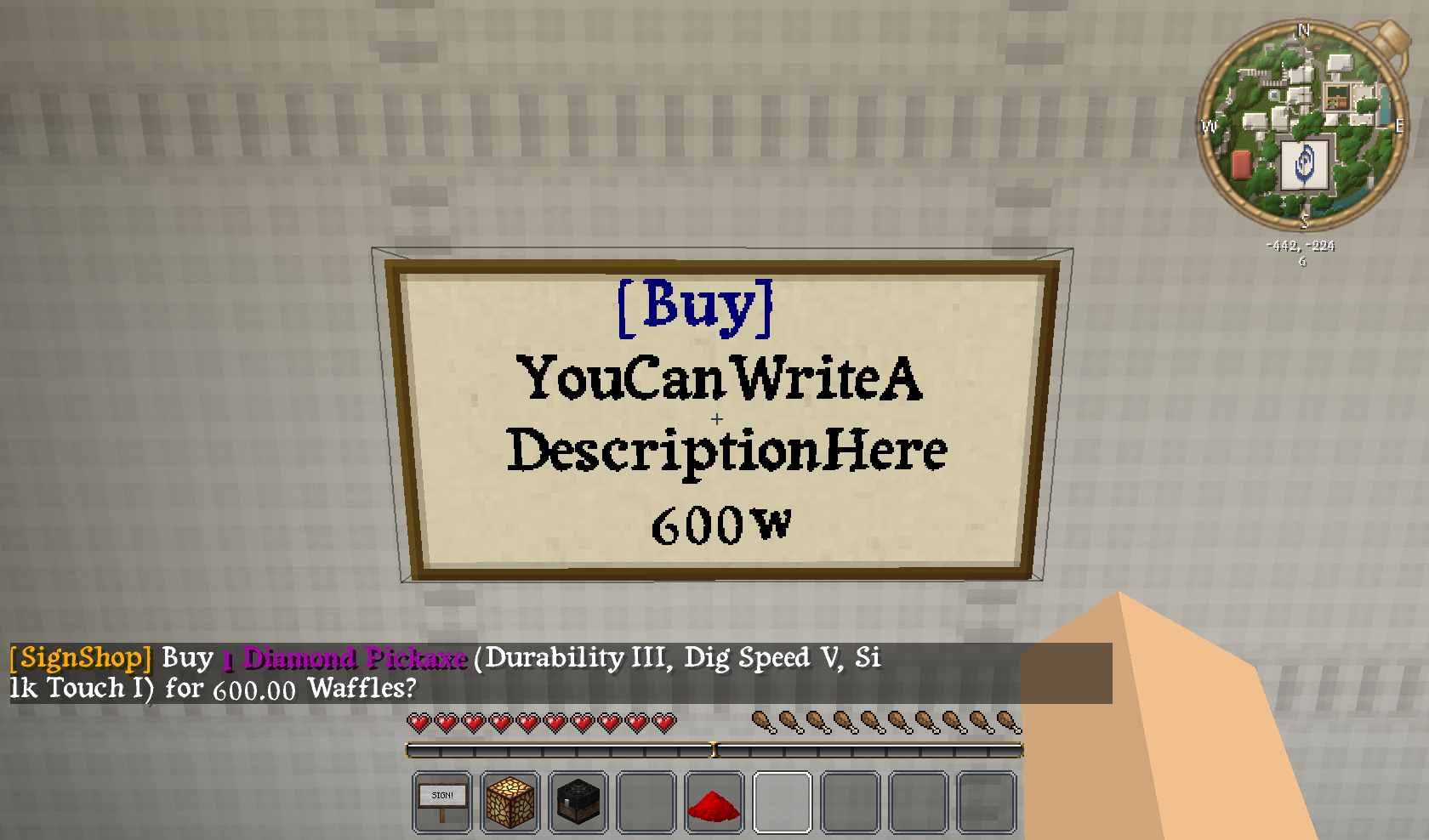
This is an example of how to set up a [Buy] sign with SignShop. The sign above is linked to a chest containing items. In this example, it will sell an enchanted pickaxe for 600 Waffles (Waffles are our server's currency :-) ).
Featured SignShop
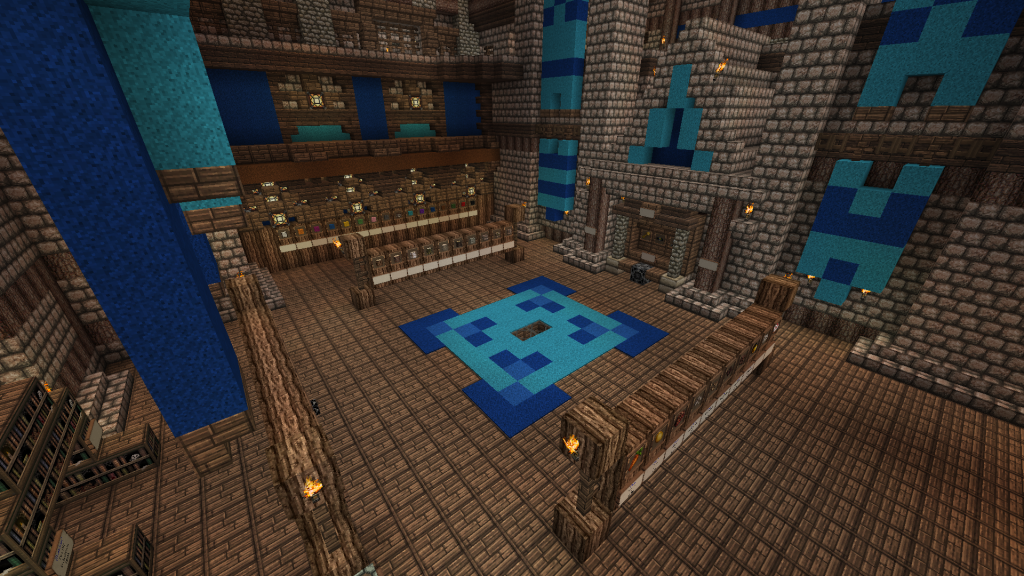
GamerFreak's Epic SignShop
Send me pictures of your server's SignShops in the comments below and the image above could be YOUR shop!
Suggestions and Issues
If you are having a problem with SignShop, please feel free to take a look at our tickets to make sure others have not already reported the issue! If they haven't, please fill out the requested info when making a ticket. Thanks!
Like this plugin? Buy us a beer and/or caffeinated beverage!
Comments


-

Devinesque Owner
-

_ForgeUser6856851 Former Author
-
_ForgeUser6873949 Former Author
-
Forge_User_60091103 Author
-

weaves7 Maintainer
-
View User Profile
-
Send Message
Posted Oct 15, 2014@NickKole
You have to have the signshop.permit permission node.
-
View User Profile
-
Send Message
Posted Oct 15, 2014I changed it so only people with SignShop permits could setup shops. How do I get it so I have a permit to make shops? Please respond
-
View User Profile
-
Send Message
Posted Oct 13, 2014@eryk2000
You can make your own custom command signs. Take a look at the Quick Reference, there's a section on commands in there.
-
View User Profile
-
Send Message
Posted Oct 13, 2014Hey, I'd like to add permission by [Command] sign, but the whole command is too long. Any suggestions?
-
View User Profile
-
Send Message
Posted Oct 9, 2014@Mick_Mack
Do "/signshop version" If it doesn't say 2.9.1, then you don't have the latest.
-
View User Profile
-
Send Message
Posted Oct 9, 2014@Mick_Mack
I do have the latest version 2.9.1. I actually had MCprohosting set up my plugins for me and this is the only issue I have. Could another plugin be interfering? All the other options work fine just not admin shop.
-
View User Profile
-
Send Message
Posted Oct 9, 2014@plixens
Sounds like a bug. I made a ticket for this here.
-
View User Profile
-
Send Message
Posted Oct 9, 2014Hi, @Devinish.
Sorry for my english.
I think that my players found a bug:
1. Create [Sell]-shop (1 Diamond for $0.06).
2. Clear your inventory.
3. Left click show: "Sell 1 Diamond for $0.00?"
4. Put 1 Diamond into inventory.
5. Left click show: "Sell 1 Diamond for $0.06?"
So, [sell]-sign showing zero-price if I have no items for sell.
Is it bug or not?
-
View User Profile
-
Send Message
Posted Oct 3, 2014@Mick_Mack
Grab the latest version of SignShop, that should fix the issue.
-
View User Profile
-
Send Message
Posted Oct 2, 2014So I cannot get admin shops to work on my server. I get the regular shops to work but as soon as I remove the chest the sign no longer works. I am not really sure why this is happening but if you could help that would be awesome.
-
View User Profile
-
Send Message
Posted Sep 26, 2014@Gladiator_1
The DonateHand sign will allow players to donate whatever item they have in their hand, including written and signed books.
-
View User Profile
-
Send Message
Posted Sep 26, 2014For the donatetion crates, is there a way to use t as a mailbox by letting people donate written book and quils, signed or unsigned?
-
View User Profile
-
Send Message
Posted Sep 26, 2014Is there a way to put a cooldown on shops, so they can buy from one every, say, 24 hours?
EDIT: I found it!
-
View User Profile
-
Send Message
Posted Sep 25, 2014Keeps telling me my buy sign is out of stock but the chest has the stock in it... what is wrong?
Edit: I was using Grief Prevention, there is an option allowing other players to gift items to your chests, if a player gives an item to the shop's chest the shop breaks and will not register the chest containing the correct items :D
-
View User Profile
-
Send Message
Posted Sep 25, 2014@Gladiator_1
There sure is. Our Kit signs are one time use. Take a look at how those are setup in the config if you wanted to make something custom.
-
View User Profile
-
Send Message
Posted Sep 25, 2014Is there a way to have a shop that is 1 time use for each player on the server?
-
View User Profile
-
Send Message
Posted Sep 19, 2014@Devinish
No, the sellers contains multiple worlds. I was able to write a script to extract the entries that matched qualifying criteria. :D I'm glad it was only in the sellers.yml that i needed to be aware of.
-
View User Profile
-
Send Message
Posted Sep 19, 2014@lANTHONYl
Yeah, you could go into the sellers and just do a find + replace of one worldname to the other. That's probably the easiest way. That assumes that ALL of the signs from the first world will be going to the second world.
-
View User Profile
-
Send Message
Posted Sep 19, 2014i recently moved a town to another world. is there a way i could go about automating to some degree converting the shops over to the new world? The coordinates in the new world are all the same, it's just a new worldname.
-
View User Profile
-
Send Message
Posted Sep 18, 2014@ChezaofStormrage
Get our latest version. That should fix the issue.