SignShop v5

SignShop allows you to set up physical shops by punching a chest with your items you want to sell, then punching a sign (while holding redstone dust). It's easy to set up, and even easier to customize!
This plugin requires Vault and a vault compatible economy plugin.
Main | SignShopHotel | SignShopGuardian | Features | FAQ | Signs | Config | Permissions|Developer API | Issues / Suggestions
[Buy] Allows players to buy items from a chest.[Sell] Allows players to sell items to a shop.[Trade] Allows players to trade one set of items for another.[iBuy] Admin shop that allows players to buy infinite items.[iSell] Admin shop that allows players to sell infinite items.[iTrade] Admin shop that allows players to trade one set of items for another an infinite number of times.
Important Links:

 View Config

 SignShop Quick Reference (This is also in your /plugins/SignShop folder)
 Fork us on GitHub

Latest Features:
SignShop v3.6.1
- Fixes error loading due to null CMIWorthHandler
- Fixes a NPE when converting empty timing file
- Adds support for EasyConomy and Lands
- Only hook into Ess/CMI worth if worth is enabled in the Signshop config
- Adds a new permission("Signshop.Destroy.Others") which allows a player to destroy other player's shops without having the other admin permissions
- Makes internal colors configurable
- Replaces deprecated methods in SignShopPlayer
- Adds a spawn protection check to inform server owners that the vanilla spawn protection may prohibit non ops from using shops
- Adds shulkerbox to descriptions
- Fixes potion names in descriptions
SignShop v3.5.0
- Adds warped and crimson variants to the config
- Fixes AuthorNagException when canceling async tasks
- Fixes NullPointerException when converting and empty sellers.yml
- Adds Op bypass to BentoBoxHook
- Fixes issue when BentoBBox blocks other worlds (Thanks BONNe)
- Updated Kit help message
- Fixed allow-shop flag being ignored in WorldGuard global region
- Update ResidenceHook for owner bypass
- Switch to locale names for languages and remove web names
- Add Ultimate_Economy to soft dependencies
- Fixes SSQuickReference.pdf being blank
- Switched to OfflinePlayer instead of deprecated playerName for Vault
- Fixes Spigot complaining about loading classes without being a dependency
- Added configurable shop explosion protection
For a full list of features, visit this page.
Extending SignShop with other Plugins
| Plugin | Description |
|---|---|
| Vault | Works with all standard economies (EssentialsEco, iConomy, BOSEconomy, Gringotts, and more) and permission plugins (LuckPerms, Permissions 3, bPermissions, PEX, GroupManager, PermissionsBukkit, zPermission (and defaults to OP permissions, if you don't want to use a permission system)). |
| For sign and chest protection, though SignShop has built in sign protection. | |
| Use the worth.yml for dynamic sign prices by putting [worth] on the bottom line of the sign (must be enabled in SignShop config) | |
| SignShopGuardian | Save your inventory when you die. |
| SignShopHotel | Allow players to rent rooms for a period of time. |
| dynmap | Show shop locations. |
| Multiverse | Supports Multiverse worlds. |
| WildcardCommands | Make SignShop run commands for all players online. |
| Towny | Use Towny banks and only let players make shops in Towny shop plots. (Thanks ryvix!) |
| WorldGuard | Respects build permissions, and you can only let players make shops in regions with the allow-shop flag. |
| ChestShop | Convert from ChestShop format to SignShop format by just punching the sign with redstone. |
Usage
SignShop2 tutorial video
Example SignShop
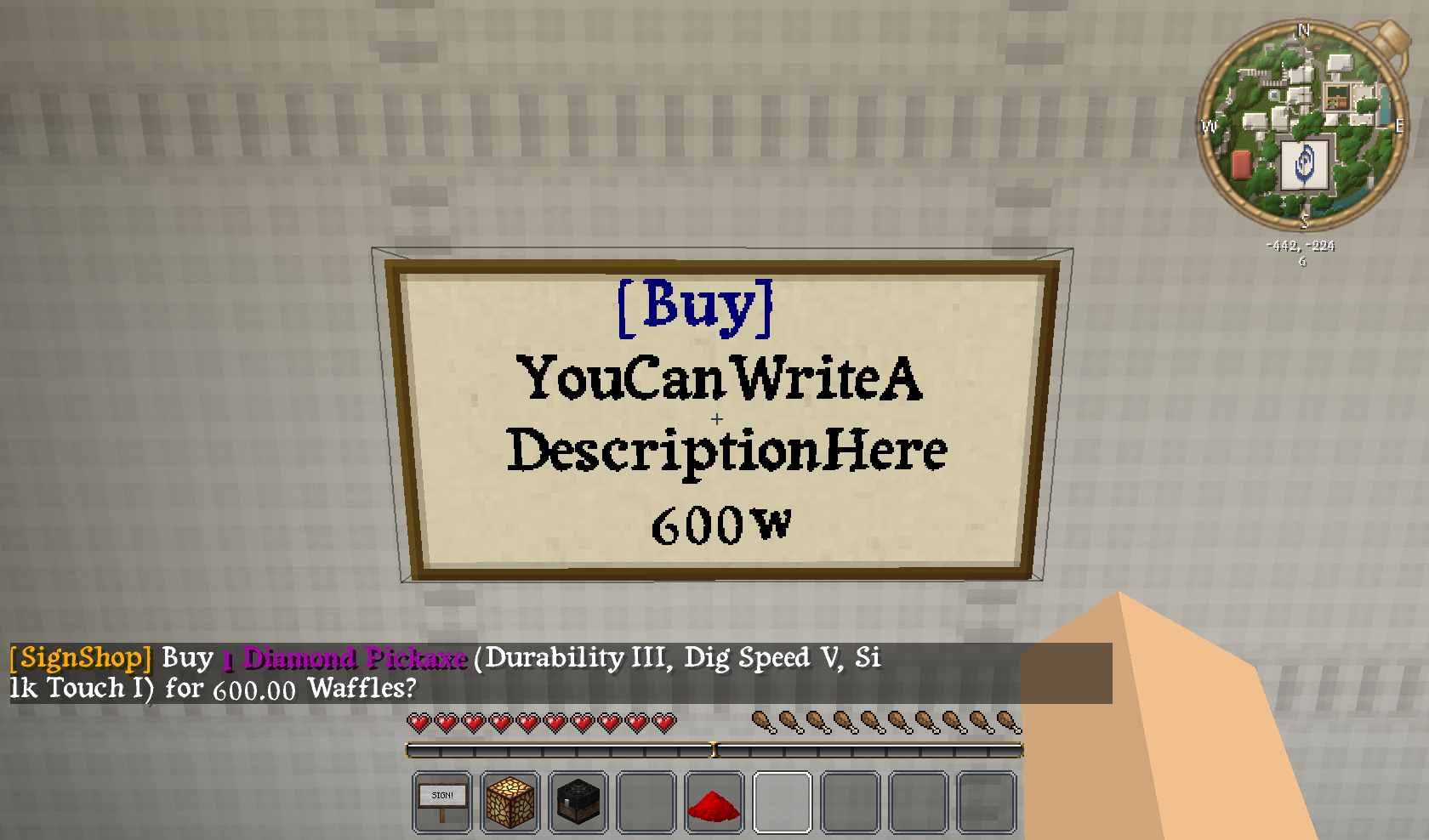
This is an example of how to set up a [Buy] sign with SignShop. The sign above is linked to a chest containing items. In this example, it will sell an enchanted pickaxe for 600 Waffles (Waffles are our server's currency :-) ).
Featured SignShop
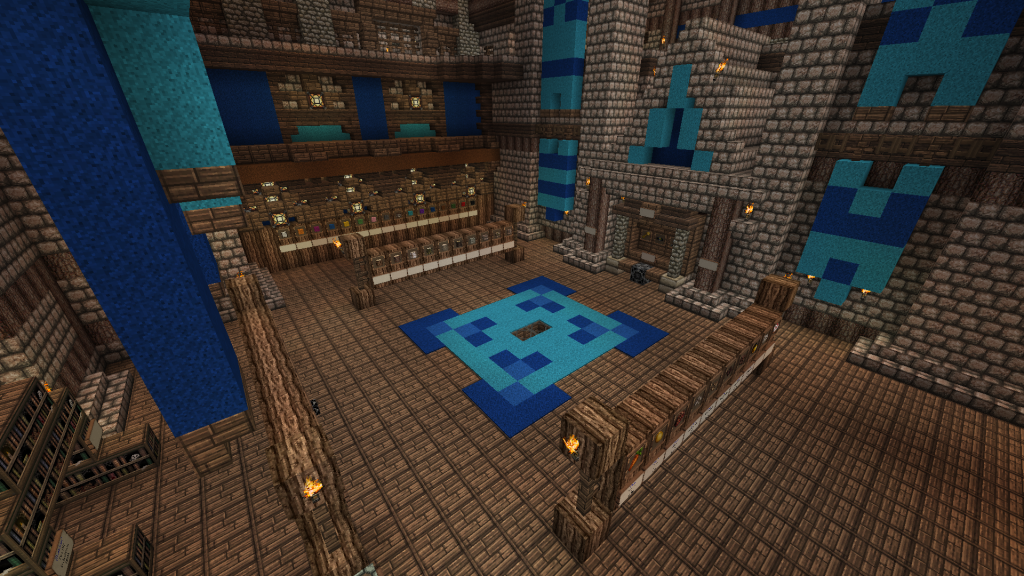
GamerFreak's Epic SignShop
Send me pictures of your server's SignShops in the comments below and the image above could be YOUR shop!
Suggestions and Issues
If you are having a problem with SignShop, please feel free to take a look at our tickets to make sure others have not already reported the issue! If they haven't, please fill out the requested info when making a ticket. Thanks!
Like this plugin? Buy us a beer and/or caffeinated beverage!
Comments


-

Devinesque Owner
-

_ForgeUser6856851 Former Author
-
_ForgeUser6873949 Former Author
-
Forge_User_60091103 Author
-

weaves7 Maintainer
-
View User Profile
-
Send Message
Posted Jun 25, 2014@Mick_Mack
usercommand signs will only work if the player has permission to run the command already. You an also replace {asOriginalUser} with {asUser} on those signs, and it will give the player permission to run the commands temporarily. Your permission plugin must support * wildcards for this to work. The alternative is to just use a regular command sign with !player in place of the player name. Essentials warps would be "warp DESTINATION !player".
-
View User Profile
-
Send Message
Posted Jun 25, 2014Hello, so I am not sure how to correct this but players cannot use [usercommand] signs even with !player on them.....that is how I make warps and I am not sure how to make warps any other way using signshop, I have looked for tutorials but it does not work...or maybe I am just doing something wrong.
-
View User Profile
-
Send Message
Posted Jun 20, 2014@MGbeenieboy
Make sure to check the tickets for any issues, and grab the latest dev build if your issue is there. Otherwise, you'll need to make a ticket so we can better help you.
-
View User Profile
-
Send Message
Posted Jun 20, 2014Hey, it's me from craftwood.me. You, wargamer2010, once visited my server. Uuhm... SignShop just stopped working. Yep! There are no errors. You click on a signshop sign to buy something, but nothing happens. I also tried restarting the server.
-
View User Profile
-
Send Message
Posted Jun 18, 2014For craftconomy. i switched to SDFEconomy and it seems to work fine. Now just an issue with factions lol. Thanks!
-
View User Profile
-
Send Message
Posted Jun 16, 2014@Gladiator_1
To which plugin developer(s) did you speak? What did they say?
-
View User Profile
-
Send Message
Posted Jun 16, 2014@Devinish
awesome.. now you both have basically said to talk to the other person xD. I use craftconomy and for whatever reason, when i buy form signshop in worldB it takes he money out of worldA's account. Im not saying its your fault or his fault. Im just trying to get i nthe right direction.
-
View User Profile
-
Send Message
Posted Jun 15, 2014@Gladiator_1
If multiwallets is supported by Vault, then SignShop should support it with no problem. If it isn't you should bring this issue to the multiwallet plugin developer.
@MachoMancha
Thanks for making the tutorial. We plan to have a videos page in the future, where players can see various tutorial videos. We will keep this one in mind when we get around to adding it.
-
View User Profile
-
Send Message
Posted Jun 15, 2014Is there support for multiwallets? i want separate balances in each world. if you are in worldA it takes from your worldA balance. if you are in worldB it takes from your worldB balance
-
View User Profile
-
Send Message
Posted Jun 13, 2014Proudly made a tutorial for this plugin. It's very simple and straight forward, mainly aimed at my own community player base towards teaching the basic setup of a buy sign. Adding this to your bukkit page would be very appreciated! Also, I would like to suggest giving a configuration option for the plugin's prefix. http://youtu.be/lBqV7xVRdBQ
-
View User Profile
-
Send Message
Posted Jun 12, 2014@Dad_Yoshi
A good first place to check would be the server logs. Are you using Vault? Theoretically, SignShop.SuperAdmin should be the same thing as OP, as far as SignShop is concerned. Is AllowOPOverride set to true in the config? Typically when you are having issues, it's a good idea to create a ticket. We try not to spam up the comments with support stuff. If you run into any errors, or continue to have trouble, make sure to do that. we ask for some basic information about your server and the plugin versions you are using, so it helps us solve the issue more quickly.
-
View User Profile
-
Send Message
Posted Jun 12, 2014Please provide a complete list of permissions. The plug in I use (zPermissions) does not recognize the use of '*' and I don't want anyone to have an OP on my server. I am unable to create a sign shop even though I have granted myself 'Signshop.Superadmin' permissions. Is there something else I am missing?
Thanks
-
View User Profile
-
Send Message
Posted Jun 11, 2014@Paperextreme
It sounds like you got everything figured out. if you have any more questions, feel free to ask.
-
View User Profile
-
Send Message
Posted Jun 11, 2014Hey guys, I am new to this plugin and i am wondering if i am can link the amount that i put in the sign to Essentials bank
Ps i didnt notice that i was buying my own stuff so i never - my own money.
Thanks
-
View User Profile
-
Send Message
Posted Jun 4, 2014@Devinish
Thank you. I got everything I needed working, you can still join the server if you want haha. It's pixelmon and quite fun :3
Thanks for your help though!!
-
View User Profile
-
Send Message
Posted Jun 4, 2014@AL8INOCARE8EAR
You have to create warps with another plugin. Then just use a command sign to run the warp command with "!player" in place of the name of the player. Device signs can be used to link to redstone levers, but the levers have to be on the floor, not on a wall. Make sure to read our FAQ and Signs page for more information.
-
View User Profile
-
Send Message
Posted Jun 4, 2014@wargamer2010
I have a server you can join, I got the quantity and the infinite shop working but I would like some help with setting up the warps and redstone. I've been trying to figure that out all day. My server IP is 216.172.96.235:25565 and my skype name is al8inocare8ear if you care to skype while helping me out. And as of now my internet is having a hard time doing anything but when its up again I'll letchya know
-
View User Profile
-
Send Message
Posted Jun 4, 2014@AL8INOCARE8EAR
Do you have a server I can join?
And could you create a new ticket with a full description, including a full plugin list (with versions) and steps on how to reproduce the issue?
-
View User Profile
-
Send Message
Posted Jun 4, 2014@wargamer2010
I am using the essentials economy. I got the quantity working thank you. But how about the infinite shop? I'm using the version for minecraft 1.6.4.
-
View User Profile
-
Send Message
Posted Jun 4, 2014@AL8INOCARE8EAR
Which Economy plugin are you using?
You can change the quantity of what you're selling by an Ink Sac. Fill your chest with exactly the new quantity you'd like to sell (nothing else should be in the chest), hit it with an Ink Sac and hit your shop. It will update your shop with all the items it finds.