
Ships
Ships
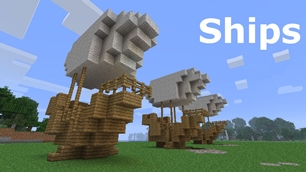
|
|
|
|
|
|
|
Source Code - Github |
JavaDocs |
Sponge version |
Discord channel |
Translate Core |
|---|




Looking for Dev builds?
Dev builds give off new features and bug fixes before they are officially released, however these features and bug fixes may not have been tested as much as a release on here
Old page:
I am testing this new page out. I am aware of some parts that are missing such as ship types, but please say if there is anything that you wish to see. I plan on making a FAQ's that includes common questions such as how to change ship requirements.
If you want to see the old page, it is here
Video tutorial
Ships 6 changes
Ships has gone through many changes, Ships 6 is the latest rewrite of the plugin. The latest rewrite fixes multiple bugs found in the root of previous versions of Ships.
Features
Moving ships
As the name of the plugin suggests, you can create your own ship and move it with just a single click.
Works with all blocks
There is a fully-fledged list where you can configure every block to react differently for the ships, including being able to add a block type to interact with Ships, detect it as a collide, and even not react at all.
Teleport to ships
There have been many requests to be able to teleport to ships for not only this plugin but others like it. This feature has been added to Ships, however, if it is something you do not wish, then you can disable to command by not adding the command.
Falling Ships
Ships will fall/sink if requirements are not met, this could be done through your own interaction such as running out of fuel, or by something else such as a TNT explosion.
Ship types
| Airship | Link |
| Ship | Link |
| Marsship | Link |
| Submarine | Link |
| Plane | Link |
| Hybridship | Coming soon |
Move the ship:
In Ships, movement is done by signs. You can see all signs here
Collide types:
| Name | ID | Description |
|---|---|---|
| Detect collide | DETECT_COLLIDE | If Ships detects this block in the way of a ship moving then the ship will not move with the error of this block being in the way |
| Material | MATERIAL | Material means that you can build a ship out of this block and the Ships block detection system will detect it as part of your ship |
| Ignore | IGNORE | If Ships detects this block in the way of a ship moving then the block will break and the ship will take its place |
Permissions
| Permission node | Description |
|---|---|
|
ships.cmd.info |
Allows the player to use the command '/ships info' |
|
ships.cmd.blockinfo |
Allows the player to use the command '/ships blockinfo' |
|
ships.cmd.shiptype.create |
Allows the player to use the command '/ships shiptype create' |
|
ships.cmd.config.set |
Allows the player to use the command '/ships config set' |
|
ships.cmd.config.view |
Allows the player to use the command '/ships config view' |
|
ships.cmd.blocklist.set |
Allows the player to use the command '/ships blocklist set' |
|
ships.cmd.blocklist.view |
Allows the player to use the command '/ships blocklist view' |
|
ships.cmd.ship.track |
Allows the player to use the command '/ships ship track' |
|
ships.cmd.ship.eot |
Allows the player to use the command '/ships ship eot' |
|
ships.cmd.ship.crew |
Allows the player to use the command '/ships ship crew' |
| ships.move.own.ships.airship | Allows a player to move own airship |
| ships.move.own.ships.watership | Allows a player to move own ship |
| ships.move.own.ships.marsship | Allows a player to move own marsship |
| ships.move.other.ships.airship | Allows a player to move anyones airship |
| ships.make.ships.airship | Allows a player to make a airship |
| ships.remove.other |
Allows a player to destroy anyones ships sign |
Developers:
Looking for a development wiki? maven/gradle dependencies? or something else relating to ships or translate core? Take a look at the getting started wiki
Comments


-

mosemister Owner
-

_ForgeUser7695435 Former Author
-
View User Profile
-
Send Message
Posted Jul 5, 2016@TheGamerRules
sounds like a bug, ill see if there is anything wrong in the code first (let me first rest, just got back from holiday)
-
View User Profile
-
Send Message
Posted Jul 4, 2016Hello, just wanted to let you know of what I think is a bug. (Water Ships) Long story short, I, as OP, can fully use ships. Default players with the ships permissions can't seem to use the [Move] or [Wheel] sign , but they are able to click the [Ships] sign. This was happening on the 1.9 version of ships as well as the new untested version. My servers map has ships dating all the way back to minecraft 1.4.7, most of which no longer have the old ships signs. I have tested the ships with my moderator and gave him 'ships.*' yet he still cannot use the ship functionally, it will not move, nor turn. I have deleted the ships folder and let it reset with the new untested update aswell. Nothing. There are no error messages in console, and when a player clicks the Move and wheel sign, there is nothing in their chat.
@MoseMister
http://imgur.com/a/Pk2JV
-
View User Profile
-
Send Message
Posted Jul 2, 2016@Sidious82
good, when i was building 5.0.1.9 my materials list was blank... i think it was to do with the bug before on 5.0.1.8 (MC 1.10).
I still can not test it until i get back, but glad it works. Hopefully next time a bug is reported i wont be going away on holiday
It defiantly wont happen for people who are updating from 1.9 but those who experience the MC 1.10 versions bug .... you may need to recreate your materials list.
-
View User Profile
-
Send Message
Posted Jul 2, 2016@MoseMister
SUCCESS!!! materials list was blank and had an issue with previous vessel data but now i have something that seems to work (i literally turned it once) gg sir
-
View User Profile
-
Send Message
Posted Jul 2, 2016@Sidious82
it didnt put the edit in for some reason.
can you just check that the materials list is not blank and has some values set as 1. after that on the console do the command
./ships developer materialslist
and make sure some materials come up
-
View User Profile
-
Send Message
Posted Jul 2, 2016@Sidious82
Ok. Like it says. It is untested. Ill see what i can do when i finaly do get back
-
View User Profile
-
Send Message
Posted Jul 2, 2016@MoseMister minecraft 1.10.2 ships 5.0.1.9 same airship you saw in photo provided. "[ships] Ships sign can not be found" when i click on the [ships] sign it says [BlockCount]0 still doesnt seem to be detecting anything about the ship
-
View User Profile
-
Send Message
Posted Jun 30, 2016Ships 5.0.1.9
For those who are waiting for a fully working release of Ships for MC 1.10. Ships 5.0.1.9 is the answer. I have just uploaded a untested version for 1.9.x (all 1.9 builds) and another for 1.10.x (all current releases of 1.10 and should work fine on later versions).
I do not have the means to test them while i am on holiday
-
View User Profile
-
Send Message
Posted Jun 29, 2016@mumudragon
Get back on the 5th. I maybe able to remote control a friends computer for the day (if they allow me) wont be ideal, but it means i can work on ships from my phone and this county.
edit
I have a fixed version. The bug only occurs on MC 1.10 however there will be a 1.9.x release of 5.0.1.9 as well as a 1.10.x. There will not be a 1.8.x release right away, I just need to stable a few things before it is released
edit 2
found another issue that causes the "Ships sign can not be found" Please wait while I fix that issue
-
View User Profile
-
Send Message
Posted Jun 28, 2016@MoseMister
Thanks! Hoping you get back home soon.
-
View User Profile
-
Send Message
Posted Jun 28, 2016@Sidious82
Probably. Mumudragon's message wasnt edited when i last looked. The problem that j have got is i can not work out the exact problem or fix it until i get back home to America. My laptops battery died and the power cord converter i got for my laptop doesnt work. I havent seen any more converters around the place either. So sorry but you two are going to need to wait for another week until i get back or find a charger for my laotop. Wish i could help you sooner
-
View User Profile
-
Send Message
Posted Jun 28, 2016@MoseMister
isn't mumudragon's problem the same thing i reported 2 weeks ago?
-
View User Profile
-
Send Message
Posted Jun 28, 2016@zyyapp
By default the ships detection system may not have half blocks activated, however you can enable such a thing in the materials list config
-
View User Profile
-
Send Message
Posted Jun 28, 2016The shipscan not detect half a block , such as wood, put him away .
-
View User Profile
-
Send Message
Posted Jun 28, 2016@mumudragon
Yep. All versions of ships 5.0.1.8 should work on 1.10. however this version is optimised for mc 1.10
http://dev.bukkit.org/bukkit-plugins/ships/files/111-ships-5-0-1-8-mc-1-10/
-
View User Profile
-
Send Message
Posted Jun 28, 2016Does it work for MC 1.10? I tried last night, but it didn't work. I got message says 'Ships sign can not be found'.
-
View User Profile
-
Send Message
Posted Jun 25, 2016@Digger105
Hey, i can help you. So the 5.0.1.8 (mc 1.8) showing as 5.0.1.7 is nothing to worry about. Its something i forgot to change on the 1.8 and 1.9 versions. The 1.10 version shows up fine.
The error you have got is a odd one. Its caused by two versions of Ships trying to counter each other out. Bukkit and spigot had ways to stop that from happening but somehow you have managed to get around it. I would check for outdated versions of ships
-
View User Profile
-
Send Message
Posted Jun 25, 2016I get this error when trying to make a new ships sign. It says the version is 5.0.1.7 for some reason, but I know that I installed version 5.0.1.8 for 1.8.8 minecraft versions. Anyone know a solution?
http://pastebin.com/raw/VgLTs3gq
-
View User Profile
-
Send Message
Posted Jun 23, 2016@Sidious82
Ok. Finally got to do some tests. Got to duplicate the result. So i should be able to take it from there.
Ill try to get a result into whats going wrong. After that ill be able to build a new release
-
View User Profile
-
Send Message
Posted Jun 20, 2016@MoseMister
just a test airship. not going for anything fancy