
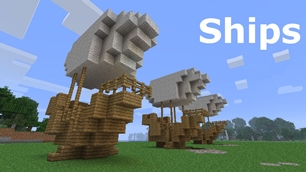
Ships
Ships
|
|
|
|
|
|
|
Source Code - Github |
JavaDocs |
Sponge version |
Discord channel |
Translate Core |
|---|




Looking for Dev builds?
Dev builds give off new features and bug fixes before they are officially released, however these features and bug fixes may not have been tested as much as a release on here
Old page:
I am testing this new page out. I am aware of some parts that are missing such as ship types, but please say if there is anything that you wish to see. I plan on making a FAQ's that includes common questions such as how to change ship requirements.
If you want to see the old page, it is here
Video tutorial
Ships 6 changes
Ships has gone through many changes, Ships 6 is the latest rewrite of the plugin. The latest rewrite fixes multiple bugs found in the root of previous versions of Ships.
Features
Moving ships
As the name of the plugin suggests, you can create your own ship and move it with just a single click.
Works with all blocks
There is a fully-fledged list where you can configure every block to react differently for the ships, including being able to add a block type to interact with Ships, detect it as a collide, and even not react at all.
Teleport to ships
There have been many requests to be able to teleport to ships for not only this plugin but others like it. This feature has been added to Ships, however, if it is something you do not wish, then you can disable to command by not adding the command.
Falling Ships
Ships will fall/sink if requirements are not met, this could be done through your own interaction such as running out of fuel, or by something else such as a TNT explosion.
Ship types
| Airship | Link |
| Ship | Link |
| Marsship | Link |
| Submarine | Link |
| Plane | Link |
| Hybridship | Coming soon |
Move the ship:
In Ships, movement is done by signs. You can see all signs here
Collide types:
| Name | ID | Description |
|---|---|---|
| Detect collide | DETECT_COLLIDE | If Ships detects this block in the way of a ship moving then the ship will not move with the error of this block being in the way |
| Material | MATERIAL | Material means that you can build a ship out of this block and the Ships block detection system will detect it as part of your ship |
| Ignore | IGNORE | If Ships detects this block in the way of a ship moving then the block will break and the ship will take its place |
Permissions
| Permission node | Description |
|---|---|
|
ships.cmd.info |
Allows the player to use the command '/ships info' |
|
ships.cmd.blockinfo |
Allows the player to use the command '/ships blockinfo' |
|
ships.cmd.shiptype.create |
Allows the player to use the command '/ships shiptype create' |
|
ships.cmd.config.set |
Allows the player to use the command '/ships config set' |
|
ships.cmd.config.view |
Allows the player to use the command '/ships config view' |
|
ships.cmd.blocklist.set |
Allows the player to use the command '/ships blocklist set' |
|
ships.cmd.blocklist.view |
Allows the player to use the command '/ships blocklist view' |
|
ships.cmd.ship.track |
Allows the player to use the command '/ships ship track' |
|
ships.cmd.ship.eot |
Allows the player to use the command '/ships ship eot' |
|
ships.cmd.ship.crew |
Allows the player to use the command '/ships ship crew' |
| ships.move.own.ships.airship | Allows a player to move own airship |
| ships.move.own.ships.watership | Allows a player to move own ship |
| ships.move.own.ships.marsship | Allows a player to move own marsship |
| ships.move.other.ships.airship | Allows a player to move anyones airship |
| ships.make.ships.airship | Allows a player to make a airship |
| ships.remove.other |
Allows a player to destroy anyones ships sign |
Developers:
Looking for a development wiki? maven/gradle dependencies? or something else relating to ships or translate core? Take a look at the getting started wiki
Comments


-

mosemister Owner
-

_ForgeUser7695435 Former Author
-
View User Profile
-
Send Message
Posted Apr 1, 2014@MoseMister
I don't see 'allow boost' in the config. This is what I have:
(Pardon me, I don't know how to format here)
airship: RequiredPercent: 60 TheMinimumNumberOfBlocks: 30 TheMaximumNumberOfBlocks: 3000 FuelId: 263 FuelIdAlt: 296 Speed: 10 EngineSpeed: 2 BoostSpeed: 3 airship2: RequiredPercent: 50 TheMinimumNumberOfBlocks: 15 TheMaximumNumberOfBlocks: 3000 FuelId: 5 FuelIdAlt: 331 Speed: 12 EngineSpeed: 2 BoostSpeed: 3 ship: RequiredPercent: 15 TheMinimumNumberOfBlocks: 30 TheMaximumNumberOfBlocks: 3000 Speed: 8 marsship: RequiredPercent: 10 TheMinimumNumberOfBlocks: 30 TheMaximumNumberOfBlocks: 3000 Speed: 6 EngineSpeed: 2 BoostSpeed: 3 plane: TheMinimumNumberOfBlocks: 30 TheMaximumNumberOfBlocks: 3000 FuelId: 263 FuelIdAlt: 296 Speed: 10 EngineSpeed: 3 BoostSpeed: 4 Other: ConfigVersion: 3 CreateConfig: false ProtectFire: true DefaultWaterLevel: 63 EngineSpeed: 2 Debug: BootUpDebug: false VesselDebug: false BlockDebug: false ItemDebug: false EntityDebug: false RotateDebug: false Materials: Acacia_Leaves: false Beacon: true Bookshelf: true Brewing_Stand: true Bricks: false Brick_Stairs: true Cake: true Clay: false Clay_Hardened: true Clay_Stained: true Cauldron: true Crafting_Table: true Coal_Block: true Coal_Ore: false Cobblestone: false Cobblestone_Mossy: false Cobblestone_Wall: false Command_Block: true Diamond_Ore: false Diamond_Block: true Dirt: false Dispenser: true Emerald_Ore: false Emerald_Block: true Enchantment_Table: true Ender_Chest: true Fence: true Fence_Gate: true Glass_Block: true Glass_Pane: true Glass_Stained: true Glass_Pane_Stained: true Glowstone: false Grass_Block: false Gravel: false Gold_Block: true Gold_Ore: false Hay_Bale: true Head: false Iron_Bars: true Iron_Ore: false Iron_Block: true JukeBox: true Jack_O_Lantern: true Lapis_Ore: false Lapis_Block: true Leaves: false Melon_Block: false Nether_Brick: false Nether_Brick_Fence: true Nether_Brick_Slab: false Nether_Brick_Stairs: false Note_Block: true Obsidian: false Piston_Head: false Piston_Normal: true Piston_Sticky: true Pumpkin: false Quartz_Block: true Quartz_Stairs: true Quartz_Ore: false Redstone_Block: true Redstone_Lamp: true Redstone_Repeater: true Redstone_Ore: false Sand: false Sandstone: false Sandstone_Stairs: false Snow: false Snow_Block: false Silverfish_Blocks: false Sponge: true Soul_Sand: false Stone: false Stone_Brick: false Stone_Brick_Stairs: true TNT: false Web_Block: false Wooden_Acacia: true Wooden_Acacia_Stairs: true Wood_Log: true Wooden_Planks: true Wood_Slab: true Wood_Slab_Double: true Wooden_Stairs: true Dont_Touch_Unless_Tester: Bed: false Carpet: true Wool: true Iron_Door: true Netherrack: true Daylight_Sensor: true Dropper: true Rail_Activtor: true Hopper: true Redstone_Comparator: false PresurePlate_Weighted_Heavy: true PresurePlate_Weighted_Light: true Chest_Trapped: true Anvil: true Button_Wooden: true Tripwire_Hook: true Flower_Pot: true String: true Button_Stone: true Door_Trap: true Redstone_Torch: true PresurePlate_Wooden: true Lever: true Ladder: true Door_Wooden: true Furnace: true Redstone: true Chest: true Torch: true Fire: true
-
View User Profile
-
Send Message
Posted Apr 1, 2014@saintgio3
Ah.
Hmm never had that boost problem ..... Make sure 'allow boost' is set to true
-
View User Profile
-
Send Message
Posted Apr 1, 2014@MoseMister
Nevermind. The issue was I had a torch directly underneath my airship connected to my wool house. That's fixed, but the [boost] sign doesn't seem to register. Everything else works.
I'm using 3.2.4
-
View User Profile
-
Send Message
Posted Apr 1, 2014@GuilleX7
in the actual config (not the materials list) is 'UseMaterialsList' set to true?
-
View User Profile
-
Send Message
Posted Apr 1, 2014I'm using Ships 3.3, but the materials list doesn't work (If I change a material to "true", the plugin still taking the material like a obstacle).
Can you help me?
-
View User Profile
-
Send Message
Posted Mar 31, 2014@saintgio3
What version of ships are you using?
-
View User Profile
-
Send Message
Posted Mar 31, 2014@IronTrousers
Making ships move smoothly .... This is a highly requested thing, but the only way that would be possible is if this plugin was a client mod instead of a plugin.
So in this case NO
-
View User Profile
-
Send Message
Posted Mar 31, 2014@IronTrousers
nvm i still have the obstacle course error. but everything else works great. really cool plugin. is there any way in the future u ciuld make to movement smooth and not so choppy. thx bro awesome plugin
-
View User Profile
-
Send Message
Posted Mar 31, 2014@MoseMister
Hey yea now it works, but when i tried to creat the [Ships] sign it doesnt work it just shows up as a normal sign. also when it did try to move the ship it said obstacle in way of ship.
-
View User Profile
-
Send Message
Posted Mar 31, 2014@MoseMister
I'm having the same problem and have been following your instructions for IronTrousers. It still says the ship is too big even though it's just a dinky little balloon.
-
View User Profile
-
Send Message
Posted Mar 31, 2014@IronTrousers
ok because you are using 3.2.4, you can replace the whole config with this one
http://dev.bukkit.org/bukkit-plugins/ships/pages/config/
-
View User Profile
-
Send Message
Posted Mar 30, 2014@MoseMister
so when i copied that new txt it made another folder named "Ships" in my plugins folder. and it just has a config file. and that is the only one that changes back to false. im using verion 3.2.4 also in the new ships folder it doesnt have all the vessels and it says this "CreateConfig: false Debug:"
-
View User Profile
-
Send Message
Posted Mar 30, 2014@IronTrousers
It will change back to false. It's a long story why it does that.
Can I ask what version of ships are you using?
Btw I will not be able to reply to you for a while
-
View User Profile
-
Send Message
Posted Mar 30, 2014@MoseMister
i did that and i copied the txt and i change it to true, but it still says to big. also everytime i look back at the creatconfig its changed back to false. its lime everytime i try to move it changes back
-
View User Profile
-
Send Message
Posted Mar 30, 2014@IronTrousers
very simple, change CreateConfig: (under other) to true
if CreateConfig is not there, then replace all the txt in the config with the following
airship: {}
airship2: {}
ship: {}
marsship: {}
motorboat: {}
plane: {}
lavaship: {}
steamboat: {}
submarine: {}
Other:
CreateConfig: false
-
View User Profile
-
Send Message
Posted Mar 30, 2014@MoseMister
Hey dude, stupid me! it works fine now. great and awesome plugin. but i get the ship is to big error. and i looked down at the other comments and my config looks like this airship: {}
airship2: {} how do i fix it
-
View User Profile
-
Send Message
Posted Mar 30, 2014@IronTrousers
with any plugin your meant to get either a .jar or .zip. you place the .jars in your plugins folder.
if its a zip, you extract the zip then follow the readme or instalment guid. for this plugin is a instalment guide on this page and there is a readme inside ships 3.2.4 and 3.2.3.
how to extract .zips
if you are running windows vista or higher, it comes with a built in extractor, you just right click the .zip folder, then click extract.
if you are running windows xp or lower, or a different operating system you can extract .zips by a 3rd party program such as winRAR or winZIP
-
View User Profile
-
Send Message
Posted Mar 30, 2014When ever i download a other plugin i get full folder.but whenever i download this i either get a .zip or a .jar never a full folder
-
View User Profile
-
Send Message
Posted Mar 30, 2014@MoseMister
srry its like the plugin never worked. i installed another plugin and it worked . i read the install info and i did that. my craft bukkit version is 1.7.2 r02.3, does that have anything to do with it also when i download it it downloads as a notepad not a jar
-
View User Profile
-
Send Message
Posted Mar 30, 2014@IronTrousers
im going to need more info then that .....
whats wrong with it (dont say it does not work ... i gathered that. why does it not work, do you get a error or something like that)