
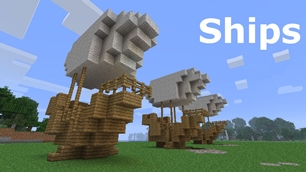
Ships
Ships
|
|
|
|
|
|
|
Source Code - Github |
JavaDocs |
Sponge version |
Discord channel |
Translate Core |
|---|




Looking for Dev builds?
Dev builds give off new features and bug fixes before they are officially released, however these features and bug fixes may not have been tested as much as a release on here
Old page:
I am testing this new page out. I am aware of some parts that are missing such as ship types, but please say if there is anything that you wish to see. I plan on making a FAQ's that includes common questions such as how to change ship requirements.
If you want to see the old page, it is here
Video tutorial
Ships 6 changes
Ships has gone through many changes, Ships 6 is the latest rewrite of the plugin. The latest rewrite fixes multiple bugs found in the root of previous versions of Ships.
Features
Moving ships
As the name of the plugin suggests, you can create your own ship and move it with just a single click.
Works with all blocks
There is a fully-fledged list where you can configure every block to react differently for the ships, including being able to add a block type to interact with Ships, detect it as a collide, and even not react at all.
Teleport to ships
There have been many requests to be able to teleport to ships for not only this plugin but others like it. This feature has been added to Ships, however, if it is something you do not wish, then you can disable to command by not adding the command.
Falling Ships
Ships will fall/sink if requirements are not met, this could be done through your own interaction such as running out of fuel, or by something else such as a TNT explosion.
Ship types
| Airship | Link |
| Ship | Link |
| Marsship | Link |
| Submarine | Link |
| Plane | Link |
| Hybridship | Coming soon |
Move the ship:
In Ships, movement is done by signs. You can see all signs here
Collide types:
| Name | ID | Description |
|---|---|---|
| Detect collide | DETECT_COLLIDE | If Ships detects this block in the way of a ship moving then the ship will not move with the error of this block being in the way |
| Material | MATERIAL | Material means that you can build a ship out of this block and the Ships block detection system will detect it as part of your ship |
| Ignore | IGNORE | If Ships detects this block in the way of a ship moving then the block will break and the ship will take its place |
Permissions
| Permission node | Description |
|---|---|
|
ships.cmd.info |
Allows the player to use the command '/ships info' |
|
ships.cmd.blockinfo |
Allows the player to use the command '/ships blockinfo' |
|
ships.cmd.shiptype.create |
Allows the player to use the command '/ships shiptype create' |
|
ships.cmd.config.set |
Allows the player to use the command '/ships config set' |
|
ships.cmd.config.view |
Allows the player to use the command '/ships config view' |
|
ships.cmd.blocklist.set |
Allows the player to use the command '/ships blocklist set' |
|
ships.cmd.blocklist.view |
Allows the player to use the command '/ships blocklist view' |
|
ships.cmd.ship.track |
Allows the player to use the command '/ships ship track' |
|
ships.cmd.ship.eot |
Allows the player to use the command '/ships ship eot' |
|
ships.cmd.ship.crew |
Allows the player to use the command '/ships ship crew' |
| ships.move.own.ships.airship | Allows a player to move own airship |
| ships.move.own.ships.watership | Allows a player to move own ship |
| ships.move.own.ships.marsship | Allows a player to move own marsship |
| ships.move.other.ships.airship | Allows a player to move anyones airship |
| ships.make.ships.airship | Allows a player to make a airship |
| ships.remove.other |
Allows a player to destroy anyones ships sign |
Developers:
Looking for a development wiki? maven/gradle dependencies? or something else relating to ships or translate core? Take a look at the getting started wiki
Comments


-

mosemister Owner
-

_ForgeUser7695435 Former Author
-
View User Profile
-
Send Message
Posted Jan 30, 2015I always get an error message saying that the name of the vessel has already been used, although NOONE have used this name. What is causing that issue?
-
View User Profile
-
Send Message
Posted Jan 29, 2015@theboss192
Heard those words too many times "it's not you, it's me" but anyway, send me your server ip over pm and I'll get on your server asap.
Sorry that this is occuing
-
View User Profile
-
Send Message
Posted Jan 29, 2015@MoseMister
Hello again,
I checked the console and found nothing related to Ships in any way showing up at the point that a sign was made. No error messages at all. Also no error dialogue in game chat about sign being incorrectly made or problem with ship requirements. All of Ships commands are fine, they respond accordingly.
I deleted the ship.jar I had and replaced it with Ships v4.1.1 and the same problem persists. This and the fact that the same issue applies when I try to create a ChestShop sign leads me to believe that......it's not you, it's me......I hope you understand...
lol, sry , couldn't help it, but do you think that the problem might be something wrong with my setup? If you like, you are welcome to visit the server and try Ships, idk if that interests you?
Thank you for your time, :)
PS.- I also ran the server with LWC disabled to see if that had an impact on the signs but it did not resolve the problem. And as for ChestShop, it had this problem before Ships was uploaded.
-
View User Profile
-
Send Message
Posted Jan 29, 2015@theboss192
is there any console error messages when creating the ships sign?
this is normally to do with a error called 'Bad Jar' that can simply be fixed by downloading the plugin again.
-
View User Profile
-
Send Message
Posted Jan 29, 2015The sign won't work :(
Hello MoseMister,
This plugin looks awesome and I look forward to using it. I have uploaded Ships v4.1.0.5+ to my plugins folder and in start-up it gets enabled as well as showing as enabled in game, (/plugins.)
I built a simple wool platform with 60+ blocks of wool, added furnace w/64 coal, and netherrack on fire. But when I place ships sign, (L1- [ships], L2- airship, L3- <vessel name>,) and I click on ' done ' it simply places the sign with the text as written no colour changes. Nothing happens :(
When I type ' /ships ' I get the Ships menu and ' /ships check ' works fine. Also I added ' ships.* ' to my permissions at member level and is set to inherit its way up the ranks. My rank is OP.
FYI - i am running:
I double and triple checked if I was doing the sign right, then I checked again... I also checked in the comments, (a bit,) but didn't find any similar issues. Can you help me?
Thank you so much for your help and for creating what looks like a great plugin. :)
PS.- oddly enough I have a similar problem with ChestShop. (maybe related? Could I be missing something?)
-
View User Profile
-
Send Message
Posted Jan 27, 2015@Liger_XT5
Right, because you say you have not done any mods to the config and that error is complaining at world guard not being found, I'll take a look at the code on why it's doing that. Can you do a small favor and double check that the config does not have Worldguardsupport set to true.
Thanks for reporting a bug in the beta stage
-
View User Profile
-
Send Message
Posted Jan 26, 2015Currently using 4.1.1 Beta and players were reporting they couldn't rotate the ships. We just installed the plugin, so we haven't made any changes to the configs at this time.
-
View User Profile
-
Send Message
Posted Jan 21, 2015Hey everyone, so MoseCraftBukkitplugins Web server has been having a few issues lately and that's why it's not been updated for a long time, I have reasontly got it responding again and we'll... I have decided to update it, I will once again try my best to keep it supported with mobile devices however my main attention to updating the Web server is to make it feature my upcoming server. I have not finished with the killing floor series or vessels it's just I have been working my ass of at college and in my free time I have been working on Ships, I should gain some time to work on vessels and killing floor series in 1 week and 2 days (next semester starts in 2 days and my last semester 1 assignment finishes in a week and 2 days).
Enjoy this little update on the upcoming features
-
View User Profile
-
Send Message
Posted Jan 18, 2015@DrkMatr1984
hehe, i plan to release Towny support with 4.1.1 full release, I hope it works first time round on all servers .... we can hope
-
View User Profile
-
Send Message
Posted Jan 18, 2015@MoseMister
Awesome! I run a towny server and have been planning on using your plugin for a long time! Thanks for working hard on this!
-
View User Profile
-
Send Message
Posted Jan 14, 2015what powers a plane i dont know what the fuel is?
-
View User Profile
-
Send Message
Posted Feb 4, 2015sorry for the really late reply, the plane fuel by default is coal block but can be changed in the config
-
View User Profile
-
Send Message
Posted Jan 12, 2015Towny support
I believe i have found a way how to give Ships support of Towny. I had to do a lot of research to find out what everything was called then work out how things work with each other. The reason behind this is simply because i have never used Towny before so its hard for me to understand its API.
I knew from day one that I would add support of Towny because i know it is widely used, I added support of Factions and World Guard and Towny support will be no different to this.
-
View User Profile
-
Send Message
Posted Jan 5, 2015@emperor25
Ah simple reason, your worlds default water level is lower then what Ships default water level is, if you go into the config you can manually change ships default water level. I would decrease it by however many blocks high the water spawns. Hope it helped
-
View User Profile
-
Send Message
Posted Jan 5, 2015Hello,
Can I have a question?
I tried to do a normal water ship because of a server type; Role play in ancient Roman times.
There is a problem when I want to move my ship. It went forward but water was created above the ship and flooded it.. why?
-
View User Profile
-
Send Message
Posted Jan 4, 2015@Nepenthesis
The latest craftbukkit is no different between spigot apart from spigot has a load of plugins built into it. The latest craftbukkit (build 19) is made by the same people as Spigot so there will not be much programming differences.
The latest craftbukkit2 build I have tested it on is build 13, I will like to point out I do have a job, college and college work to juggle so it is hard to find the time for modifications to this and any plugin, I'm trying my best to patch bugs within this time but I am waiting for a larger time slot to work on new features.
I should be able to test build 19 today
it works fine with build 19 for me, so best bet is for me to take your config and see if i can simulate the error using that config, either that or you send me your server IP and ill try and work out the issue from there.
-
View User Profile
-
Send Message
Posted Jan 3, 2015@MoseMister
What have you tested it on? I just tried it on the newest version of CraftBukkit and it doesn't work either, same problem. Ship always too big.
I tested this with a 30 block marsship as well, I keep getting the same error. Ship too big!
-
View User Profile
-
Send Message
Posted Jan 3, 2015@Nepenthesis
I have not tested any Ships on Spigot2 build (19) so ill try to simulate it. I may need your Ships config (not your materials list or advanced config) to help simulate it. If all else fails, I will recommend you allow me to join your sever and take a look myself (send server ip through private message)
-
View User Profile
-
Send Message
Posted Jan 2, 2015Spigot version newest Ships version newest
No matter what I do to try to make my ship work it says it's too big. I have the max blocks set to 1,000,000 and I'm sure that it is barely over 10,000... It won't move. I don't know why. Just says, [Ships] Ship too big!
EDIT: It is saying ship too big for every single one of my ships now.
-
View User Profile
-
Send Message
Posted Jan 1, 2015@christianmanners
I tried adding towny support a while back and well ...... didn't really work, Ill try again but no promises.