
Ships
Ships
|
|
|
|
|
|
|
Source Code - Github |
JavaDocs |
Sponge version |
Discord channel |
Translate Core |
|---|




Looking for Dev builds?
Dev builds give off new features and bug fixes before they are officially released, however these features and bug fixes may not have been tested as much as a release on here
Old page:
I am testing this new page out. I am aware of some parts that are missing such as ship types, but please say if there is anything that you wish to see. I plan on making a FAQ's that includes common questions such as how to change ship requirements.
If you want to see the old page, it is here
Video tutorial
Ships 6 changes
Ships has gone through many changes, Ships 6 is the latest rewrite of the plugin. The latest rewrite fixes multiple bugs found in the root of previous versions of Ships.
Features
Moving ships
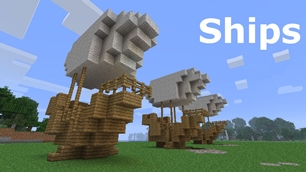
As the name of the plugin suggests, you can create your own ship and move it with just a single click.
Works with all blocks
There is a fully-fledged list where you can configure every block to react differently for the ships, including being able to add a block type to interact with Ships, detect it as a collide, and even not react at all.
Teleport to ships
There have been many requests to be able to teleport to ships for not only this plugin but others like it. This feature has been added to Ships, however, if it is something you do not wish, then you can disable to command by not adding the command.
Falling Ships
Ships will fall/sink if requirements are not met, this could be done through your own interaction such as running out of fuel, or by something else such as a TNT explosion.
Ship types
| Airship | Link |
| Ship | Link |
| Marsship | Link |
| Submarine | Link |
| Plane | Link |
| Hybridship | Coming soon |
Move the ship:
In Ships, movement is done by signs. You can see all signs here
Collide types:
| Name | ID | Description |
|---|---|---|
| Detect collide | DETECT_COLLIDE | If Ships detects this block in the way of a ship moving then the ship will not move with the error of this block being in the way |
| Material | MATERIAL | Material means that you can build a ship out of this block and the Ships block detection system will detect it as part of your ship |
| Ignore | IGNORE | If Ships detects this block in the way of a ship moving then the block will break and the ship will take its place |
Permissions
| Permission node | Description |
|---|---|
|
ships.cmd.info |
Allows the player to use the command '/ships info' |
|
ships.cmd.blockinfo |
Allows the player to use the command '/ships blockinfo' |
|
ships.cmd.shiptype.create |
Allows the player to use the command '/ships shiptype create' |
|
ships.cmd.config.set |
Allows the player to use the command '/ships config set' |
|
ships.cmd.config.view |
Allows the player to use the command '/ships config view' |
|
ships.cmd.blocklist.set |
Allows the player to use the command '/ships blocklist set' |
|
ships.cmd.blocklist.view |
Allows the player to use the command '/ships blocklist view' |
|
ships.cmd.ship.track |
Allows the player to use the command '/ships ship track' |
|
ships.cmd.ship.eot |
Allows the player to use the command '/ships ship eot' |
|
ships.cmd.ship.crew |
Allows the player to use the command '/ships ship crew' |
| ships.move.own.ships.airship | Allows a player to move own airship |
| ships.move.own.ships.watership | Allows a player to move own ship |
| ships.move.own.ships.marsship | Allows a player to move own marsship |
| ships.move.other.ships.airship | Allows a player to move anyones airship |
| ships.make.ships.airship | Allows a player to make a airship |
| ships.remove.other |
Allows a player to destroy anyones ships sign |
Developers:
Looking for a development wiki? maven/gradle dependencies? or something else relating to ships or translate core? Take a look at the getting started wiki
Comments


-

mosemister Owner
-

_ForgeUser7695435 Former Author
-
View User Profile
-
Send Message
Posted Jul 7, 2014Ships 4.1
The new Ships Alpha build 0.3 has finally been approved on bukkit (seems every plugin is taking a long time to get approved).
That being said Ships 4.1 full release is almost coded. So I need feedback quickly. Thank you
-
View User Profile
-
Send Message
Posted Jul 6, 2014@Powercows
Make sure you don't have a obstical on course and make sure you don't have any unsupported blocks on your vessel.
To control what blocks are/are not supported with vessels. Change 'use materials list' to true in the config. Then change any blocks you want your vessels to be made out of to true in the materials list
-
View User Profile
-
Send Message
Posted Jul 6, 2014all i can get this plugin to do is say there is an obstacle on course
-
View User Profile
-
Send Message
Posted Jul 4, 2014@Stuart22221
The signs poping off is another bug. No idea how it happens. As for the burner I have not herd that happen sinse 3.1.7.
By having the signs on the edge, it means moving the signs, so it may work
-
View User Profile
-
Send Message
Posted Jul 3, 2014Hi again! So I think I found the problem with me falling out of the ships, (I had the ships width at 3 blocks.) Now I have it at 5 and it seems to work, but a lot of the time when I turn, all of the signs pop and the burner goes out. Do you think it would be better for me to just add the move signs on right, and left of the ship? (so players can just move to the right and left but stay straight)
-
View User Profile
-
Send Message
Posted Jul 3, 2014@MoseMister
Ok I will try that now, thank you. If it does't work I'll just rebuild it.
-
View User Profile
-
Send Message
Posted Jul 3, 2014@FlyingKoalaSquirrel
ah ...
The problem is probably the ShipsMaping bug.
The only advice i can give you is disconnect it from the roof then move it up and fix the roof (or vessel ... depending on what you removed to disconnect the vessel)
-
View User Profile
-
Send Message
Posted Jul 3, 2014Ships 4.1 V3 coming soon
Ships 4.1 V3 is now waiting approval. I have tried to fix the chests (i know how the error occurs with it, i dont know why it happens (code wise) ... so its hard to fix). Not only that i have removed a lot of code from ShipsMaping so there is less chance of the ShipsMaping bug to occur (still occurs)
-
View User Profile
-
Send Message
Posted Jul 3, 2014@MoseMister I'm not an Owner or Admin or anything, I don't have access to the console. I'm a regular player.
-
View User Profile
-
Send Message
Posted Jul 3, 2014@FlyingKoalaSquirrel
check the console after you try to move it
-
View User Profile
-
Send Message
Posted Jul 3, 2014My Mars Ship was working perfectly fine as I flew on a server I play on with it. I landed on a house with a roof made of slabs and it worked fine. As soon as I got back on to fly away again, none of my signs worked. It was the middle of the day, not close to night, so the signs should have worked. At night I tried to see if the signs would respond with the normal message: [Ships] No light! It didn't. I tried breaking all the signs and replacing them. None of that worked. I am wondering how I could fix this to use my Ship again.
-
View User Profile
-
Send Message
Posted Jun 30, 2014@Stuart22221
I have not touched the code for chests at all in 4.1.0 yet. When the bug was reported first it was found on version 3.1.8 then again on 3.2.1 and 3.2.3. So i though it was a on going bug that will randomly occur
-
View User Profile
-
Send Message
Posted Jun 30, 2014But it worked fine on the last version, I have had chests on the ships before.
-
View User Profile
-
Send Message
Posted Jun 30, 2014@Stuart22221
downgrading will still give you the error .... I have never encountered the problem before, i told the last person who reported this problem to try fixing it by changing what was in the chest .... he never came back to me so i made the assumption it worked
-
View User Profile
-
Send Message
Posted Jun 30, 2014Ok. I will downgrade.
-
View User Profile
-
Send Message
Posted Jun 29, 2014@Stuart22221
it matches the result i was expecting, I have not found a fix for this yet
-
View User Profile
-
Send Message
Posted Jun 29, 2014Minecraft Crash ReportSurprise! Haha. Well, this is awkward.Time: 29/06/14 11:51 AM Description: Rendering Block Entity
java.lang.ClassCastException: apf cannot be cast to aov at aov.i(SourceFile:184) at boy.a(SourceFile:51) at boy.a(SourceFile:15) at bow.a(SourceFile:100) at bow.a(SourceFile:92) at bom.a(SourceFile:383) at bof.a(SourceFile:994) at bof.b(SourceFile:816) at ban.ak(SourceFile:801) at ban.f(SourceFile:728) at net.minecraft.client.main.Main.main(SourceFile:148)
A detailed walkthrough of the error, its code path and all known details is as follows:
-------------------HeadStacktrace: at aov.i(SourceFile:184) at boy.a(SourceFile:51) at boy.a(SourceFile:15)Block Entity DetailsDetails: Name: Chest aov Block type: ID #54 (tile.chest ajw) Block data value: 5 / 0x5 / 0b0101 Block location: World: (36,6,88), Chunk: (at 4,0,8 in 2,5; contains blocks 32,0,80 to 47,255,95), Region: (0,0; contains chunks 0,0 to 31,31, blocks 0,0,0 to 511,255,511) Actual block type: ID #54 (tile.chest ajw) Actual block data value: 5 / 0x5 / 0b0101 Stacktrace: at bow.a(SourceFile:100) at bow.a(SourceFile:92) at bom.a(SourceFile:383) at bof.a(SourceFile:994)Affected levelDetails: Level name: MpServer All players: 1 total; [blw['Darth_Vader22'/993949, l='MpServer', x=37.99, y=7.62, z=84.78]] Chunk stats: MultiplayerChunkCache: 441, 441 Level seed: 0 Level generator: ID 01 - flat, ver 0. Features enabled: false Level generator options: Level spawn location: World: (-134,43,-68), Chunk: (at 10,2,12 in -9,-5; contains blocks -144,0,-80 to -129,255,-65), Region: (-1,-1; contains chunks -32,-32 to -1,-1, blocks -512,0,-512 to -1,255,-1) Level time: 20274890 game time, 21086419 day time Level dimension: 0 Level storage version: 0x00000 - Unknown? Level weather: Rain time: 0 (now: false), thunder time: 0 (now: false) Level game mode: Game mode: creative (ID 1). Hardcore: false. Cheats: false Forced entities: 22 total; [blw['Darth_Vader22'/993949, l='MpServer', x=37.99, y=7.62, z=84.78], ym['Spider'/993955, l='MpServer', x=24.50, y=4.00, z=121.50], yp['Zombie'/993954, l='MpServer', x=7.50, y=4.00, z=91.50], xj['item.item.slimeball'/993953, l='MpServer', x=51.50, y=4.13, z=84.78], ym['Spider'/993952, l='MpServer', x=16.13, y=4.00, z=87.78], yk['Skeleton'/993959, l='MpServer', x=74.50, y=4.00, z=108.50], wn['Pig'/993958, l='MpServer', x=12.31, y=4.00, z=109.13], ym['Spider'/993957, l='MpServer', x=3.47, y=3.00, z=108.66], xy['Creeper'/993956, l='MpServer', x=0.97, y=3.00, z=101.31], wn['Pig'/993963, l='MpServer', x=43.83, y=4.00, z=129.65], wf['Chicken'/993962, l='MpServer', x=-3.38, y=4.00, z=85.97], wf['Chicken'/993961, l='MpServer', x=74.59, y=4.00, z=115.59], yp['Zombie'/993960, l='MpServer', x=11.94, y=4.00, z=118.41], yk['Skeleton'/993966, l='MpServer', x=83.09, y=4.00, z=109.41], yk['Skeleton'/993965, l='MpServer', x=81.50, y=4.00, z=74.50], ym['Spider'/993964, l='MpServer', x=-1.63, y=4.00, z=77.22], yp['Zombie'/993971, l='MpServer', x=76.90, y=4.00, z=129.07], ym['Spider'/994002, l='MpServer', x=78.94, y=4.00, z=97.66], yk['Skeleton'/993972, l='MpServer', x=69.50, y=4.00, z=130.50], yp['Zombie'/993978, l='MpServer', x=86.50, y=4.00, z=129.50], wo['Sheep'/993950, l='MpServer', x=44.03, y=4.00, z=80.84], wn['Pig'/993951, l='MpServer', x=21.84, y=4.00, z=90.63]] Retry entities: 0 total; [] Server brand: Spigot Server type: Non-integrated multiplayer server Stacktrace: at blr.a(SourceFile:289) at ban.b(SourceFile:1972) at ban.f(SourceFile:737) at net.minecraft.client.main.Main.main(SourceFile:148)System DetailsDetails: Minecraft Version: 1.7.9 Operating System: Windows 7 (x86) version 6.1 Java Version: 1.7.0_55, Oracle Corporation Java VM Version: Java HotSpot(TM) Client VM (mixed mode, sharing), Oracle Corporation Memory: 30296576 bytes (28 MB) / 92672000 bytes (88 MB) up to 518979584 bytes (494 MB) JVM Flags: 2 total; -XX:HeapDumpPath=MojangTricksIntelDriversForPerformance_javaw.exe_minecraft.exe.heapdump -Xmx512M AABB Pool Size: 0 (0 bytes; 0 MB) allocated, 0 (0 bytes; 0 MB) used IntCache: cache: 0, tcache: 0, allocated: 0, tallocated: 0 Launched Version: 1.7.9 LWJGL: 2.9.1 OpenGL: Intel(R) HD Graphics GL version 2.1.0 - Build 8.15.10.2189, Intel GL Caps: Using GL 1.3 multitexturing. Using framebuffer objects because EXT_framebuffer_object is supported. Anisotropic filtering is supported and maximum anisotropy is 2. Shaders are available because OpenGL 2.1 is supported.Is Modded: Probably not. Jar signature remains and client brand is untouched. Type: Client (map_client.txt) Resource Packs: [SpacePack.zip] Current Language: English (US) Profiler Position: N/A (disabled) Vec3 Pool Size: 0 (0 bytes; 0 MB) allocated, 0 (0 bytes; 0 MB) used Anisotropic Filtering: Off (1)
-
View User Profile
-
Send Message
Posted Jun 29, 2014Yup! Let me add it and I'll grab the crash report
-
View User Profile
-
Send Message
Posted Jun 29, 2014@Stuart22221
Hmm .... Would it be possible for me to have your crash report (if its linked with the error I think it is then it will be a client crash)
-
View User Profile
-
Send Message
Posted Jun 29, 2014OK cool, I should also let you know of a bug, When I put a chest on airship and try to move it crash's my game. I have doubled checked this. With out a chest on the ship it works fine, when I put one on and try to move it crash's my game.