
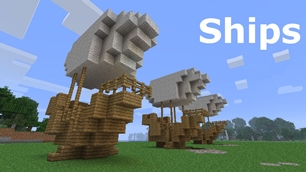
Ships
Ships
|
|
|
|
|
|
|
Source Code - Github |
JavaDocs |
Sponge version |
Discord channel |
Translate Core |
|---|




Looking for Dev builds?
Dev builds give off new features and bug fixes before they are officially released, however these features and bug fixes may not have been tested as much as a release on here
Old page:
I am testing this new page out. I am aware of some parts that are missing such as ship types, but please say if there is anything that you wish to see. I plan on making a FAQ's that includes common questions such as how to change ship requirements.
If you want to see the old page, it is here
Video tutorial
Ships 6 changes
Ships has gone through many changes, Ships 6 is the latest rewrite of the plugin. The latest rewrite fixes multiple bugs found in the root of previous versions of Ships.
Features
Moving ships
As the name of the plugin suggests, you can create your own ship and move it with just a single click.
Works with all blocks
There is a fully-fledged list where you can configure every block to react differently for the ships, including being able to add a block type to interact with Ships, detect it as a collide, and even not react at all.
Teleport to ships
There have been many requests to be able to teleport to ships for not only this plugin but others like it. This feature has been added to Ships, however, if it is something you do not wish, then you can disable to command by not adding the command.
Falling Ships
Ships will fall/sink if requirements are not met, this could be done through your own interaction such as running out of fuel, or by something else such as a TNT explosion.
Ship types
| Airship | Link |
| Ship | Link |
| Marsship | Link |
| Submarine | Link |
| Plane | Link |
| Hybridship | Coming soon |
Move the ship:
In Ships, movement is done by signs. You can see all signs here
Collide types:
| Name | ID | Description |
|---|---|---|
| Detect collide | DETECT_COLLIDE | If Ships detects this block in the way of a ship moving then the ship will not move with the error of this block being in the way |
| Material | MATERIAL | Material means that you can build a ship out of this block and the Ships block detection system will detect it as part of your ship |
| Ignore | IGNORE | If Ships detects this block in the way of a ship moving then the block will break and the ship will take its place |
Permissions
| Permission node | Description |
|---|---|
|
ships.cmd.info |
Allows the player to use the command '/ships info' |
|
ships.cmd.blockinfo |
Allows the player to use the command '/ships blockinfo' |
|
ships.cmd.shiptype.create |
Allows the player to use the command '/ships shiptype create' |
|
ships.cmd.config.set |
Allows the player to use the command '/ships config set' |
|
ships.cmd.config.view |
Allows the player to use the command '/ships config view' |
|
ships.cmd.blocklist.set |
Allows the player to use the command '/ships blocklist set' |
|
ships.cmd.blocklist.view |
Allows the player to use the command '/ships blocklist view' |
|
ships.cmd.ship.track |
Allows the player to use the command '/ships ship track' |
|
ships.cmd.ship.eot |
Allows the player to use the command '/ships ship eot' |
|
ships.cmd.ship.crew |
Allows the player to use the command '/ships ship crew' |
| ships.move.own.ships.airship | Allows a player to move own airship |
| ships.move.own.ships.watership | Allows a player to move own ship |
| ships.move.own.ships.marsship | Allows a player to move own marsship |
| ships.move.other.ships.airship | Allows a player to move anyones airship |
| ships.make.ships.airship | Allows a player to make a airship |
| ships.remove.other |
Allows a player to destroy anyones ships sign |
Developers:
Looking for a development wiki? maven/gradle dependencies? or something else relating to ships or translate core? Take a look at the getting started wiki
Comments


-

mosemister Owner
-

_ForgeUser7695435 Former Author
-
View User Profile
-
Send Message
Posted Jun 22, 2014@Stuart22221
The player having 16 letters + should be fixed in the next update (nothing is taken from the sign any more)
-
View User Profile
-
Send Message
Posted Jun 21, 2014when my players with more then 16 letters in there name do [ships]
airship
It does nothing, the ship cant move. No errors come up nothing. No fuel is eating or anything. -stuart
-
View User Profile
-
Send Message
Posted Jun 21, 2014AWESOME! Now I am just waiting on the fix to the turning the and falling out ;) Great work!
-
View User Profile
-
Send Message
Posted Jun 21, 2014@pokeguy56
thats the problem, In ships 4.0.2 i attempted to fix the bug where players could not destroy or gain info from there own ship signs.
the quick fix for this is deop yourself.
the permanent fix is wait until Ships 4.1.0 gets approved (if not approved today, then you will be able to get it tomorrow (depending where you are).
-
View User Profile
-
Send Message
Posted Jun 21, 2014@MoseMister
Yes I am
-
View User Profile
-
Send Message
Posted Jun 21, 2014@pokeguy56
are you OP?
-
View User Profile
-
Send Message
Posted Jun 21, 2014@MoseMister
I am currently running the 4.0.2 and it isnt about the breaking the ship just doesnt seem to work. this is the same with submarines too. It has no error. None of the things on my ship work (wheel) Altitude) even though te signs are there and are working! All except the ships sign. and here is the picture http://imgur.com/seeYCOP
Ps I cant get ship info with a right click
-
View User Profile
-
Send Message
Posted Jun 21, 2014@nikos436
what do you mean Move (move forward?, turning?)
-
View User Profile
-
Send Message
Posted Jun 21, 2014why when the airship is moving i fall behind
-
View User Profile
-
Send Message
Posted Jun 21, 2014Ships 4.1.0
I know its only been 3 hours that i spoke of Ships 4.1, however im going to be speaking of it again.
The update
fixes
Changes
-
View User Profile
-
Send Message
Posted Jun 21, 2014new update
the new Mapping code did not work, still rejecting.
so i have a new solution, due to the fact i own the code for MoseCraftCore it means i can reuse it (its also open source meaning anyone can).
Im going to try to reuse the code inside Ships (so it only uses its own plugin to work). The only difference is the player is not referenced any more, instead its the vesselName that is referenced (then from there the owner is checked).
MoseCraftCore used to have a ability to do this (does not anymore, due to the fact i changed everything to UUIDs)
Ships 4.1.0 should be waiting approval by next Friday (this could change (for the better or worse).
The one massive change to drop MoseCraftCore should give me the ability to fix the bug where user names are longer then 16 letters long they can not work vessels.
The bad news to all this:
Other changes i will do:
Do remember i have many more tricks up my sleeves
the other changes may not happen on 4.1 release, but will happen. eventually.
-
View User Profile
-
Send Message
Posted Jun 20, 2014@missingminer
err, i dont see a sign called Engine.
do you mean the Move sign with engine activate? if you do, im going to need more info, any errors (in console or player), and what version of ships and bukkit and MoseCraft-Core are you using?
if you mean the engine sign from Ships 3.x.
that and the boost sign changed to one sign called [Move]. I only support help for Ships 3.2.4+ (Ships 3.2.4 is the least buggy up-to-date version. After the UUID update, new config, and MoseCraft-Core support, all the updates are sort of buggy)
-
View User Profile
-
Send Message
Posted Jun 20, 2014the engine will not work for me, please help!
-
View User Profile
-
Send Message
Posted Jun 20, 2014@pokeguy56
i can not see your images thanks to a broken url.
but i think i know the problem, i believe i fixed the error in 4.0.2 (sort of) by allowing players to remove signs and gain info from the signs if they were not OP (this was a bug in 3.2.6, 3.3, 4.0.0 (and i have made it work for ops in 4.0.2.1 +).
if you are not a op and getting this error could you fix your link and try again. thank you.
Mose
oh and btw, the broken code in your post, you need >> on the end of <<code and you dont put the URL in the code section (you put the programming language).
for URLs (on WikiCreole) its [ [URL|Your text to link here...]] (no spaces)
-
View User Profile
-
Send Message
Posted Jun 20, 2014Hey I made an airship and the ships sign doesnt give me info or let me brak it
<<code http://imgur.com/seeYCOP>><</code>>
-
View User Profile
-
Send Message
Posted Jun 20, 2014@Stuart22221
I'm not taking any requests for ships at the moment (need to fix bugs) however once I have fixed the bugs I'm trying to ill try to add this feature (i think I have a method that will work)
-
View User Profile
-
Send Message
Posted Jun 19, 2014Moose this might be a odd question but,
I need the ships to be able to go through a teleporter (I need it for when the players get close to a planet it teleports them (And the ship) down to the planet using multiverse warp portals)
I thought of a idea on how to do this but I miss read it and now it wouldn't work.
Can you think of a idea how to get around this or a existing plugin that could do this?
Thanks
-Stuart
-
View User Profile
-
Send Message
Posted Jun 19, 2014quick update
So, i know i have not been updating you with much, thats because the new mapping code needed to be imported (meaning i needed to change all the old mapping code to the new stuff (and a lot of the code connects to the new mapping code and the old mapping code (less thing connect to it now))).
The new mapping code uses MoseCraft-Core 1.0.1.0 (This will be uploaded soon) however i already know it will not like the new MoseCraftCore version (Ships 4 and 4.0.2, both rejected MoseCraft-Core 1.0.0 at first).
I have plans to launch MoseCraft-Ships sometime next year, however that could change to this year.
I am working on my personal life so i have very little time to work on ships (the new mapping code would have been implemented last week if i was running on my old time). This also means its very hard to fix bugs.
I am keeping my No. 1 priority (the Users of ships) as priority 1, and replying to my users as much as i can however i can not reply all the time.
I still have a lot of plans to add to Ships and i do not want to loose your support.
Sorry this update was a bit lengthy, Thanks for your patience.
Mose.
-
View User Profile
-
Send Message
Posted Jun 17, 2014@Stuart22221
I always make sure the "cabin" area of the ship is near the center... (pretend the ship is rotating, but you stay in the same block.. if you are no longer "in" he ship when it rotates, you fall out)
-
View User Profile
-
Send Message
Posted Jun 17, 2014@Stuart22221
No. That bug dates back to ships 1 and I have only reasently thought of some code that may patch it.