
Ships
Ships
|
|
|
|
|
|
|
Source Code - Github |
JavaDocs |
Sponge version |
Discord channel |
Translate Core |
|---|




Looking for Dev builds?
Dev builds give off new features and bug fixes before they are officially released, however these features and bug fixes may not have been tested as much as a release on here
Old page:
I am testing this new page out. I am aware of some parts that are missing such as ship types, but please say if there is anything that you wish to see. I plan on making a FAQ's that includes common questions such as how to change ship requirements.
If you want to see the old page, it is here
Video tutorial
Ships 6 changes
Ships has gone through many changes, Ships 6 is the latest rewrite of the plugin. The latest rewrite fixes multiple bugs found in the root of previous versions of Ships.
Features
Moving ships
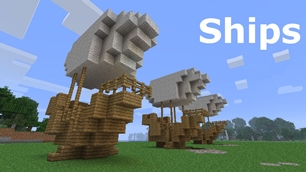
As the name of the plugin suggests, you can create your own ship and move it with just a single click.
Works with all blocks
There is a fully-fledged list where you can configure every block to react differently for the ships, including being able to add a block type to interact with Ships, detect it as a collide, and even not react at all.
Teleport to ships
There have been many requests to be able to teleport to ships for not only this plugin but others like it. This feature has been added to Ships, however, if it is something you do not wish, then you can disable to command by not adding the command.
Falling Ships
Ships will fall/sink if requirements are not met, this could be done through your own interaction such as running out of fuel, or by something else such as a TNT explosion.
Ship types
| Airship | Link |
| Ship | Link |
| Marsship | Link |
| Submarine | Link |
| Plane | Link |
| Hybridship | Coming soon |
Move the ship:
In Ships, movement is done by signs. You can see all signs here
Collide types:
| Name | ID | Description |
|---|---|---|
| Detect collide | DETECT_COLLIDE | If Ships detects this block in the way of a ship moving then the ship will not move with the error of this block being in the way |
| Material | MATERIAL | Material means that you can build a ship out of this block and the Ships block detection system will detect it as part of your ship |
| Ignore | IGNORE | If Ships detects this block in the way of a ship moving then the block will break and the ship will take its place |
Permissions
| Permission node | Description |
|---|---|
|
ships.cmd.info |
Allows the player to use the command '/ships info' |
|
ships.cmd.blockinfo |
Allows the player to use the command '/ships blockinfo' |
|
ships.cmd.shiptype.create |
Allows the player to use the command '/ships shiptype create' |
|
ships.cmd.config.set |
Allows the player to use the command '/ships config set' |
|
ships.cmd.config.view |
Allows the player to use the command '/ships config view' |
|
ships.cmd.blocklist.set |
Allows the player to use the command '/ships blocklist set' |
|
ships.cmd.blocklist.view |
Allows the player to use the command '/ships blocklist view' |
|
ships.cmd.ship.track |
Allows the player to use the command '/ships ship track' |
|
ships.cmd.ship.eot |
Allows the player to use the command '/ships ship eot' |
|
ships.cmd.ship.crew |
Allows the player to use the command '/ships ship crew' |
| ships.move.own.ships.airship | Allows a player to move own airship |
| ships.move.own.ships.watership | Allows a player to move own ship |
| ships.move.own.ships.marsship | Allows a player to move own marsship |
| ships.move.other.ships.airship | Allows a player to move anyones airship |
| ships.make.ships.airship | Allows a player to make a airship |
| ships.remove.other |
Allows a player to destroy anyones ships sign |
Developers:
Looking for a development wiki? maven/gradle dependencies? or something else relating to ships or translate core? Take a look at the getting started wiki
Comments


-

mosemister Owner
-

_ForgeUser7695435 Former Author
-
View User Profile
-
Send Message
Posted Dec 6, 2013Materials now in config
you guessed it, you can now download the first pre-release of the new Ships reloaded. allowing you control over what blocks are/ are not obstetrical.
first pre-release does not give you full control, i am adding more blocks per day to the 'strings table' so sit back and wait for the next update on the 7th of December.
early xmas gift from me
think it of that, but i probably have another update on xmas day going at the rate i am (at least one update per day) so many xmas gifts for my many fans, i thank you all
Get this plugin with more features for 1.7.2 and 1.6.4
just PM me for the link to the official Ships reloaded website
-
View User Profile
-
Send Message
Posted Dec 3, 2013I use my old desktop computer at home as a development server. I keep a synchronized copy of my server on it and usually test the larger Bukkit updates with all of the plugins I use, before I upgrade my 'production' server :) If I get a chance this weekend I'll try out the alpha Ships Reloaded!
Thank you now :)
-
View User Profile
-
Send Message
Posted Dec 1, 2013@mm75
sure
-
View User Profile
-
Send Message
Posted Dec 1, 2013@MoseMister
Can i get one aswell?
-
View User Profile
-
Send Message
Posted Dec 1, 2013@Bonjovi221
@shmitterwink1
I will give you 2 the link as soon as i get on my pc
-
View User Profile
-
Send Message
Posted Nov 30, 2013Can somebody PM me the link?
-
View User Profile
-
Send Message
Posted Nov 30, 2013@MoseMister
Thank you so much that would be awesome for my server!
-
View User Profile
-
Send Message
Posted Nov 30, 2013Ships Reloaded Official Web-Page
i have quickly created a very basic web site, i have not set it up to the internet, but its on my pc.
when i say quick created i mean about 5 min job, i am planning on making a web page that will look a bit like this page, but thats in the future, i want this plugin on the internet as fast as possible.
Get Ships 1.6.4 Ready NOW!
PM me if you want a reload of this plugin, it also works with 1.5.2 and higher
-
View User Profile
-
Send Message
Posted Nov 30, 2013@Sn4B
sorry for a late reply compared to the rest, download link will be in your PMs soon
-
View User Profile
-
Send Message
Posted Nov 30, 2013@MoseMister
and just incase send me the new Reloaded.. so i dont have to ask you for it when the setup doesnt works...
-
View User Profile
-
Send Message
Posted Nov 30, 2013@MoseMister
so can you give me your setup? in pm, as u said?
-
View User Profile
-
Send Message
Posted Nov 30, 2013ships reloaded 1.0.1.3
Giving out the ... patch to 1.0.1.2.
the error in 1.0.1.2 was the renamed config could not been seen in the new location and the new name could not be found.
so im making 1.0.1.3 that has all the updates from 1.0.1.2 except the old config file name change and location change.
Hand on Ships Reloaded for 1.6.2+
remember you can always Private Message me to grab the latest stable version of Ships Reloaded, the reload of this plugin
-
View User Profile
-
Send Message
Posted Nov 30, 2013@Sn4B
he is right, that error message on the console will come up if the ships are too big, i think the limit on this plugin is 3430 (round about - dont quote me on that - not sure if it is, never tested it).
i though you were having this problem on ships the size of 1500 block.
well ... if you were having any other errors whilst moving the ships they are now fixed ... sorry about everything that has gone on.
with your friend that can have huge ships, idk how he/she has done that
-
View User Profile
-
Send Message
Posted Nov 30, 2013@AJCStriker
just out of curiosity, im not trying to get rid of you or anything. but why are you helping me ... i know your the developer of MoveCraft. did Qx2 sign a alliance or something like that with you :)
-
View User Profile
-
Send Message
Posted Nov 30, 2013@AJCStriker
it is not EXTREMELY large, its like 900 or 1000 blocks, or maybe even 600, but the max for me is 400, even when i change it at the Config, its fine thou, other people's in the other server did get a 5000 blocks ship moving, with THIS plugin, they say its a secret so they wont tell me, i'd just get the setup from MoseMister, thanks for advice though :) i'd never build a 10000 or higher ships
-
View User Profile
-
Send Message
Posted Nov 30, 2013@Sn4B
Ships might start seeing stack overflow with that many blocks. It is a floor of the recursion base model the program uses.
To get extremely large ships moving, you would have to look at some other plugins.
-
View User Profile
-
Send Message
Posted Nov 30, 2013@MoseMister
But are you sure ur setup DOES actually have working big sizes of ships? [5000 Blocks or 4000], or maybe 6000???
-
View User Profile
-
Send Message
Posted Nov 30, 2013@MoseMister
Yeah, I Am Using it, the one u gave me, idk its version since its not written, but u can give me a full working setup, i would be thankful if it worked, u saved my server, so if u got a chance to join i'd give u V.i.P ;p
-
View User Profile
-
Send Message
Posted Nov 30, 2013@Sn4B
... you are defiantly using ships reloaded 1.0.1.1? the one i gave you?
did you delete the original ships plugin (Qx2 one)?
if you checked that and all good then idk whats up, i can send you a working setup for this plugin on 1.6.4 meaning you can have the setup i have (that works) but it means you would need to have a different setup to your current one (you can move the world files over, and install the plugins you want).
and i dont get annoyed at people for asking questions about bugs. ask as many question as you like, ill try to answer them, i dont get annoyed at all about that
-
View User Profile
-
Send Message
Posted Nov 30, 2013@MoseMister
Sorry, i think i must've annoyed u, but its the same situation. not moving, still, i removed the signs and made it again, i removed the whole ship and made another one, the same size, the same, and the same Msg on the console that i typed 2 msgs ago, or 1, so any other fix? i also removed all the plugins, even essentials and permissionsex, and the same happend... so if u can just show me what can i do... thanks by the way for replying :)