ShowCaseStandalone
Home | The Team | Credits | Commands and Permissions | Donations
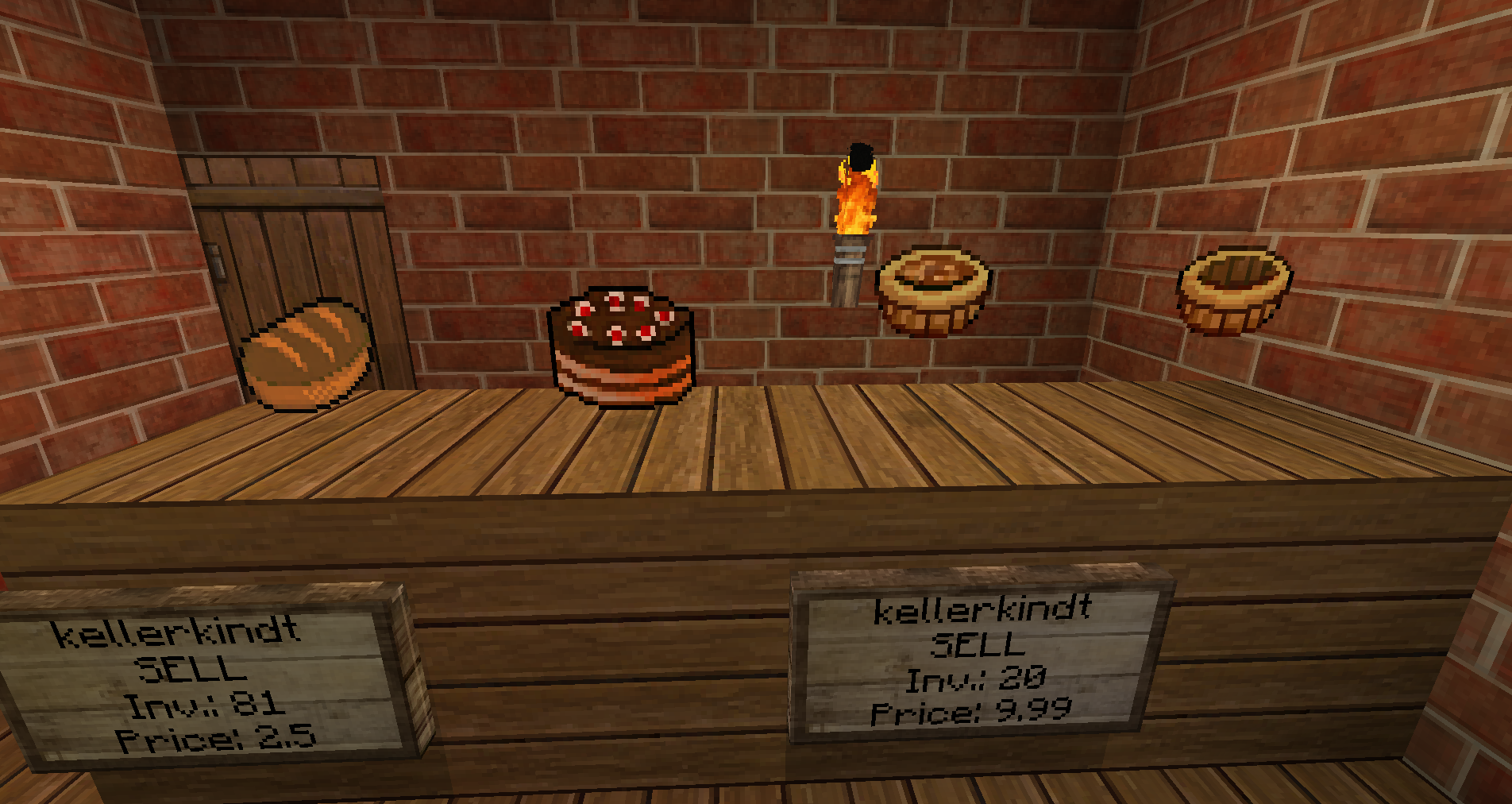
ShowCaseStandalone is like ShowCase but without the dependancies, and a more efficient way to create shops. With SCS, you can buy, sell, and display items, which float above blocks. You can use most of the major economy and permissions plugins with this, along with some special options for Towny.
Development builds of this project can be acquired at the provided continuous integration server. These builds have not been approved by the BukkitDev staff. Use them at your own risk.
 Development Builds |
  Source Code
Metric
This plugin utilises Hidendra's plugin metrics system, which means that the following information is collected and sent to mcstats.org:
- A unique identifier
- The server's version of Java
- Whether the server is in offline or online mode
- The plugin's version
- The server's version
- The OS version/name and architecture
- The core count for the CPU
- The number of players online
- The Metrics version
Opting out of this service can be done by editing plugins/Plugin Metrics/config.yml and changing opt-out to true.

Please do not report issues in comments
For a ticket guideline list, click here!
Comments


-

kellerkindt Owner
-

_ForgeUser7490946 Author
-
_ForgeUser9665703 Author
-
View User Profile
-
Send Message
Posted Mar 4, 2013AWESOME, THANK YOU! b500_dev-build fixed all problems. Great Job!!
-
View User Profile
-
Send Message
Posted Mar 4, 2013Hi, my ticket was deleted? I didn't get a reason why? My showcases disappear. When I say disappear I mean the floating item does....have to do a /scs reload to get em back...happens often
-
View User Profile
-
Send Message
Posted Mar 3, 2013Hello, when i use /scs display this .... nothing happens...
When i use /scs sell 1 1 , the plugin tell me i must right click... i do ... result=nothing happens *confused*
no error in the log
Habe ebend erst gesehen das du Deutscher bist xD ja ich weiss auch nicht ich gebe den Befehl /scs display this ein und nichts passiert nix im chat absolut nix... genauso ist es mit dem sell/buy befehl da zeigt er zwar was an und ich soll rechtklicken, aber es passiert nichts... bin ich zu doof?xD
-
View User Profile
-
Send Message
Posted Mar 3, 2013@tezzeret2000
Such a relieving comment to read...
tears of joy
-
View User Profile
-
Send Message
Posted Mar 3, 2013This plugin is great! It works really well with essentials and really easy to install! Greatjob overall a very easy plugin to use for noobs like myself!
-
View User Profile
-
Send Message
Posted Mar 3, 2013@skippyaut
ok i made that, so how? I put the actually update and i put the old showcasestandalone's folder with ffss folder and yaml-storage and there is other error! Explodes console and say this: Couldn't import ItemStack with storage.version=6
-
View User Profile
-
Send Message
Posted Mar 3, 2013@bl0mix
Your old records should be in the ffss-storage folder, type /scs import ffss. Then they get converted in to yaml-storage folder. This works fine for me, I have imported 1700 Shops
-
View User Profile
-
Send Message
Posted Mar 3, 2013kellerkindt about dev build (500) i can't update scs i love this plugin but you annoy me because i was building this plugin for 5 months and i can't put the old records and i have to build all the plugin all along The folder ffs-storage has disappear, why? When i put the old records to folder yaml-storage, console explodes, why? I don't understand this plugin
I'm waiting a new dev build in condition, please make another dev build please
bl0mix
-
View User Profile
-
Send Message
Posted Mar 3, 2013New dev-build (b500): http://dev.bukkit.org/server-mods/scs/files/123-b500_dev-build/
Since the (medium to heavy) bug reports get less, there will probably be a new recommended
build soon :)
-
View User Profile
-
Send Message
Posted Mar 1, 2013@XDarkFyreX @bl0mix @Mannollo @splint33
I've made the text bigger. Is it visible now?
-
View User Profile
-
Send Message
Posted Mar 1, 2013When upgrade plugin, 0 shop load ...
<<reply 1304385>>
<<reply 1302918>>
Maybe you have same as me ...
I could convert/import all datas with the fix in this ticket :
http://dev.bukkit.org/server-mods/scs/tickets/564-0-shop-loaded/
hope it will help
-
View User Profile
-
Send Message
Posted Mar 1, 2013why i can't update scs? I had the folder with all the boxes, but when i put the folder in showcasestandalone not work and is a lot of work with this plugin and i have to start from scratch -.-
Someone has the solution?
Sorry for my english.
-
View User Profile
-
Send Message
Posted Mar 1, 2013Hi, Today, on a craftbukkit test server, I try to change the config of SCS. I have only ShowcaseStandalone (b490_dev-build) and iConomy (7.0) plugins, the last version. When I change the config.yml, the plugin dont use new change, but default settings.
I generate the configuration, I stop my server, I edit the config.yml, I restart the server, but nothing change...
I set HideInactiveShops to true, but inactive shop was visible, I set SellShop to 100.0 but they can create free showcase.
I'm not a starter in server administration, I have test all for 4 hours, but nothing. Craftbukkit build 2624 (Recommended 1.4.7-R1.0 build) Can you help me or create a fix ?
Thank you in advence.
-
View User Profile
-
Send Message
Posted Mar 1, 2013I wonder if I have messed up somewhere and I need your advice. I currently run scs version v.1.49 on Bukkit 1.4.7-R1.1 without problems and players have build many shops and everything seems to be ok. However, If I try to install any new version (update), all display blocks disappear. My question is not really ticket question but can someone tell me if I have missed something. Is config and database v.1.49 compliant with new builds like b490 or do I must start all over again?
-
View User Profile
-
Send Message
Posted Feb 27, 2013I'm getting an error on my server where normal players encounter this: [Server] INFO Something [DisplayName=Something] was denied the permission 'scs.admin'
Normally I wouldn't find a problem with this, but sometimes on certain shops when they try to buy something from there that message will get spammed all over the console.
-
View User Profile
-
Send Message
Posted Feb 27, 2013@rtainc
Awesome thanks would definitely make things easier if that was fixed.
Also are you going to fix the description error? I put info on that in my ticket as well in the additional comments area.
-
View User Profile
-
Send Message
Posted Feb 26, 2013@just2good
Okay, basically, if you're wondering, that's because the it checks if you have enough goldbars after taking them. I'll work on it, and upload a dev build to Jenkins (red dev build button).
-
View User Profile
-
Send Message
Posted Feb 26, 2013@fox243
I had nothing better to do with that photo ;)
-
View User Profile
-
Send Message
Posted Feb 26, 2013@kellerkindt
Awesome works nicely thanks.
Though I can't seem to figure out how to change how many of the first item you can get as well. I can just add another shop to counter that though so its okay.
Just found a bug. /scs exchange ironblock goldbar unlimited 2
Didn't actually use those exact names but using as an example.
So I can buy 1 iron block for 2 goldbars, however if I try to buy it with only 1 gold bar, the shop eats up my bar and never gives it back. Also quantity and price is reversed.
Will make a ticket.
-
View User Profile
-
Send Message
Posted Feb 26, 2013@aazlm
Actually you can ignore the exception in this case
@just2good
Yeah it should be possible '/scs exchange <this|item> unlimited <price>"