RpgEssentials
RpgEssentials 2.0 DEV


Wiki
Screenshots
Textures
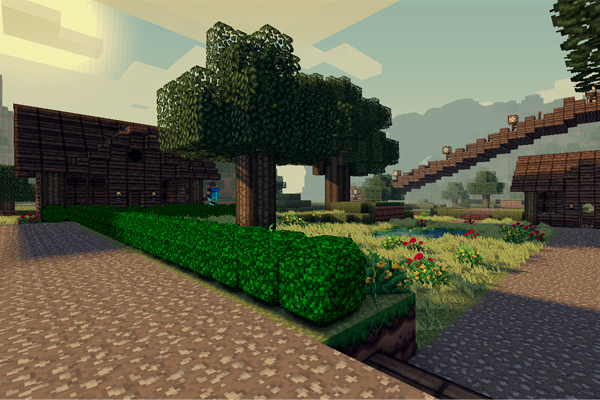
Textures are hosted at http:dl.Lynxdragon.com, Simply click the 'RPG Essentials' Category, Then click texturepack.zip from the drop-down menu. And your download will begin shortly!
Help pages
(Please read those before posting problems)
Videos
Download
Thanks to
- Lynxdragon for hosting the files
- Samkio for the anvil design
- Kaynide for some designs
Change log
Other


Please donate if you appreciate my work :D

Comments


-

_ForgeUser7498763 Owner
-
_ForgeUser7474909 Documenter
-
_ForgeUser9245383 Tester
-
_ForgeUser9646868 Author
-

Frinckles Artist
-
View User Profile
-
Send Message
Posted Mar 17, 201201:40:23 [INFO] [RpgEssentials] Enabling RpgEssentials v1.2 01:40:24 [INFO] Reached end of stream 01:40:24 [SEVERE] Error occurred while enabling RpgEssentials v1.2 (Is it up to date?) java.lang.StringIndexOutOfBoundsException: String index out of range: -1 at java.lang.String.substring(String.java:1937) at me.duckdoom5.RpgEssentials.util.BO2Object.ParseBlockdata(BO2Object.java:172) at me.duckdoom5.RpgEssentials.util.BO2ObjectManager.ReadBO2Files(BO2ObjectManager.java:33) at me.duckdoom5.RpgEssentials.RpgEssentials.onEnable(RpgEssentials.java:106) at org.bukkit.plugin.java.JavaPlugin.setEnabled(JavaPlugin.java:215) at org.bukkit.plugin.java.JavaPluginLoader.enablePlugin(JavaPluginLoader.java:336) at org.bukkit.plugin.SimplePluginManager.enablePlugin(SimplePluginManager.java:363) at org.bukkit.craftbukkit.CraftServer.loadPlugin(CraftServer.java:250) at org.bukkit.craftbukkit.CraftServer.enablePlugins(CraftServer.java:232) at org.bukkit.craftbukkit.CraftServer.<init>(CraftServer.java:184) at net.minecraft.server.ServerConfigurationManager.<init>(ServerConfigurationManager.java:53) at net.minecraft.server.MinecraftServer.init(MinecraftServer.java:156) at net.minecraft.server.MinecraftServer.run(MinecraftServer.java:425) at net.minecraft.server.ThreadServerApplication.run(SourceFile:490)
T.T help? It IS up to date, #3 right?
-
View User Profile
-
Send Message
Posted Mar 17, 2012@jackerdelta
This Issue Is Related To SpoutCraft & Custom block and is only Fixable by the Spout Team, the Team is aware and expect a fix in the next few days.
-
View User Profile
-
Send Message
Posted Mar 17, 2012PLEASE HELP. I AM USING DEV BUILD #3 AND EVRY FEW SECONDS I GO ON MY SERVER WITH SPOUT I CRASH AND SPOUT JUST COMES UP WITH THIS BLANK WHITE SCREEN! HELP PLEASE :(!
-
View User Profile
-
Send Message
Posted Mar 17, 2012@dunem666
it is a dev build here it is:
http://dl.dropbox.com/u/62672791/RpgEssentials-1.2-dev%233.jar
-
View User Profile
-
Send Message
Posted Mar 16, 2012sorry, wheres the 1.2 download links?
-
View User Profile
-
Send Message
Posted Mar 16, 2012@duckdoom5
Just Some more
Issues:
Idea's:
( Ie: Assign chests to that shop wich will only sell items if avavlible in assigned chests elseshop 'out of stock') [Multi-Chest Support Too]
( Would work nicly with your 'Adding custom blocks/items support for every store section' to-do )//
-
View User Profile
-
Send Message
Posted Mar 16, 2012@NoHalfMeowsures
Thanks, will try to fix those issues two ;)
-
View User Profile
-
Send Message
Posted Mar 16, 2012@NoHalfMeowsures
Thanks for the info, will do that!
-
View User Profile
-
Send Message
Posted Mar 16, 2012@duckdoom5
None the less you fixed the timer issue from my first post.
@CraveMode
Unbind your /back bind you have to a key, or it may another plugin conflict. The block texture issue is un-fixable by the plugin developer and the SPout team are aware off this and it'll be fixed hopefully in the next few days.
-
View User Profile
-
Send Message
Posted Mar 16, 2012@duckdoom5 I am having the same issue, placing the custom blocks just looks like glass or stone for the ores, and I am sure this is a problem with my config or something but when I am navigating menus, it does /back command and keeps teleporting me around. Other than that, just what we wanted for our server :)
Edit: Btw, I did update to the version #3 you updated few minutes ago, same problem.
-
View User Profile
-
Send Message
Posted Mar 16, 2012@NoHalfMeowsures
Try the new version(same link)
This should work, can't test it because I'm alone right now...
-
View User Profile
-
Send Message
Posted Mar 16, 2012@NoHalfMeowsures
The glass/stone blocks is a known spout bug... :(
thanks, I will edit that ;)
-
View User Profile
-
Send Message
Posted Mar 16, 2012@duckdoom5
I used the Latest SPN987 and SPN924, Placing any Custom block in this plugin results in it being placed as Either GlassBlock or StoneBlock.
< Texture Issue is not your Problem it seems to be a Spout Issue >
Edit:
Also Death chests Glitch out if others have their timer running and someone's finishes befor theirs, anyones timers still running will top and the persons whom's ran out will go into negatives. Examples: 0:0-2 -1:03
Edit 2:
the Negatives dose not always happen but the Frozen timer always happens if multiple are running and one ends
-
View User Profile
-
Send Message
Posted Mar 16, 2012@duckdoom5
Thanks! Kinda just getting used to spout again been a fair few months since i last used it ^^
-
View User Profile
-
Send Message
Posted Mar 16, 2012@NoHalfMeowsures
SPN924 +
CB1.2.3-R0.2/CB1.2.3-R0.3
-
View User Profile
-
Send Message
Posted Mar 16, 2012you delete your spout folder and then start server then you stop go into spout config and change check bukkit build or something to false. im using spout dev build so i guess it dosent matter.
-
View User Profile
-
Send Message
Posted Mar 16, 2012@TMS_74
Id like to Know what Spout Version too as its not working for me either.
-
View User Profile
-
Send Message
Posted Mar 16, 2012yay! Y dosen't it work? ='( wich spout plugin version is it compatible with? NVM! u have to change inside spout config...
-
View User Profile
-
Send Message
Posted Mar 16, 20121.2 dev version is released ! :D
change log:
-
View User Profile
-
Send Message
Posted Mar 16, 2012@dfgbyu678
spout bug