RpgEssentials
RpgEssentials 2.0 DEV


Wiki
Screenshots
Textures
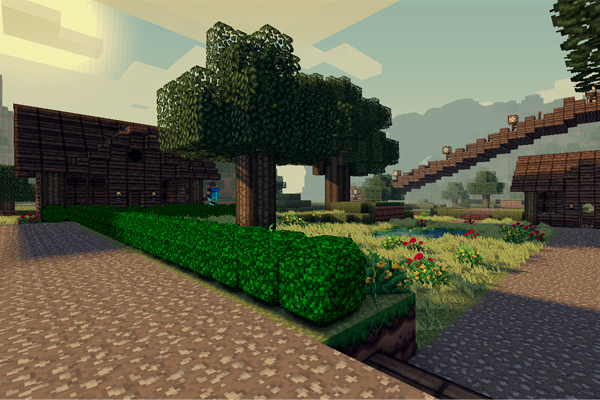
Textures are hosted at http:dl.Lynxdragon.com, Simply click the 'RPG Essentials' Category, Then click texturepack.zip from the drop-down menu. And your download will begin shortly!
Help pages
(Please read those before posting problems)
Videos
Download
Thanks to
- Lynxdragon for hosting the files
- Samkio for the anvil design
- Kaynide for some designs
Change log
Other


Please donate if you appreciate my work :D

Comments


-

_ForgeUser7498763 Owner
-
_ForgeUser7474909 Documenter
-
_ForgeUser9245383 Tester
-
_ForgeUser9646868 Author
-

Frinckles Artist
-
View User Profile
-
Send Message
Posted Jan 22, 2013Little confused, I have no Console errors and have tried deleting the precache several times for this plugin, but several items are still not showing any type of skin or item. They are just white boxes with a question mark. Is this a known issue or something that is irradic?
-
View User Profile
-
Send Message
Posted Jan 22, 2013@blaze2530
I will have a look, I guess it has been changed again in 1.4.7 +, just use 1.4.6-R0.3 for now
-
View User Profile
-
Send Message
Posted Jan 22, 2013just a few more days for the new update, I've been working on making it a lot more compact and faster, but this is just for rpgessentials.jar the rest still needs this recode. I just need to make sure all bugs are gone and finish the last parts of the recode.
-
View User Profile
-
Send Message
Posted Jan 22, 2013@canibecooltoo
that is the name of the texture pack, and our company name. I know that, and this will be fixed in the next update
-
View User Profile
-
Send Message
Posted Jan 21, 2013Hey, I'm running Bukkit 1.4.7-R0.1 and getting this error :/
-
View User Profile
-
Send Message
Posted Jan 20, 2013what is xxmrpiggycompanyxx ?? that keeps coming up and it says its updating but it never does
-
View User Profile
-
Send Message
Posted Jan 18, 2013@duckdoom5
nothing happend... but i will try to find a solution and thx for your help ;)
-
View User Profile
-
Send Message
Posted Jan 18, 2013@hanfbruder01 I don't know, could you try to delete spout/precache/RpgEssentials (folder and zip)
-
View User Profile
-
Send Message
Posted Jan 18, 2013@duckdoom5
Interesting news for you: On my test server all work fine now: It takes up to 10 minutes to start the server and a lot of crazy things are in the server_log. But after this time i can use all of the amazing features.
But on my rented server this don´t happend. There are no crazy things in the server_log. But nothing work after starting the server.
I think the line 162-163 is nice to see. a long time without some reactions. Rented Server Log: Link Removed: http://www.mediafire.com/view/?whzwbpdxjdxw7wr
The private Server_ log is interesting of line 121: Link Removed: http://www.mediafire.com/view/?debf1o46tfvqogo
hope this bring us the solution^^
-
View User Profile
-
Send Message
Posted Jan 17, 2013good news for all of you, I'm at 1/4 of the entire revalidation of the plugin, its much lighter in coding and much more trust worthy now. I've just finished the command section, some of the commands could still be a bit bugg, cause these arn't converted yet. I'm going to do the config section now. I'm going to make it easy for myself and other devs so we can easily add new stuff
-
View User Profile
-
Send Message
Posted Jan 17, 2013@hanfbruder01
it could be this too:
2013-01-17 20:39:14 [WARNING] [RpgEssentials] Can't find WorldEdit plugin. 2013-01-17 20:39:14 [WARNING] [RpgEssentials] Can't find WorldGuard plugin.
I remember having some trouble with WorldGuard requirements, but I'm not sure
-
View User Profile
-
Send Message
Posted Jan 17, 2013@duckdoom5
with smaler backgrounds nothing happend but on my second test server I got this ( only with spoutplugin,vault and rpgE) : Link Removed: http://www.mediafire.com/view/?twd8cw1e1xdn23q
i will try it tomorrow again with very smal backgrounds and without backgrounds. hope this fix the issue ;)
-
View User Profile
-
Send Message
Posted Jan 17, 2013@hanfbruder01
yeah, but it works fine for me, so I think you just can't open the guis like every one else that has problems with loading the too big background
-
View User Profile
-
Send Message
Posted Jan 17, 2013@duckdoom5
I will try it. But i think the problem is then i press a key there comes nothing after. I mean with it that there is no path that open the gui. In the older versions the key commands are listed in the "spout controls" but actuel there are no key-press-commands listed.
-
View User Profile
-
Send Message
Posted Jan 17, 2013@hanfbruder01
it seems to enable fine, could you try to edit all Background: values in the RpgStores config, RpgLeveling config and the Questing config to another background?
-
View User Profile
-
Send Message
Posted Jan 17, 2013@duckdoom5
Huge server_log: Link Removed: http://www.mediafire.com/view/?k9reiv5c8r70e0z
-
View User Profile
-
Send Message
Posted Jan 17, 2013@hanfbruder01
please show me the server log
-
View User Profile
-
Send Message
Posted Jan 17, 2013Hey, :D
I have a little problem, every time i press a button on my keyboard to open the gui nothing happen. E.g. the Level Interface don´t open... In the config is all correct. (all is enabled and "true")
Is there a solution?
-
View User Profile
-
Send Message
Posted Jan 17, 2013I hope I helped everyone out here, please not that I still don't have a lot of time, but I will put atleast one day a week into this
-
View User Profile
-
Send Message
Posted Jan 17, 2013@johnharthwick
sure thing, I will do it today