RpgEssentials
RpgEssentials 2.0 DEV


Wiki
Screenshots
Textures
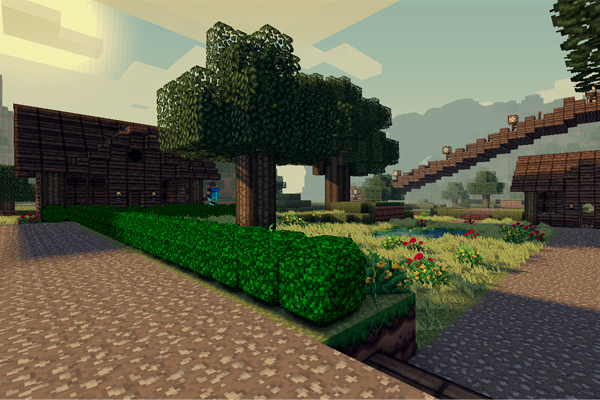
Textures are hosted at http:dl.Lynxdragon.com, Simply click the 'RPG Essentials' Category, Then click texturepack.zip from the drop-down menu. And your download will begin shortly!
Help pages
(Please read those before posting problems)
Videos
Download
Thanks to
- Lynxdragon for hosting the files
- Samkio for the anvil design
- Kaynide for some designs
Change log
Other


Please donate if you appreciate my work :D

Comments


-

_ForgeUser7498763 Owner
-
_ForgeUser7474909 Documenter
-
_ForgeUser9245383 Tester
-
_ForgeUser9646868 Author
-

Frinckles Artist
-
View User Profile
-
Send Message
Posted Jan 17, 2013@PuremineServer
that is why I have split rpge up in different plugins, those that you do not want, can be deleted. Altough this does not work with the leveling plugin (yet) because the rpge saving system requires the plugin. This doesn't realy mater for you and yes, I am planning on just improving current features, like I stated a few posts ago.
-
View User Profile
-
Send Message
Posted Jan 17, 2013@Sicarius531
thanks for this report, I will fix asp
-
View User Profile
-
Send Message
Posted Jan 17, 2013@daseru333
read below
-
View User Profile
-
Send Message
Posted Jan 17, 2013@skyhigh32
issue1, sorry about the wiki being outdated, I will edit the wiki today. what you need to do from now on is: press r the the Q button, this will open a quest menu. Note: create the npcs you wanne use before creating a quest or it will not work. Then create a new quest. Do as you like, some features might not work (yet). Then you go to the npc you have selected as "starter" and you right click this npc, you don't have to type any command, it will just work after the quest has been correctly created.
issue2, the custom ore only spawn in custom worlds, by themselves. If you realy want them, you have to go to the worldgenerator.yml config, then edit
generator: enabled: WORLD_NAME: Ores: false
To:
generator: enabled: WORLD_NAME: Ores: true
but you still have to recreate the existing world for the changes to take effect
-
View User Profile
-
Send Message
Posted Jan 17, 2013@daseru333
The error is because your pc has run out of memory becuase the background picture I've added is too big, try to edit the backgound picture to nothing / a smaller picture
-
View User Profile
-
Send Message
Posted Jan 17, 2013@skyhigh32
no, in your bukkit.bat file, you have to edit the java version you are using:
TO: "jre7"
-
View User Profile
-
Send Message
Posted Jan 17, 2013@Snowybearr
no, but thanks for reminding me, I will add that right away.
-
View User Profile
-
Send Message
Posted Jan 16, 2013@PuremineServer
Amen to that!
-
View User Profile
-
Send Message
Posted Jan 15, 2013Please update the texture pack!!!! I really want to use it, but it's not updated to 1.4.7 :(
-
View User Profile
-
Send Message
Posted Jan 15, 2013Hello, please read this!!!! I love your plugin.
It is revolutionary, creative, and has unlimited potential in transforming minecraft servers.
Honestly, the skills and quests are what make servers role playing servers, and that is why people want this plugin. However, server owners already have custom plugins / favorite plugins for all the other features your plugin offers.
I strongly feel like your teams efforts should focus on debugging this, and making it just skills/exp and quests!!
If you did, I can tell you I would base my server around this plugin and additionally make sure to donate as soon as possible for my growing server. Please take my ideas into consideration. Thanks -Puremine
-
View User Profile
-
Send Message
Posted Jan 15, 2013I've been getting a bug that's with VehicleMoveEvent. Please take a look at it. It's spamming the console (like 1 message per tick). If I open my server for like 4 minutes the server log gets to 20Mb....
2013-01-15 18:45:05 [SEVERE] Could not pass event VehicleMoveEvent to RpgEssentials v1.4 org.bukkit.event.EventException at org.bukkit.plugin.java.JavaPluginLoader$1.execute(JavaPluginLoader.java:427) at org.bukkit.plugin.RegisteredListener.callEvent(RegisteredListener.java:62) at org.bukkit.plugin.SimplePluginManager.fireEvent(SimplePluginManager.java:477) at org.bukkit.plugin.SimplePluginManager.callEvent(SimplePluginManager.java:462) at net.minecraft.server.v1_4_6.EntityBoat.j_(EntityBoat.java:354) at net.minecraft.server.v1_4_6.World.entityJoinedWorld(World.java:1334) at net.minecraft.server.v1_4_6.WorldServer.entityJoinedWorld(WorldServer.java:548) at net.minecraft.server.v1_4_6.World.playerJoinedWorld(World.java:1315) at net.minecraft.server.v1_4_6.World.tickEntities(World.java:1193) at net.minecraft.server.v1_4_6.WorldServer.tickEntities(WorldServer.java:445) at net.minecraft.server.v1_4_6.MinecraftServer.r(MinecraftServer.java:580) at net.minecraft.server.v1_4_6.DedicatedServer.r(DedicatedServer.java:224) at net.minecraft.server.v1_4_6.MinecraftServer.q(MinecraftServer.java:494) at net.minecraft.server.v1_4_6.MinecraftServer.run(MinecraftServer.java:427) at net.minecraft.server.v1_4_6.ThreadServerApplication.run(SourceFile:849) Caused by: java.lang.NullPointerException at me.duckdoom5.RpgEssentials.Listeners.RpgEssentialsVehicleListener.onVehicleMove(RpgEssentialsVehicleListener.java:31) at sun.reflect.GeneratedMethodAccessor59.invoke(Unknown Source) at sun.reflect.DelegatingMethodAccessorImpl.invoke(Unknown Source) at java.lang.reflect.Method.invoke(Unknown Source) at org.bukkit.plugin.java.JavaPluginLoader$1.execute(JavaPluginLoader.java:425) ... 14 more
-
View User Profile
-
Send Message
Posted Jan 14, 2013@skyhigh32
I got the same issues.
-
View User Profile
-
Send Message
Posted Jan 13, 2013Issue 1: I can't give a quest to an npc. When I use the command /rnpc quest "quest id" it shows the rpg help menu. Its as if /rnpc quest isn't really implemented in your code.
Issue 2: Custom ores are not spawning
-
View User Profile
-
Send Message
Posted Jan 13, 2013Spoutcraft Error Report:
Build: 1.4.7 b1938 Stack Trace: Exception: RuntimeException Message: OpenGL Exception: (Post render, Out of memory) Trace: net.minecraft.client.Minecraft.d(Minecraft.java:865) net.minecraft.client.Minecraft.J(Minecraft.java:1138) net.minecraft.client.Minecraft.run(Minecraft.java:946)
java.lang.Thread.run(Unknown Source) Minecraft Information: Texture Pack Res: 32x LWJGL Version: 2.4.2 System Information: Operating System: Windows Vista Operating System Version: 6.0 Operating System Architecture: x86 Java version: 1.7.0_10 32 bit Total Memory: 330 MB Max Memory: 989 MB Memory Free: 244 MB CPU Cores: 2 OpenGL Version: 4.1.0 OpenGL Vendor: NVIDIA Corporation
Spoutcraft Error Report:
Build: 1.4.7 b1938 Stack Trace: Exception: RuntimeException Message: OpenGL Exception: (Post render, Out of memory) Trace: net.minecraft.client.Minecraft.d(Minecraft.java:865) net.minecraft.client.Minecraft.J(Minecraft.java:1138) net.minecraft.client.Minecraft.run(Minecraft.java:946)
java.lang.Thread.run(Unknown Source) Minecraft Information: Texture Pack Res: 32x LWJGL Version: 2.4.2 System Information: Operating System: Windows Vista Operating System Version: 6.0 Operating System Architecture: x86 Java version: 1.7.0_10 32 bit Total Memory: 330 MB Max Memory: 989 MB Memory Free: 209 MB CPU Cores: 2 OpenGL Version: 4.1.0 OpenGL Vendor: NVIDIA Corporation
Does errors occur when i press the two hud Buttons L and R i think
-
View User Profile
-
Send Message
Posted Jan 13, 2013@duckdoom5
I think this is the issue. I've been using (from what I know) are the right versions of CraftBukkit, RPGEssentials, and SpoutPlugin. The computer I use has Java 7 Update 10, however it also has Java 6 Update 35 and the Java 6 SDK. We use Java 6 for the programming class I take at school. I've tried changing the environment variable "Path" to reflect the Java 7 bin, however I still get the UnsupportedClassVersionError. Do I need to uninstall Java 6, or is there something I can do to force the use of Java 7?
-
View User Profile
-
Send Message
Posted Jan 13, 2013@duckdoom5
Alright, well if I'm honest, all I want from it really, is the skills and shop, but mainly the skills. Also, are the skills configurable? Like if I wanted to remove mining and woodcutting, would that be possible? And how about adding skills?
The reason I ask is because I need this for a server where you don't mine/break blocks, it's actually like storyline/RPG, and I don't need all those skills, but what I do need is like, Blunt, Swords, that kind of stuff, basically combat skills.
-
View User Profile
-
Send Message
Posted Jan 13, 2013i downloaded the file that is linked here on the dev bukkit page and that was the one giving me the error. ill try this package and let you know if that works
-
View User Profile
-
Send Message
Posted Jan 13, 2013http://dev.bukkit.org/media/files/664/576/RpgEssentials1.4.zip
-
View User Profile
-
Send Message
Posted Jan 13, 2013@crazyjoery
if you look at the error you can see the problem ;)
(Error occurred while enabling RpgEssentials v1.3.5)
I will link you to the file directly
-
View User Profile
-
Send Message
Posted Jan 13, 2013okay again:
running bukkit 1.4.6r0.3 downloaded the RpgEssentials Beta 1.4 DEV for CB 1.4.6-R0.3 package
server fires up :
12:45:49 RpgEssentials: Enabling RpgEssentials v1.3.5 12:45:49 CONSOLE: [SEVERE] Error occurred while enabling RpgEssentials v1.3.5 (Is it up to date?) 12:45:49 CONSOLE: java.lang.ClassNotFoundException: net.minecraft.server.Entity 12:45:49 SpoutPlugin: Initializing precache for RpgEssentials 12:45:49 BKCommonLib: Enabling BKCommonLib v1.42 12:45:49 BKCommonLib: BKCommonLib is running on Minecraft v1_4_6 12:45:49 CONSOLE: [INFO] BKCommonLib version 1.42 enabled! (0.009000000000000001s) 12:45:49 SpoutPlugin: Initializing precache for BKCommonLib 12:45:49 RpgDeaths: Enabling RpgDeaths v1.0 12:45:49 RpgDeathChests: Static Configuration loading... 12:45:49 RpgDeaths: version: 1.0 is now enabled ! 12:45:49 SpoutPlugin: Initializing precache for RpgDeaths 12:45:49 RpgQuests: Enabling RpgQuests v1.0 12:45:49 RpgQuests: Static Configuration loading... 12:45:49 RpgQuests: version: 1.0 is now enabled ! 12:45:49 SpoutPlugin: Initializing precache for RpgQuests 12:45:49 RpgBanks: Enabling RpgBanks v1.0 12:45:49 RpgBanks: Static Configuration loading... 12:45:49 RpgBanks: version: 1.0 is now enabled ! 12:45:49 SpoutPlugin: Initializing precache for RpgBanks 12:45:49 RpgStores: Enabling RpgStores v1.0 12:45:49 RpgStores: Static Configuration loading... 12:45:49 CONSOLE: [SEVERE] Error occurred while enabling RpgStores v1.0 (Is it up to date?) 12:45:49 SpoutPlugin: Initializing precache for RpgStores