RpgEssentials
RpgEssentials 2.0 DEV


Wiki
Screenshots
Textures
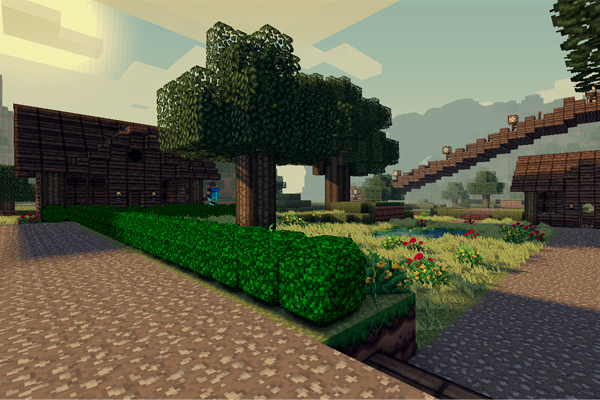
Textures are hosted at http:dl.Lynxdragon.com, Simply click the 'RPG Essentials' Category, Then click texturepack.zip from the drop-down menu. And your download will begin shortly!
Help pages
(Please read those before posting problems)
Videos
Download
Thanks to
- Lynxdragon for hosting the files
- Samkio for the anvil design
- Kaynide for some designs
Change log
Other


Please donate if you appreciate my work :D

Comments


-

_ForgeUser7498763 Owner
-
_ForgeUser7474909 Documenter
-
_ForgeUser9245383 Tester
-
_ForgeUser9646868 Author
-

Frinckles Artist
-
View User Profile
-
Send Message
Posted Oct 26, 2012@abood218
I have the same problem, help!!!!! but in my case, when i push L Q or R nothing happens at all time u.u
-
View User Profile
-
Send Message
Posted Oct 25, 2012I love this mod, but I have a few problems/questions. I've tried googling and looking this up for the past few days with not much luck.
Thanks in advance
-
View User Profile
-
Send Message
Posted Oct 24, 2012key-bindings are not working for me is it from the plugin?
sometimes somthing pops up including Q...................L buttons. Texturepack
-
View User Profile
-
Send Message
Posted Oct 23, 2012@lANTHONYl
That's why they are separated - you can use one, two or all of them but you need RpgEssentials.jar as it is core plugin.
-
View User Profile
-
Send Message
Posted Oct 23, 2012Can I use only a few of the .jar files, or does the whole suite need to be used?
-
View User Profile
-
Send Message
Posted Oct 22, 2012Cant use the leveling hotkey L the problem is from my server or the plugin,I use spout on both server and client
-
View User Profile
-
Send Message
Posted Oct 21, 2012@duckdoom5
Hm, seems my leveling problem is still there. When ever a block is broken, they gain no mining exp.
-
View User Profile
-
Send Message
Posted Oct 21, 2012Here it is. Sorry for txt, next time I will upload normal .log.
-
View User Profile
-
Send Message
Posted Oct 21, 2012@Danioxo
Please follow these steps:
1: stop the server
2: delete the server.log file
3: start the server
4: stop the server if it says: Done(...s)
5: post a message
6: press the attach file button on the top-right corner of your message
7: select the server.log file
-
View User Profile
-
Send Message
Posted Oct 21, 2012@HellzHobo
I will work on some new levels today, I would like to do some more work on that ;)
-
View User Profile
-
Send Message
Posted Oct 20, 2012@duckdoom5
Hey duck! I think I've got the perfect idea for the ranged unlocks!
http://forums.spout.org/threads/fun-elemental-arrows-spn1369-cb1-3-2-r2-0.5575/
-
View User Profile
-
Send Message
Posted Oct 20, 2012Nothing happens when I press R. There's no interface. Also there's still no merchant NPC type. I have downloaded RpgEssentials from link below.
-
View User Profile
-
Send Message
Posted Oct 20, 2012It waits for approval - http://dev.bukkit.org/server-mods/rpgessentials/files/28-1-3-5-5-dev/
I'll try it out in few minutes and report any bugs.
-
View User Profile
-
Send Message
Posted Oct 20, 2012@duckdoom5
Wheres 1.3.5-5 ? I can just see 1.3.5-4 :/
-
View User Profile
-
Send Message
Posted Oct 20, 2012RpgEssentials 1.3.5-5 DEV released!
Change log:
-
View User Profile
-
Send Message
Posted Oct 20, 2012@Danioxo
first press "R" then press the q button in the interface, create a quest,
set the npcs type to quester, then right click it, you will now be able to do this quest.
I will add that.
-
View User Profile
-
Send Message
Posted Oct 19, 2012@duckdoom5
Oh its all good that it uses the /back command, ive got it disabled anyways, so no worries =P
-
View User Profile
-
Send Message
Posted Oct 19, 2012I can't assign quest to quester. Also is it possible to make some NPC a merchant? Cause it would be great and when I want to check NPC types there are only default, banker and quester.
-
View User Profile
-
Send Message
Posted Oct 19, 2012@HellzHobo
that the menus use the /back command is a spout/essentials issue, I can't do anything about that, sorry
-
View User Profile
-
Send Message
Posted Oct 19, 2012@chopstick121
because they have to level-up to use higher tools, if you don't want this feature, you should delete the RpgLeveling plugin