RpgEssentials
RpgEssentials 2.0 DEV


Wiki
Screenshots
Textures
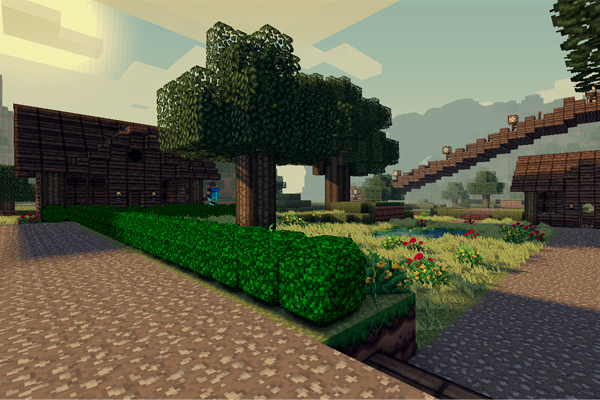
Textures are hosted at http:dl.Lynxdragon.com, Simply click the 'RPG Essentials' Category, Then click texturepack.zip from the drop-down menu. And your download will begin shortly!
Help pages
(Please read those before posting problems)
Videos
Download
Thanks to
- Lynxdragon for hosting the files
- Samkio for the anvil design
- Kaynide for some designs
Change log
Other


Please donate if you appreciate my work :D

Comments


-

_ForgeUser7498763 Owner
-
_ForgeUser7474909 Documenter
-
_ForgeUser9245383 Tester
-
_ForgeUser9646868 Author
-

Frinckles Artist
-
View User Profile
-
Send Message
Posted Jul 16, 2012@Drehverschluss
Thanks
-
View User Profile
-
Send Message
Posted Jul 16, 2012@iSiiLeX
I will create pages for each plugin, then I will update RpgStore with this bug fix
-
View User Profile
-
Send Message
Posted Jul 16, 2012I'll be real time to express my respect. Is so try some crazy what you do with this plugin. I can not at all expected it to my new server to start. Will be based only on your plugin. I hope the next things coming soon. But until now it is already really awesome. Keep it up.
-
View User Profile
-
Send Message
Posted Jul 16, 2012Hey there, duckdoom5. What about github? There only is 4 months old version of it. I would love to modify this plugin a bit because of my needs. Thank you...
-
View User Profile
-
Send Message
Posted Jul 16, 2012The Version 1.3 is Awesome :D. Thanks so much for the Crossbows! :) But there is still one Bug: In a Creativemode-World you can Sell things in the Shop and keep the Money. Can i disable this ?
-
View User Profile
-
Send Message
Posted Jul 15, 2012editing the new signs.png and block.yml files I got my own flags :D, can't wait to do more with it
-
View User Profile
-
Send Message
Posted Jul 15, 2012@BillyGalbreath
The texture packs that show up in this option screen (at log in or by pressing 'R') can be defined in the textures.yml file
at the bottom of this yml you will see:
you can add your own texture back here and it will show on login (you can also remove both the XXMrPiggyCompanyXX texture packs also if you choose).
I believe that you can also set each world to have its own texture pack, in the config.yml file:
I am currently using my own texture pack without any issues.
-
View User Profile
-
Send Message
Posted Jul 15, 20121.3 is not using my custom texture packs! Whenever anyone logs in an Options screen shows up with two buttons. Edit Texturepack, and Close. Clicking Close opens the Options screen again immediately after closing it. Clicking on the Edit Texturepack button lists your two piggycompany packs (16 & 32) and a Players Choice. None of these are what I want... I want to force a certain texture pack for each world...
-
View User Profile
-
Send Message
Posted Jul 15, 2012@Brennoncsk95
you are still running on 1.2.10 please download this version: http://dev.bukkit.org/server-mods/rpgessentials/files/21-rpg-essentials-beta-1-3-dev/
-
View User Profile
-
Send Message
Posted Jul 15, 2012@Stoops420
keep in mind that this is still a dev build. I will fix that kind of things when the actual 1.3 version is released
-
View User Profile
-
Send Message
Posted Jul 15, 2012I'm trying to install and run this plugin on my 1.2.5-R4.1 Bukkit server. I'm having some errors when I run the server, though.
The server log is located here: http://pastebin.com/P8YkHC7W
For anyone else having this problem I just wanted to post a comment to let them know that they weren't alone. I sent you a private message earlier this morning and I'm hoping to hear back soon, this looks like an extremely promising addition to any RPG server.
Let me know if I'm doing something wrong. Thanks!
-
View User Profile
-
Send Message
Posted Jul 15, 2012@duckdoom
Custom items cannot be removed from the store in latest dev build, and that still includes crossbows and bolts.
-
View User Profile
-
Send Message
Posted Jul 15, 2012@Cyb3rm4n
Bukkit still needs to approve it, here it is:
http://dev.bukkit.org/server-mods/rpgessentials/files/21-rpg-essentials-beta-1-3-dev/
-
View User Profile
-
Send Message
Posted Jul 15, 2012Where is the new file? I see only 1.2.10 on Files Section
-
View User Profile
-
Send Message
Posted Jul 15, 2012RpgEssentials 1.3 Dev is released. Please post any errors @bukkit dev
Changelog:
Rpge is now split up in parts!
Edited all GUI's, your mouse won't go to the center anymore.
Edited the leveling system. Attack, ranged and defense xp will now be based on the amount of damage you deal/receive
Added option to require a certain skill level to start a quest
Added options for region exit
Music can now be repeated in regions (Note that you have to specify the length of the song time: 1:30)
Custom items are now sell able and buy able
Custom items now have there defined prices
Added "level required" label to the store. Note: this will NOT prevent you from buying it! (in the future there will be an option to block it)
Added restriction options for entering/leaving a region
Fixed death chests
Fixed death chests working on non rpge worlds
Fixed building xp in wg protected regions
Fixed attack and ranged xp when defender is in god/creative mode
And a lot more small bugs
Added possibility to generate ores in new chunks of existing world and in new mc worlds
-
View User Profile
-
Send Message
Posted Jul 13, 2012@Duckdoom5 I did add you on skype if you allow me 2, ps. possible that 1.3 will be released today?
-
View User Profile
-
Send Message
Posted Jul 13, 2012I won't give more dev builds away. The people who pm 'ed me will get a test build.
-
View User Profile
-
Send Message
Posted Jul 13, 2012@Davidvpelt
1.3 is comming soon, please wait while my testers debug 1.3.
use the new wiki: http://rpge.wikidot.com/
-
View User Profile
-
Send Message
Posted Jul 13, 2012@BillyGalbreath
no, sorry. I don't have an irc, but maybe I can get one somewhere
-
View User Profile
-
Send Message
Posted Jul 13, 2012@angelofdev
please use pms