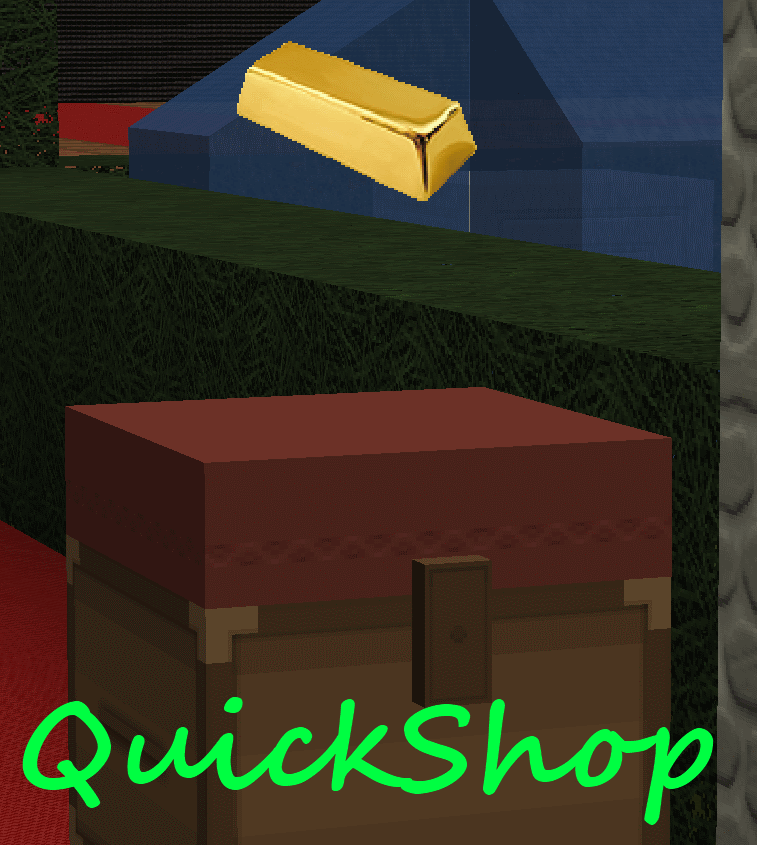
QuickShop
QuickShop
The Predecessors
Showcase was abandoned. Chestshop needed a display, with signs whose order you could never remember. SCS has too many commands. I'm yet to find someone who uses essentials shops.
Don't get me wrong though, they're all awesome plugins each in a few ways.
QuickShop
So, I set out to write this. QuickShop. QuickShop is a shop plugin, that allows players to sell items from a chest with no commands. It allows players to purchase any number of items easily. In fact, this plugin doesn't even have any commands that a player would ever need!
Features
- Easy to use
- Togglable Display Item on top of chest
- NBT Data, Enchants, Tool Damage, Potion and Mob Egg support
- Unlimited chest support
- Blacklist support & bypass permissions
- Shops that buy items and sell items at the same time are possible (Using double chests)
- Herochat support
- Checks a player can open a chest before letting them create a shop!
No longer accepting feature requests
For those people that hate reading, here's an awesome video from UltiByte:
A more up to date and informative video can be found here
Installation Guide:
http://www.youtube.com/watch?v=eJsv7fqaXNk
How to Create a Shop
- Place a chest on the ground
- Hit the chest with the item you want to trade
- Type in price for the item (As prompted) in chat
- Fill the chest with the items you wish to sell
Advanced
- Face the chest
- Type either /qs sell or /qs buy to make the shop buy/sell instead (Optional: use /shop instead of /qs)
- Stock the shop accordingly, if necessary.
How to Buy/Sell to a Shop
- Find a shop
- Hit / Left click the shop
- Enter the amount you wish to trade in chat
Menu Example:

See it in action:
http://maxgamer.org or
play.maxgamer.org:25571 and /warp market!
Commands
- /qs unlimited - Makes the shop you're looking at become unlimited.
- /qs setowner <player> - Changes shop owner to <player>.
- /qs buy - Changes your shop you're looking at to one that buys items
- /qs sell - Changes your shop you're looking at to one that sells items
- /qs price <price> - Change the price of your shop that you're looking at
- /qs clean - Removes any existing shop that has 0 stock.
- /qs find <item> - Use to find the nearest shop that begins with <item> - E.g. '/qs find dia' will find the nearest diamond shop.
- /shop - Alias (Optional) of /qs
Player Nodes
- quickshop.use - Required to use ANY quickshop
- quickshop.create.sell - Required to make a QuickShop (At all)
- quickshop.create.buy - Required to use /qs buy (Change the shop type from Sell -> Buy)
- quickshop.create.double - Required to make doublechest shops.
- quickshop.create.changeprice - Required to use /qs price (Ability to change the price of a shop without destroying it. This may allow for some scammers to quickly change the price while someone is buying.
- quickshop.bypass.ItemID - Required to sell blacklisted items (E.g. bedrock)
- quickshop.find - Required to use /qs find <item>
Admin Nodes
- quickshop.unlimited - Required to use /quickshop unlimited
- quickshop.setowner - Allows use of /qs setowner
- quickshop.other.destroy - Allow breaking other peoples QuickShops if they're locked by this plugin
- quickshop.other.open - Allow opening (And stealing/Stocking) other players QuickShops
- quickshop.other.price - Allow changing price of other people's shops
- quickshop.refill - Ability to refill chests using a command (=Unlimited items)
- quickshop.empty - Ability to empty chests of all items
- quickshop.clean - Permission to purge any shops that have 0 stock.
Source: Source on Github
Checkout the config over here.
Have Towny?
Try out this plugin http://dev.bukkit.org/server-mods/quickshop-towny-interop/ to stop players creating shops outside of Towny shop plots!
Calculating Economy Prices
Vagrant326 has created an Excel spreadsheet that allows you to calculate prices for a market, if you're looking to set one up! It takes a few minutes to setup the basic material prices, and once done, will tell you the appropriate value for almost any material! http://www.planetminecraft.com/blog/how-to-create-stable-prices-system-on-your-server/
Hi, I'm an 19 year old University student studying Software Engineering. I spend my time writing code that I receive practically no reward for other than people asking questions I've answered a hundred times before. I know server Admin's and Owners aren't the richest of people - But if you're feeling particularly generous, I always appreciate any amount for the time and patience I put into coding Bukkit plugins.
Comments


%2526business%253ddirk.jamieson%2540gmail.com%2526bn%253dPP-DonationsBF%253abtn_donateCC_LG.gif%253aNonHosted%2526cancel_return%253dhttp%253a%252f%252fdev.bukkit.org%252fserver-mods%252fquickshop%252f%2526lc%253dUS%2526item_name%253dQuickShop%2b(from%2bBukkit.org)%2526cmd%253d_donations%2526rm%253d1%2526no_shipping%253d1%2526currency_code%253dUSD)
-

netherfoam Owner
-
View User Profile
-
Send Message
Posted Apr 7, 2013@rockon999
Try reset your config maybe? Mine works fine.
@pandapipino
What's wrong with clicking the chest?
-
View User Profile
-
Send Message
Posted Apr 7, 2013@1337ingDisorder
Thanks but putting just a sign is different from seeing the item itself because it allows the player to scam what really is they are selling.
-
View User Profile
-
Send Message
Posted Apr 7, 2013@netherfoam
yeah its set to true
-
View User Profile
-
Send Message
Posted Apr 7, 2013@pandapipino:
On my server, any shops that sell enchanted items people just put a sign above the chest that states something like "Diamond Sword" on the first line then "Sharpness V" on the second and "FireAspect II" on the third, or "All Enchants" on the 2nd line and "Full strength" on the 3rd.
For dyed items people use an item frame to show the dyed item.
@netherfoam:
Many thanks for making this! I've tried (and discarded) just about every other shop plugin out there. I find Essentials signs are good for server shops that buy/sell infinite amounts but for player shops it just doesn't get any better. Kudos! :D
-
View User Profile
-
Send Message
Posted Apr 7, 2013@pandapipino
Cool idea, though I'm not going to write it (That's a lot of code) and I'm not technically accepting feature requests.. (Font size 30 in bold above the video..)
You can't sell multiple items out of one chest. You can make two chests next to each other sell different items (Their inventories are shared, because they're double chests), but otherwise, no.
-
View User Profile
-
Send Message
Posted Apr 6, 2013I have a question:
1. is there a way to sell different items in one chest? 2. can we allow the players to open the chest but disallow them from taking it? this would allow us to sell custom items / enchants and players would be able to check what enchants that the player is selling.
-
View User Profile
-
Send Message
Posted Apr 6, 2013@rockon999
You have display-items: true in your config, right?
-
View User Profile
-
Send Message
Posted Apr 6, 2013@netherfoam
Thanx... I haven't tested it yet, as I've taken our server down to back up... I'll test it in like 15 min after I've finished downloading our stuff. (Our server has 60 plugins)
[Edit]: It works perfectly on our Testing Server, Uploading it to the main server now :D
[Edit]: It works well on our Server, though both on the testing and our server the items do not float above the chests...
-
View User Profile
-
Send Message
Posted Apr 6, 2013@GoldenDragonio
QuickShop hasnt booted properly. Most commonly you forgot to install Vault + an economy. If you want further help, I need your config file, a startup log of your server, and a list of plugins. Thanks.
-
View User Profile
-
Send Message
Posted Apr 6, 2013When I do /qs, i have a message like this on the chat : "/qs" How can't do anything, help me, it's a very good plugin :)
-
View User Profile
-
Send Message
Posted Apr 5, 2013@rockon999
https://dl.dropbox.com/u/72835893/Plugins/QuickShop.jar
Add this line to your config.yml
whole-number-prices-only: true
This is a beta version of QuicKShop, there may be lots of bugs, I haven't tested it yet. Make a backup of the plugin folder etc etc just in case.
-
View User Profile
-
Send Message
Posted Apr 5, 2013Can you add a way to disable creating a shop with a decimal in the price, we use an items based currency and it messes it up when a player creates a 0.5 priced shop :)
-
View User Profile
-
Send Message
Posted Apr 5, 2013@GamersSynergy
pastebin me your config
@Gotxi
Glad its fixed
-
View User Profile
-
Send Message
Posted Apr 5, 2013Any idea why selling $4 of dirt only gives the person $1 per block? There is no tax either.
-
View User Profile
-
Send Message
Posted Apr 5, 2013@netherfoam
Yes, it was Grief Prevention, i had to set:
AddItemsToClaimedChests: false
in the config.
Thanks a lot! and sorry for bothering you :)
-
View User Profile
-
Send Message
Posted Apr 5, 2013Sorry this my this is my error I chose bad cheast xD cheast trapped :p
-
View User Profile
-
Send Message
Posted Apr 5, 2013I do have one question. I set up the shops and everything works perfectly, except that when I set the lock chests option to on, all of my players say that they can't use the shop because they don't have permission. Any reason for this? Is there something we're doing wrong?
-
View User Profile
-
Send Message
Posted Apr 5, 2013@ria80
Are you in creative or survival mode?
-
View User Profile
-
Send Message
Posted Apr 5, 2013Not work for me :s last beta 1.5.1 When I click it doeswork help plz :(
-
View User Profile
-
Send Message
Posted Apr 5, 2013@Gotxi
Yes, yes you can fix this, by disabling whatever plugin you have that is doing this. Possibly GriefPrevention. This is not an issue caused by QuickShop.