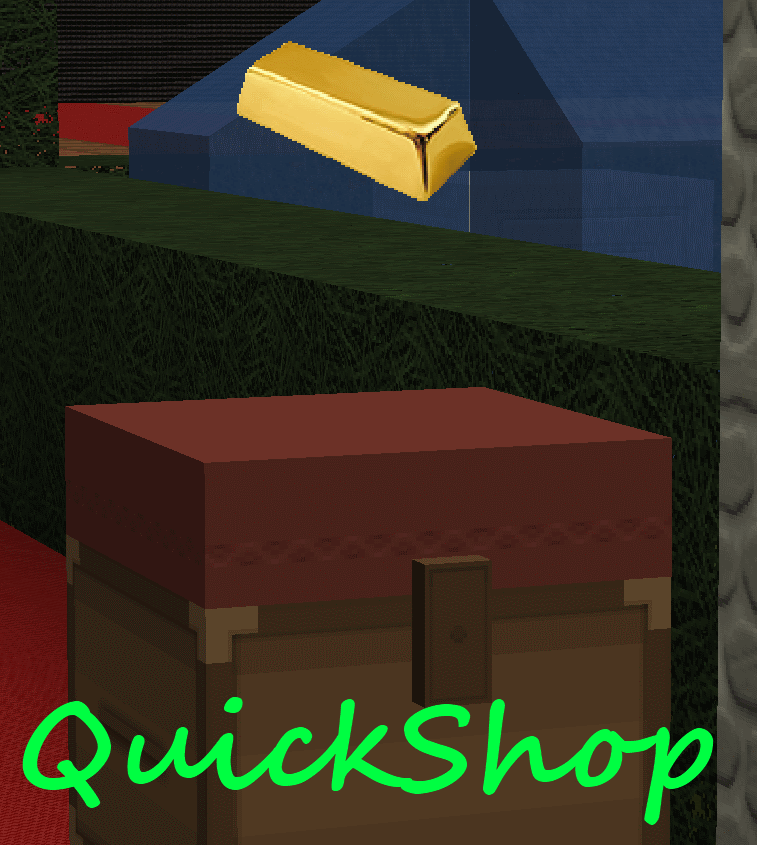
QuickShop
QuickShop
The Predecessors
Showcase was abandoned. Chestshop needed a display, with signs whose order you could never remember. SCS has too many commands. I'm yet to find someone who uses essentials shops.
Don't get me wrong though, they're all awesome plugins each in a few ways.
QuickShop
So, I set out to write this. QuickShop. QuickShop is a shop plugin, that allows players to sell items from a chest with no commands. It allows players to purchase any number of items easily. In fact, this plugin doesn't even have any commands that a player would ever need!
Features
- Easy to use
- Togglable Display Item on top of chest
- NBT Data, Enchants, Tool Damage, Potion and Mob Egg support
- Unlimited chest support
- Blacklist support & bypass permissions
- Shops that buy items and sell items at the same time are possible (Using double chests)
- Herochat support
- Checks a player can open a chest before letting them create a shop!
No longer accepting feature requests
For those people that hate reading, here's an awesome video from UltiByte:
A more up to date and informative video can be found here
Installation Guide:
http://www.youtube.com/watch?v=eJsv7fqaXNk
How to Create a Shop
- Place a chest on the ground
- Hit the chest with the item you want to trade
- Type in price for the item (As prompted) in chat
- Fill the chest with the items you wish to sell
Advanced
- Face the chest
- Type either /qs sell or /qs buy to make the shop buy/sell instead (Optional: use /shop instead of /qs)
- Stock the shop accordingly, if necessary.
How to Buy/Sell to a Shop
- Find a shop
- Hit / Left click the shop
- Enter the amount you wish to trade in chat
Menu Example:

See it in action:
http://maxgamer.org or
play.maxgamer.org:25571 and /warp market!
Commands
- /qs unlimited - Makes the shop you're looking at become unlimited.
- /qs setowner <player> - Changes shop owner to <player>.
- /qs buy - Changes your shop you're looking at to one that buys items
- /qs sell - Changes your shop you're looking at to one that sells items
- /qs price <price> - Change the price of your shop that you're looking at
- /qs clean - Removes any existing shop that has 0 stock.
- /qs find <item> - Use to find the nearest shop that begins with <item> - E.g. '/qs find dia' will find the nearest diamond shop.
- /shop - Alias (Optional) of /qs
Player Nodes
- quickshop.use - Required to use ANY quickshop
- quickshop.create.sell - Required to make a QuickShop (At all)
- quickshop.create.buy - Required to use /qs buy (Change the shop type from Sell -> Buy)
- quickshop.create.double - Required to make doublechest shops.
- quickshop.create.changeprice - Required to use /qs price (Ability to change the price of a shop without destroying it. This may allow for some scammers to quickly change the price while someone is buying.
- quickshop.bypass.ItemID - Required to sell blacklisted items (E.g. bedrock)
- quickshop.find - Required to use /qs find <item>
Admin Nodes
- quickshop.unlimited - Required to use /quickshop unlimited
- quickshop.setowner - Allows use of /qs setowner
- quickshop.other.destroy - Allow breaking other peoples QuickShops if they're locked by this plugin
- quickshop.other.open - Allow opening (And stealing/Stocking) other players QuickShops
- quickshop.other.price - Allow changing price of other people's shops
- quickshop.refill - Ability to refill chests using a command (=Unlimited items)
- quickshop.empty - Ability to empty chests of all items
- quickshop.clean - Permission to purge any shops that have 0 stock.
Source: Source on Github
Checkout the config over here.
Have Towny?
Try out this plugin http://dev.bukkit.org/server-mods/quickshop-towny-interop/ to stop players creating shops outside of Towny shop plots!
Calculating Economy Prices
Vagrant326 has created an Excel spreadsheet that allows you to calculate prices for a market, if you're looking to set one up! It takes a few minutes to setup the basic material prices, and once done, will tell you the appropriate value for almost any material! http://www.planetminecraft.com/blog/how-to-create-stable-prices-system-on-your-server/
Hi, I'm an 19 year old University student studying Software Engineering. I spend my time writing code that I receive practically no reward for other than people asking questions I've answered a hundred times before. I know server Admin's and Owners aren't the richest of people - But if you're feeling particularly generous, I always appreciate any amount for the time and patience I put into coding Bukkit plugins.
Comments


%2526business%253ddirk.jamieson%2540gmail.com%2526bn%253dPP-DonationsBF%253abtn_donateCC_LG.gif%253aNonHosted%2526cancel_return%253dhttp%253a%252f%252fdev.bukkit.org%252fserver-mods%252fquickshop%252f%2526lc%253dUS%2526item_name%253dQuickShop%2b(from%2bBukkit.org)%2526cmd%253d_donations%2526rm%253d1%2526no_shipping%253d1%2526currency_code%253dUSD)
-

netherfoam Owner
-
View User Profile
-
Send Message
Posted Mar 25, 2013@netherfoam
Ok, as it turns out the problem is persisting... I tried to test it a different way. I set up a buy shop, meaning that anything I sell to this shop should go into my account yes? Well, I set up the shop and then I emptied out my account, leaving it at 00.0. I sell an item and still nothing go into my account. I'm kind of hoping I'm just being an idiot again and this has a simple solution...
Edit: I think I understand the problem and I'm going to test it once my roommate clocks out of work but I'll keep this question up until then, just in case.
-
View User Profile
-
Send Message
Posted Mar 24, 2013Patiently waiting for the day this plugin allows you to make a shop on blocks other than chests... ^^
-
View User Profile
-
Send Message
Posted Mar 24, 2013@Necromedes
Youd be surprised how many times I get asked this question lol.
-
View User Profile
-
Send Message
Posted Mar 24, 2013@netherfoam
......... OMG! I AM SOOOOO STUPID! LOL! Thanks for the hasty reply and making feel like a complete DUMB ASS! No really, you've been the most helpful person I have encountered on here so far. I'm new to the whole economy scene so that didn't even come to mind! lol Thanks again!
-
View User Profile
-
Send Message
Posted Mar 24, 2013@Necromedes
So if I buy something off myself, I pay myself, correct? If I have $50 and then I pay myself $25, how much do I have? The answer is $50. This is why your balance isnt changing.
-
View User Profile
-
Send Message
Posted Mar 24, 2013Ok, I'm new to the whole economy scene. I have Vault, Iconomy and Quick Shop installed on my server. Everything works fine except when I buy something it doesn't deduct from my icon account. Help please?
-
View User Profile
-
Send Message
Posted Mar 23, 2013@netherfoam
I'd gladly pay for the item frame feature :D
-
View User Profile
-
Send Message
Posted Mar 23, 2013@netherfoam I am updated. They still are not working.
-
View User Profile
-
Send Message
Posted Mar 23, 2013Just letting you know, your project still says it is in Beta. Thought that might be a mistake.
-
View User Profile
-
Send Message
Posted Mar 22, 2013@dela09
Yeah, I tried this once but the bukit API was buggy. I don't have time to add it in at the moment.
-
View User Profile
-
Send Message
Posted Mar 22, 2013heyho, could it be possible that an shop would create an item-frame above the chest with the selled item in it? would be great!
Edit: Of course it should remove the frame when the shop is empty or closed
-
View User Profile
-
Send Message
Posted Mar 21, 2013@ogr93
Yes, it was recently added though. You can do this with your config, you may have to regenerate it to see the new options.
@NUKEDZOMBIE @Rogasmo
Update ->
@TheMisterB
Yes, there are ways to 'dupe' signs. It's fixed by charging a fee per shop to be created. It's certainly easier to cut down a tree...
@mig4ng
Weird. You seem to have a plugin altering the players location without notifying anything else (e.g. the version I sent you listened for PlayerTeleportEvent and evidently, never got it!)
I will add a distance check on chat...
-
View User Profile
-
Send Message
Posted Mar 21, 2013Wouldn't this allow people to make infinite signs, since the plugin generates a sign that can be harvested?
-
View User Profile
-
Send Message
Posted Mar 21, 2013Using lastest ver on bukkit 1.5-r0.1 Items icon does not show on top of chests. They flash for sec when use /qs reload
-
View User Profile
-
Send Message
Posted Mar 21, 2013I'm using the following plugins for executing the bug: -multiverse inventories -essentials -quickshop
try by yourself the bug, you just need a shop and a warp/home on other world... Thanks for the help, or the lack of it...
You could cancel the shop transaction on command, that would bring any bugs or something like that...
-
View User Profile
-
Send Message
Posted Mar 21, 2013Ever since I updated my hosted server to 1.5 my QS's do not work. They are still all set up but they don't work nor can I make new ones. I've deleted the plugin & re-added it. Any suggestions?
-
View User Profile
-
Send Message
Posted Mar 21, 2013can i set up a limit of created shops for users?
-
View User Profile
-
Send Message
Posted Mar 20, 2013@MrMaleficus
Update to the latest version of quickshop.
-
View User Profile
-
Send Message
Posted Mar 20, 2013Hello Netherfoam !
I've a problem with the items display with QuickShop, i use Spigot.
When i create a shop, the item on the chest appear and disappear immediatly after.
And re-appear and re-disappear for all reloads.
I don't use any plugins like ClearLag, etc...
What is the problem ?
MM
-
View User Profile
-
Send Message
Posted Mar 19, 2013@LeakCraft
That's weird, the only way that would happen is if your MAIN server connected to the database first and tried to convert the shops (Highly likely, now that I think of it)
@mig4ng
I am not cancelling purchases on commands.
PlayerTeleportEvent extends PlayerMoveEvent, and I listen for PlayerMoveEvent and check the distance between the two worlds. This means that it should infact cancel the purchase attempt if a player teleports, unless another developer is screwing with things that should not be screwed with.
I have added an onTeleport listener, in case I am wrong, but I'm pretty confident this won't fix it: