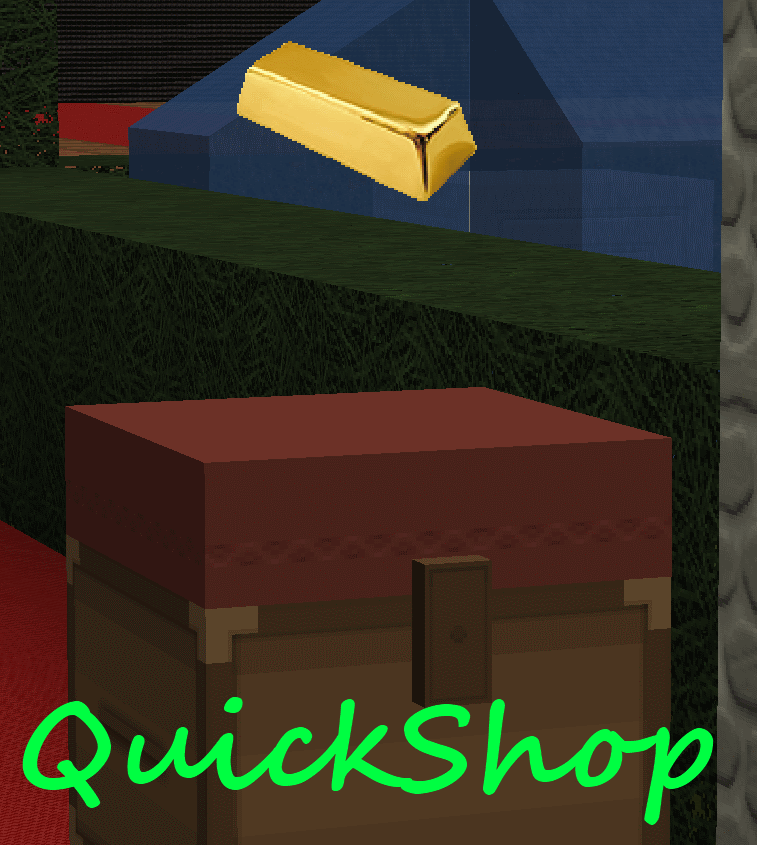
QuickShop
QuickShop
The Predecessors
Showcase was abandoned. Chestshop needed a display, with signs whose order you could never remember. SCS has too many commands. I'm yet to find someone who uses essentials shops.
Don't get me wrong though, they're all awesome plugins each in a few ways.
QuickShop
So, I set out to write this. QuickShop. QuickShop is a shop plugin, that allows players to sell items from a chest with no commands. It allows players to purchase any number of items easily. In fact, this plugin doesn't even have any commands that a player would ever need!
Features
- Easy to use
- Togglable Display Item on top of chest
- NBT Data, Enchants, Tool Damage, Potion and Mob Egg support
- Unlimited chest support
- Blacklist support & bypass permissions
- Shops that buy items and sell items at the same time are possible (Using double chests)
- Herochat support
- Checks a player can open a chest before letting them create a shop!
No longer accepting feature requests
For those people that hate reading, here's an awesome video from UltiByte:
A more up to date and informative video can be found here
Installation Guide:
http://www.youtube.com/watch?v=eJsv7fqaXNk
How to Create a Shop
- Place a chest on the ground
- Hit the chest with the item you want to trade
- Type in price for the item (As prompted) in chat
- Fill the chest with the items you wish to sell
Advanced
- Face the chest
- Type either /qs sell or /qs buy to make the shop buy/sell instead (Optional: use /shop instead of /qs)
- Stock the shop accordingly, if necessary.
How to Buy/Sell to a Shop
- Find a shop
- Hit / Left click the shop
- Enter the amount you wish to trade in chat
Menu Example:

See it in action:
http://maxgamer.org or
play.maxgamer.org:25571 and /warp market!
Commands
- /qs unlimited - Makes the shop you're looking at become unlimited.
- /qs setowner <player> - Changes shop owner to <player>.
- /qs buy - Changes your shop you're looking at to one that buys items
- /qs sell - Changes your shop you're looking at to one that sells items
- /qs price <price> - Change the price of your shop that you're looking at
- /qs clean - Removes any existing shop that has 0 stock.
- /qs find <item> - Use to find the nearest shop that begins with <item> - E.g. '/qs find dia' will find the nearest diamond shop.
- /shop - Alias (Optional) of /qs
Player Nodes
- quickshop.use - Required to use ANY quickshop
- quickshop.create.sell - Required to make a QuickShop (At all)
- quickshop.create.buy - Required to use /qs buy (Change the shop type from Sell -> Buy)
- quickshop.create.double - Required to make doublechest shops.
- quickshop.create.changeprice - Required to use /qs price (Ability to change the price of a shop without destroying it. This may allow for some scammers to quickly change the price while someone is buying.
- quickshop.bypass.ItemID - Required to sell blacklisted items (E.g. bedrock)
- quickshop.find - Required to use /qs find <item>
Admin Nodes
- quickshop.unlimited - Required to use /quickshop unlimited
- quickshop.setowner - Allows use of /qs setowner
- quickshop.other.destroy - Allow breaking other peoples QuickShops if they're locked by this plugin
- quickshop.other.open - Allow opening (And stealing/Stocking) other players QuickShops
- quickshop.other.price - Allow changing price of other people's shops
- quickshop.refill - Ability to refill chests using a command (=Unlimited items)
- quickshop.empty - Ability to empty chests of all items
- quickshop.clean - Permission to purge any shops that have 0 stock.
Source: Source on Github
Checkout the config over here.
Have Towny?
Try out this plugin http://dev.bukkit.org/server-mods/quickshop-towny-interop/ to stop players creating shops outside of Towny shop plots!
Calculating Economy Prices
Vagrant326 has created an Excel spreadsheet that allows you to calculate prices for a market, if you're looking to set one up! It takes a few minutes to setup the basic material prices, and once done, will tell you the appropriate value for almost any material! http://www.planetminecraft.com/blog/how-to-create-stable-prices-system-on-your-server/
Hi, I'm an 19 year old University student studying Software Engineering. I spend my time writing code that I receive practically no reward for other than people asking questions I've answered a hundred times before. I know server Admin's and Owners aren't the richest of people - But if you're feeling particularly generous, I always appreciate any amount for the time and patience I put into coding Bukkit plugins.
Comments


%2526business%253ddirk.jamieson%2540gmail.com%2526bn%253dPP-DonationsBF%253abtn_donateCC_LG.gif%253aNonHosted%2526cancel_return%253dhttp%253a%252f%252fdev.bukkit.org%252fserver-mods%252fquickshop%252f%2526lc%253dUS%2526item_name%253dQuickShop%2b(from%2bBukkit.org)%2526cmd%253d_donations%2526rm%253d1%2526no_shipping%253d1%2526currency_code%253dUSD)
-

netherfoam Owner
-
View User Profile
-
Send Message
Posted Oct 9, 2012I havent updated the documentation here yet but the permission is quickshop.find, as per the change log
-
View User Profile
-
Send Message
Posted Oct 9, 2012Is there a permission node needed for the /qs find item command? as only admins can use it.
-
View User Profile
-
Send Message
Posted Oct 8, 2012Nah, it's mainly a visual thing.
-
View User Profile
-
Send Message
Posted Oct 7, 2012@coolo1
I've never used Spigot before. Unfortunately Bukkit doesn't throw the event for Items merging, and I doubt Spigot does either. So there's nothing I can do about that - Maybe toggle display items off if you're desperate?
-
View User Profile
-
Send Message
Posted Oct 7, 2012I use Spigot, thats what merges them. ClearLagg might be deleting them, but I turned deleting items off...
-
View User Profile
-
Send Message
Posted Oct 7, 2012@coolo1
"Item stacks are merging", meaning? diamond_axe:300 is merging with diamond_axe:301? gold_ingot is becoming iron_ingot? items with max stack size of 1 are stacking to 64 units? I don't see how that would happen, you can check out the source and see how I handle it, https://github.com/netherfoam/QuickShop/blob/master/src/org/maxgamer/QuickShop/Shop/Shop.java under matches(ItemStack item) should prevent anything like this.
The items disappear until you reboot the server, strange - they are respawned by the plugin regularly if they're too old. Is there something like NoLagg interfering?
-
View User Profile
-
Send Message
Posted Oct 6, 2012Ok, I was unsure if unlimited stores would take my money (Most shop plugins make you have to make admin shops so it takes money from no one) and it makes sense now. My final two problems are, item stacks are merging and making it really strange (Don't think you can do anything about that) and after a while, the items just disappear until I restart the server.
-
View User Profile
-
Send Message
Posted Oct 6, 2012@coolo1
This is caused by having:
-
View User Profile
-
Send Message
Posted Oct 6, 2012When players sell to shops, the person they are selling to don't lose money, which makes infinite money. I use BOSEconomy.
-
View User Profile
-
Send Message
Posted Oct 6, 2012Best shop plugin ever. If u come across it, download it and have splendid time with it.
-
View User Profile
-
Send Message
Posted Oct 6, 2012Very good plugin, I'll start using it on my server.
-
View User Profile
-
Send Message
Posted Oct 6, 2012@coolo1
Ah, I understand what you mean now.
However I won't be adding this, all the same. That is not the point of this plugin.
-
View User Profile
-
Send Message
Posted Oct 6, 2012@netherfoam
My problem is that you can't have a chest directly next to a double chest, so you can't have a full line of shops, but signs don't care at all about having signs either side, so I can make a massive line of shops, without gaps using up more space. Also, the item would be under the sign, so if it was a floor sign, the item would sit inside the sign post, if it was a wall sign, it would sit on the block under it, even if it is at the bottom of the world and the sign is at the top (I know having the item getting respawned infinites time to keep it in place would make lag)
To getting more people, I have no answer. Maybe work on this bit by bit as you do other updates, I am in no real rush for this.
-
View User Profile
-
Send Message
Posted Oct 5, 2012@coolo1
Well the first problem, have the item under the sign, as in at the signpost. What? At the sign post? Isn't that on the ground, taking up just as much space as a chest? Or do you mean sitting on top of the sign? Because signs have no clip
Third problem, maybe get some helpers. :P You could increase the size of your room in 5 minutes. It would take a full day to recode the plugin like that - even with people helping. "Too many cooks"
-
View User Profile
-
Send Message
Posted Oct 5, 2012@netherfoam
Well the first problem, have the item under the sign, as in at the signpost.
Second problem then becomes irrelevant.
Third problem, maybe get some helpers. :P
-
View User Profile
-
Send Message
Posted Oct 5, 2012@coolo1
This won't be implemented because:
-
View User Profile
-
Send Message
Posted Oct 5, 2012Great plugin! Suggestion!
I have a server shop,but the building is not that big, and chests take up lots of room (You cant have two next to eachother without making a double chest) my suggestion is, having a option to only use signs and floating items, so I can have a massive row, while other players have chestshops.
-
View User Profile
-
Send Message
Posted Oct 5, 2012@vitorsk0m
Glad you like it!
-
View User Profile
-
Send Message
Posted Oct 5, 2012Thank you very much for the update :) I'll try it out ASAP.
In my opinion, the best shop plugin there is. Simple to use and quick to setup!
-
View User Profile
-
Send Message
Posted Oct 4, 2012@Sylar6281
What the hell is � ? o.o
Try: 1. rename/move messages.yml Retest it 2. rename/move config.yml Retest it 3. Check your iConomy currency formatting.. thats what seems to be throwing the error to me. it should be in plugins\iConomy\config.yml or something like that.
If none of that works, can you pastebin.com me your messages.yml and config.yml?
Thanks.