QuickShop
QuickShop
The Predecessors
Showcase was abandoned. Chestshop needed a display, with signs whose order you could never remember. SCS has too many commands. I'm yet to find someone who uses essentials shops.
Don't get me wrong though, they're all awesome plugins each in a few ways.
QuickShop
So, I set out to write this. QuickShop. QuickShop is a shop plugin, that allows players to sell items from a chest with no commands. It allows players to purchase any number of items easily. In fact, this plugin doesn't even have any commands that a player would ever need!
Features
- Easy to use
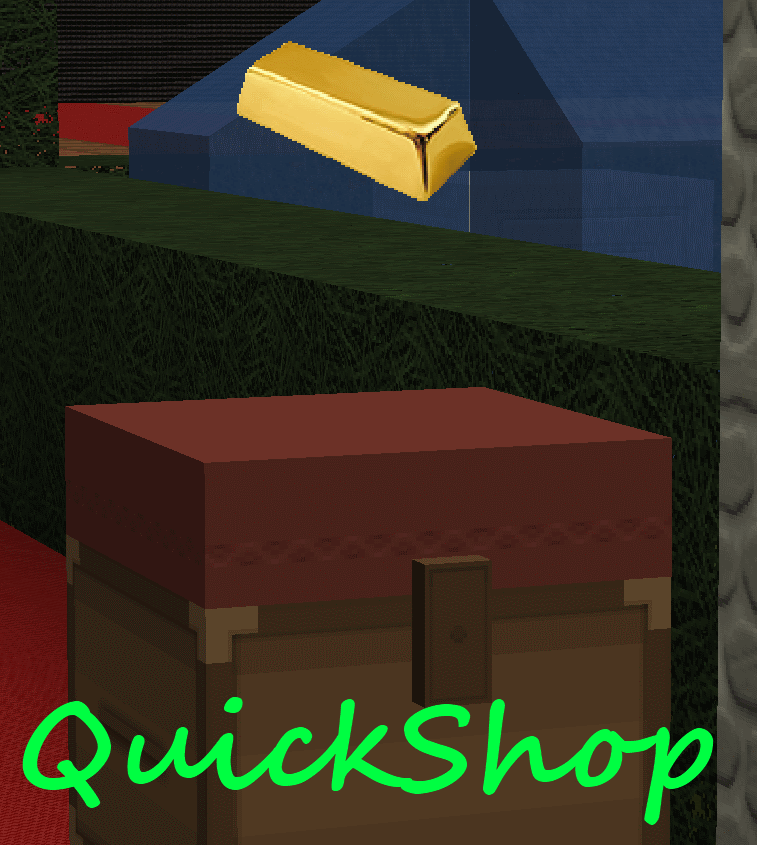
- Togglable Display Item on top of chest
- NBT Data, Enchants, Tool Damage, Potion and Mob Egg support
- Unlimited chest support
- Blacklist support & bypass permissions
- Shops that buy items and sell items at the same time are possible (Using double chests)
- Herochat support
- Checks a player can open a chest before letting them create a shop!
No longer accepting feature requests
For those people that hate reading, here's an awesome video from UltiByte:
A more up to date and informative video can be found here
Installation Guide:
http://www.youtube.com/watch?v=eJsv7fqaXNk
How to Create a Shop
- Place a chest on the ground
- Hit the chest with the item you want to trade
- Type in price for the item (As prompted) in chat
- Fill the chest with the items you wish to sell
Advanced
- Face the chest
- Type either /qs sell or /qs buy to make the shop buy/sell instead (Optional: use /shop instead of /qs)
- Stock the shop accordingly, if necessary.
How to Buy/Sell to a Shop
- Find a shop
- Hit / Left click the shop
- Enter the amount you wish to trade in chat
Menu Example:

See it in action:
http://maxgamer.org or
play.maxgamer.org:25571 and /warp market!
Commands
- /qs unlimited - Makes the shop you're looking at become unlimited.
- /qs setowner <player> - Changes shop owner to <player>.
- /qs buy - Changes your shop you're looking at to one that buys items
- /qs sell - Changes your shop you're looking at to one that sells items
- /qs price <price> - Change the price of your shop that you're looking at
- /qs clean - Removes any existing shop that has 0 stock.
- /qs find <item> - Use to find the nearest shop that begins with <item> - E.g. '/qs find dia' will find the nearest diamond shop.
- /shop - Alias (Optional) of /qs
Player Nodes
- quickshop.use - Required to use ANY quickshop
- quickshop.create.sell - Required to make a QuickShop (At all)
- quickshop.create.buy - Required to use /qs buy (Change the shop type from Sell -> Buy)
- quickshop.create.double - Required to make doublechest shops.
- quickshop.create.changeprice - Required to use /qs price (Ability to change the price of a shop without destroying it. This may allow for some scammers to quickly change the price while someone is buying.
- quickshop.bypass.ItemID - Required to sell blacklisted items (E.g. bedrock)
- quickshop.find - Required to use /qs find <item>
Admin Nodes
- quickshop.unlimited - Required to use /quickshop unlimited
- quickshop.setowner - Allows use of /qs setowner
- quickshop.other.destroy - Allow breaking other peoples QuickShops if they're locked by this plugin
- quickshop.other.open - Allow opening (And stealing/Stocking) other players QuickShops
- quickshop.other.price - Allow changing price of other people's shops
- quickshop.refill - Ability to refill chests using a command (=Unlimited items)
- quickshop.empty - Ability to empty chests of all items
- quickshop.clean - Permission to purge any shops that have 0 stock.
Source: Source on Github
Checkout the config over here.
Have Towny?
Try out this plugin http://dev.bukkit.org/server-mods/quickshop-towny-interop/ to stop players creating shops outside of Towny shop plots!
Calculating Economy Prices
Vagrant326 has created an Excel spreadsheet that allows you to calculate prices for a market, if you're looking to set one up! It takes a few minutes to setup the basic material prices, and once done, will tell you the appropriate value for almost any material! http://www.planetminecraft.com/blog/how-to-create-stable-prices-system-on-your-server/
Hi, I'm an 19 year old University student studying Software Engineering. I spend my time writing code that I receive practically no reward for other than people asking questions I've answered a hundred times before. I know server Admin's and Owners aren't the richest of people - But if you're feeling particularly generous, I always appreciate any amount for the time and patience I put into coding Bukkit plugins.
Comments


%2526business%253ddirk.jamieson%2540gmail.com%2526bn%253dPP-DonationsBF%253abtn_donateCC_LG.gif%253aNonHosted%2526cancel_return%253dhttp%253a%252f%252fdev.bukkit.org%252fserver-mods%252fquickshop%252f%2526lc%253dUS%2526item_name%253dQuickShop%2b(from%2bBukkit.org)%2526cmd%253d_donations%2526rm%253d1%2526no_shipping%253d1%2526currency_code%253dUSD)
-

netherfoam Owner
-
View User Profile
-
Send Message
Posted Jul 27, 2013@Antibes
Mostly it'll be the display items. Did you try toggling them off?
-
View User Profile
-
Send Message
Posted Jul 27, 2013@netherfoam
I noticed an FPS drop at spawn on our server, so I made a copy of the server and went though a process of elimination. After removing all redstone and any other potential causes (including adjusting quickshop settings) with no result, I finally removed the quickshops and surprisingly the FPS increase from 40 to 120 almost immediately.
I then filled the area with chests and signs to see if this may be the cause, but FPS dropped minimally.
Quickshops do appear to cause a significant FPS drop, but given the choice between low FPS and the shops, players decided to live with it.
-
View User Profile
-
Send Message
Posted Jul 26, 2013@Jeebs12491
Shift + Left click
-
View User Profile
-
Send Message
Posted Jul 26, 2013For some reason, in 1.6.2 I am unable to create shops at all. When I shift + rightclick a chest with any item, it does not respond at all. QuickShop properly loads on start up and throw no errors at any point. Im not sure what to do. I love your plugin, and hope you can help out.
-
View User Profile
-
Send Message
Posted Jul 23, 2013@H8llfire
I second that, a small database update for the new items would be much appreciated! :-)
-
View User Profile
-
Send Message
Posted Jul 23, 2013@netherfoam
I use OptiFine HD B4.
-
View User Profile
-
Send Message
Posted Jul 22, 2013@netherfoam when I make a shop items rotating 1 second or less. to Escape -> Options -> Video Settings enable 3D Items.
-
View User Profile
-
Send Message
Posted Jul 22, 2013@DartRM
If items aren't rotating, go to Escape -> Options -> Video Settings and enable 3D Items.
-
View User Profile
-
Send Message
Posted Jul 22, 2013HI sorry for my poor english, i can see quickshop's plug-in works, but the objects are not steep (not rotating), rear right, but you can buy things, help.
-
View User Profile
-
Send Message
Posted Jul 22, 2013HI
sorry for my poor english
some of mod items can not be sold
i can see quickshop's sign shows up but it didn't work
(flan's mod...etc)
but some of could be sold
(Tconstruct tools...etc)
what can i do
-
View User Profile
-
Send Message
Posted Jul 21, 2013@maddyn99
The new items are not correctly named (like horse spawneggs are only called Monstereggs). So it would be nice to see a litte db update.
-
View User Profile
-
Send Message
Posted Jul 20, 2013I'm having errors with quick shop on 1.6.2. The plugin is loaded into the server I see it when i do /plugins I also already have vault and BOSEconomy installed and I get this in server startup. http://pastebin.com/VctJvHhw
Also anytime I try a /qs or a /shop command it just pops up with /qs
-
View User Profile
-
Send Message
Posted Jul 20, 2013@ MineCraftHero99....No need it works perfectly fine with1.6.2.
-
View User Profile
-
Send Message
Posted Jul 20, 2013If you smash the sign on the quickshop it gives you the sign and makes another, therefor giving infinite signs.
-
View User Profile
-
Send Message
Posted Jul 20, 2013Please Update to 1.6.2
-
View User Profile
-
Send Message
Posted Jul 19, 2013@netherfoam
Signs will, I had a region with 600 signs and it caused quite some lag (Tile entity lag). However, I don't think that your plugin is the cause for the lag.
-
View User Profile
-
Send Message
Posted Jul 19, 2013Is there a way to import a non mysql db into mysql? We have been using this plugin for a while and when we migrated to mysql none of the old shops worked which is huge problem. I disabled mysql and luckily they started working again.
-
View User Profile
-
Send Message
Posted Jul 18, 2013@H8llfire
Chests and signs will not cause a FPS drop.
@deathgleaner
Really? Itemframes see much faster than items.
@rasnyderiii
No plans. You can add limits per player if needed.
-
View User Profile
-
Send Message
Posted Jul 18, 2013and consideration to add limiting worldguard region support?
-
View User Profile
-
Send Message
Posted Jul 18, 2013@netherfoam
Itemframe CAN cause FPS issues if there are too many in an area. I had a few shops near spawn with a total of 300 item frames, horrible lag for everyone.