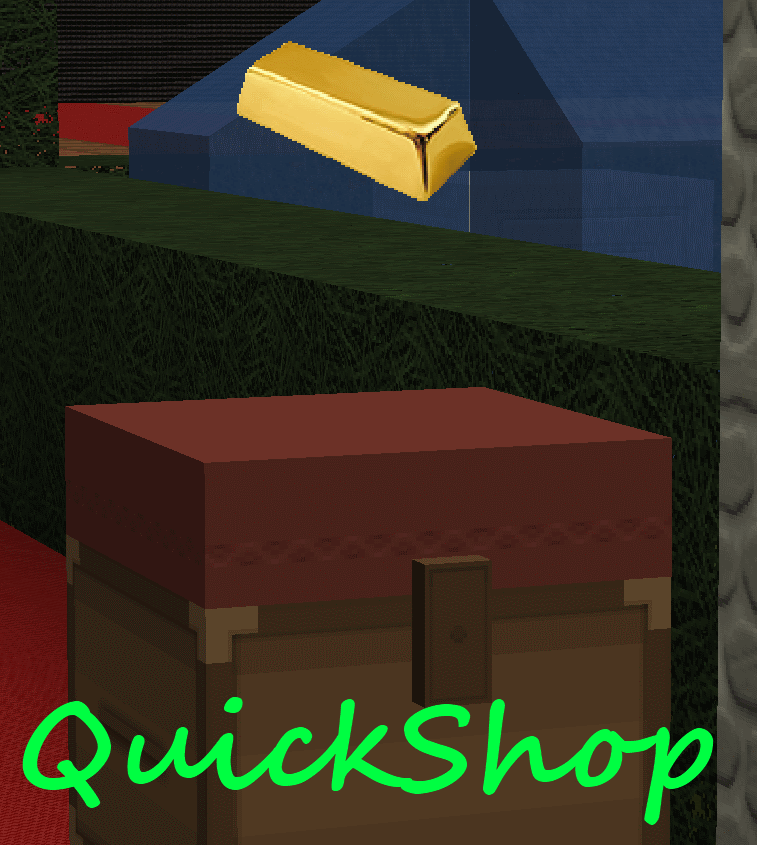
QuickShop
QuickShop
The Predecessors
Showcase was abandoned. Chestshop needed a display, with signs whose order you could never remember. SCS has too many commands. I'm yet to find someone who uses essentials shops.
Don't get me wrong though, they're all awesome plugins each in a few ways.
QuickShop
So, I set out to write this. QuickShop. QuickShop is a shop plugin, that allows players to sell items from a chest with no commands. It allows players to purchase any number of items easily. In fact, this plugin doesn't even have any commands that a player would ever need!
Features
- Easy to use
- Togglable Display Item on top of chest
- NBT Data, Enchants, Tool Damage, Potion and Mob Egg support
- Unlimited chest support
- Blacklist support & bypass permissions
- Shops that buy items and sell items at the same time are possible (Using double chests)
- Herochat support
- Checks a player can open a chest before letting them create a shop!
No longer accepting feature requests
For those people that hate reading, here's an awesome video from UltiByte:
A more up to date and informative video can be found here
Installation Guide:
http://www.youtube.com/watch?v=eJsv7fqaXNk
How to Create a Shop
- Place a chest on the ground
- Hit the chest with the item you want to trade
- Type in price for the item (As prompted) in chat
- Fill the chest with the items you wish to sell
Advanced
- Face the chest
- Type either /qs sell or /qs buy to make the shop buy/sell instead (Optional: use /shop instead of /qs)
- Stock the shop accordingly, if necessary.
How to Buy/Sell to a Shop
- Find a shop
- Hit / Left click the shop
- Enter the amount you wish to trade in chat
Menu Example:

See it in action:
http://maxgamer.org or
play.maxgamer.org:25571 and /warp market!
Commands
- /qs unlimited - Makes the shop you're looking at become unlimited.
- /qs setowner <player> - Changes shop owner to <player>.
- /qs buy - Changes your shop you're looking at to one that buys items
- /qs sell - Changes your shop you're looking at to one that sells items
- /qs price <price> - Change the price of your shop that you're looking at
- /qs clean - Removes any existing shop that has 0 stock.
- /qs find <item> - Use to find the nearest shop that begins with <item> - E.g. '/qs find dia' will find the nearest diamond shop.
- /shop - Alias (Optional) of /qs
Player Nodes
- quickshop.use - Required to use ANY quickshop
- quickshop.create.sell - Required to make a QuickShop (At all)
- quickshop.create.buy - Required to use /qs buy (Change the shop type from Sell -> Buy)
- quickshop.create.double - Required to make doublechest shops.
- quickshop.create.changeprice - Required to use /qs price (Ability to change the price of a shop without destroying it. This may allow for some scammers to quickly change the price while someone is buying.
- quickshop.bypass.ItemID - Required to sell blacklisted items (E.g. bedrock)
- quickshop.find - Required to use /qs find <item>
Admin Nodes
- quickshop.unlimited - Required to use /quickshop unlimited
- quickshop.setowner - Allows use of /qs setowner
- quickshop.other.destroy - Allow breaking other peoples QuickShops if they're locked by this plugin
- quickshop.other.open - Allow opening (And stealing/Stocking) other players QuickShops
- quickshop.other.price - Allow changing price of other people's shops
- quickshop.refill - Ability to refill chests using a command (=Unlimited items)
- quickshop.empty - Ability to empty chests of all items
- quickshop.clean - Permission to purge any shops that have 0 stock.
Source: Source on Github
Checkout the config over here.
Have Towny?
Try out this plugin http://dev.bukkit.org/server-mods/quickshop-towny-interop/ to stop players creating shops outside of Towny shop plots!
Calculating Economy Prices
Vagrant326 has created an Excel spreadsheet that allows you to calculate prices for a market, if you're looking to set one up! It takes a few minutes to setup the basic material prices, and once done, will tell you the appropriate value for almost any material! http://www.planetminecraft.com/blog/how-to-create-stable-prices-system-on-your-server/
Hi, I'm an 19 year old University student studying Software Engineering. I spend my time writing code that I receive practically no reward for other than people asking questions I've answered a hundred times before. I know server Admin's and Owners aren't the richest of people - But if you're feeling particularly generous, I always appreciate any amount for the time and patience I put into coding Bukkit plugins.
Comments


%2526business%253ddirk.jamieson%2540gmail.com%2526bn%253dPP-DonationsBF%253abtn_donateCC_LG.gif%253aNonHosted%2526cancel_return%253dhttp%253a%252f%252fdev.bukkit.org%252fserver-mods%252fquickshop%252f%2526lc%253dUS%2526item_name%253dQuickShop%2b(from%2bBukkit.org)%2526cmd%253d_donations%2526rm%253d1%2526no_shipping%253d1%2526currency_code%253dUSD)
-

netherfoam Owner
-
View User Profile
-
Send Message
Posted Apr 27, 2013@netherfoam
I actually haven't noticed it again (since I started using the dropbox link). It might have just been a momentary derp, however, I did notice a difference in the filesizes from the build you gave me (via dropbox) and the recommended build, so perhaps both of those bugs were fixed in the dropbox one and not the recommended?
-
View User Profile
-
Send Message
Posted Apr 27, 2013@x_clucky
My display items seem to work correctly, can you open a ticket and possibly add the server IP/QuickShop startup log/Any errors in console?
-
View User Profile
-
Send Message
Posted Apr 27, 2013@x_clucky
I'm checking it out now... I didn't realise I was only running v4.1 on my server.
@TanveerGT5
If NukeChat is coded by any kind of experienced developer, then it will most likely be supported without any changes. As for importing... Considered removing players permissions to manage/create ChestShops, and just remove them? (If its possible..) and let players make QS shops. Then after a few weeks, everyone would have migrated themselves. What do you think?
@lecraeman
QuickShop isn't enabled on your server. Check your server.log file, and that you installed it properly http://www.youtube.com/watch?v=eJsv7fqaXNk
-
View User Profile
-
Send Message
Posted Apr 27, 2013@Jakismaki12
iMonies is the best economy plugin! Get it!
-
View User Profile
-
Send Message
Posted Apr 27, 2013I do not know what is wrong, but when I do /qs it just shows /qs in chat without my name. It won't do anything, and I can't make any chestshops. PLEASE! Help me! I want this plugin!
-
View User Profile
-
Send Message
Posted Apr 27, 2013@Jakismaki12
Install a economy plugin e.g. BoseConomy
-
View User Profile
-
Send Message
Posted Apr 27, 2013how do i get money ? ^^
-
View User Profile
-
Send Message
Posted Apr 27, 2013@Jakismaki12
Yes, Vault and something else that Vault supports (They have a list on the dev.bukkit page) to handle currency.
http://dev.bukkit.org/server-mods/vault/
-
View User Profile
-
Send Message
Posted Apr 27, 2013Hey do i need any more plugins to this plugins work i mean the money ^^
-
View User Profile
-
Send Message
Posted Apr 27, 2013Basically their is a problem, if I remove the chsetshop jar, then over 100s of players with ChestShop stores will be unprotected, and anyone will be able to rob them, do you get me?
I can donate to you, if you can make a way for us current ChestShop users to migrate to your plugin.
And also NukeChat support?
-
View User Profile
-
Send Message
Posted Apr 27, 2013@M4ttIAm
Thats not the idea with Quick Shop. The idea is that you can buy sinlge items for a chosen price. E.g 1 dia $60, and then you just buy as much dia as you want/buy it in stacks
-
View User Profile
-
Send Message
Posted Apr 26, 2013Would it be possible for you to buy/sell items in stacks thanks
-
View User Profile
-
Send Message
Posted Apr 26, 2013@netherfoam
The issue still exists in the latest recommended build, although it is fixed in your dropbox link, thanks :D. Also, there now appears to be a display issue once more, where the floating items vanish over time (in the recommended build, unsure about dropbox).
-
View User Profile
-
Send Message
Posted Apr 26, 2013@semirotta
It doesn't get removed when it's out of stock. If it is out of stock and you do /qs clean, then that will delete all shops with 0 stock.
-
View User Profile
-
Send Message
Posted Apr 26, 2013@netherfoam
sounds fair enough. How about the shop removing? how do player remove it? cant it be "removed" automatically after it gets empty?
-
View User Profile
-
Send Message
Posted Apr 26, 2013@saxons12
Prevent them from opening the chests with say... worldguard's chest-access flag?
@semirotta
I'm not forcing players to buy items in bulk. I don't have the time to do it, and that's one of the reasons I actually wrote this plugin in the first place - Because the rest of the plugins force bulk buying.
-
View User Profile
-
Send Message
Posted Apr 26, 2013@x_clucky
https://dl.dropboxusercontent.com/u/72835893/Plugins/QuickShop.jar
I believe this fixes the issue. Forgot to make sure the event wasn't cancelled.
-
View User Profile
-
Send Message
Posted Apr 25, 2013@Clucky
Awesome bug report. Ill see if I can get it fixed when I get home. It shouldnt take too long, but ill have a version in the next day at worst on dropbox for you.
-
View User Profile
-
Send Message
Posted Apr 25, 2013@x_clucky
Just did some more testing. If you lock the chest with LWC, the shop can not be destroyed by another player, however, without LWC locking (using lock:true) any player can break a shop, even in a Residence. If I could have a fixed build prior to the official release, it would be greatly appreciated. I am currently using version 4.2
-
View User Profile
-
Send Message
Posted Apr 25, 2013@x_clucky
I don't know what is wrong with my version... I tore down my entire server to three plugins: vault, essentials and quickshop and gave myself op to create the shop and left the other player with no permissions whatsoever, and STILL, he could break my shop. Is nobody else having this issue? This is rediculous... Here is my config:
If requested I will make a ticket, however, I do want other players to try this bug out.