Pretty Chat (chat format)
Chat Format Made
- Easialy get rid of the ugly default minecraft brackets
- Customize the color of the chat, add prefixes and set playername colors
- Use the in-game commands or the config file to edit your chat
- Just try it out! it's a small light-weighted plugin that'll give you great fun!
Commands
| Command | Description | Permission |
| /chatformat set [chatformat] | Sets the chat format to a custom one. | chatformat.set |
| /chatformat get | Displays the current chat format. | chatformat.get |
| /chatformat default | Sets the chat format to the default. | chatformat.set |
| /chatformat enable | Enables the chat formatting. | chatformat.enable |
| /chatformat disable | Disables the chat formatting. | chatformat.disable |
What is a chatformat?
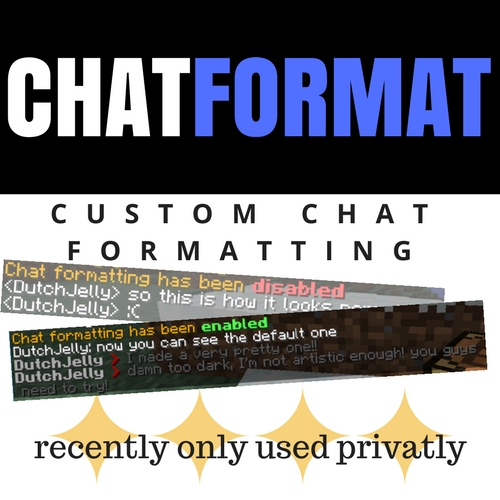
A chat format determines how the messages sent by players look. The default one will look similar to this:
<playername> hi
<anotherplayername> hi
The default chatformat of this plugin will look similar to this:
playername: hi
anotherplayername: hi
How do I make a custom chat format with chatformat made?
First of all, "%s" represents the name of the player and the message sent. If you would set the default format this'd be the command you'll have to use:
/chatformat set %s: %s
Luckly you could completely customize this, F.e.:
/chatformat set &4%s &k&6> &r %s
Try it out, you'll see how it looks and understand how it works.
What is also funny to do is to leave the %s keywords out. That way every message will only contain the symbols you put in the format:
/chatformat set &4&l I love you serverowner!
or for this example you could add the player name ;)
/chatformat set %s: I love you serverowner!
That'd even be a great way of muting people, ask me if I need to implement a timer to that!
How do I install it?
Simply download the .jar file that's under the releases tab. Drag that file to your plugins folder in your server and you're ready to go: the chat will be the default format right away!
Why is it so efficient and server-friendly?
This plugin does not read the storage files everytime a message gets sent, but stores it in the RAM for a lagg-free server experience!
How does the config file work?
This plugin works well with commands, but you could also simply change the values in the config.yml file under the plugin data folder that's located in the plugins folder of your server.
If you want a even more clean, chat without any spam, check out this other project of mine!
I greatly appreciate anyone using this plugin because I love making people happy with great working plugins. It'll also give me great confidence to make more, even better, plugins if atleast some people download this plugin!
Comments


-

dutchjellyd Owner
-
View User Profile
-
Send Message
Posted Sep 8, 2019I think the only thing wrong with this is I can't use prefixes in my permissions plugin (LuckPerms)
-
View User Profile
-
Send Message
Posted Mar 6, 2018Gj mister jelly another fine working plugin ;p
-
View User Profile
-
Send Message
Posted Mar 6, 2018In reply to Forge_User_05455487:
-
View User Profile
-
Send Message
Posted Mar 6, 2018Maybe we will see more in the furture
-
View User Profile
-
Send Message
Posted Mar 6, 2018In reply to Forge_User_37710952:
-
View User Profile
-
Send Message
Posted Mar 6, 2018A Very nice plugin goodjob on this one
-
View User Profile
-
Send Message
Posted Mar 6, 2018In reply to Forge_User_37710952:
-
View User Profile
-
Send Message
Posted Mar 5, 2018Great plugin, suits my needs.
I was having problems getting my faction tag to show in chat with essentials. I tried downloading HeroChat, FactionsChat and other plugins of the sort but no luck.
This simple plugin helped my stupid ass, thanks lol.
-
View User Profile
-
Send Message
Posted Mar 5, 2018In reply to sirkoleman:
-
View User Profile
-
Send Message
Posted Mar 5, 2018In reply to gamergamer1000:
-
View User Profile
-
Send Message
Posted Mar 5, 2018that only happens if your configuration file isn't getting saved. Could you check the config file and update me on its contents?
-
View User Profile
-
Send Message
Posted Mar 5, 2018In reply to gamergamer1000:
-
View User Profile
-
Send Message
Posted Mar 5, 2018In reply to sirkoleman:
First of all, on starting your server it should already generate the default chatformat in the config file if there's no value present.
Second: It's working fine for me on my testserver. What version does your mc server run on and does it display any errors in the console?
-
View User Profile
-
Send Message
Posted Mar 6, 2018In reply to gamergamer1000:
no errors from chatformat
the config is blank!
-
View User Profile
-
Send Message
Posted Mar 6, 2018In reply to sirkoleman: