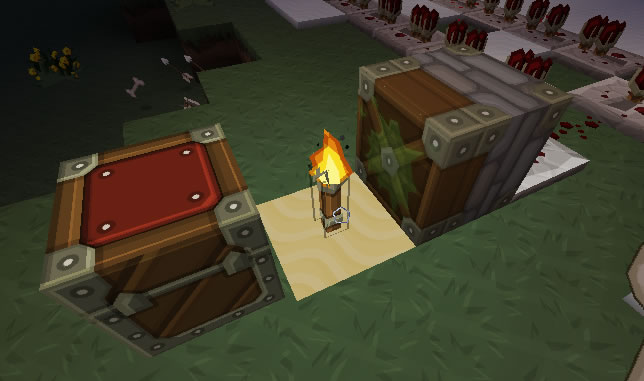
PistonChest
You can now give pistons certain abilities which extend their basic boring nature.
Supports:
- LWC (command 'pcpassword <password>' allows the user to assign a password to a piston, to give to LWC password protected chests)
- Lockette
- Secure Chests
About:
Whenever you place a piston it will be registered in your name. This prevents players from destroying them or claiming them for themselves. PistonChest supports the above plugins which can prevent a piston from accessing a chest if they do not have permission. In this plugin there are certain abilities which modify how the piston behaves, and can be combined to create the ultimate machine. The basic ability is being able to push and retrieve blocks and items from a chest. In order to add an ability the player must use the specified tool (default: stick) then right click on their piston to bring up a GUI from where they can either add items to use abilities or simply turn them on and off. See below for a list of abilities...
To Install,
- Copy and paste the 'PistonChest.jar' file into the plugin folder...
No more need for Commands!
Use a stick by default to modify your piston functionality! (Version 1.8)
NEW VERSION UPDATES AND FIXES
Videos
Commands and Permissions
- /pcreload - pistonchest.reload - Reloads the config file
- /pcregister - pistonchest.register - Registers an unregistered Piston. (Pistons are registered on place by default).
- /pcunregister - pistonchest.unregister - Unregisters a piston that is registered by you. (Allows other people to claim it)
- /pcpassword - pistonchest.password - Assigns a password to unlock a password protected chest (For LWC).
- /pcdetails - pistonchest.details - Gets the details of the clicked piston.
- /pcability - pistonchest.ability - Gives pistons certain abilities.
Config
Change Log:

Abilities:
Type '/pcability <add/remove> <ability>' then click on the piston, to manage piston abilities. Abilities can be combined to make the ultimate piston machines!
chest_access
Description:
Gives the piston the ability to push and pull blocks/items in and out of chests.
How To:

super_push
Description:
Gives pistons the ability to shoot blocks/items. Note: To increase the power of the piston, surround it with obsidian. Works 1 block all the way around.
How To:

chest_dispenser
Description:
Gives pistons the ability to push blocks from a chest.
How To:

Ultimate Setup
Please note you will have to adjust the obsidian according to how far the chest is away, and what item is being fired. (Players and monsters encounter wind resistance).

Comments


-

_ForgeUser8129417 Owner
-
View User Profile
-
Send Message
Posted Dec 22, 2012@TinCow
Ok thanks for letting me know. I will check that out.
-
View User Profile
-
Send Message
Posted Dec 21, 2012PistonChest ceased working with 1.4.5-R1.0.
-
View User Profile
-
Send Message
Posted Dec 10, 2012@kevupton
I am using a normal piston to push the item into a chest, the chest is doulbe and the item is dropped.
-
View User Profile
-
Send Message
Posted Dec 8, 2012@coolo1
OK so are you using a sticky piston? and by items do you mean items dropped?
Would you be able to make a ticket please?
-
View User Profile
-
Send Message
Posted Dec 7, 20121.7.7
-
View User Profile
-
Send Message
Posted Dec 6, 2012@coolo1
Ok thats odd... I just checked that out, and it is working for me... I have found however that it seems that the latest version of Lockette 1.7.7 doesnt even work . :/ haha. What version of Lockette are you using?
-
View User Profile
-
Send Message
Posted Dec 6, 2012@kevupton
I am using lockette, but the chest is not locked. I am using version 1.6.5
-
View User Profile
-
Send Message
Posted Dec 4, 2012@coolo1
What version are you using and do you have lwc installed? I just found a bug with LWC, and am just about to upload a fix.
-
View User Profile
-
Send Message
Posted Dec 4, 2012I cant use this to push items into chest anymore... It either pushes it through/over it or out...
-
View User Profile
-
Send Message
Posted Dec 4, 2012@Bimmr
Yes, basically any piston piston you place down will be registered in your name, so if you have a chest that belongs to you or a chest that you have access to, it will be able to push blocks in and out of the chest. However it will not work if you do not have access.
If there is a chest that has password protection, you can use the command /pcpassword to assign a password to use when unlocking the chest..
-
View User Profile
-
Send Message
Posted Dec 4, 2012Is there LWC support?
-
View User Profile
-
Send Message
Posted Dec 4, 2012@FlamingUber
I have enable blocks to be disabled in the config file :)
-
View User Profile
-
Send Message
Posted Dec 3, 2012@Jahb57
Just have to wait for v1.6.3 to get approved... haha
-
View User Profile
-
Send Message
Posted Dec 2, 2012@kevupton
Great! Now I can download the plugin again :D
-
View User Profile
-
Send Message
Posted Dec 2, 2012@Jahb57
Just added secure chest support!
-
View User Profile
-
Send Message
Posted Nov 30, 2012I love this plugin sooooo much! Now I don't need to play tekkit for automated mines, furnaces and chests!
-
View User Profile
-
Send Message
Posted Nov 28, 2012@deleted_8566818
Yer sure, I will try and make that the next addon :) Could you make a ticket for me about it please.
-
View User Profile
-
Send Message
Posted Nov 28, 2012@Liger_XT5
Hey, I had a look at your issue. This seems to be more the way minecraft has been designed. As the redstone torch does not appear to power blocks. That is, blocks it sits on. Where as leavers and buttons, etc do. If you were to place the redstone torch next to the piston, it would then work. That is just the way the torches are designed... Sorry.
-
View User Profile
-
Send Message
Posted Nov 28, 2012Tested 1.6.2, and there are no longer any memory issues popping up with multiple pistons working at once. Thanks!
I will pass on this possible bug report from a user though:
-
View User Profile
-
Send Message
Posted Nov 27, 2012Not sure what we are doing wrong, updated to MC 1.4 and noticed the errors weeks ago. Updated plugin, and again today, and tried a fresh install of it. No error this time around, but none work. They don't push if there is a chest.
I thought it might be worldguard or towny, went out to an area that wasn't protected and same results.
Edit: Found the bug. If the piston is powered by redstone torch, it will not work.
Example: Stone:Piston:Dirt:Chest. If you place a redstone torch on the stone block, the piston will not push the item in, will push if no chest. If any other means, such as lever instead, redstone to the piston, or detector rail, it works.