Picture Login


Picture Login provides a much nicer login message by displaying a picture of the player's head inside of chat. By default it retrieves player avatars from Crafatar (or another service that you can change inside of the config!). It is very customizable; you can edit anything from the source of the avatar to the message beside it.
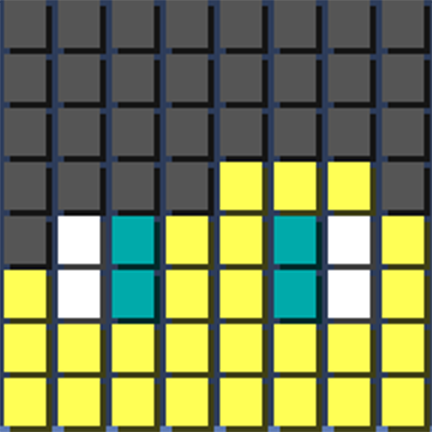
Here is a picture of what the default settings look like:

As you can see, you can use color and formatting codes, and even variables! The message is also easy to customize.
Features
These are just a few of the features of Picture Login:
- Ability to use color/formatting codes.
- Ability to set a custom avatar url.
- Ability to use variables.
- Ability to center text.
- And much more to be implemented!
TESTING SERVER: Coming soon...

- /pictureloginDisplays plugin information.
- /picturelogin reload Reloads the configuration

- picturelogin.main /picturelogin reload
- picturelogin.show If the player doesn't have this then the message will not be shown for/to them.

The configuration file is well commented, please refer to it for help! (Click to see default file)

- Thanks to bobacadodl for his Image Message Library!
- Thanks to Crafatar for their avatar service!

This plugin is licensed under the MIT License.
The source is available here, feel free to contribute if you so wish to do so!
Metrics
This plugin uses the bStats metrics system.
By default, bStats sends the following data:
- Your server's randomly generated UUID
- The amount of players on your server
- The online mode of your server
- The bukkit version of your server
- The java version of your system (e.g. Java 8)
- The name of your OS (e.g. Windows)
- The version of your OS
- The architecture of your OS (e.g. amd64)
- The system cores of your OS (e.g. 8)
- bStats-supported plugins
- Plugin version of bStats-supported plugins
To disable metrics, simply set enabled to false in the config.yml file located in the bStats plugin folder.
More information available here.
Comments


-

nathangee Owner
-
View User Profile
-
Send Message
Posted Dec 10, 2018players cannot see the picture of the face in chat I need help to fix it.
Server ip MC.SEIKOCRAFT.COM
-
View User Profile
-
Send Message
Posted Nov 12, 2018Why When I Deop Myself And Log Out Server And Log In I Still Cant See The PictureLogin? Can I Fix In Config? (Plz Reply)
-
View User Profile
-
Send Message
Posted Jun 28, 2018Hello,Excuse me,Can I put this plugin to a Chinese Minecraft forum (mcbbs)(http://www.mcbbs.net),I want to share it for the Chinese player.OK?
-
View User Profile
-
Send Message
Posted Feb 15, 2018[08:23:40 WARN]: [PictureLogin] Plugin PictureLogin v1.2 generated an exception while executing task 34465
java.lang.IndexOutOfBoundsException: Index: 3, Size: 3
at java.util.ArrayList.rangeCheck(ArrayList.java:657) ~[?:1.8.0_162]
at java.util.ArrayList.get(ArrayList.java:433) ~[?:1.8.0_162]
at me.itsnathang.picturelogin.config.ConfigManager.getMessage(ConfigManager.java:53) ~[?:?]
at me.itsnathang.picturelogin.listeners.JoinListener$1$2.run(JoinListener.java:96) ~[?:?]
at org.bukkit.craftbukkit.v1_12_R1.scheduler.CraftTask.run(CraftTask.java:71) ~[spigot-1.12.2.jar:git-Spigot-4bd94dc-f4ca180]
at org.bukkit.craftbukkit.v1_12_R1.scheduler.CraftAsyncTask.run(CraftAsyncTask.java:52) [spigot-1.12.2.jar:git-Spigot-4bd94dc-f4ca180]
at java.util.concurrent.ThreadPoolExecutor.runWorker(ThreadPoolExecutor.java:1149) [?:1.8.0_162]
at java.util.concurrent.ThreadPoolExecutor$Worker.run(ThreadPoolExecutor.java:624) [?:1.8.0_162]
at java.lang.Thread.run(Thread.java:748) [?:1.8.0_162]
-
View User Profile
-
Send Message
Posted Feb 16, 2018In reply to CloudeLecaw:
Hiya! This happens due to your server not being able to pull the avatar from Crafatar (or whatever avatar service you're using).
I'll be uploading a build later today that includes better error handling in case this happens.
EDIT: Just uploaded v1.2.1 which should fix this issue!
-
View User Profile
-
Send Message
Posted Mar 12, 2015Positives:
Negatives:
-
View User Profile
-
Send Message
Posted Mar 1, 2015@madtomic
@galaipa
This is probably happening when colors can't be found closest to your skin color, and the closest one found is gray/black. Not much I can do about this really.
@MoejoeAw44
Yes, change this to true in the config:
-
View User Profile
-
Send Message
Posted Feb 21, 2015Is there a way to make it so the message only appears to the "Login-er", meaning only the person logging in can see the message, kind of like the Essentials MOTD.
I want this because I want to have this MOTD type thing, with their face, only showing to them when they log in.
-
View User Profile
-
Send Message
Posted Feb 1, 2015@madtomic
Same problem
-
View User Profile
-
Send Message
Posted Jan 20, 2015How to get color blocks? All I get is dark shade blocks.
-
View User Profile
-
Send Message
Posted Jan 11, 2015@Samistine
I'll look into implementing this.
@foxcraftcloakfox
@bbg123456789
I just updated to 1.8, sorry for the delay. If you have any further problems let me know!
-
View User Profile
-
Send Message
Posted Nov 26, 2014It dosent seem to be working for me im using bukkit at the momment
-
View User Profile
-
Send Message
Posted Nov 18, 2014NVM it seems to be working,
-
View User Profile
-
Send Message
Posted Nov 18, 2014Could this be updated to work with 1.7.10/1.8 I use spigot.
-
View User Profile
-
Send Message
Posted Aug 26, 2014with 'save-images: true' where are the pictures stored? it doesn't seem to be saving them here (the message is delayed when minotar is slow..)
-
View User Profile
-
Send Message
Posted Aug 25, 2014Wait i rethought that, a permission that would allow people on there first login to have that message displayed regardless if they had picturelogin.show.
-
View User Profile
-
Send Message
Posted Aug 25, 2014Ability to only show this for First Time Login would be great!!
-
View User Profile
-
Send Message
Posted Jul 20, 2014really unique plugin, thanks.
-
View User Profile
-
Send Message
Posted Jul 17, 2014I made a video of this plugin is Spanish you could put it on your page? https://www.youtube.com/watch?v=Egw1tFIumeo&list=UU-g-NdWLTcg1ilVeprwM14Q
-
View User Profile
-
Send Message
Posted Jun 22, 2014@Airos18
Yes, the leave event is fixed. I tested on 1.7.9, but it should be compatible in 1.7.2. If, not, please let me know and I'll fix whatever's wrong ASAP.