
Configuration
Configuration

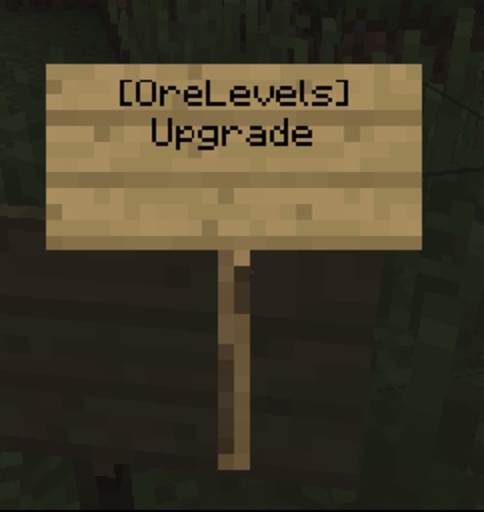
Sign to Upgrade
Default Configuration
#Techically this is only for ores, but you can type other blocks which can be mined by a pickaxe too such as stone. This is case sensitive so make sure you write the name which is shown in MC.
ores:
  emerald_ore: 9
  gold_ore: 8
  redstone_ore: 7
  diamond_ore: 6
  iron_ore: 5
  coal_ore: 3
values:
  #We advise keeping the maxmimum level at 9 but you're more than welcome to choose a higher value.
  maximum-level: 9
  starting-level: 1
price:
  #You can choose xp or vault (economy) - if you choose both it will charge your players the same amount in XP and in Economy
  xp: true
  vault: false
  #You'll need a price for each level - if you don't want to charge a price type '0'.
  level:
    9: 10000
    8: 10000
    7: 10000
    6: 10000
    5: 10000
    4: 10000
    3: 10000
    2: 10000
    1: 10000
messages:
  prefix: "&b&lOreLevels &8>"
  no-permission: "&cYou do not have permission to execute this command."
  wrong-level: "&cYou do not have the correct level of pickaxe to mine this block."
  reached-max-level: "&cThis pickaxe has reached the maximum level."
  insufficient-funds: "&cYou do not have enough money/xp for this transaction!"
  successfully-upgraded: "&aYour pickaxe has successfully been upgraded to level &a&l%new-level%"
  #Sign Message -nThe sign has a maximum of 4 lines, do not change the values 0 through to 3 as this will break the sign.
  sign:
    0: ""
    1: "&c&lORE LEVEL"
    2: "&c&lUPGRADE"
    3: ""
settings:
  #Break the block if they don't have the right level
  break-block: true
  #Use sign to allow pickaxe upgrades
  sign: true
  #Auto Level when Breaking sets the pickaxe to the lowest level if it doesn't have a level already - useful if you have kits and such.
  auto-level-breaking: true
  #Auto Updating - We recommend you leave auto-updating enabled. We announce whenever we update plugins prior to updating them. Please check out our Bukkit for Privacy Policy information and disclaimers
  auto-update: true