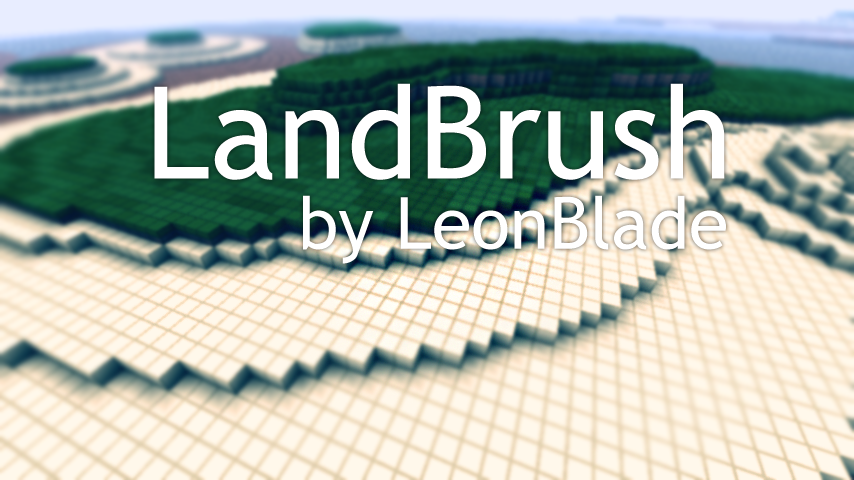
LandBrush

LandBrush - The easy to use brush for creating new land quick and easy:
Version: 1.2.2
What is it?
LandBrush was created to make creating new land structures quick and easy. By mimicking how the Minecraft World Generator forms land sides you can easily create a base level structure for new contents or islands that you can use other tools such as VoxelSniper and WorldEdit to give it more depth.
How does it work?
Really simple actually, you first start off by picking your "base height" which is used to form the land at that position. Then you simple "paint" on your land that simple using the LandBrush tool. There are a few different arguments that can also be passed in to alter how the brush "paints" your land.
Commands:
LandBrush has a few commands that can be used, all commands can be accessed with either /landbrush or /lb.
/landbrush help - Displays help text for commands.
/landbrush [on/off] - Turns on and off the plugin locally.
/landbrush default - Sets all settings to default.
/landbrush size 5 - Sets brush radius in blocks.
/landbrush base [me/64] - Sets the base height.
/landbrush spread 3 - Sets the spread of the layer span.
/landbrush material [sand grass/12 3] - Sets the materials from bottom to top.
/landbrush tool [wood_spade/270] - Sets or Gets the tool.
/landbrush undo [all/steps] - Will undo your last action, best to bind if you can.
An alias can be set in the bukkit.yml file like so, lb being the alias in this instance:
aliases:
    lb:
    - landbrush
Permissions:
- landbrush.* - Gives permissions for all commands with LandBrush.
Changelog:
Version 1.2.2:
- Added support for Minecraft 1.8.1 Bukkit server builds.
- Started changing "scale" to "spread" now an integer value.
- Added more undo functionality allowing you to undo a certain amount of times or all.
- Added an on/off command which disables your player events.
- Removed Permissions 3.1.6 support in favor of PermissionsBukkit.
Version 1.2.1:
- Removed alias of "lb" which can now be set manually in the bukkit.yml file.
Version 1.2:
- Fixed issue with players receiving message of "LandBrush disabled" when on player interaction.
Version 1.1:
- Removed bottom layer.
- Added the ability to swap tool to current item in hand with /lb tool.
- Added the ability to get the tool item while holding nothing with /lb tool.
- Added support for Bukkit Permissions.
- Added support for Permissions 3.1.6 Plugin.
- Fixed a bug with disconnecting or rejoining and not being able to use the tool.
Version 1.0:
- Plugin initial release.
Todo:
Adding permissions.Possibly removing the bottom layer, not so sure just yet.- Save settings for players server side.
- Adding a way to specify a height of the brush.
Making the tool command give you the tool when no arguments passed in.- Adding mesh like manipulation features which allow you to push and pull land.
- Flip option which flips to create valleys rather than hills.
Links:
 https://github.com/LeonBlade/LandBrush

 https://github.com/downloads/LeonBlade/LandBrush/LandBrush.jar
Let me know what features you'd like to be added/changed/removed and things like that.
Thank you.
Comments

-

_ForgeUser7460739 Owner
-
View User Profile
-
Send Message
Posted Jun 3, 2014sounds awesome, shame about not having an update :(
-
View User Profile
-
Send Message
Posted May 7, 2013Update?
-
View User Profile
-
Send Message
Posted Dec 30, 2012I was using this plugin a year ago and it was awesome.
It's possible an update?
-
View User Profile
-
Send Message
Posted Nov 25, 2012update maybe?
-
View User Profile
-
Send Message
Posted Mar 3, 2012brilliant plugin will this be updated?
-
View User Profile
-
Send Message
Posted Dec 17, 2011possible change /lb to /bl or something /lb conflicts with logblock
-
View User Profile
-
Send Message
Posted Dec 3, 2011@LeonBlade
Specially about the "Client side" thing, always make this optional. I can tell you allot of people dont like to use a clientside mod at all. ;)
-
View User Profile
-
Send Message
Posted Dec 3, 2011@1101001
Secret Trick for cliffs from a we pro:
Make a dirt hill, then do
/br sphere sand 3-5 /mask air
And now you just place the sand on the top sides of that dirt hill, and it will fall down to the ground, It will look like a cliff in the end, here is what you can do with worldedit:
http://dl.dropbox.com/u/11398524/Gamesketch/2011-12-04_05.33.43.png
( BTW I use landbrush too, its good for some of my users as they dont know WE that good, nice plugin, but no alternative ;) )
-
View User Profile
-
Send Message
Posted Dec 2, 2011@LeonBlade
It looks awesome on its own. I am adding this plugin to my server as we update to 1.0.
I think it fills a much needed hole in the terraforming world, you can make a hill in WorldEdit but it always looks artifical since the smooth tool will make the hill into steps or a pyramid, not at all natural.
Keep updating! Don't loose hope!
-
View User Profile
-
Send Message
Posted Nov 19, 2011@sheepwool7
Hey there! Thank you for sharing interest in my plugin! With all the updates with Minecraft, I figured I would put this on hold for a while. I've been swamped with work and other things going on lately that I haven't had the time to sit down and overhaul the system.
I apologize to all that use or want to use my plugin, it should work with the newest Bukkit, but I promised that I would put out a new version a while back.
One of the big things is worrying about how useful the plugin is. Arguably you could do these same things in another editor, which is why I want to separate my plugin from others as much as I can while still keeping the idea of what it does the same. This is why I plan on one day changing the way the land is manipulated.
Instead of placing down blocks, I want to shape them like you would in a 3D modeling program with a mesh, only instead of polygons it's voxels. Pushing and pulling this "mesh" would make creating hills and valleys quick and easy, and allow a user who's familiar with 3D like software like Blender can understand the possibilities. At the same time, however, it will be easy enough where any user can pick it up and get to work.
Some of the main things I wanted to look into was also hooking up the tool with a client side mod that would make the plugin more friendly in that you can access all the commands in an easy to use interface rather then typing in commands in the chat.
With these obstacles in the way, I don't see LandBrush coming out with a new release just yet, but I would like to work on it when I get the time. Please feel free to fork my project if you're a programmer and would like to take the project in this or any other direction.
Again, thanks for your interest!
-
View User Profile
-
Send Message
Posted Nov 19, 2011Will this be updated any longer? :P
-
View User Profile
-
Send Message
Posted Sep 28, 2011LandBrush v1.2.2 for Minecraft 1.8 Bukkit builds has been updated, check the changelog for more details.
-
View User Profile
-
Send Message
Posted Aug 31, 2011@Robertof97
Thanks, I'm glad you like it! If anyone has feature suggestions, bugs or anything like that make sure to submit a ticket.
-
View User Profile
-
Send Message
Posted Aug 31, 2011Amazing plugin!! Thank you very much and keep the good work ^_^
-
View User Profile
-
Send Message
Posted Aug 30, 2011Thank you all! Sorry I didn't even realize I had comments here yet! I'm glad you like the plugin, I hope to be bringing new ideas if I can to make it even better. Please submit any ideas you think would work and I'll be sure to make it happen.
Also, the texture pack I use is oCd: Link Removed: http://www.mediafire.com/?7j2o592pn5l8iz7
-
View User Profile
-
Send Message
Posted Aug 30, 2011What texture pack are you using? (great mod btw :P)
-
View User Profile
-
Send Message
Posted Aug 29, 2011Absolutely Amazing!
-
View User Profile
-
Send Message
Posted Aug 29, 2011Very Very Cool!! I will have to find a use for this and give it a try lol.