
KumaCrates
Minecraft 1.7.10
English description
Plugin for creating specific crates
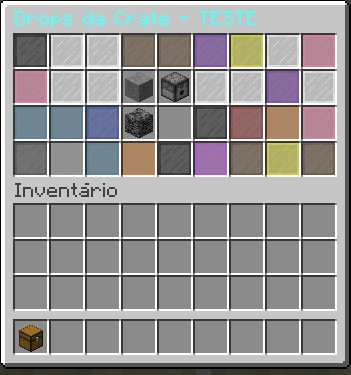
This plugin is used to create crates and configure items and drop rates; the use is with a tripwire hook with key status.
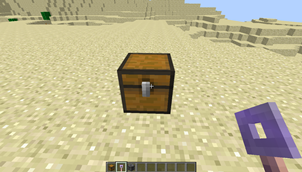
The crate created by this plugin is indestructible and can only be removed via a command.
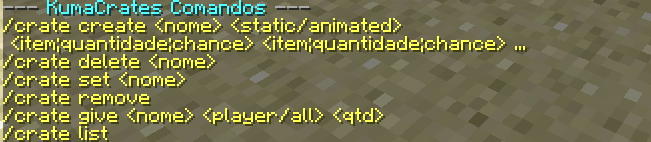
Use /crate help to see the commands
Completely intuitive and easy to use, the in-game description provides step-by-step instructions.
You can create multiple crates with their respective keys.
Commands:
This command is used to create a crate scope:
/crate create <crate name> <static/animated> <item;quantity;chance> <item;quantity;chance>...
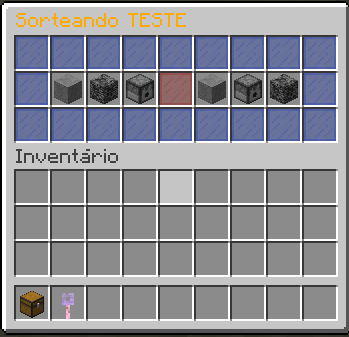
static reference a instant reward and animated is a lootbox
Type this command and then right-click to set a chest as a crate:
/crate set <crate name>
This command is used to give keys to players:
/crate key <crate name> <player/all> [quantity]
This command removes the "crate" status from a world chest, :
/crate remove
Just run the command and right-click on the chest to remove the crate status.
This command is used to delete crates in the config file
/crate delete
Descrição em portugês
plugin para criar crates especificas
esse plugin serve para criar crates e configurar os itens e a chance de drop, o uso é por tripwire hook com status de key
a crate criada por esse plugin é indestrutível e só pode ser removia via comando
use /crate help para ver os comandos
totalmente intuitivo e fácil de usar, a descrição in game diz o passo a passo para usar.
pode criar várias crates com as respectivas keys.
comandos:
esse comando serve para criar um scopo de crate:
/crate create <nome da crate> <static/animated> <item;quantidade;chance> <item;quantidade;chance>...
static faz referencia a uma crate de recompensa sem animação, e animated é para um efeito de lootbox na crate.
digite esse comando e depois clique com botão direito para setar um baú como crate:
/crate set <nome da crate>
esse comando serve para dar keys aos players:
/crate key <nome da crate> <jogador/all> [quantidade]
Este comando remove o status de "crate" de um baú no mundo:
/crate remove
Basta executar o comando e clicar com o botão direito do mouse no baú para remover o status de crate.


-

vitorbarbosafonteles Owner
Comments