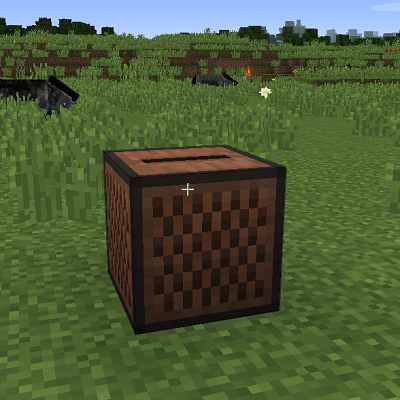
Jukebox Extended
Introduction:
This plugin let you play a list of discs with options like shuffle and repeat.
All you have to do is left click any jukebox, click the discs from your inventory and click play.
Every disc that got inserted is stored under the uuid of the player.
With the config option share_access other players can use the jukebox only by turning it on and off.
Any item can be set as a remote control with the command /juke remote. Also with a redstone signal it's possible to turn it on and off.
Settings in the config can be modified by command. Also for the remote control, these item names can be added or removed by command. Available settings are shown by chat.
Installation:
Besides adding the plugin into the plugin folder, nothing.
Database:
None, or well local file storage. One folder under where the config file can be found.
Permissions:
jukebox_command_remote
jukebox_command_remote_add
jukebox_command_edit_config
jukebox_command_reload
Commands:
/juke remote
/juke remote set
/juke remote add
/juke remote remove
/juke config set <value> <value>
/juke reload

Comments


-

Forge_User_75615475 Owner
-
View User Profile
-
Send Message
Posted Apr 15, 2019I am really enjoying this plugin, but i've noticed that the songs get cut off. Are there any limitations I'm not aware of?
-
View User Profile
-
Send Message
Posted Nov 23, 2018next version 1.1.4 (re:final?)
- able to make config setting for switching what mouse button to use.
This will make it possible to show the menu but still able to destroy the jukebox normaly. If its getting destroyed like a normal block, it will drop all the discs what is stored inside. This will also remove the little protection it has because shift click the pearl isnt needed anymore.
- fixed the issue between different world types. If its the nether or the end, it will work now.
upcoming for 1.1.5 or later will not be a easy one... actually any help would be awesome :)
i have to try to cancle the packet send to client from server that stops sound.
instead i have to put volume to 0 and keep it playing so long the juke is playing.
Why i have to cancle the stop-sound packet ?
I want to raise the volume back up when the player comes back.
This is the only way i can think of how to play the sound again without start from the beginning.
Distance wont sent these packets, but any teleport do. Nether or end or dead.
-
View User Profile
-
Send Message
Posted Nov 21, 2018This is a great plugin! It is the only plugin for looping jukebox music I have found that functions in 1.13.2! Many of these jukebox plugins have not been updated in years. So thank you for continuing to update.
However, jukeboxes are not able to function in the End (and presumably the Nether, though I have not tested that). Here is the error from the server console:
[Server] WARN Plugin JukeBoxExtended v1.1.3 generated an exception while executing task 12020 [Server] INFO java.lang.IllegalArgumentException: Cannot measure distance between world_the_end and world
In game, when attempting to use the jukebox in the End, the buttons do not work (pressing play, shuffle, repeat, etc. does nothing). Once you exit the jukebox menu, any discs placed inside are deleted. I can provide more information if you need.
There are other minor issues, such as the music not playing for new players entering the area until the current track is finished and a new track is loaded. But I understand that may be difficult to address.
Thank you again for a great plugin and continued updates.
-
View User Profile
-
Send Message
Posted Nov 22, 2018In reply to GabeValentine:
Due some private issues i didnt had time to repair these problems any sooner.
Make it work in the nether and the end. Also these button issue or remove the jukebox in survival mode will be looked into.
The arrows are pointed on this plugin now so it should be fixed soon. :)
-
View User Profile
-
Send Message
Posted Jul 26, 2018It's impossible to destroy jukeboxes. The best option would be to only show the menu on right-click.
-
View User Profile
-
Send Message
Posted Aug 9, 2018In reply to ThaPengwin:
Are u using 1.12?
-
View User Profile
-
Send Message
Posted Oct 6, 2018In reply to Forge_User_75615475:
-
View User Profile
-
Send Message
Posted Oct 12, 2018In reply to Forge_User_75615475:
-
View User Profile
-
Send Message
Posted Nov 21, 2018In reply to ThaPengwin:
In reply to Gillyonsteam:
-
View User Profile
-
Send Message
Posted Nov 22, 2018In reply to ThaPengwin:
Sorry for the long absence.
Shift click the ender pearl is the orginal way to remove it. But i understand this can be confusing in survival mode if you use lets say a axe.
This will be looked into and most likely become a config setting in how to destroy/remove them.
The reason why i choose left click in the first place is that the jukebox could still be used normaly by inserting a single disc.
Thanks for the report. :)
-
View User Profile
-
Send Message
Posted May 8, 2018Tips and suggestions always welcome!
Also if any bug is found let me know please.
-
View User Profile
-
Send Message
Posted Mar 10, 2018Update when :c
-
View User Profile
-
Send Message
Posted Nov 13, 2017Err not working in 1.12.2 anymore somehow.. will fix it shortly
-
View User Profile
-
Send Message
Posted Jan 20, 2018In reply to Forge_User_75615475: